代码的优化
- 代码的嵌套不要超过三层
.cc权重 > 图下面组群权重(可以理解为:一车土 > 10捧土)

背景属性 background
背景颜色 background-color
background-color: blueviolet;
背景图片 background-image
./在当前目录../是返回上一级,跳出当前文件夹background-image: url(images/2.png);背景图是否平铺 background-repeat
background-repeat: repeat;      /* 默认值 平铺 */
background-repeat: no-repeat; /* 常用 不平铺 */
background-repeat: repeat-x;  /* 横向平铺 */
background-repeat: repeat-y;  /* 纵向平铺 */
背景图位置 background-position
background-position:水平位置 垂直位置;background-position-x: left/center/right/数值/百分比; /* 水平位置 */ background-position-y: top/center/bottom/数值/百分比; /* 垂直位置 */ /* 注意!背景图位置是可以简写的(也称为复合属性) */ /* background-position: 水平位置 垂直位置; */background-position: right bottom; background-position: 200px center; background-position: center center; /* 等价于 background-position: center; */整体简写
background: 颜色 图片 平铺 位置;- (顺序可以更换 颜色 平铺 图片 位置)
background: pink url(images/2.png) no-repeat center;背景图大小 background-size: 水平大小 垂直大小;
代码汇总
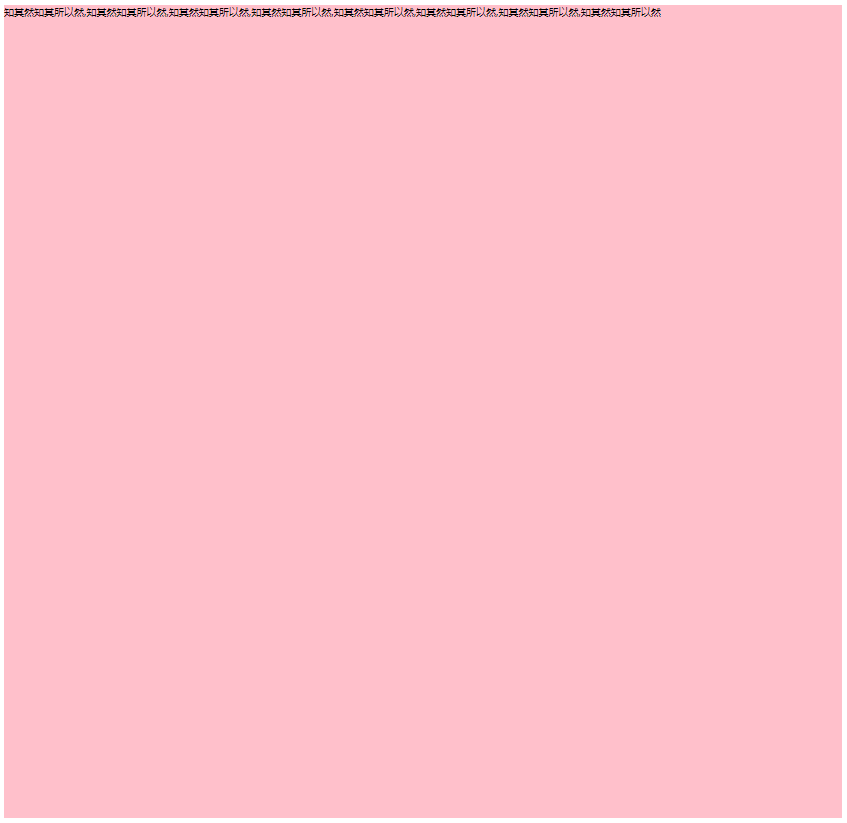
```html <!DOCTYPE html>
知其然知其所以然,知其然知其所以然,知其然知其所以然,知其然知其所以然,知其然知其所以然,知其然知其所以然,知其然知其所以然,知其然知其所以然
<a name="cnvgT"></a>
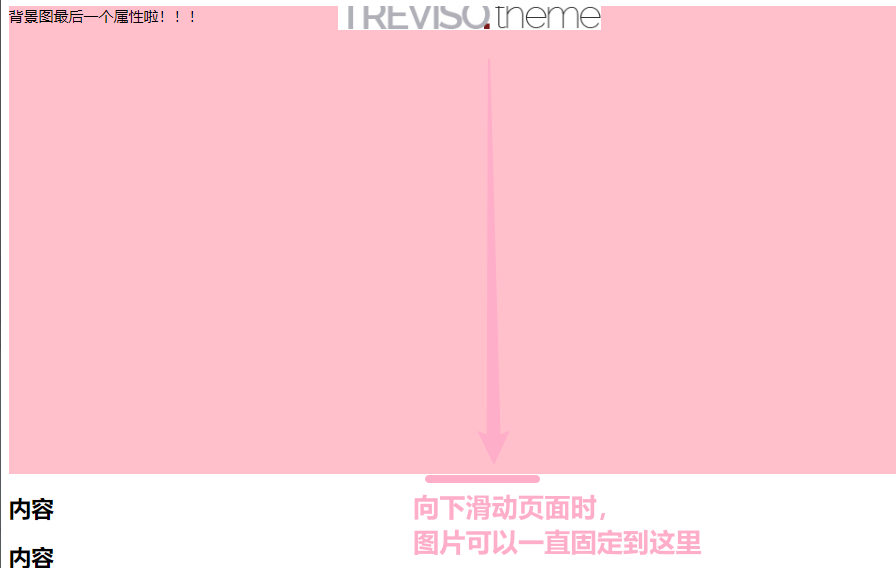
## 背景图固定 background-attachment: fixed;
- 注意!元素设置背景图固定之后,背景图的位置是根据浏览器来设定的
```html
<!DOCTYPE html>
<html lang="en">
<head>
<meta charset="UTF-8">
<title>Document</title>
<style type="text/css">
div {
width: 1000px;
height: 500px;
/* 背景:颜色 图片 平铺 位置 */
background: pink url(../images/2.png) no-repeat center top;
/* 背景图固定 注意!元素设置背景图固定之后 背景图的位置是根据浏览器来设定的 */
background-attachment: fixed;
}
</style>
</head>
<body>
<div>背景图最后一个属性啦!!!</div>
<h2>内容</h2>
<h2>内容</h2>
<h2>内容</h2>
<h2>内容</h2>
<h2>内容</h2>
<h2>内容</h2>
<h2>内容</h2>
<h2>内容</h2>
<h2>内容</h2>
<h2>内容</h2>
<h2>内容</h2>
<h2>内容</h2>
<h2>内容</h2>
<h2>内容</h2>
<h2>内容</h2>
<h2>内容</h2>
<h2>内容</h2>
<h2>内容</h2>
<h2>内容</h2>
<h2>内容</h2>
<h2>内容</h2>
<h2>内容</h2>
<h2>内容</h2>
<h2>内容</h2>
<h2>内容</h2>
<h2>内容</h2>
<h2>内容</h2>
<h2>内容</h2>
<h2>内容</h2>
<h2>内容</h2>
<h2>内容</h2>
<h2>内容</h2>
<h2>内容</h2>
<h2>内容</h2>
<h2>内容</h2>
<h2>内容</h2>
<h2>内容</h2>
<h2>内容</h2>
<h2>内容</h2>
<h2>内容</h2>
<h2>内容</h2>
<h2>内容</h2>
<h2>内容</h2>
<h2>内容</h2>
<h2>内容</h2>
<h2>内容</h2>
<h2>内容</h2>
<h2>内容</h2>
<h2>内容</h2>
<h2>内容</h2>
<h2>内容</h2>
<h2>内容</h2>
<h2>内容</h2>
<h2>内容</h2>
<h2>内容</h2>
<h2>内容</h2>
<h2>内容</h2>
<h2>内容</h2>
<h2>内容</h2>
<h2>内容</h2>
<h2>内容</h2>
<h2>内容</h2>
<h2>内容</h2>
<h2>内容</h2>
<h2>内容</h2>
<h2>内容</h2>
<h2>内容</h2>
<h2>内容</h2>
<h2>内容</h2>
<h2>内容</h2>
<h2>内容</h2>
<h2>内容</h2>
<h2>内容</h2>
<h2>内容</h2>
<h2>内容</h2>
<h2>内容</h2>
<h2>内容</h2>
<h2>内容</h2>
<h2>内容</h2>
<h2>内容</h2>
<h2>内容</h2>
<h2>内容</h2>
<h2>内容</h2>
<h2>内容</h2>
<h2>内容</h2>
<h2>内容</h2>
<h2>内容</h2>
<h2>内容</h2>
<h2>内容</h2>
<h2>内容</h2>
</body>
</html>

边框属性 border
边框 border: 大小 线型 颜色;
- 会撑大盒子
- 去除边框
border: 0; - 线型
solid实线dotted点状线dashed虚线double双实线border: 1px solid #000; border: 10px double #0f0f0f;
边框可以单独设置某一边
左边框:border-left: 2px solid #000;
右边框:border-right: 1px solid #999;
上边框:border-top: 3px solid #333;
下边框:border-bottom: 5px solid #222;
复合属性
border-right: 8px solid #000;
/*
 * 上述写的 是简写(复合属性)
 * 8px 边框大小 border-width
 * solid 边框线型 border-style
 * #000 边框颜色 border-color
*/
设置边框大小 border-width
border-width: 5px;- 单独设置边框大小,不设置线型,则不显示边框
设置边框线型 border-style
- 注意!边框 我们一般简写为:
border: 大小 线型 颜色 ;border-left: 大小 线型 颜色 ;
<!—
* 注意! 边框我们一般简写 border:大小 线型 颜色
*                        border-left:大小 线型 颜色
* 但是 如果你单独设置了线型 它也是会出来边框的 出来一个3px的黑色边框
—>
<a name="xbxqQ"></a>
## 边框的注意事项

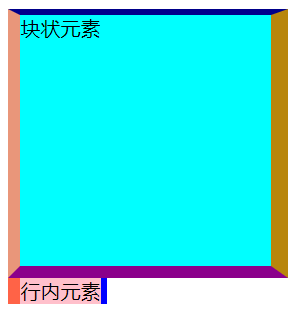
1. 块状元素可以设置上下左右边框
1. 行内元素在一行显示 ,不可以设置宽高,大小由内容撑开
- 行内元素可以设置左右边框
```html
<!DOCTYPE html>
<html lang="en">

<head>
    <meta charset="UTF-8">
    <title>Document</title>
    <style>
        div {/* 块状元素 可以设置上下左右边框 */
            width: 200px;
            height: 200px;
            background: cyan;
            border-top: 5px solid darkblue;
            border-bottom: 10px solid darkmagenta;
            border-left: 10px solid darksalmon;
            border-right: 14px solid darkgoldenrod;
        }

        span {/* 行内元素 在一行显示 不可以设置宽高 大小由内容撑开 */
            /* width: 200px;无效
            height: 200px;无效 */
            background: pink;
            border-left: 10px solid tomato;
            border-right: 5px solid blue;
        }
    </style>
</head>

<body>
    <div>块状元素</div>
    <span>行内元素</span>
</body>

</html>
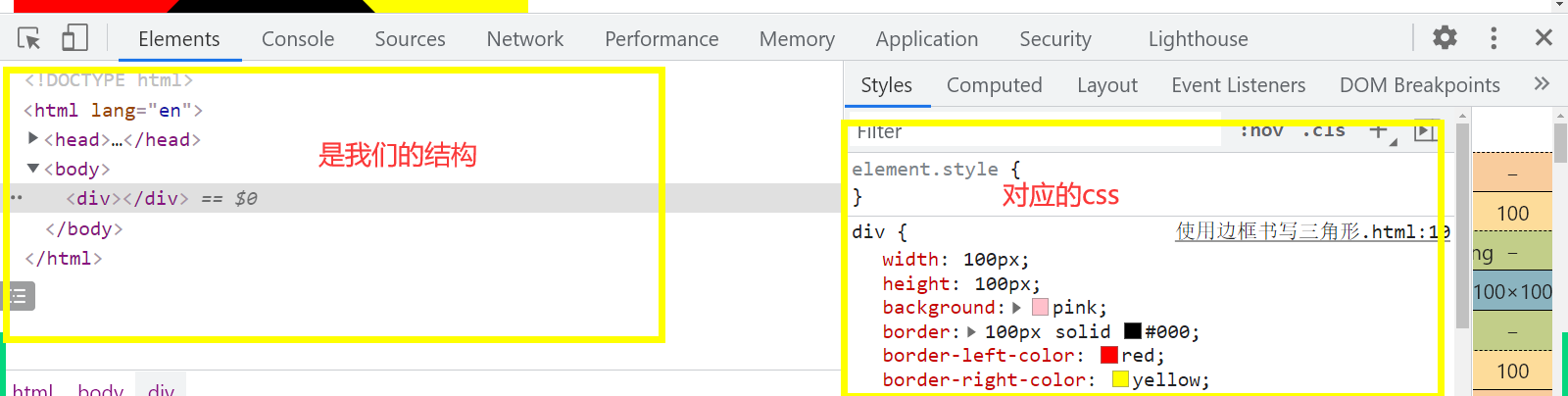
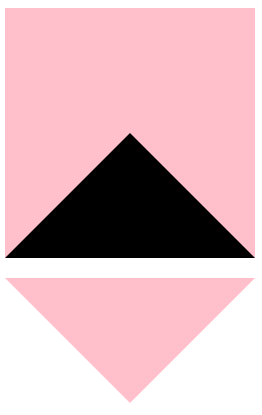
使用边框书写三角形
transparent表示边框值为透明
![]_T5661~)3JL$YXL8LY9S]2.png](/uploads/projects/sweetmilllk@psyhak/d9a2010b57a4df6c88893bcf02165a0c.png)

若有收获,就点个赞吧
0 人点赞