[TOC]
文本插值
模板语法{{}}:
- 内部可以是任意的JavaScript表达式
属性动态绑定
{{}}只适用于文本插值,如果想实现模板元素属性的响应性,需要使用v-bind:指令,其中v-bind可以省略不写。 ```vueMake me red
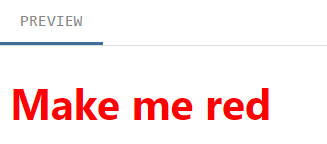 <a name="FEeUK"></a> ### 事件绑定(事件监听): `v-on:`指令,可以简写为`@` ```vue <script setup> import { ref } from 'vue' const count = ref(0) function increase(){ count.value++; } </script> <template> <button @click=increase>count is: {{ count }}</button> </template>表单绑定
通过前面的属性动态绑定和事件监听,可以实现数据的双向绑定:
<script setup>
import { ref } from 'vue'

const text = ref('')

function onInput(e) {
  text.value = e.target.value
}
</script>

<template>
  <!-- 两种绑定结合才能实现数据的双向绑定 -->
  <input :value="text" @input="onInput" placeholder="Type here">
  <p>{{ text }}</p>
</template>
通过使用
v-model语法糖,可以更简单地实现数据的双向绑定:<input v-model="text">条件渲染
两条指令:
v-if和v-else<script setup> import { ref } from 'vue' const awesome = ref(true) function toggle() { awesome.value = !awesome.value; } </script> <template> <button @click="toggle">toggle</button> <h1 v-if="awesome">Vue is awesome!</h1> <h1 v-else>Oh no 😢</h1> </template>列表渲染(循环渲染)
指令:
v-for<ul> <li v-for="todo in todos" :key="todo.id"> {{ todo.text }} </li> </ul>上面的
:key属性是Vue的内置属性,有它存在,才能保证Vue的优化操作不会好心办坏事,详情请看:https://vuejs.org/api/built-in-special-attributes.html#key两种方法可以响应式地更新列表,其他更新方式可能会导致响应性的丧失!
- 调用 mutating methods :
todos.value.push(newTodo) - 重新为整个数组赋值:
todos.value = todos.value.filter(/* ... */)
完整小栗子
<script setup>
import { ref } from 'vue'
// give each todo a unique id
let id = 0

const newTodo = ref('')
const todos = ref([
  { id: id++, text: 'Learn HTML' },
  { id: id++, text: 'Learn JavaScript' },
  { id: id++, text: 'Learn Vue' }
])

function addTodo() {
  todos.value.push({ id: id++, text: newTodo.value })
  newTodo.value = ''
}

function removeTodo(todo) {
  todos.value = todos.value.filter((t) => t !== todo)
}
</script>

<template>
  <form @submit.prevent="addTodo">
    <input v-model="newTodo">
    <button>Add Todo</button>
  </form>
  <ul>
    <li v-for="todo in todos" :key="todo.id">
      {{ todo.text }}
      <button @click="removeTodo(todo)">X</button>
    </li>
  </ul>
</template>
计算属性
<script setup>
import { ref, computed } from 'vue' // 引入computed

let id = 0

const newTodo = ref('')
const hideCompleted = ref(false)
const todos = ref([
  { id: id++, text: 'Learn HTML', done: true },
  { id: id++, text: 'Learn JavaScript', done: true },
  { id: id++, text: 'Learn Vue', done: false }
])

const filteredTodos = computed(() => {
  // 这里是关键
  return hideCompleted.value
    ? todos.value.filter((t) => !t.done)
    : todos.value
})

function addTodo() {
  todos.value.push({ id: id++, text: newTodo.value, done: false })
  newTodo.value = ''
}

function removeTodo(todo) {
  todos.value = todos.value.filter((t) => t !== todo)
}
</script>

<template>
  <form @submit.prevent="addTodo">
    <input v-model="newTodo" />
    <button>Add Todo</button>
  </form>
  <ul>
    <!-- 这里也改成filteredTodos了 -->
    <li v-for="todo in filteredTodos" :key="todo.id">
      <input type="checkbox" v-model="todo.done">
      <span :class="{ done: todo.done }">{{ todo.text }}</span>
      <button @click="removeTodo(todo)">X</button>
    </li>
  </ul>
  <button @click="hideCompleted = !hideCompleted">
    {{ hideCompleted ? 'Show all' : 'Hide completed' }}
  </button>
</template>

<style>
.done {
  text-decoration: line-through;
}
</style>
模板引用&生命周期
到目前为止,都是Vue帮我们做DOM操作,响应性确实为我们带来了极大的方便,但是,有些时候我们确实想直接操作DOM,此时该怎么办呢?
别告诉我你要用document.getElment...,原始人!粗鲁!
粗鲁不说,Vue的组件是有自己的生命周期的,说不定你获取的时候人家元素还没渲染出来呢!
对于此,Vue有更优雅的操作,那就是使用模板引用!该操作需要用到另一个Vue模板的内置属性: ref。<script setup> import { ref, onMounted } from 'vue' // 这里变量的命名必须和下方模板中ref属性引用的名字完全一致! const p = ref(null) // 这里初始化为别的也没意义,因为根据生命周期图,此时元素还没出生 onMounted(() => { //生命周期钩子函数,此时就不用担心元素不存在了 p.value.textContent = 'mounted!' }) </script> <template> <p ref="p">hello</p> <!--一定要和上方变量名一致!--> </template>监听器
为什么需要监听器?因为我们想产生一些“副作用”(这是和计算属性的本质区别!),比如监听到数据变化时做些日志啥的。
<script setup> import { ref, watch } from 'vue' const count = ref(0) watch(count, (newCount) => { // yes, console.log() is a side effect console.log(`new count is: ${newCount}`) }) </script>除了做日志,监听器还有一个重要应用:异步操作!如下:
<script setup>
import { ref, watch } from 'vue' //导入watch

const todoId = ref(1)
const todoData = ref(null)

async function fetchData() {
  todoData.value = null
  const res = await fetch(
    `https://jsonplaceholder.typicode.com/todos/${todoId.value}`
  )
  todoData.value = await res.json()
}

fetchData()

watch(todoId, fetchData)  //此处监听!
</script>

<template>
  <p>Todo id: {{ todoId }}</p>
  <button @click="todoId++">Fetch next todo</button>
  <p v-if="!todoData">Loading...</p>
  <pre v-else>{{ todoData }}</pre>
</template>
组件
导入并渲染子组件
<!-- 父组件.vue -->
<script setup>
  import ChildComp from './ChildComp.vue'  //在sxript中导入
</script>

<template>
  <ChildComp></ChildComp>  <!--在模板中就可以直接使用了-->
</template>


<!-- ChildComp.vue -->
<template>
  <h2>A Child Component!</h2>
</template>
父组件通过props往子组件传数据
<!-- 父组件.vue -->
<script setup>
import { ref } from 'vue'
import ChildComp from './ChildComp.vue'

const greeting = ref('Hello from parent')
</script>

<template>
  <ChildComp :msg=greeting /> <!-- 传入动态属性给msg -->
</template>


<!-- ChildComp.vue -->
<script setup>
const props = defineProps({  //defineProps是编译时宏,无需import
  msg: String  // 只要在这里定义了,就可以在模板中使用了!同时在script中也可以通过props.msg访问
})
</script>

<template>
  <h2>{{ msg || 'No props passed yet' }}</h2>
</template>
子组件通过emits给父组件发事件
<!-- ChildComp.vue -->
<script setup>
const emit = defineEmits(['response']) //定义事件

emit('response', 'hello from child')  // 发送事件
  //【重要】第一个参数是事件名,剩余参数传给父组件的事件监听器。父组件可以用任何拼写的形参接受!
</script>

<template>
  <h2>Child component</h2>
</template>


<!-- 父组件.vue -->
<script setup>
import { ref } from 'vue'
import ChildComp from './ChildComp.vue'

const childMsg = ref('No child msg yet')
</script>

<template>
<!--通过msg这一“形参”来接受子组件的传值,并将其值赋值给本地的响应式数据,
从而实现实时展示子组件发来的消息-->
  <ChildComp @response="(msg) => childMsg = msg"/>
  <p>{{ childMsg }}</p>
</template>
父组件通过slots往子组件传模板元素
<!-- ChildComp.vue --> <template> <slot>Fallback content</slot> <!--定义插槽--> </template> <!-- 父组件.vue --> <script setup> import { ref } from 'vue' import ChildComp from './ChildComp.vue' const msg = ref('from parent') </script> <template> <!--定义了插槽,就可以通过“直接在两个标签内写数据”的方式往子组件传递数据了--> <ChildComp>Message: {{ msg }}</ChildComp> </template>你有没有这样的疑问:通过props传数据不也挺好吗?为何要多一种手段?很简单,为了更好地语义化。因为插槽传的不只是数据,而是模板,这样可以实现像
<ul>和<li>这种嵌套的语义化标签。 - 调用 mutating methods :

若有收获,就点个赞吧
0 人点赞


