由於語法渲染問題而影響閱讀體驗, 請移步博客閱讀~
本文GitPage地址
tmux2
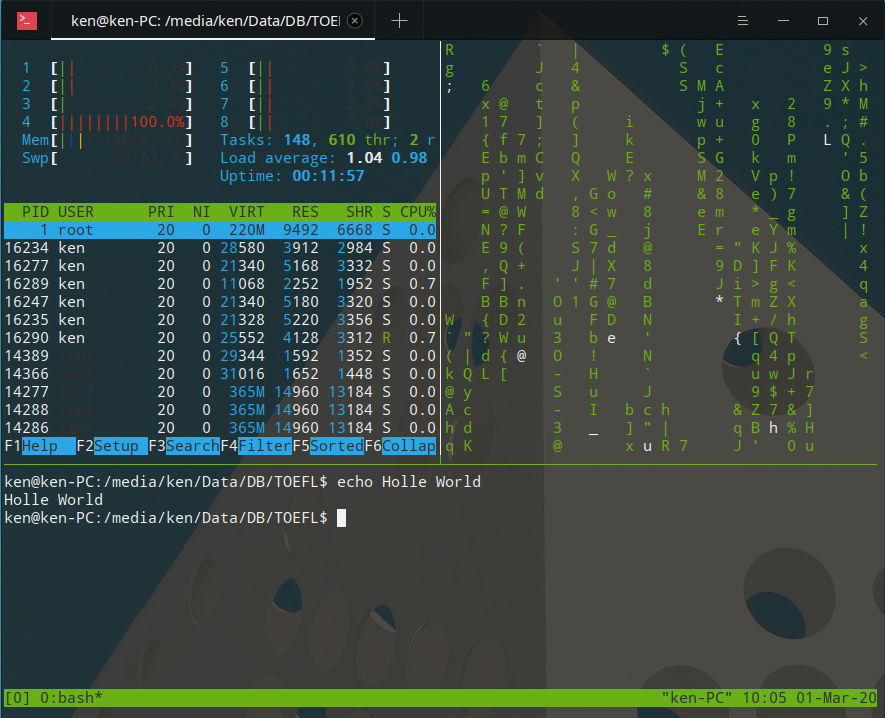
tmux is a very powerful interact-able bash interpreter. Once you familiarized with the hot keys, it would be an inextricable programs of you.
Copy and Past:
^b [ (ctrl+b [) : move the mouse;
^blanck: start to selecte; (hold this at less for a second)
^w: copy
Now, the selected words are in your copy list. You can using the favorite way to copy it in terminal, or Word, Atom, etc.
A typical way to past in tmux is:
^b ].
Or you can:
^B [;
Using mouse the select a target;
^w;
It works on turmx, but not on my laptop since when ever I typing ^+blank, the stupid Sugou Input will pop out and interrupt the processor…
Enjoy~
由於語法渲染問題而影響閱讀體驗, 請移步博客閱讀~
本文GitPage地址
GitHub: Karobben
Blog:Karobben
BiliBili:史上最不正經的生物狗

若有收获,就点个赞吧
0 人点赞


