由於語法渲染問題而影響閱讀體驗, 請移步博客閱讀~
本文GitPage地址
Atom
System: Deepin 15.11Atom : 1.41.0
Electron: 4.2.7
Chrome : 69.0.3497.128
Node : 10.11.0
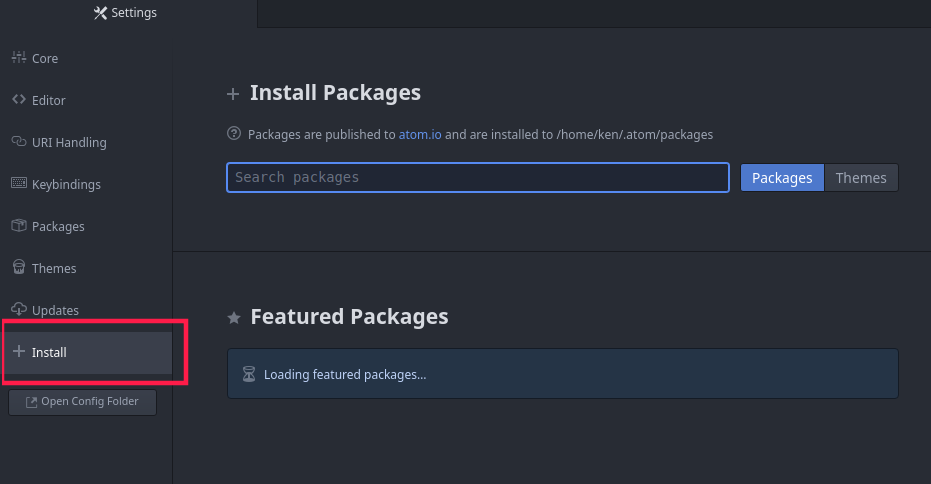
安装插件
ctrl + , 打开设置
1 预览Markdonw
ctrl + shift + m
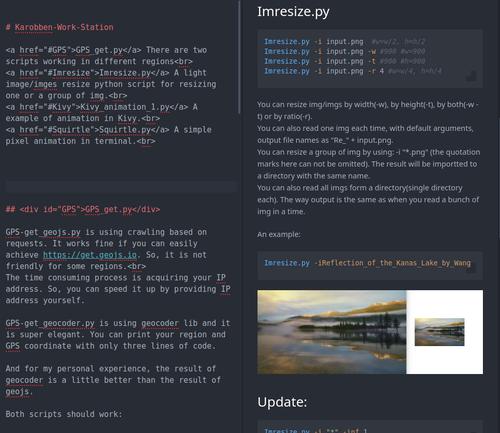
效果还是感人的~!!
2 预览html
下载并安装
git clone https://github.com/harmsk/atom-html-preview.gitcd atom-html-preview/apm install
Ctrl + Shift + H
(我没成功)
3 自动补全文件路径
git://www.github.com/atom-community/autocomplete-paths.gitcd autocomplete-paths##apm installnpm install## 直接使用 apm install 可能會缺少插件導致, 安裝成功卻無法使用,## 而 npm Install 會有報錯
npm install 報錯:
npm WARN worker-loader@0.8.1 requires a peer of webpack@>=0.9 <2 || ^2.1.0-beta || ^2.2.0 but none is installed. You must install peer dependencies yourself.audited 53 packages in 1.756sfound 3 vulnerabilities (2 moderate, 1 high)run `npm audit fix` to fix them, or `npm audit` for details
解決:
npm install npm WARN worker-loader@0.8.1 requires a peer of webpack@>=0.9 <2 || ^2.1.0-beta || ^2.2.0 but none is installed. You must install peer dependencies yourself.audited 53 packages in 1.756sfound 3 vulnerabilities (2 moderate, 1 high)run `npm audit fix` to fix them, or `npm audit` for details
说实话 - -我安装了- -但是没看出什么效果来- -
其他
插件網頁下載:
更多博客:
Location:https://www.cnblogs.com/GarfieldEr007/p/5594700.html
更多插件:
language-r (R 语言语法高亮)
minimap (VS 一样小图预览)
atom-beautify (高亮美化)
emmet (emmet是HTML,CSS快速编写的神器,具体的使用可以参看emmet官网。)
autocomplete-* 系列 (自动补全)
pigments (显示颜色)
https://blog.csdn.net/qq_32340877/article/details/79095610
Enjoy~
本文由Python腳本GitHub/語雀自動更新
由於語法渲染問題而影響閱讀體驗, 請移步博客閱讀~
本文GitPage地址
GitHub: Karobben
Blog:Karobben
BiliBili:史上最不正經的生物狗

若有收获,就点个赞吧
0 人点赞


