后端程序员写前后端接口交接文档时 手写 费时费力 还容易出错 可以在编写后端接口的时候自动生成文档 此技术就是swagger 框架
而国人制作出集成在springboot的 swagger启动器 更加便捷的在springboot使用
使用:
在需要生成文档的服务模块中添加依赖
<!-- swagger对springboot的集成 --><dependency><groupId>com.spring4all</groupId><artifactId>swagger-spring-boot-starter</artifactId><version>1.9.0.RELEASE</version></dependency>
配置yml
# Spring Boot 启动参数
server:
  port: 8080
  servlet:
    context-path: /swagger
# Spring Boot 集成 Swagger 的集成参数
swagger:
  enabled: true                          #Swagger 工程开启开关
  base-package: com.xuecheng             #需要生成文档资源所在包
  title: "测试工程"                       #文档的标题
  description: "对 Swagger 的测试程序"    #文档的描述
  version: 1.0.0                         #文档的版本号
在main启动方法 里开启 swagger功能
package com.xuecheng.swagger;
import com.spring4all.swagger.EnableSwagger2Doc;
import org.springframework.boot.SpringApplication;
import org.springframework.boot.autoconfigure.SpringBootApplication;
/**
 * <p> Spring Boot 启动类</p>
 */
@SpringBootApplication   //Spring Boot 启动注解
@EnableSwagger2Doc       //开启 Swagger 功能
public class SwaggerTestApplication {
    public static void main(String[] args) {
        SpringApplication.run(TestEnvApplication.class);
    }
}
然后就可以在服务接口文档地址固定为:服务地址+项目的根路径+ swagger-ui.html 访问接口文档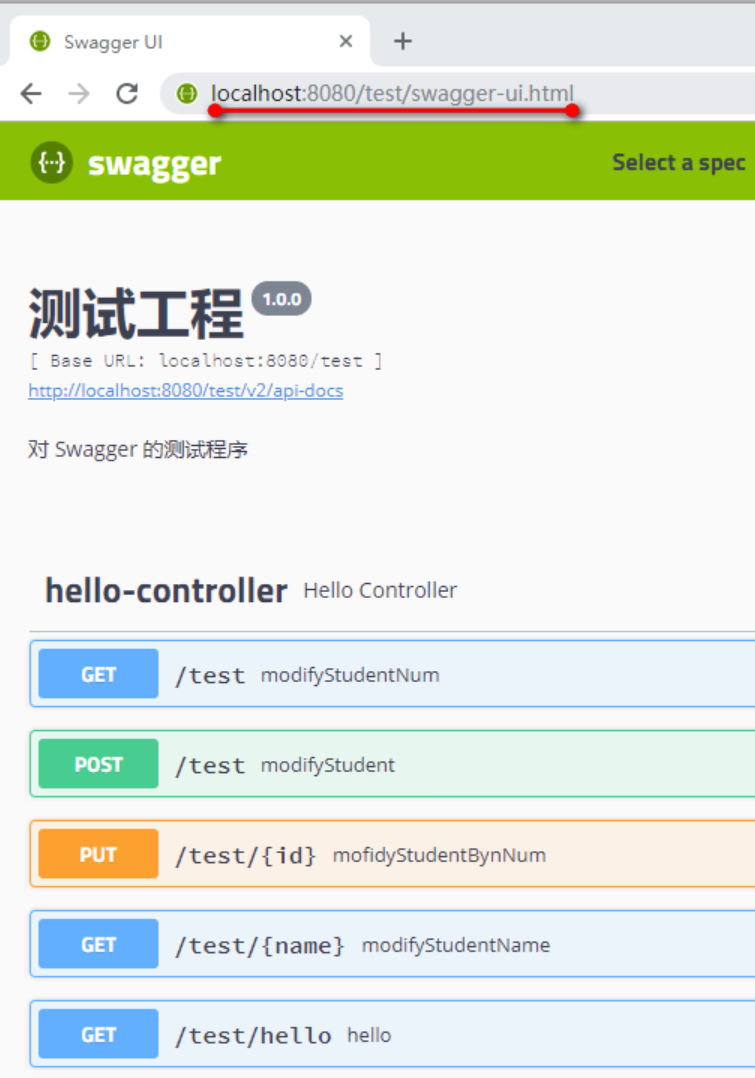
项目的根路径就是设置:
server.servlet.context-path 一般可以不设置 就是端口后的第一个路径地址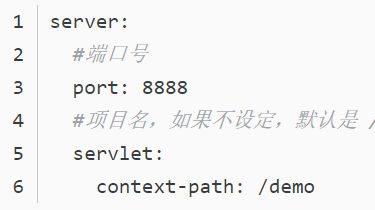

若有收获,就点个赞吧
0 人点赞


