同一个微服务提供者本身也是分布式的 我们要找到合适的微服务提供者就不能把提供地址写死,而是要把所有的微服务交给注册中心来管理 最终我们只需要向注册中心请求数据 注册中心合理调度微服务提供所需数据 Eureka注册中心本身也是一个微服务
搭建Eureka注册中心:
单独新建模块 引入依赖
<dependency><groupId>org.springframework.cloud</groupId><artifactId>spring-cloud-starter-netflix-eureka-server</artifactId></dependency>
编写启动类:父工程要有SpringBoot依赖
@SpringBootApplication
@EnableEurekaServer
public class EurekaApplication {
    public static void main(String[] args) {
        SpringApplication.run(EurekaApplication.class, args);
    }
}
编写yml配置:
server:
  port: 10086   #Eureka中心的端口
spring:
  application:
    name: eureka-server  #Eureka中心的名字
eureka:
  client:
    service-url:
      defaultZone: http://127.0.0.1:10086/eureka  #Eureka中心的管理页面地址
    register-with-eureka: false # 不注册自己
    fetch-registry: false #不拉取服务本eureka服务中的服务信息
注册服务:一般服务消费者和提供者都要注册
在要注册的微服务依赖中添加此依赖
<dependency>
    <groupId>org.springframework.cloud</groupId>
    <artifactId>spring-cloud-starter-netflix-eureka-client</artifactId>
</dependency>
yml配置
spring:
  application:
    name: userservice   #此微服务的名字
eureka:
  client:
    service-url:
      defaultZone: http://127.0.0.1:10086/eureka  #Eureka中心的管理页面地址
  instance: # 在Eureka中显示服务的ip地址
    ip-address: 127.0.0.1 # 配置服务器ip地址
    prefer-ip-address: true # 更倾向于使用ip,而不是host名
    instance-id: ${eureka.instance.ip-address}:${server.port} # 引用本yml文件的本微服务的地址和端口
开启发现客户端注解
@MapperScan("cn.itcast.user.mapper")
@SpringBootApplication
@EnableDiscoveryClient
public class UserApplication {
    public static void main(String[] args) {
        SpringApplication.run(UserApplication.class, args);
    }
}
启动多个微服务提供 端口不同
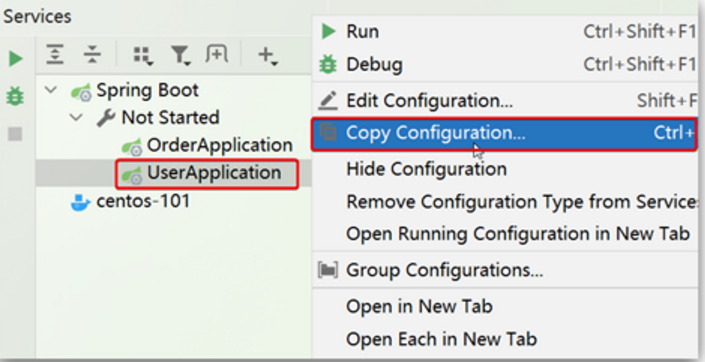
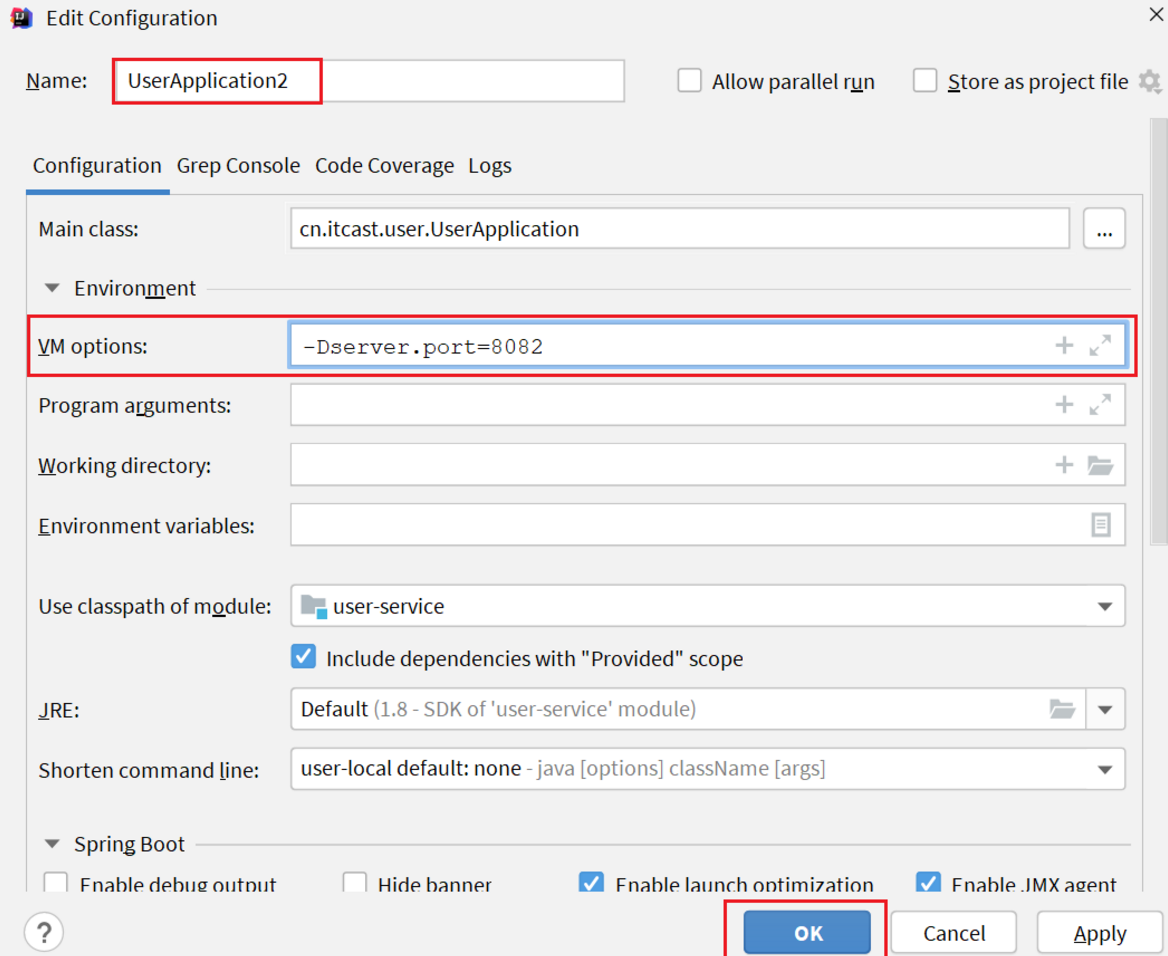
启动多个微服务提供者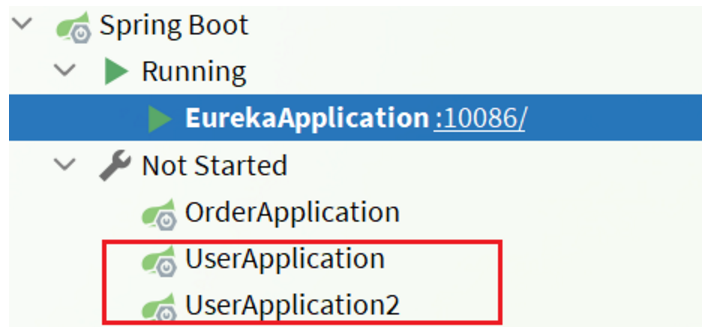
注册中心管理页面就出现2个此微服务
服务发现:微服务消费者
导入和提供者相同的依赖
<dependency>
    <groupId>org.springframework.cloud</groupId>
    <artifactId>spring-cloud-starter-netflix-eureka-client</artifactId>
</dependency>
消费者yml配置:只需要提供自身的名字和注册中心管理页面的地址
spring:
  application:
    name: orderservice
eureka:
  client:
    service-url:
      defaultZone: http://127.0.0.1:10086/eureka
在RestTemple配置方法上打加载负载均衡注解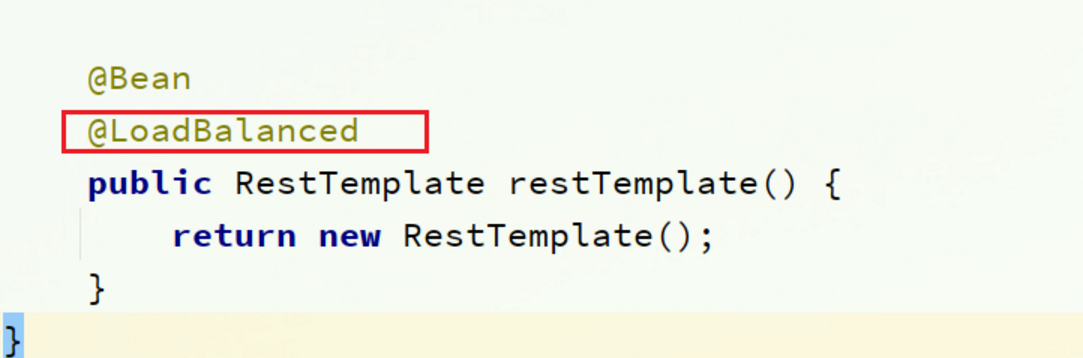
编写调用代码 使用提供者注册的名字替换提供者的 地址与端口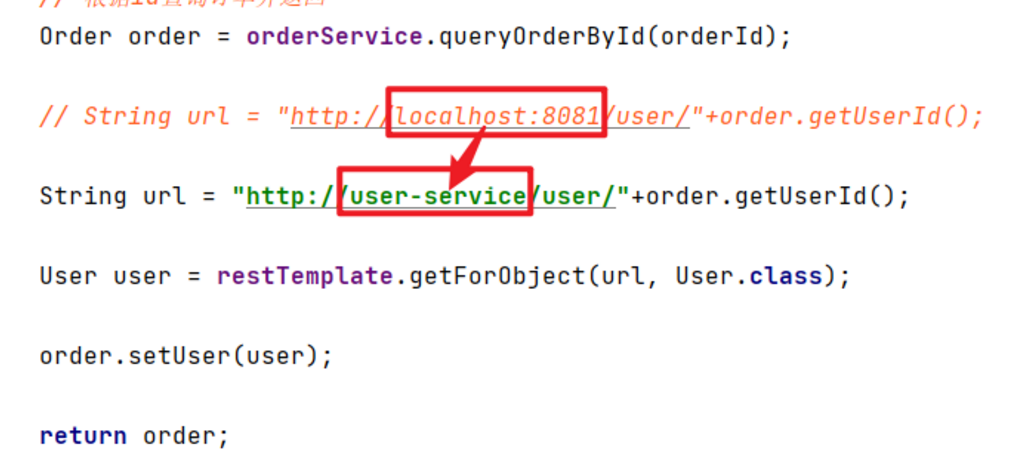

若有收获,就点个赞吧
0 人点赞


