准备工作
在某些网页中,是要求中英文可以相互切换的,因此需要学习Java的国际化编码。
首先需要确保编码都是UTF-8: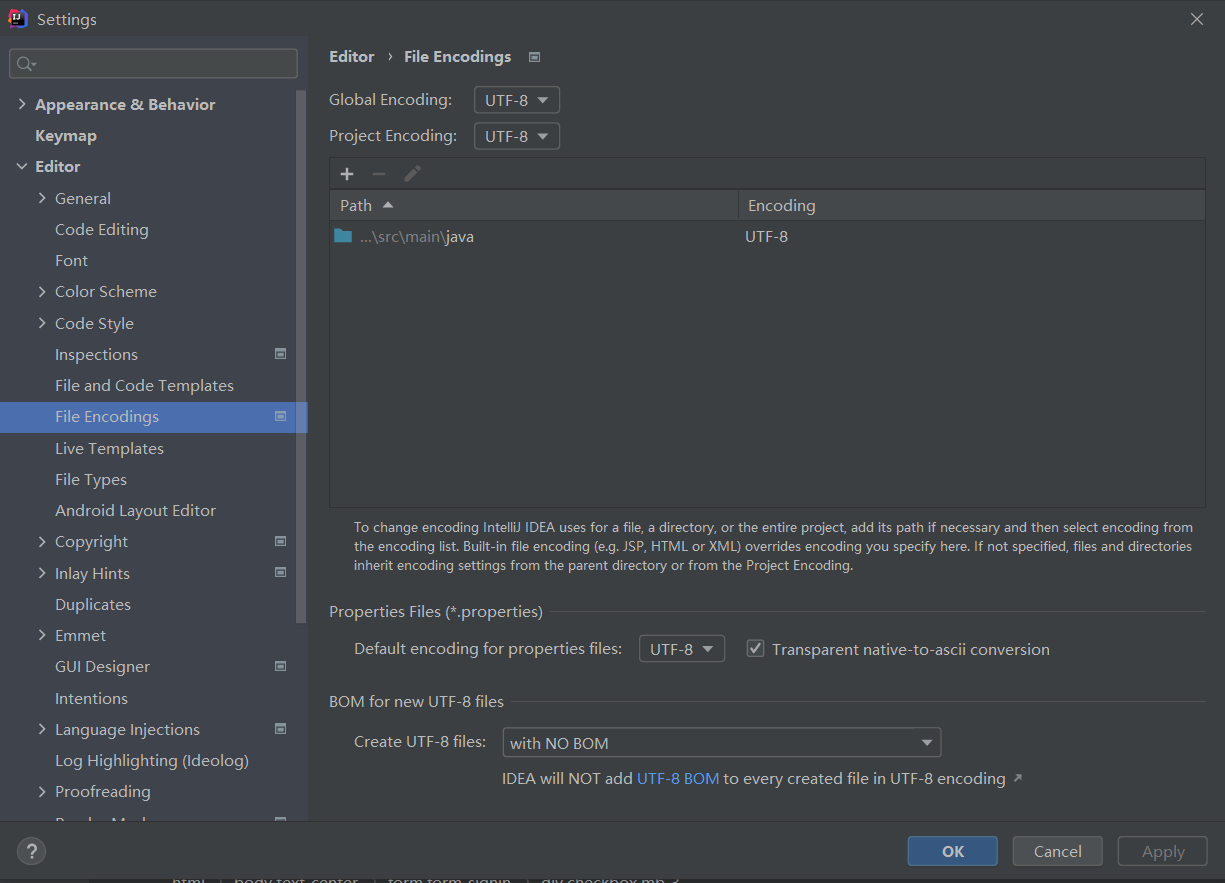
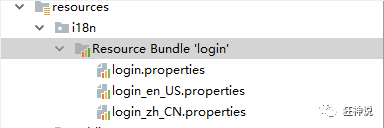
接着在resources资源目录下新建i18n文件夹,然后建立一个login.properties文件,还有一个login_zh_CN.properties;发现IDEA自动识别了我们要做国际化操作: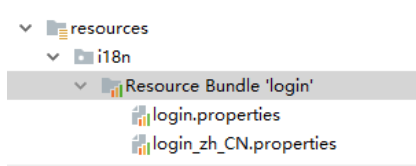
然后还需要新建其它文件: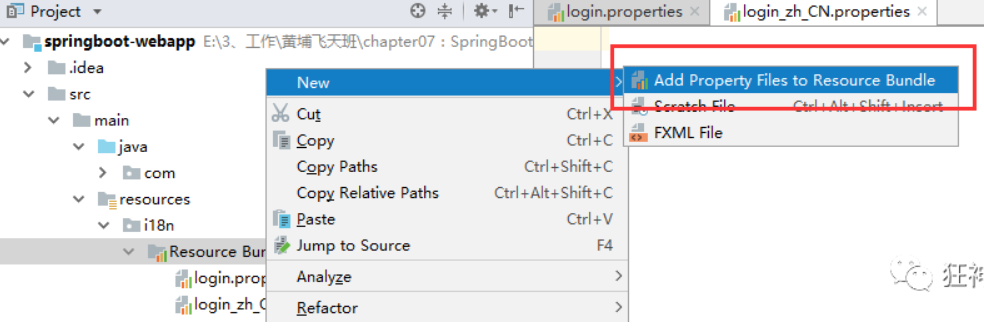
弹出如下页面,再添加一个英文的;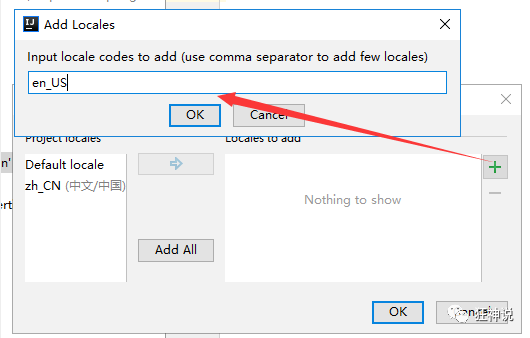
接下来,我们就来编写配置,我们可以看到idea下面有另外一个视图;
这个视图我们点击 + 号就可以直接添加属性了;我们新建一个login.tip,可以看到边上有三个文件框可以输入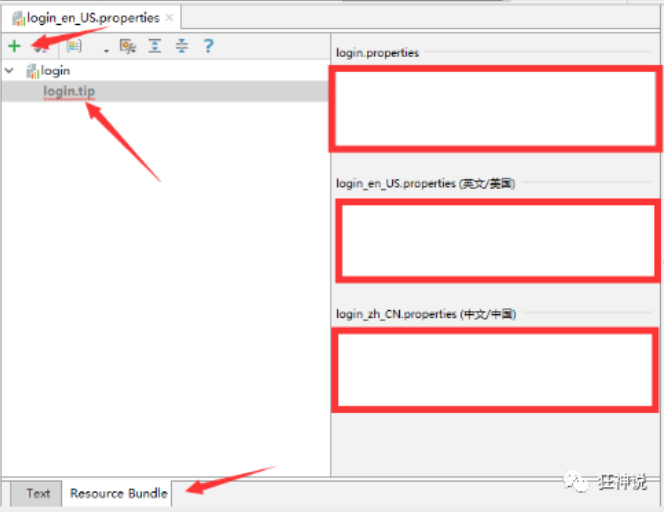
我们添加一下首页的内容: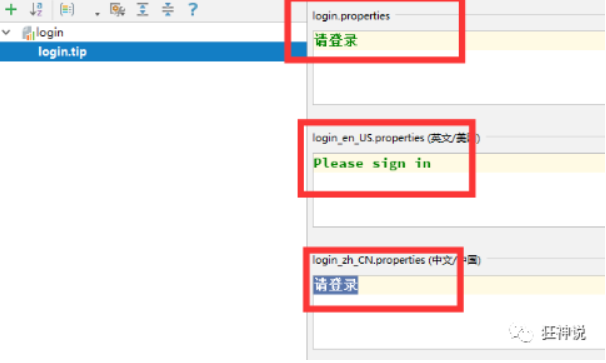
然后依次添加其他页面内容即可:
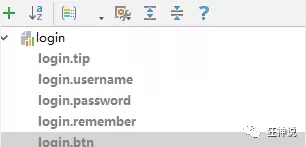
最后,需要到核心配置文件里面配置:
spring:messages:basename: i18n.login
编写组件类
public class MyLocaleResolver implements LocaleResolver {
    @Override
    public Locale resolveLocale(HttpServletRequest req) {
        String lang = req.getParameter("lang");
        Locale locale = Locale.getDefault();
        if (!StringUtils.isEmpty(lang)) {
            String[] split = lang.split("_");
            locale = new Locale(split[0], split[1]);
        }
        return locale;
    }

    @Override
    public void setLocale(HttpServletRequest httpServletRequest, HttpServletResponse httpServletResponse, Locale locale) {

    }
}
其中需要前端的lang参数,参数值值得形式是“国家-地区名”,如:中国大陆zh-CN(中文),美国en_US(英文)等等
然后编写前端页面:
<form class="form-signin" th:action="@{/user/login}">
    <img class="mb-4" th:src="@{../img/bootstrap-solid.svg}" alt="" width="72" height="72">
    <h1 class="h3 mb-3 font-weight-normal" th:text="#{login.tip}">Please sign in</h1>
    <span style="font-size:10px;color: red" th:text="${errorMsg}"></span>
    <label class="sr-only">Username</label>
    <input name="username" type="text" class="form-control" th:placeholder="#{login.username}" required="" autofocus="">
    <label class="sr-only">Password</label>
    <input name="password" type="password" class="form-control" th:placeholder="#{login.pwd}" required="">
    <div class="checkbox mb-3">
    <label>
       <input type="checkbox" value="remember-me" th:text="#{login.remember}">
   </label>
     </div>
    <button class="btn btn-lg btn-primary btn-block" type="submit" th:text="#{login.btn}">Sign in</button>
    <p class="mt-5 mb-3 text-muted">© 2017-2018</p>
    <a class="btn btn-sm" th:href="@{/index.html(lang='zh_CN')}">中文</a>
    <a class="btn btn-sm" th:href="@{/index.html(lang='en_US')}">English</a>
</form>
其中:
<a class="btn btn-sm" th:href="@{/index.html(lang='zh_CN')}">中文</a>
<a class="btn btn-sm" th:href="@{/index.html(lang='en_US')}">English</a>
就是需的参数lang,整体页面效果如下: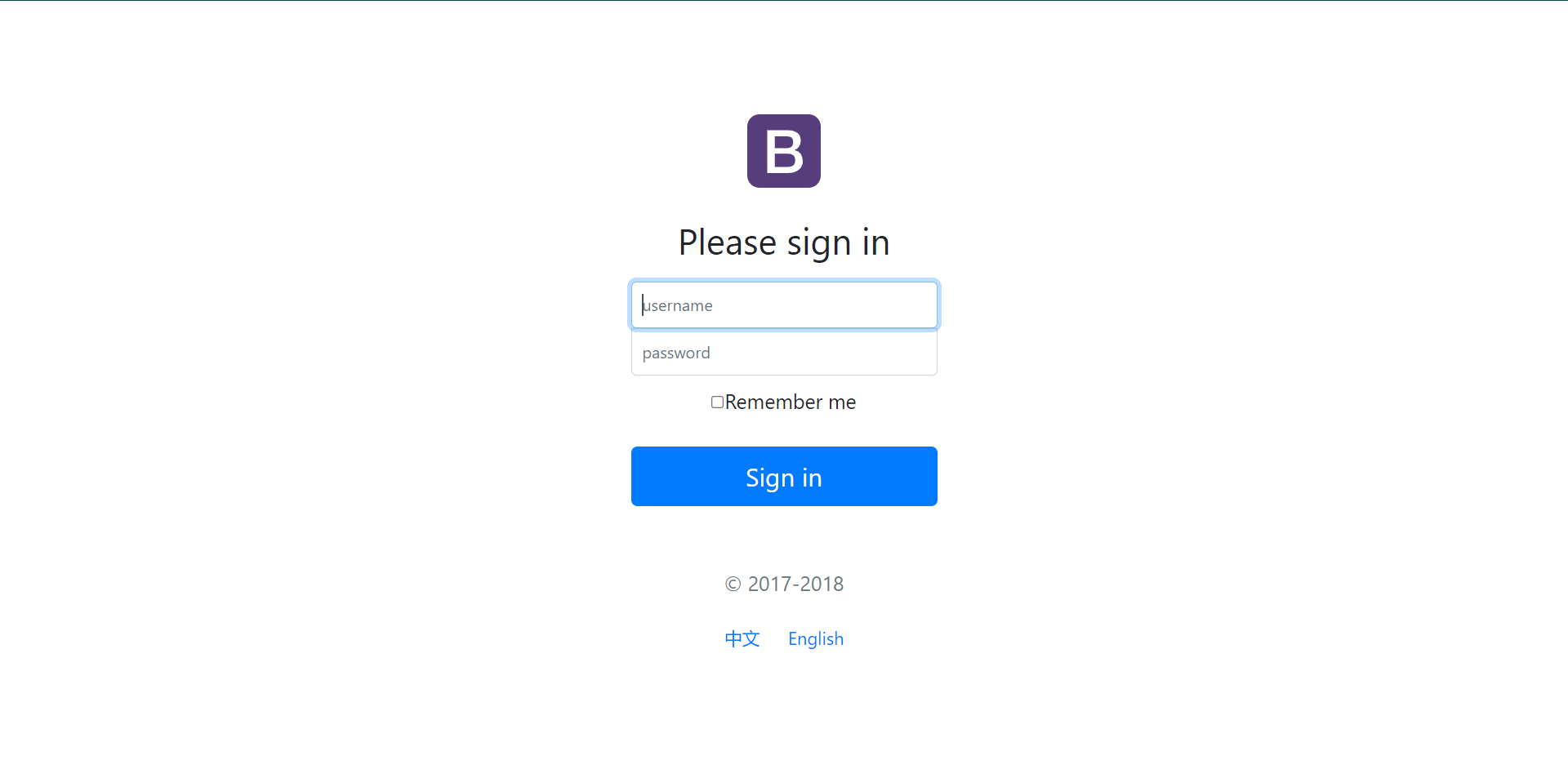
因此点击“中文”传“zh_CN”,点击“English”传“en_US”
最后需要把组件类注册到Spring中:
@Configuration
public class MyMvcConfig implements WebMvcConfigurer {
    /**
     * 注册自定义自定义的LocaleResolver
     */
    @Bean
    public LocaleResolver localeResolver(){
        return new MyLocaleResolver();
    }
}
原理探究
在Spring中有一个国际化的Locale (区域信息对象),里面有一个叫做LocaleResolver (获取区域信息对象)的解析器。看到SpringBoot默认配置:
@Bean
@ConditionalOnMissingBean
@ConditionalOnProperty(prefix = "spring.mvc", name = "locale")
public LocaleResolver localeResolver() {
    // 容器中没有就自己配,有的话就用用户配置的
    if (this.mvcProperties.getLocaleResolver() == WebMvcProperties.LocaleResolver.FIXED) {
        return new FixedLocaleResolver(this.mvcProperties.getLocale());
    }
    // 接收头国际化分解
    AcceptHeaderLocaleResolver localeResolver = new AcceptHeaderLocaleResolver();
    localeResolver.setDefaultLocale(this.mvcProperties.getLocale());
    return localeResolver;
}
LocaleResolver类里面出现的AcceptHeaderLocaleResolver这个类中有一个方法:
public Locale resolveLocale(HttpServletRequest request) {
    Locale defaultLocale = this.getDefaultLocale();
    // 默认的就是根据请求头带来的区域信息获取Locale进行国际化
    if (defaultLocale != null && request.getHeader("Accept-Language") == null) {
        return defaultLocale;
    } else {
        Locale requestLocale = request.getLocale();
        List<Locale> supportedLocales = this.getSupportedLocales();
        if (!supportedLocales.isEmpty() && !supportedLocales.contains(requestLocale)) {
            Locale supportedLocale = this.findSupportedLocale(request, supportedLocales);
            if (supportedLocale != null) {
                return supportedLocale;
            } else {
                return defaultLocale != null ? defaultLocale : requestLocale;
            }
        } else {
            return requestLocale;
        }
    }
}
那假如我们现在想点击链接让我们的国际化资源生效,就需要让我们自己的Locale生效,因此需要实现LocaleResolver接口的编写自己的组件类MyLocaleResolver并注册到Spring中。
效果展示
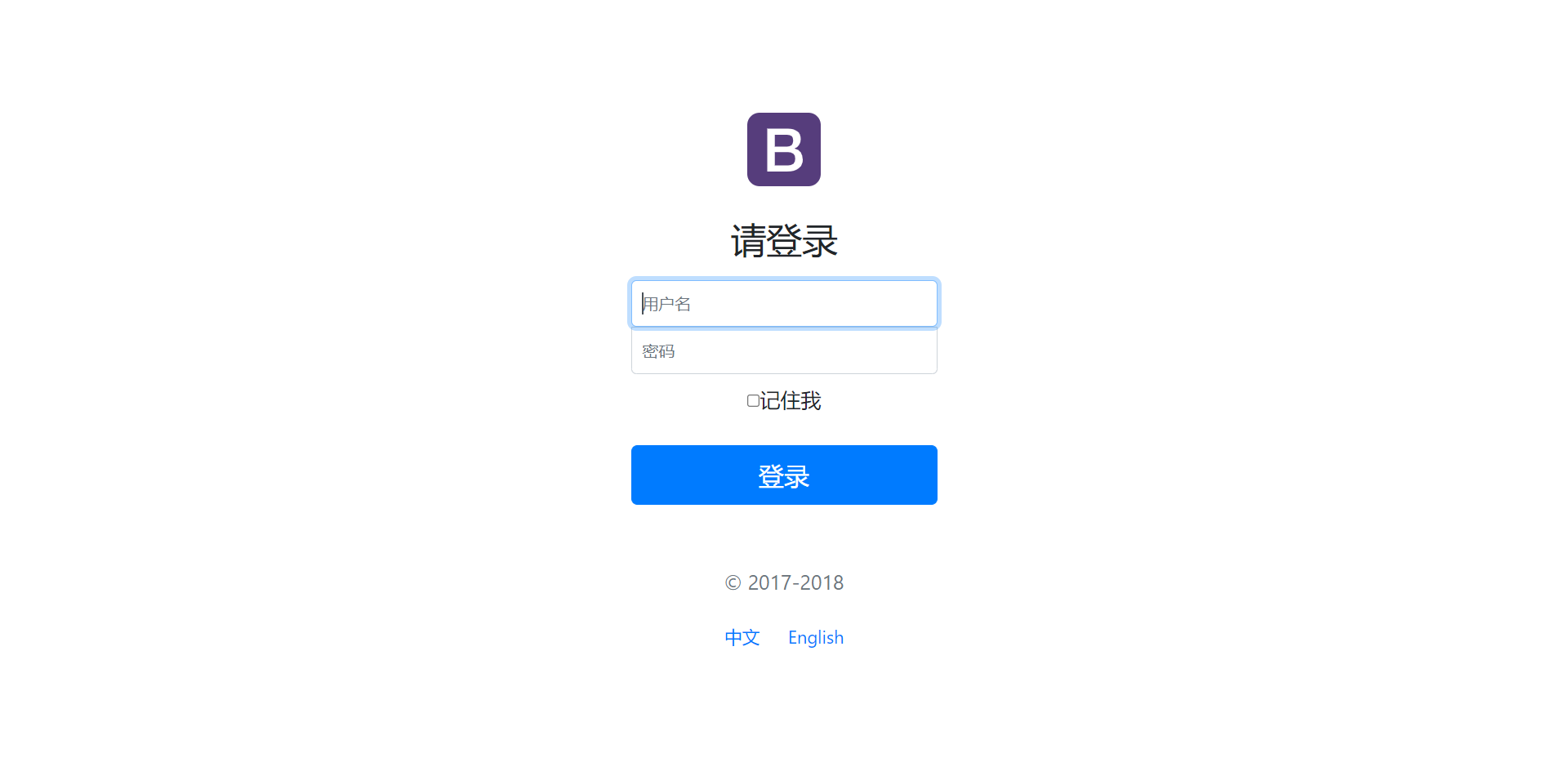
切换中文: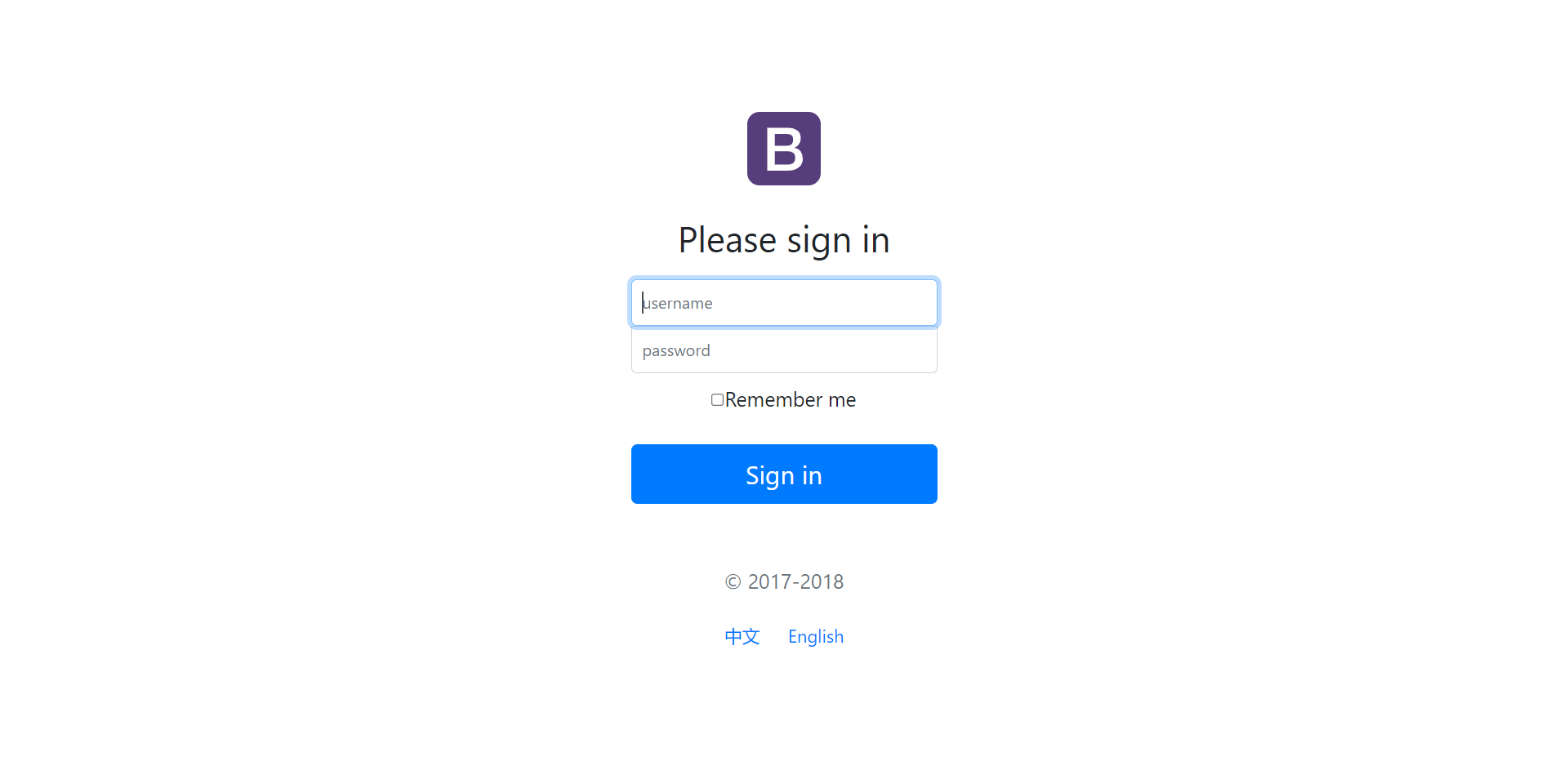

若有收获,就点个赞吧
0 人点赞


