LAMP架构
LAMP动态网站部署架构是由一套 Linux+Nginx/Apache+MySQL+PHP 组成的动态网站系统解决方案。
部署过程
安装Apache和放行防火墙
[root@localhost ~]# yum install httpd wget unzip -y[root@localhost ~]# systemctl start httpd[root@localhost ~]# systemctl enable httpd[root@localhost ~]# firewall-cmd --add-port=80/tcp --permanentsuccess[root@localhost ~]# firewall-cmd --reloadsuccess
安装PHP
[root@localhost ~]# yum install php-* --skip-broken php-mysqlnd[root@localhost ~]# cd /var/www/html[root@localhost html]# wget http://mirrors.eagleslab.com:8889/tz.php # 安装PHP探针[root@localhost html]# systemctl restart httpd
访问192.168.80.132/tz.php
![%18Z4X[%%B9BP{0]7`YA4ZB.png](/uploads/projects/u427629@ge071f/10092ff7d20bd310087d9341f3f0f577.png)
安装mariadb
[root@localhost ~]# yum install mariadb mariadb-server -y[root@localhost ~]# systemctl start mariadb[root@localhost ~]# systemctl enable mariadb[root@localhost ~]# mysql_secure_installation
测试数据库连接情况
<br />![MDL_XW$@PYB%I13]A_9UM6P.png](/uploads/projects/u427629@ge071f/acfa5ea8bc91faaca19669302878cefb.png)
4.创建用于博客网站的数据库[root@localhost ~]# mysql -uroot -p1 -e "create database blog;show databases;"+--------------------+| Database |+--------------------+| information_schema || blog || mysql || performance_schema |+--------------------+
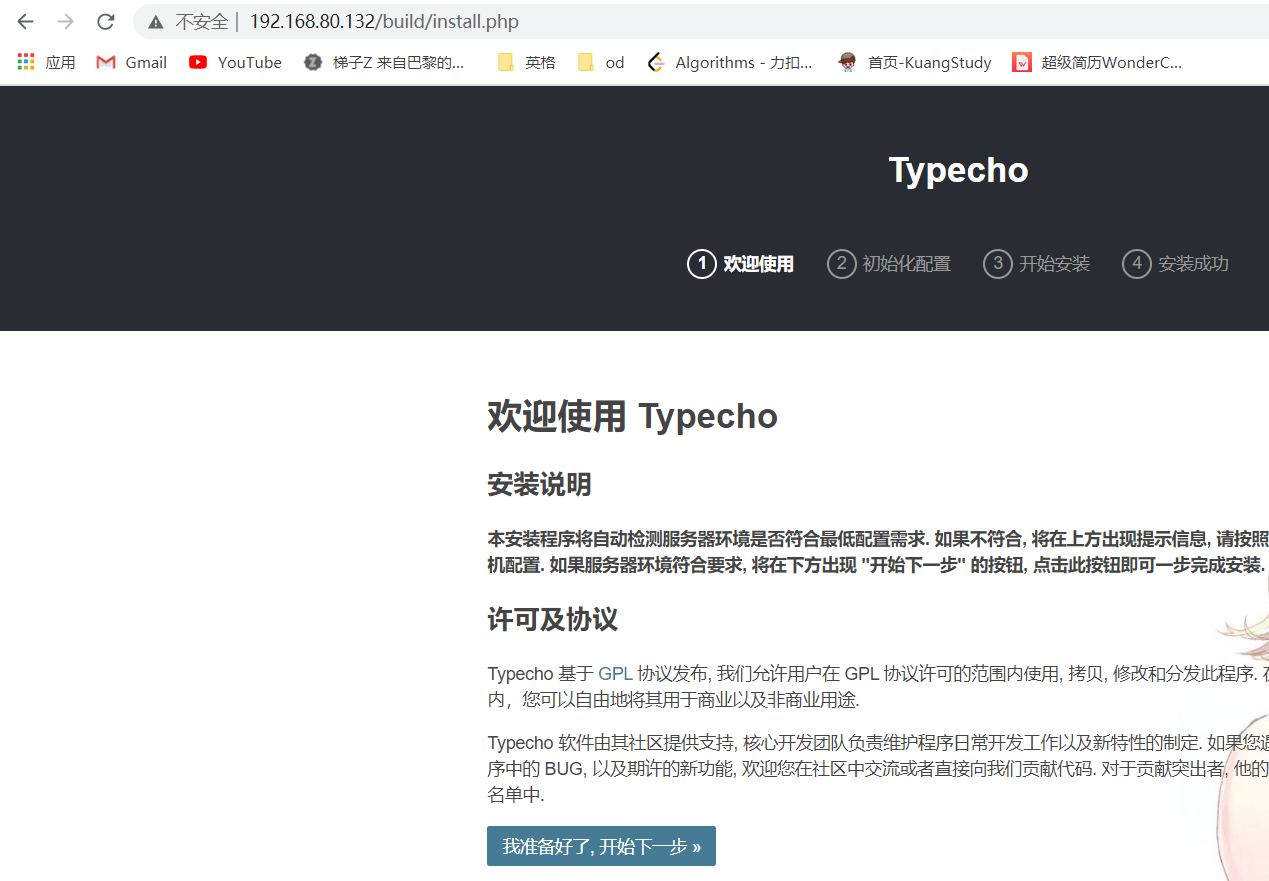
下载安装博客源码(typecho官网)
[root@localhost ~]# cd /var/www/html[root@localhost html]# wget http://typecho.org/downloads/1.1-17.10.30-release.tar.gz[root@localhost html]# tar -zxvf 1.1-17.10.30-release.tar.gz
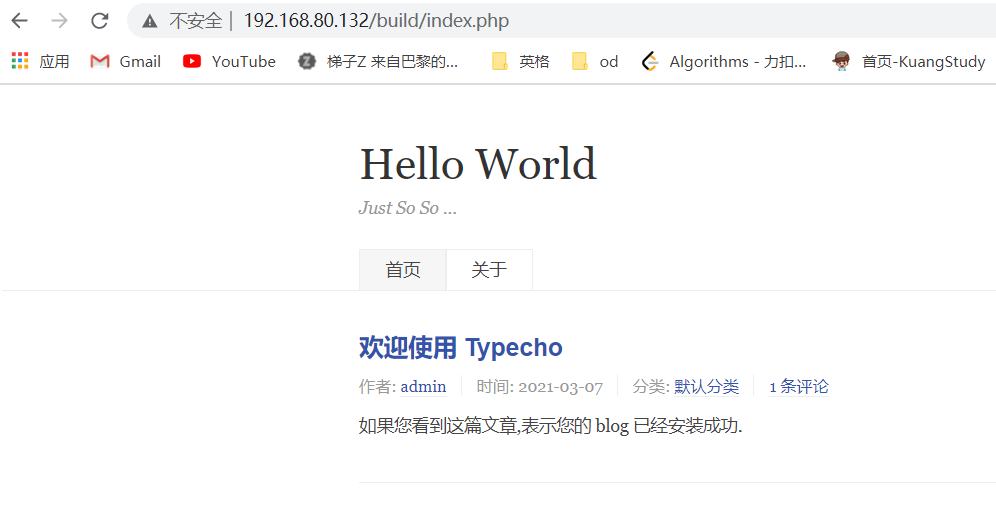
这里发现解压到了一个build文件夹下,访问的时候注意加上/build。也可以指定解压到当前目录。
![XIGSQ57$A]EJ)@LKH{1ERR.png

若有收获,就点个赞吧
0 人点赞