| 基础定位方法 | ID、CLASS_NAME、ACCESSIBILITY_ID(移动端特有的定位方法) Appium从版本1.5以后,不支持NAME定位。 |
|---|---|
| 高级定位方法 | XPATH、ANDROID_AUTOMATOR(移动端特有的定位方法) |
ID
| 截图 | 元素 |
|---|---|
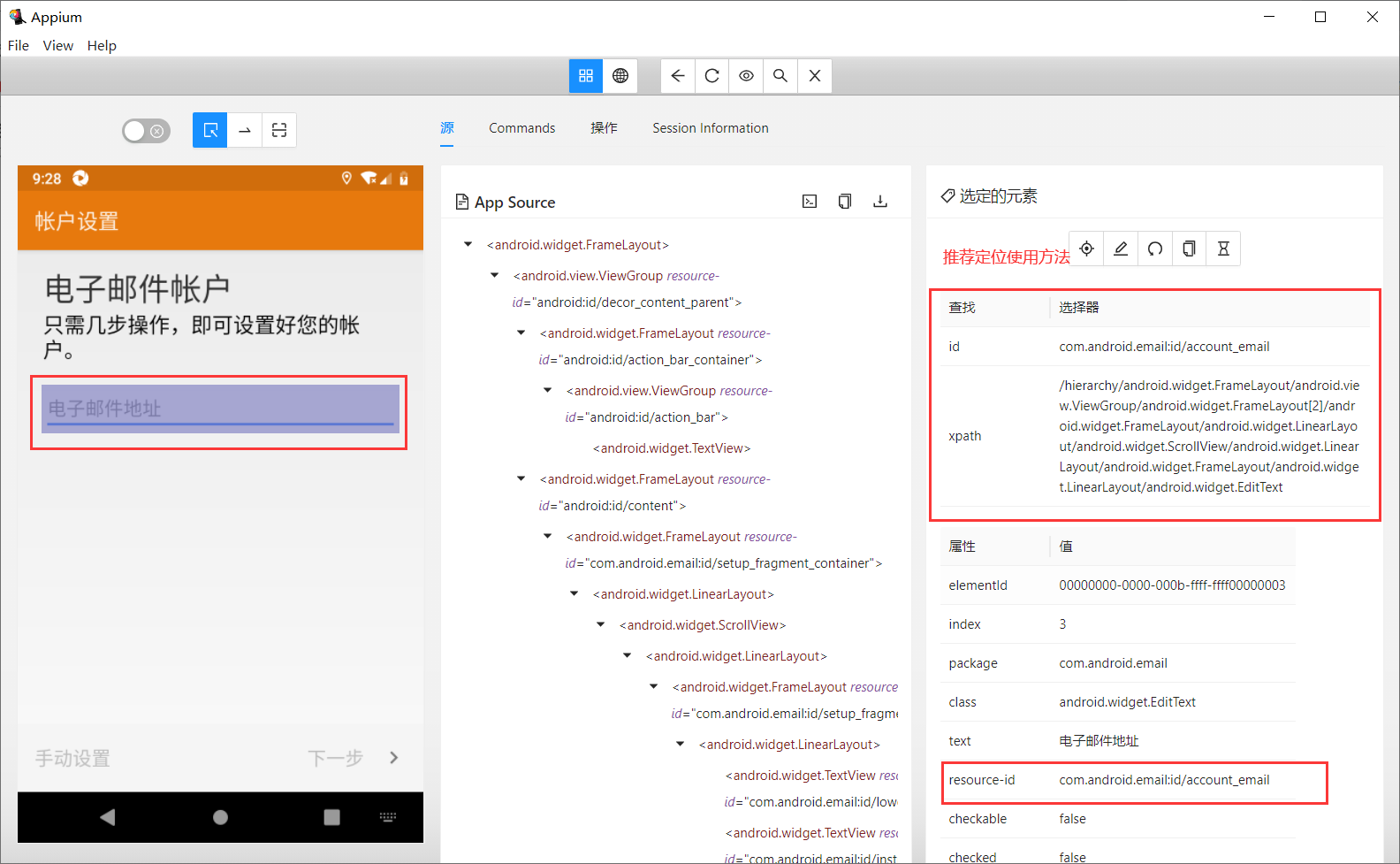 |
com.android.email:id/account_email 或 account_email 说明:如果resource-id属性值是“包名:id/字符串”的格式,则可以简化为只是用/后的那个字符串作为定位参数数据。 |
| ```python |
from appium.webdriver.common.mobileby import MobileBy driver.find_element(MobileBy.ID,’account_email’).click()
或
driver.find_element(MobileBy.ID,’com.android.email:id/account_email’)
| |<a name="crzuN"></a>##### CLASS_NAME| 截图 | 元素 || --- | --- || 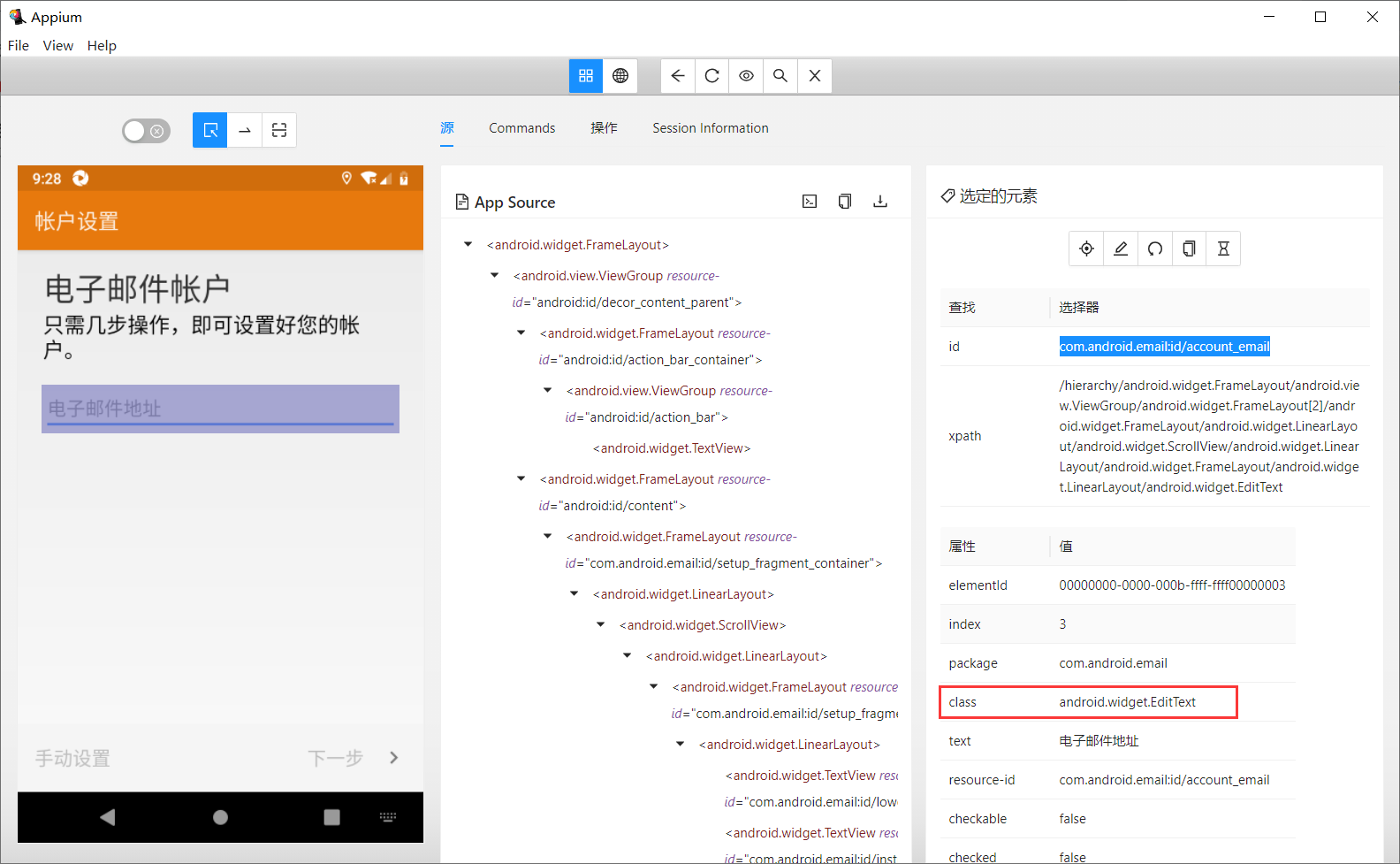 | android.widget.EditText<br /><br />说明:类名是描述控件类型的一个字符串,不同的元素,类名不同,如果当前类型只有一个元素,可以用class。 || ```pythonfrom appium.webdriver.common.mobileby import MobileBydriver.find_element(MobileBy.CLASS_NAME,'android.widget.EditText')
| |
| 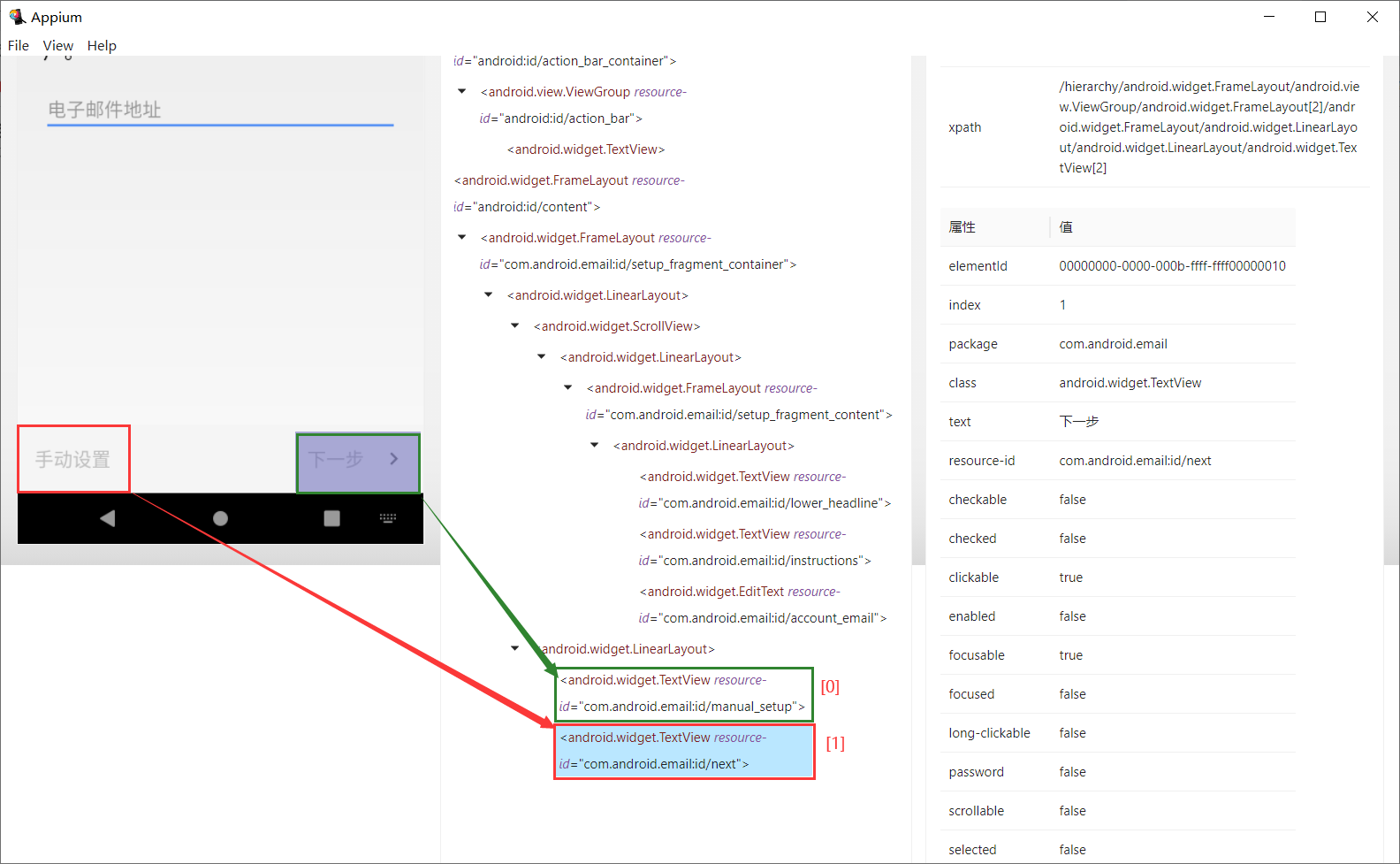 | android.widget.TextView[0] # 下一步
android.widget.TextView[1] # 手动设置
当前页面存在多种相同的元素,,find_element方法会返回符合条件的一个元素,如果想要定位则可以用find_elements方法获取全部符合条件的元素,然后根据索引号去定位对应的元素。 |
| ```python
from appium.webdriver.common.mobileby import MobileBy
driver.find_elements(MobileBy.CLASS_NAME,’android.widget.TextView’)[0]
driver.find_elements(MobileBy.CLASS_NAME,’android.widget.TextView’)[1]
| |<a name="Iwaae"></a>##### ACCESSIBILITY_ID| 截图 | 元素 || --- | --- || 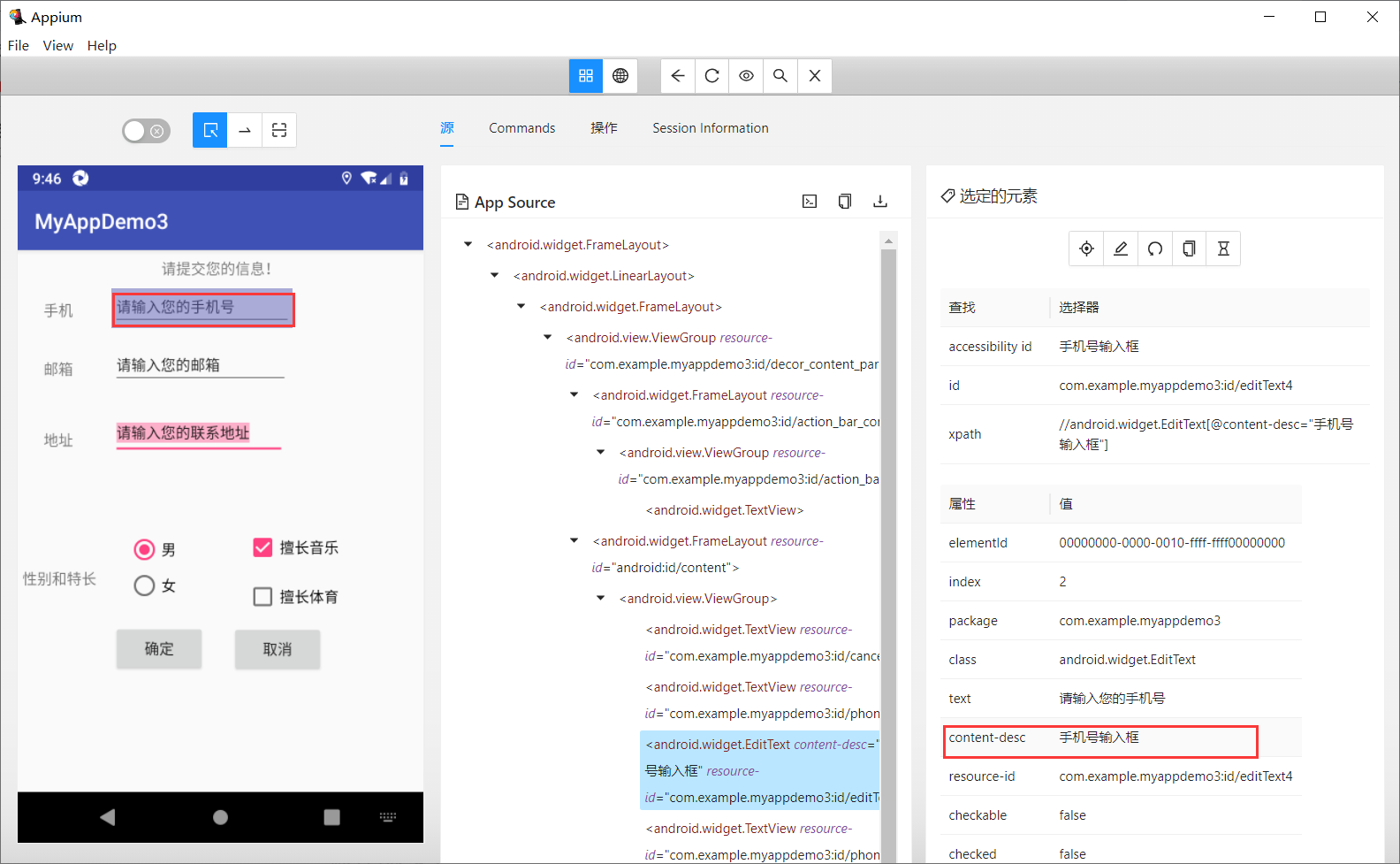 | 手机号输入框 || ```pythonfrom appium.webdriver.common.mobileby import MobileBydriver.find_element(MobileBy.ACCESSIBILITY_ID,"手机号输入框")
| |

若有收获,就点个赞吧
0 人点赞


