allure框架:
提供一系列函数和类,主要用于生成更美观的测试报告,支持pytest,testng,jnuit
环境准备:
1.安装jdk并配置环境变量
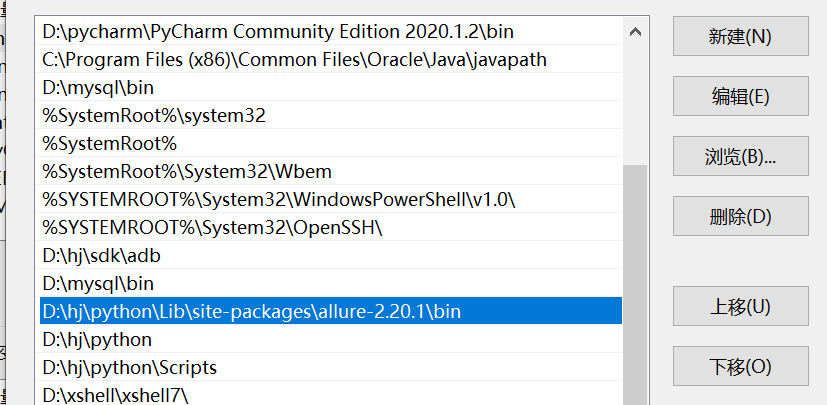
2.安装allure并配置环境变量
3.安装allure-pytest
pip install allure-pytest# 查看是否安装成功pip list# Package Version# --------------------- ---------# adbutils 0.11.0# alembic 1.9.1# alipay 0.7.4# allure-pytest 2.9.45 <---这个# allure-python-commons 2.9.45 <---这个# androguard 3.3.5# anyio 3.6.2# apkutils2 1.0.0# Appium-Python-Client 1.1.0# asn1crypto 1.5.1# asttokens 2.2.1
使用allure
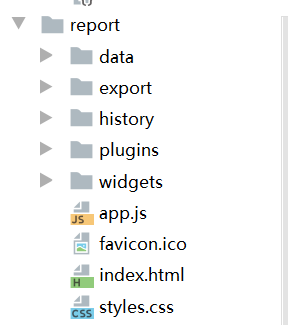
# 第一步:生成测试结果数据pytest.main(['--tb=line','--alluredir=allure-results','--clean-alluredir'])# --alluredir:用于指定allure测试结果数据的目录# --clean-alluredir:用于清除之前的数据# pytest负责执行测试,allure将opytest的测试结果转为allure测试结果# 会再目录下生成一个allure-result的目录,里面是一个json文件# 文件名:6203d740-b963-4d1a-b823-c039b28be9e9-result.json# 文件内容:{"name": "test_add", "status": "passed", "start": 1677310030228, "stop": 1677310030229, "uuid": "503138eb-b5a4-49da-94ad-ff54b32d195e", "historyId": "ca452a5adfea88d6ae47ca6a3c0df192", "testCaseId": "1cdd40043f5542f5e2b5336441273aff", "fullName": "cacle_test#test_add", "labels": [{"name": "suite", "value": "cacle_test"}, {"name": "host", "value": "LAPTOP-1HN2NVQ8"}, {"name": "thread", "value": "22296-MainThread"}, {"name": "framework", "value": "pytest"}, {"name": "language", "value": "cpython3"}, {"name": "package", "value": "cacle_test"}]}# 第二步:生成allure测试报告import osos.system('allure.bat generate allure-results -o report --clean')# generate生成报告# allure-results:allure测试结果数据目录# -o :导出测试报告# report:自定义的allure报告目录# --clean:清理之前的报告文件(必填)# 会生成一个名字为report的目录,点击index.html用浏览器打开即可
举例
def add(a, b):return a + bdef sub(a, b):return a - bif __name__ == 'main':pass
import pytestfrom calc import *def test_add():case = ['测试两个整数相加', 2, 3, 5]case_info, a, b, exepct = caseactual=add(a,b)assert actual==exepct,f'{case_info},测试失败,预期结果为{exepct},实际结果为{actual}'if __name__ == '__main__':pytest.main(['--alluredir=allure-results','cacle_test.py'])import osos.system('allure.bat generate allure-results -o report --clean')
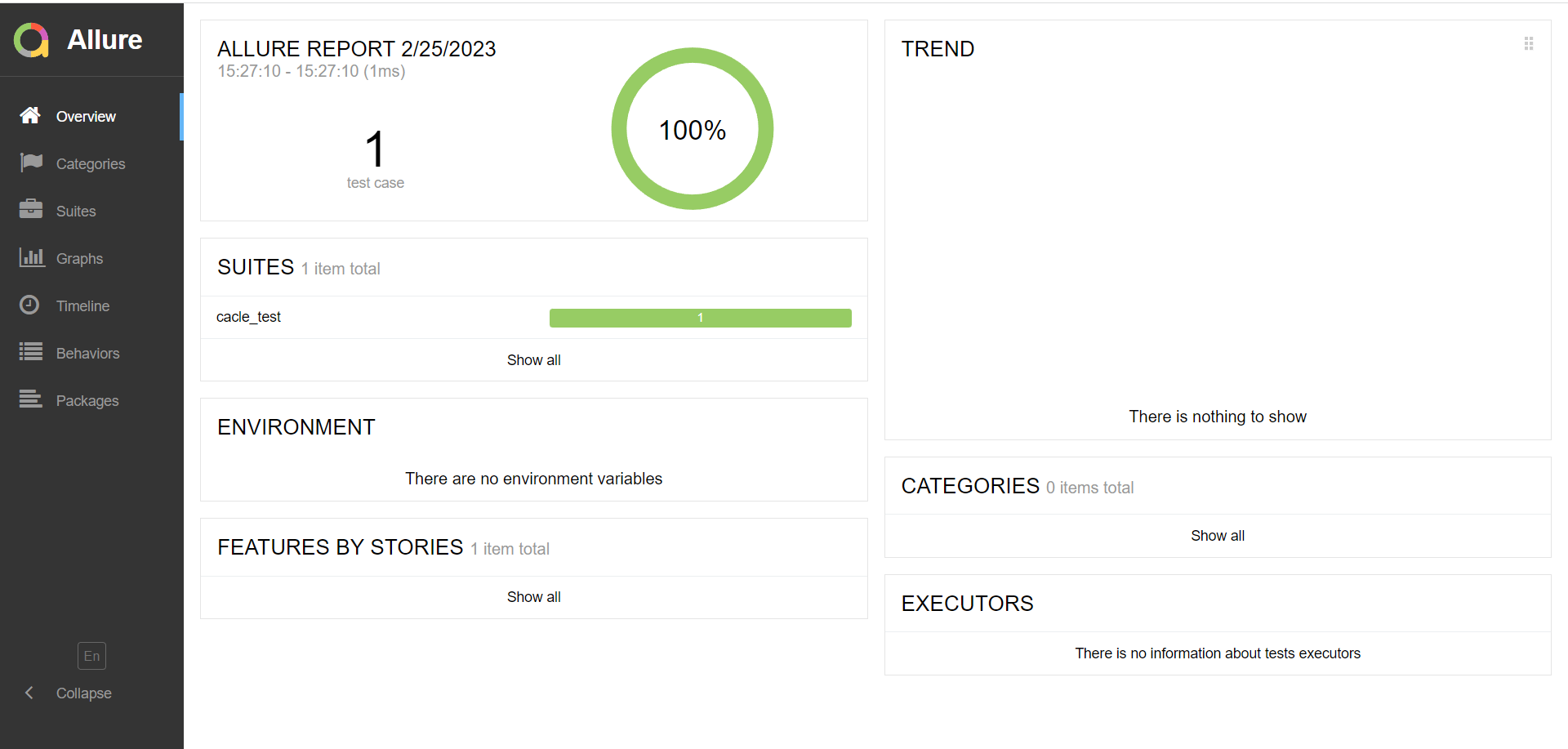
报告介绍
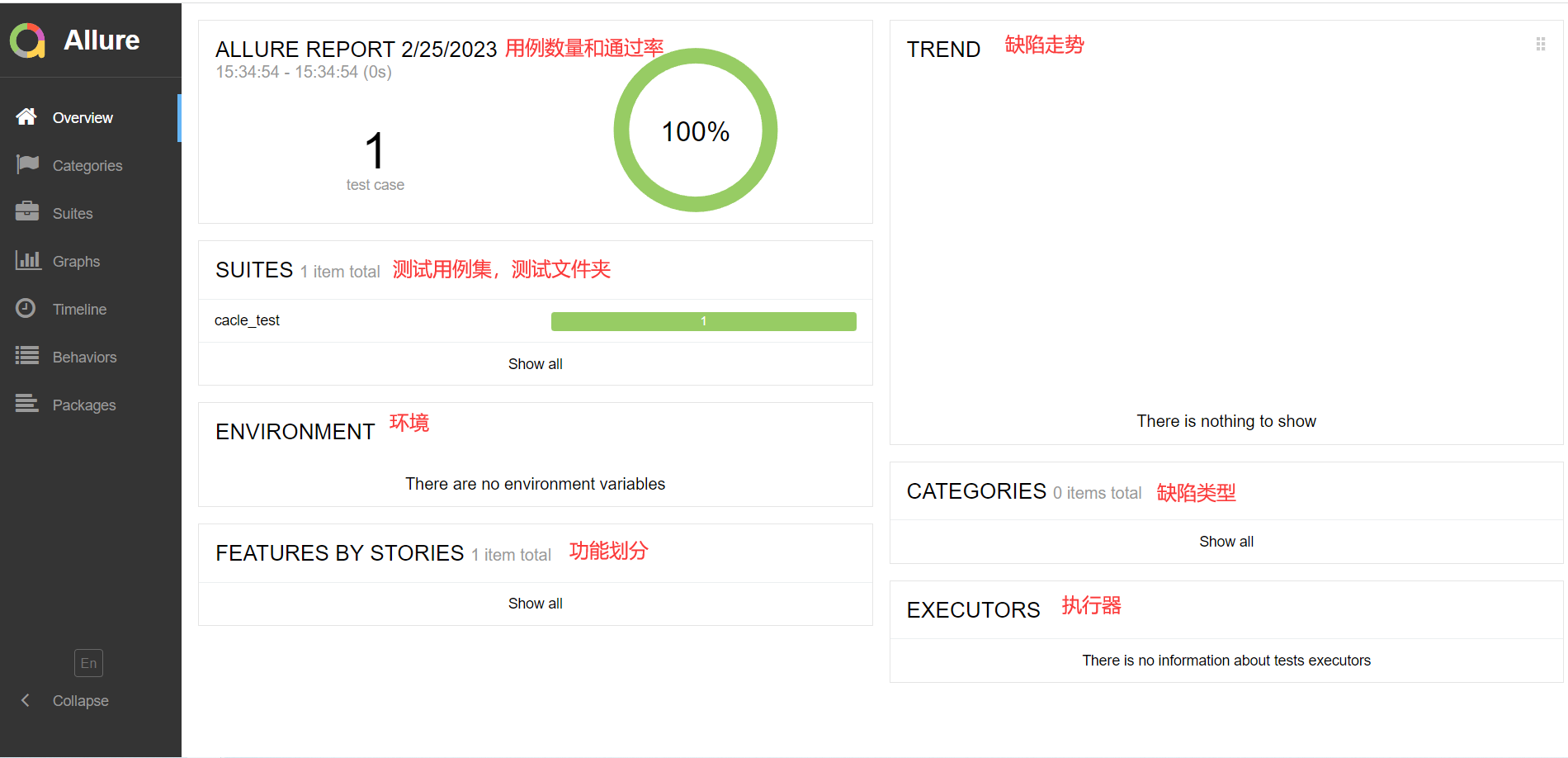
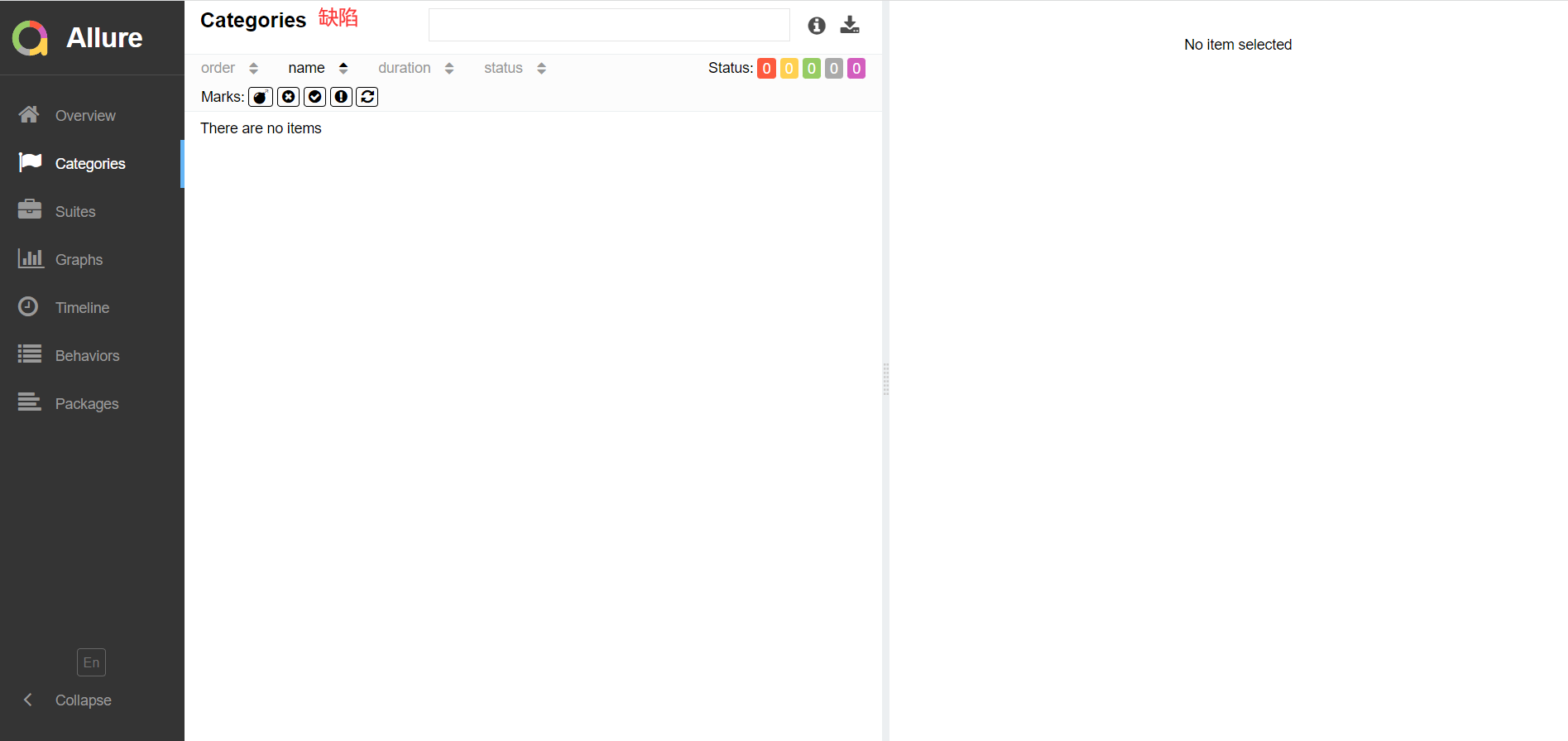
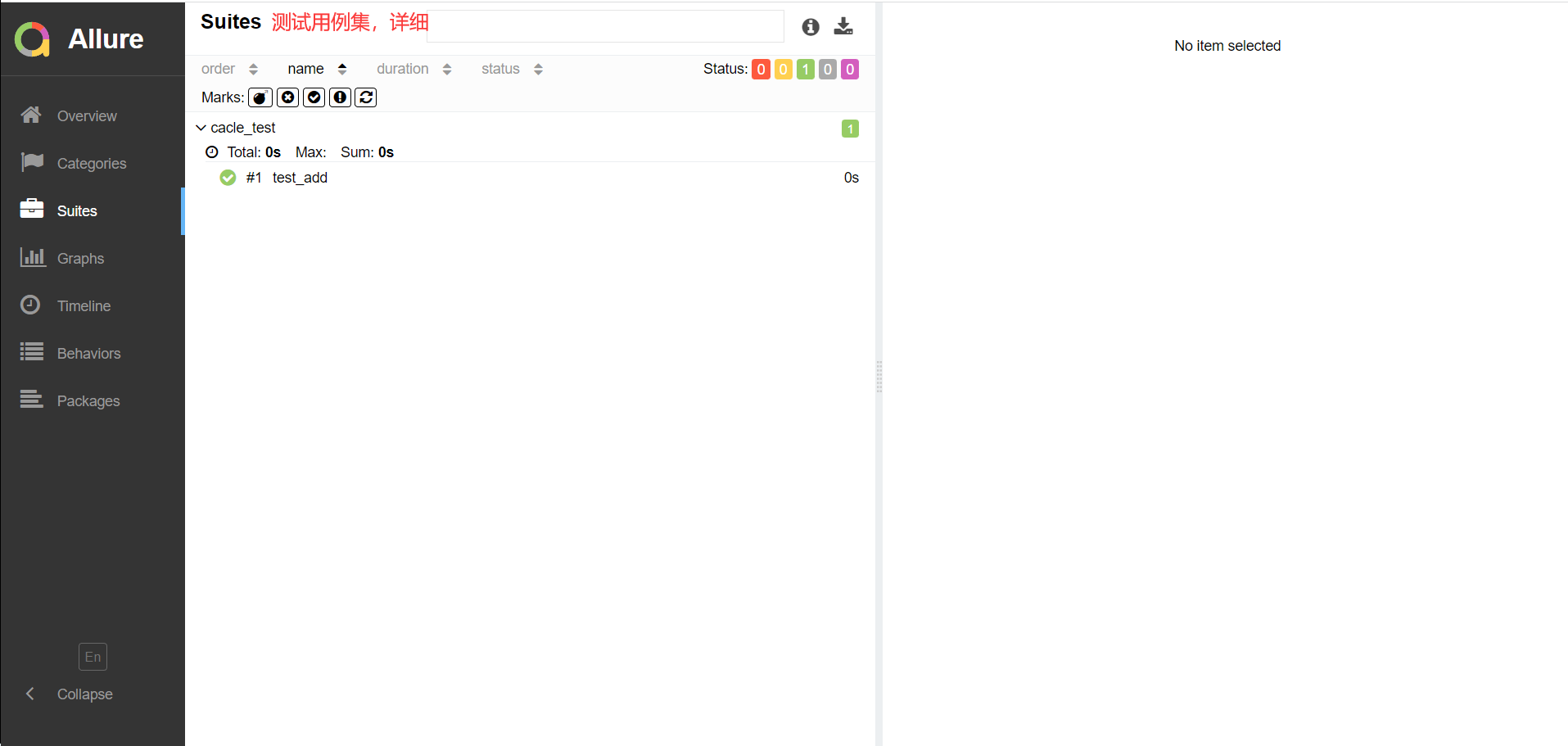
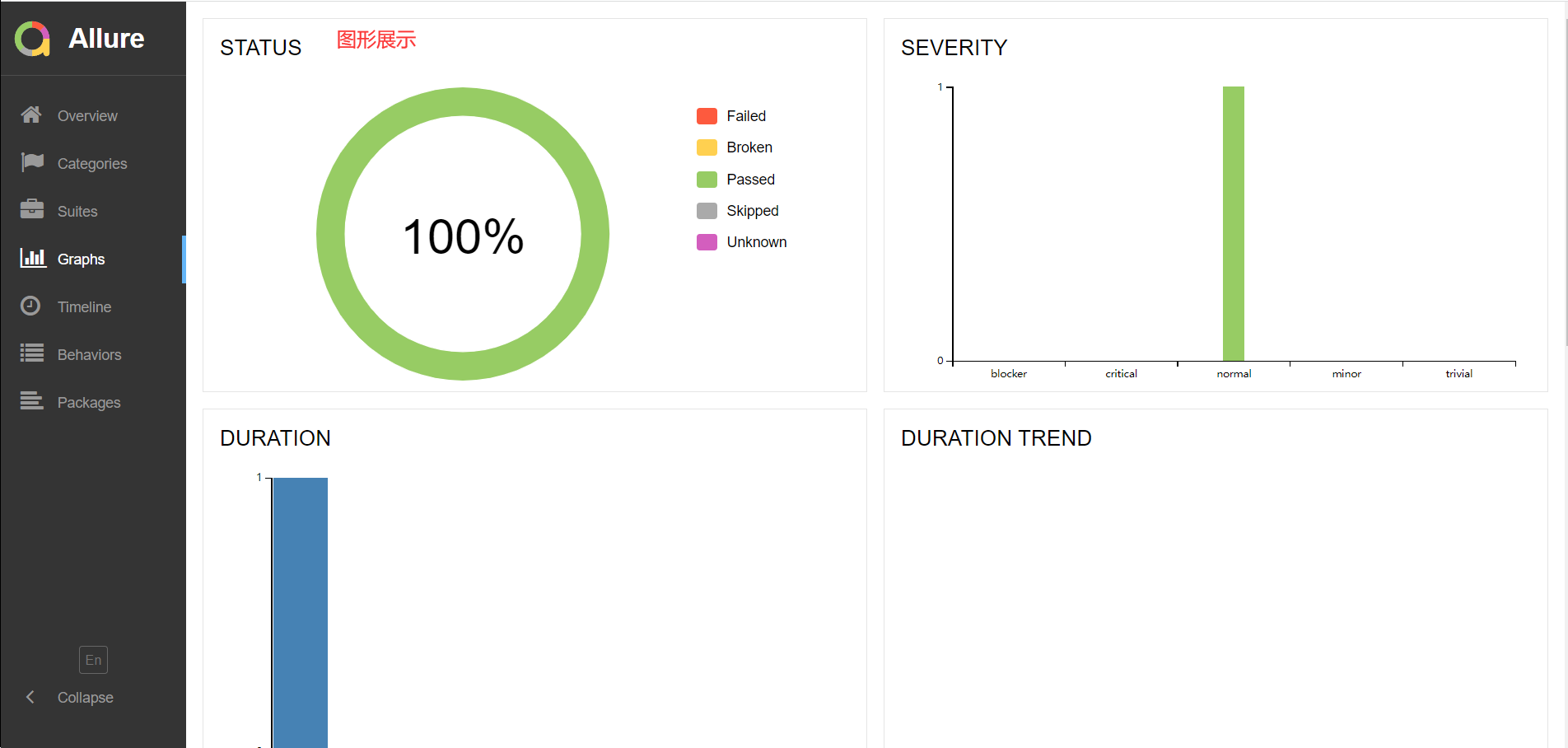
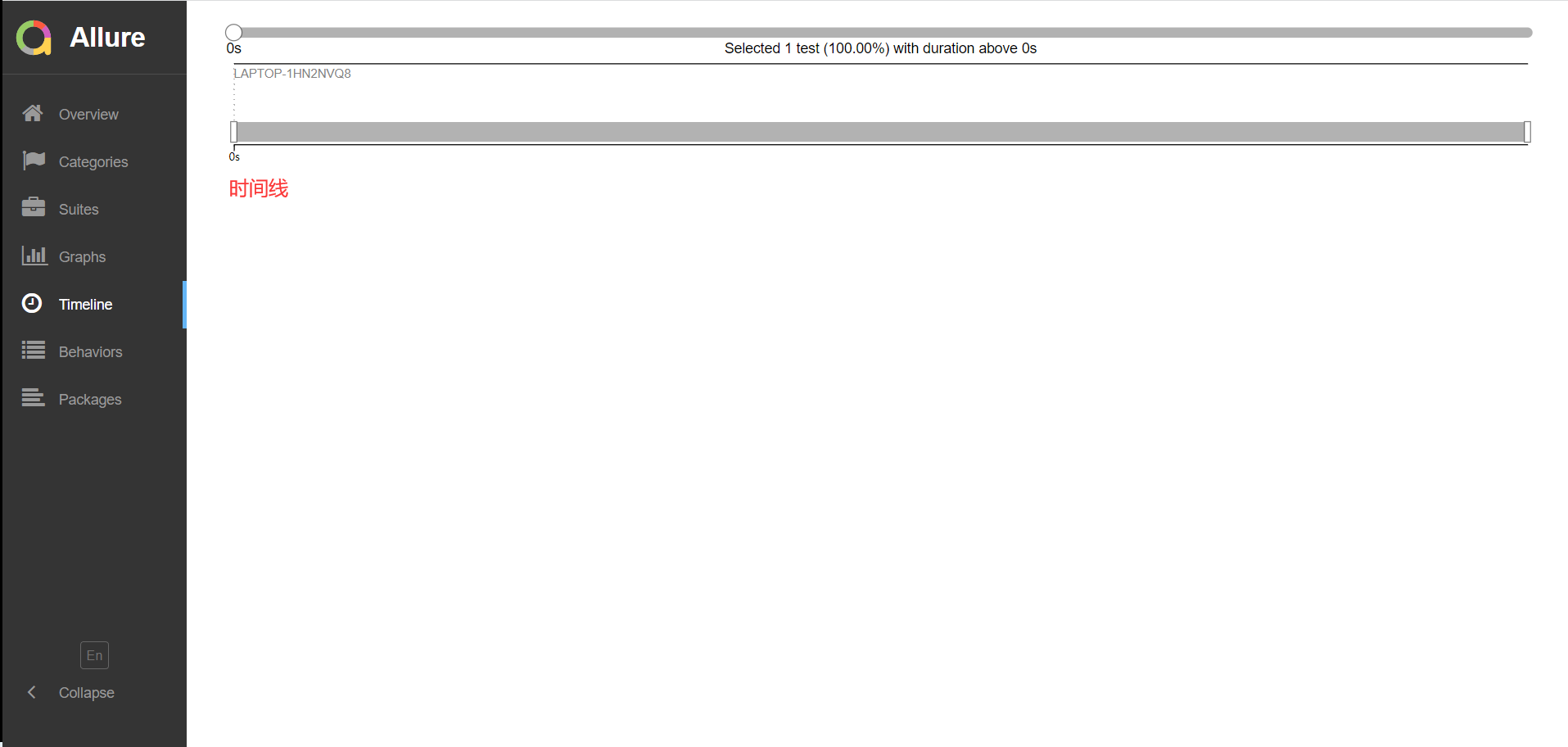
特性功能
1.测试集特性
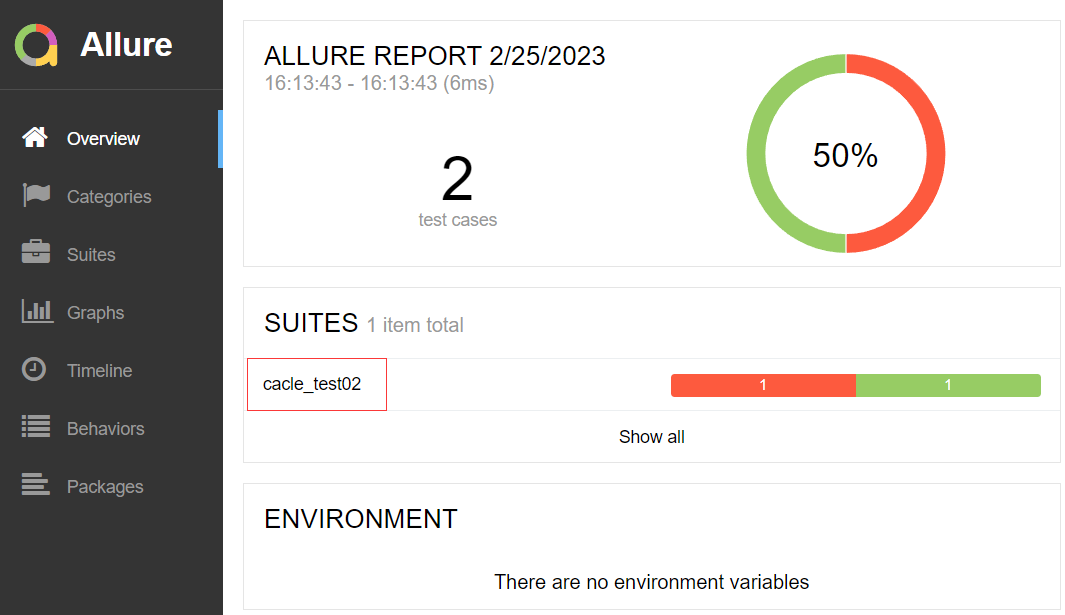
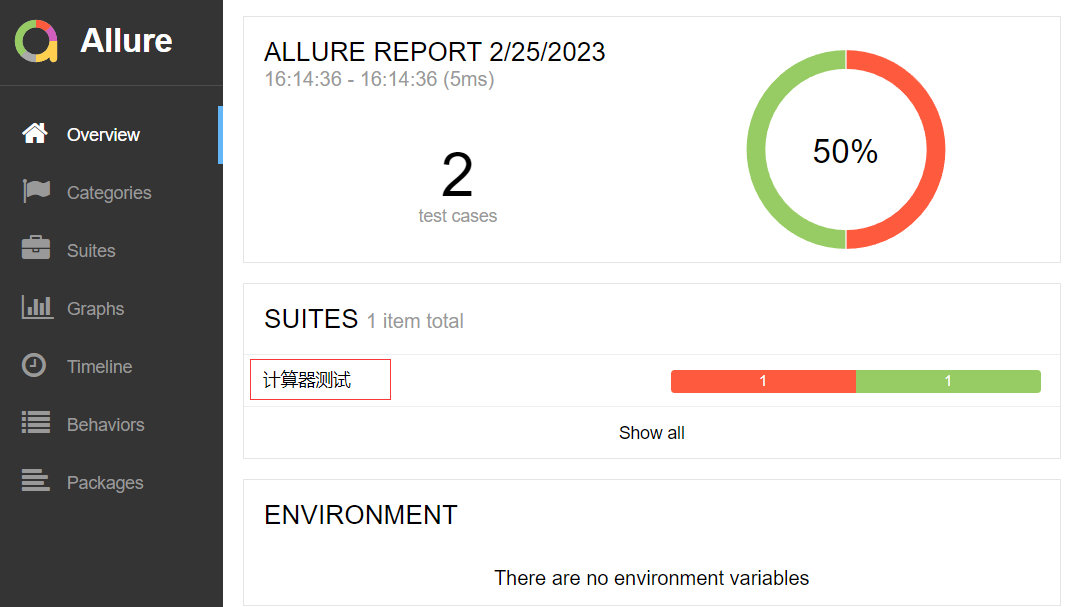
@allure.suit('测试集名称')# 多个测试的集合,是对测试的归类# 如果不写测试集特性,则测试集默认为测试用例所在的模块名和目录名# 这个写法只能放在函数、方法、类之前# 不能使用参数化的参数
import allure,pytestfrom calc import *@allure.suite('计算器测试')def test_add():case = ['测试两个整数相加', 2, 3, 5]case_info, a, b, exepct = caseactual = add(a, b)assert actual == exepct, f'{case_info},测试失败,预期结果为{exepct},实际结果为{actual}'@allure.suite('计算器测试')def test_sub():case = ['测试两个整数相减', 2, 3, -2]case_info, a, b, exepct = caseactual = sub(a, b)assert actual == exepct, f'{case_info},测试失败,预期结果为{exepct},实际结果为{actual}'if __name__ == '__main__':pytest.main(['--alluredir=allure-results', '--clean-alluredir', 'cacle_test02.py'])import oos.system('allure.bat generate allure-results -o report --clean')
2.层级特性
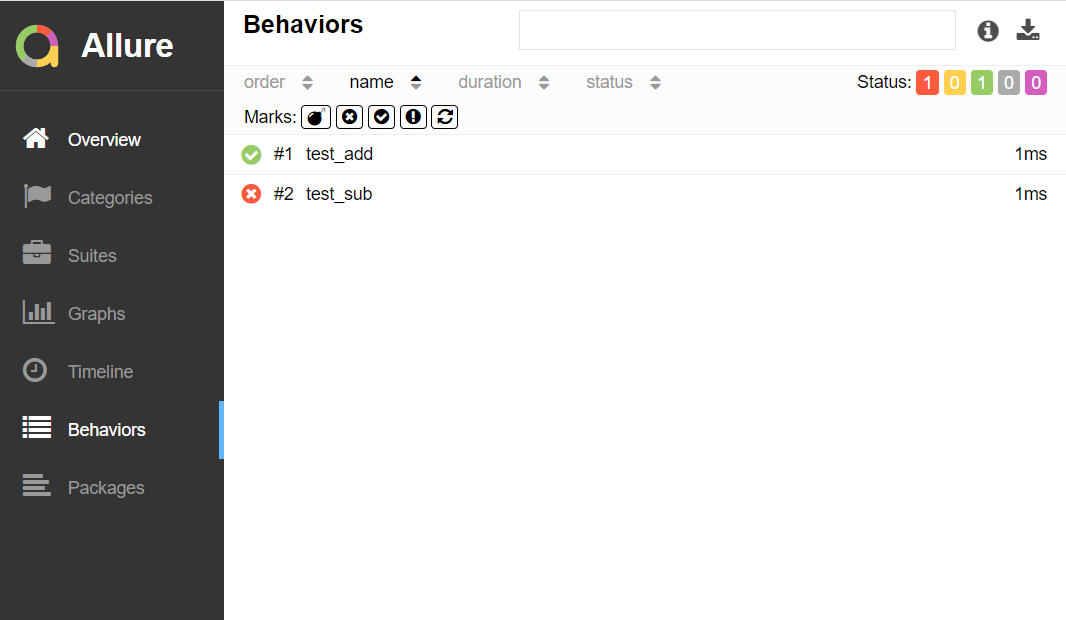
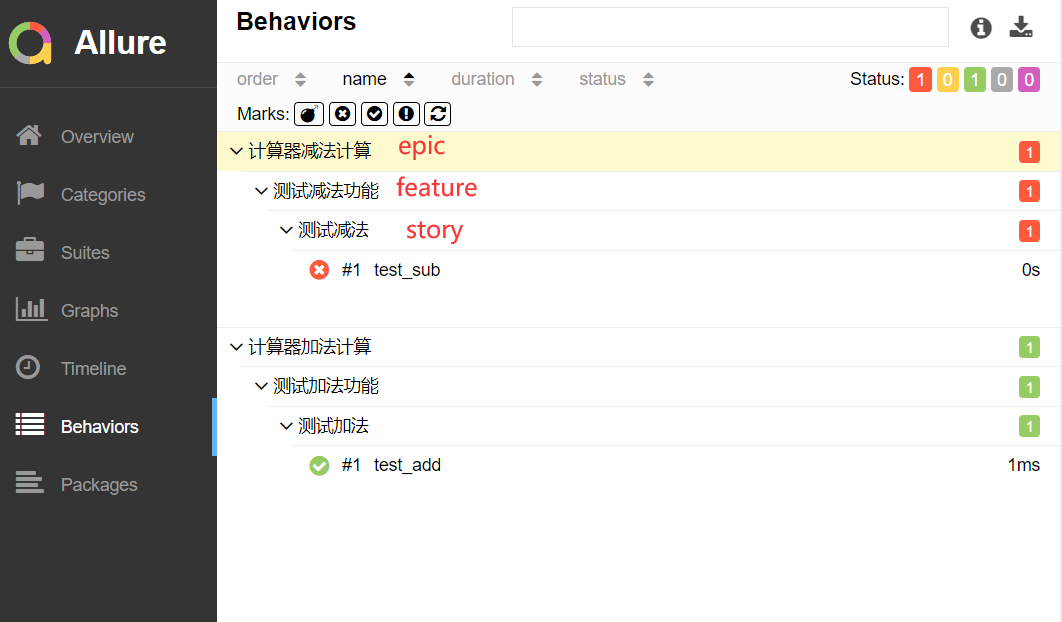
@allure.epic('用例所属功能模块')# 一级功能# 只能放在函数、方法、类之前# 不能使用参数化的参数@allure.feature('用例所属功能')# 二级功能# 只能放在函数、方法、类之前# 不能使用参数化的参数@allure.story('用例的功能点或测试点')# 三级功能# 只能放在函数、方法、类之前# 不能使用参数化的参数# 关系演示|epic1|----feature1|--------story1|--------story2|--------story3|----feature2|epic2|----feature3|----feature4
import allure, pytestfrom calc import *@allure.suite('计算器测试')@allure.epic('计算器加法计算')@allure.feature('测试加法功能')@allure.story('测试加法')def test_add():case = ['测试两个整数相加', 2, 3, 5]case_info, a, b, exepct = caseactual = add(a, b)assert actual == exepct, f'{case_info},测试失败,预期结果为{exepct},实际结果为{actual}'@allure.suite('计算器测试')@allure.epic('计算器减法计算')@allure.feature('测试减法功能')@allure.story('测试减法')def test_sub():case = ['测试两个整数相减', 2, 3, -2]case_info, a, b, exepct = caseactual = sub(a, b)assert actual == exepct, f'{case_info},测试失败,预期结果为{exepct},实际结果为{actual}'if __name__ == '__main__':pytest.main(['--alluredir=allure-results', '--clean-alluredir', 'cacle_test02.py'])import osos.system('allure.bat generate allure-results -o report --clean')# overview中的FEATURES BY STORY上,按照层级显示epic>featrue>story
3.添加日志
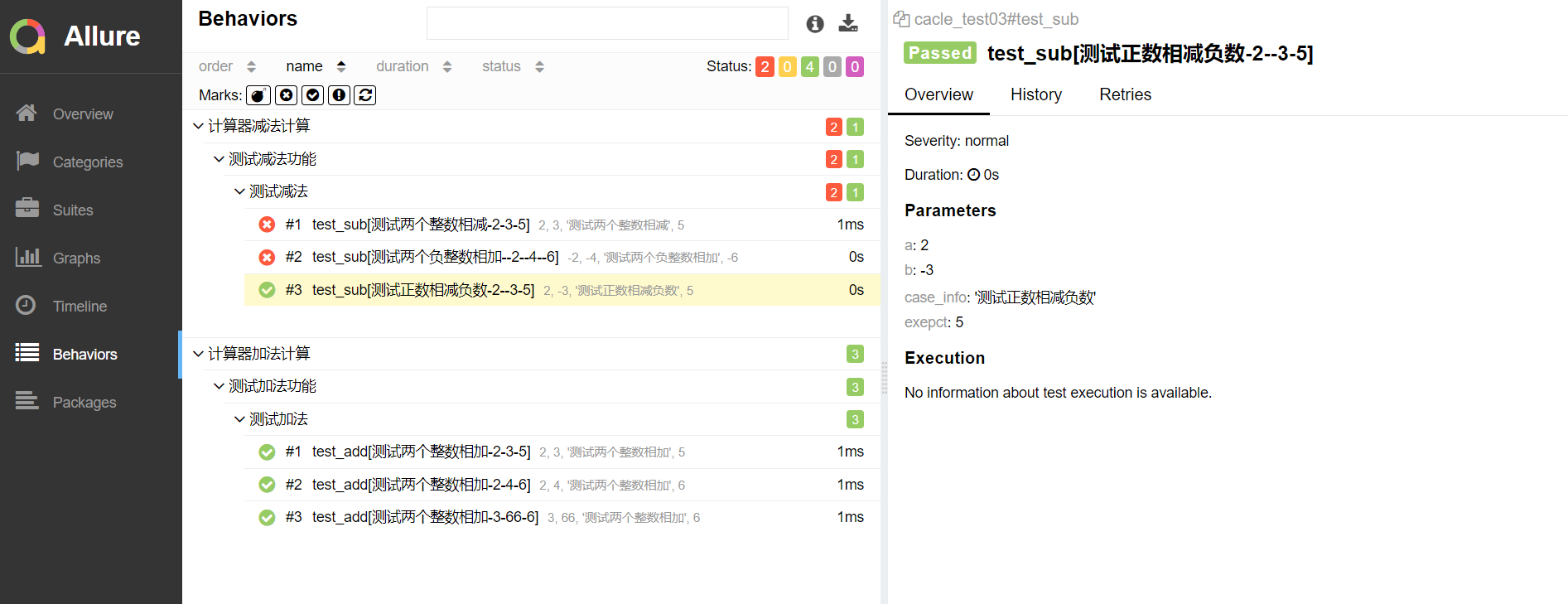
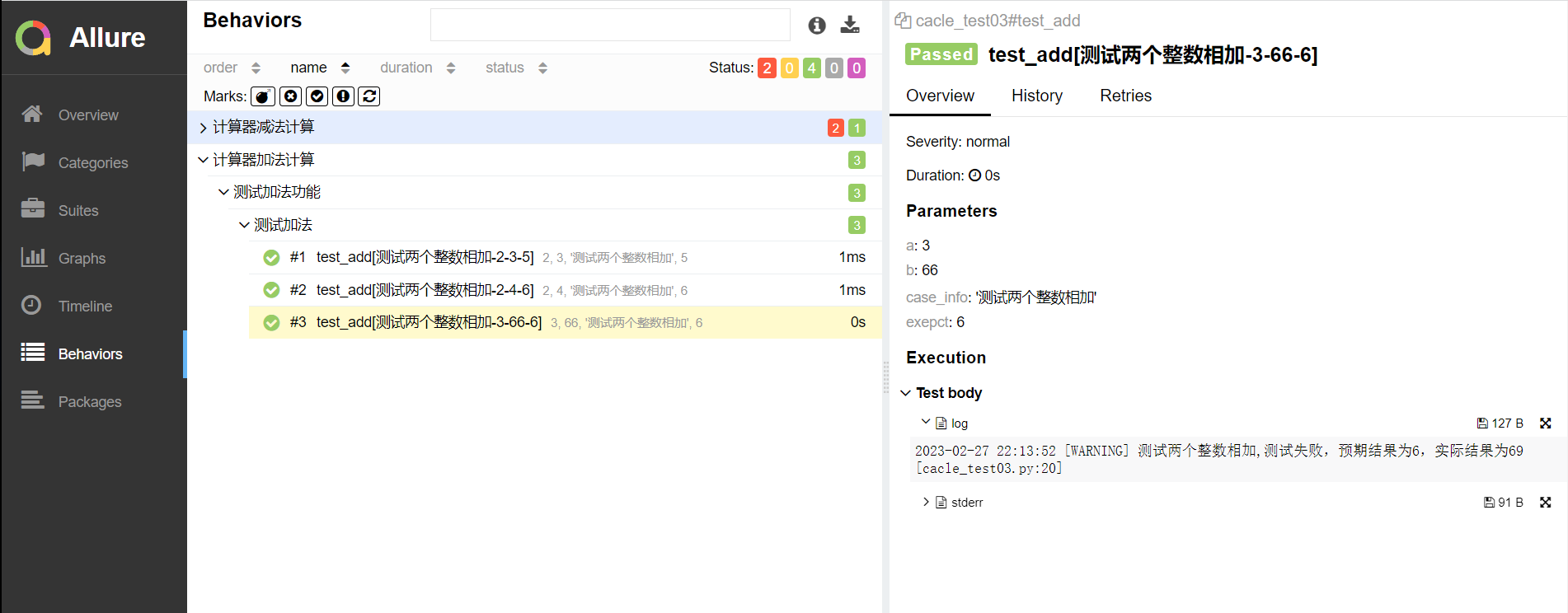
import allure, pytest, loggingfrom calc import *logging.basicConfig(level=logging.DEBUG)cases = [['测试两个整数相加', 2, 3, 5], ['测试两个整数相加', 2, 4, 6], ['测试两个整数相加', 3, 66, 6]]@allure.suite('计算器测试')@allure.epic('计算器加法计算')@allure.feature('测试加法功能')@allure.story('测试加法')@pytest.mark.parametrize('case_info,a,b,exepct', cases)def test_add(case_info, a, b, exepct):actual = add(a, b)if actual == exepct:passed, msg = True, f'{case_info},测试通过'logging.info(msg)else:passed, msg = False, f'{case_info},测试失败,预期结果为{exepct},实际结果为{actual}'logging.warning(msg)assert passed, msgsub_cases = [['测试两个整数相减', 2, 3, 5], ['测试两个负整数相加', -2, -4, -6], ['测试正数相减负数', 2, -3, 5]]@allure.suite('计算器测试')@allure.epic('计算器减法计算')@allure.feature('测试减法功能')@allure.story('测试减法')@pytest.mark.parametrize('case_info,a,b,exepct', sub_cases)def test_sub(case_info, a, b, exepct):actual = sub(a, b)if actual == exepct:passed, msg = True, f'{case_info},测试通过'logging.info(msg)else:passed, msg = False, f'{case_info},测试失败,预期结果为{exepct},实际结果为{actual}'logging.warning(msg)assert passed,msgif __name__ == '__main__':pytest.main(['-v', '--tb=line','--html=calc.html','--log-format=%(asctime)s [%(levelname)s] %(message)s [%(filename)s:%(lineno)s]','--log-date-format=%Y-%m-%d %H:%M:%S','--alluredir=allure-results', '--clean-alluredir', 'cacle_test03.py'])import osos.system('allure.bat generate allure-results -o report --clean')
4.用例特性
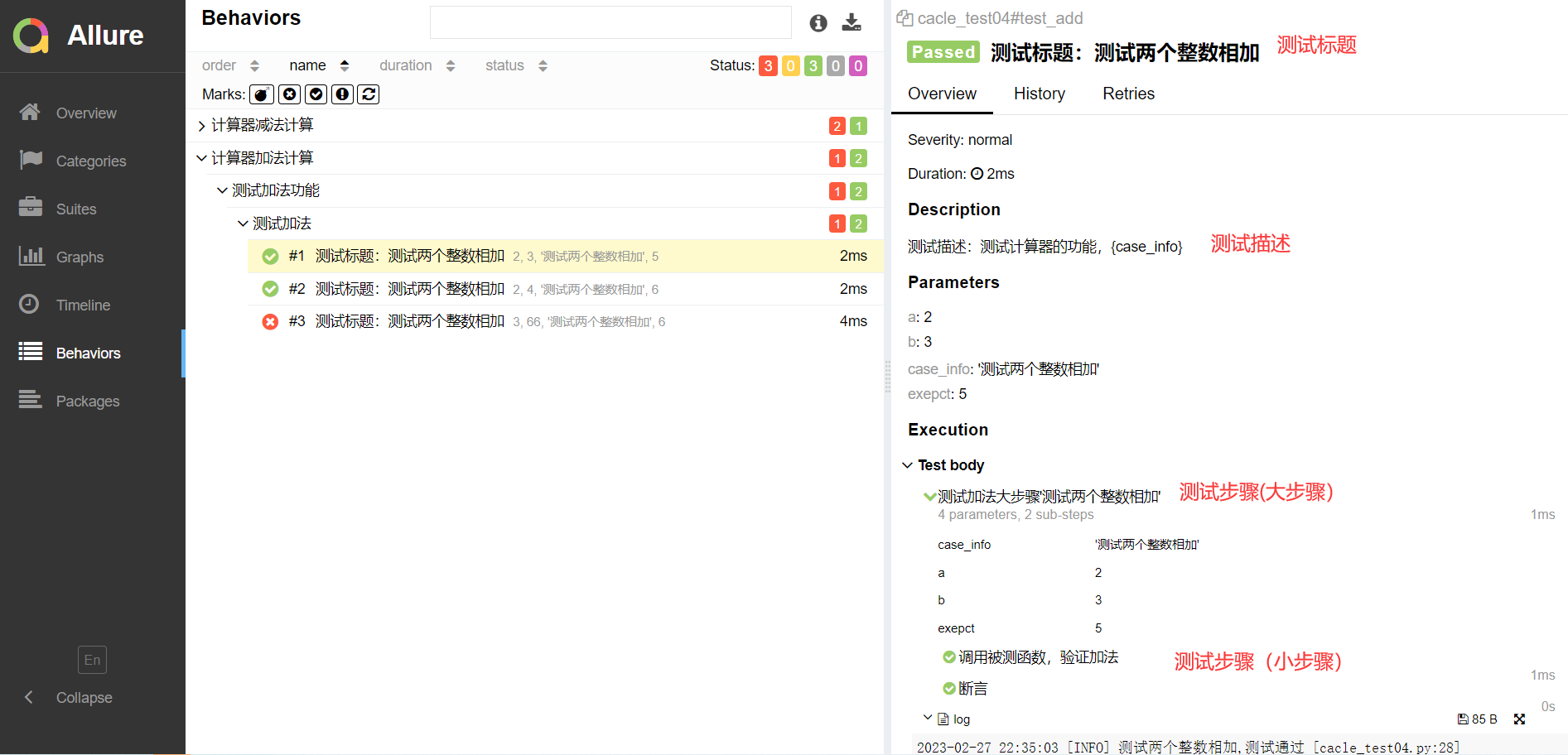
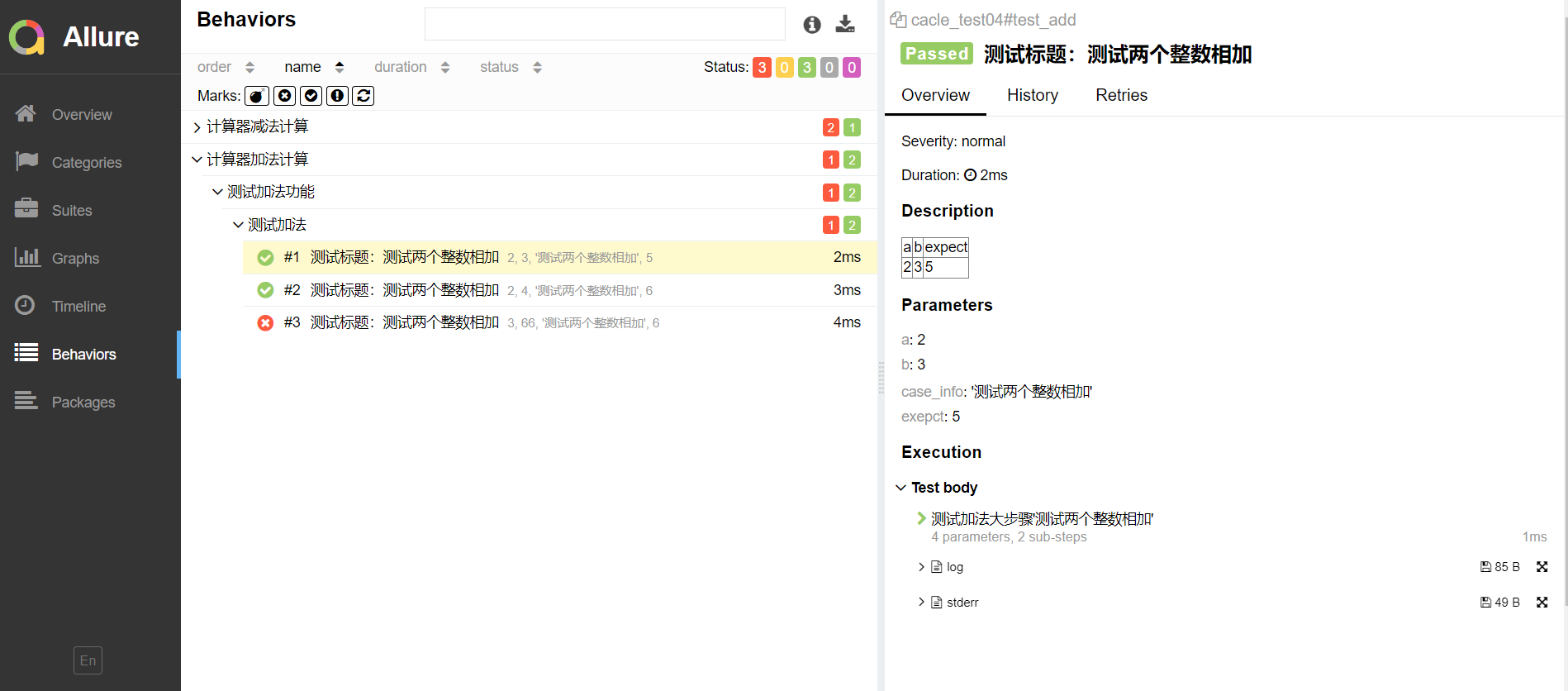
@allure.title('用例标题')# 只能放在函数、方法、类之前# 可以使用参数化的参数# 每条用例只能执行一次@allure.description('用例描述')# 可以放在函数、方法前,但是不建议放到类之前# 可以使用参数化的参数# 每条用例只能执行一次# 大步骤@allure.step('测试步骤名')# 必须放在函数方法之前,不能放到类之前# 每条用例执行一次# 可以使用参数化的参数# 小步骤with allure.step('测试步骤')具体代码步骤# 必须放在函数方法里面# 每条用例执行一次# 可以使用参数化的参数# 支持print、日志# 大步骤和小步骤至少有一个# 网页描述@allure.description_html(语言)# '<table border=1><tr><td>a<td>b<td>expect<tr><td>2<td>3<td>5</table>'
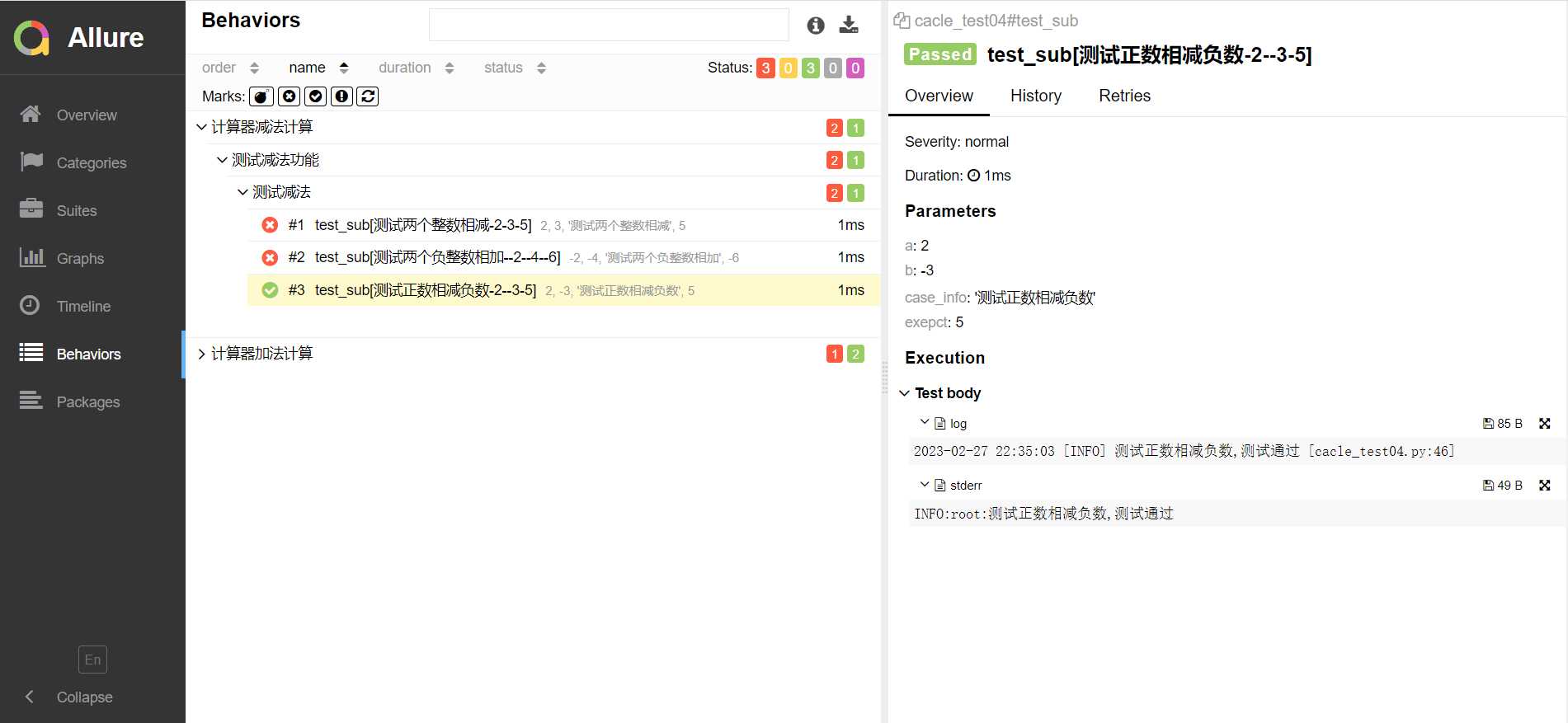
import allure, pytest, loggingfrom calc import *logging.basicConfig(level=logging.DEBUG)cases = [['测试两个整数相加', 2, 3, 5], ['测试两个整数相加', 2, 4, 6], ['测试两个整数相加', 3, 66, 6]]@allure.suite('计算器测试')@allure.epic('计算器加法计算')@allure.feature('测试加法功能')@allure.story('测试加法')@pytest.mark.parametrize('case_info,a,b,exepct', cases)@allure.title('测试标题:{case_info}')@allure.description('测试描述:测试计算器的功能,{case_info}')@allure.description_html('<table border=1><tr><td>a<td>b<td>expect<tr><td>2<td>3<td>5</table>')@allure.step('测试加法大步骤{case_info}')def test_add(case_info, a, b, exepct):with allure.step("""调用被测函数,验证加法"""):actual = add(a, b)with allure.step('断言'):if actual == exepct:passed, msg = True, f'{case_info},测试通过'logging.info(msg)else:passed, msg = False, f'{case_info},测试失败,预期结果为{exepct},实际结果为{actual}'logging.warning(msg)assert passed, msgsub_cases = [['测试两个整数相减', 2, 3, 5], ['测试两个负整数相加', -2, -4, -6], ['测试正数相减负数', 2, -3, 5]]@allure.suite('计算器测试')@allure.epic('计算器减法计算')@allure.feature('测试减法功能')@allure.story('测试减法')@pytest.mark.parametrize('case_info,a,b,exepct', sub_cases)def test_sub(case_info, a, b, exepct):actual = sub(a, b)if actual == exepct:passed, msg = True, f'{case_info},测试通过'logging.info(msg)else:passed, msg = False, f'{case_info},测试失败,预期结果为{exepct},实际结果为{actual}'logging.warning(msg)assert passed, msgif __name__ == '__main__':pytest.main(['-v', '--tb=line', '--html=calc.html','--log-format=%(asctime)s [%(levelname)s] %(message)s [%(filename)s:%(lineno)s]','--log-date-format=%Y-%m-%d %H:%M:%S', '--alluredir=allure-results', '--clean-alluredir','cacle_test04.py'])import osos.system('allure.bat generate allure-results -o report --clean')
5.优先级特性
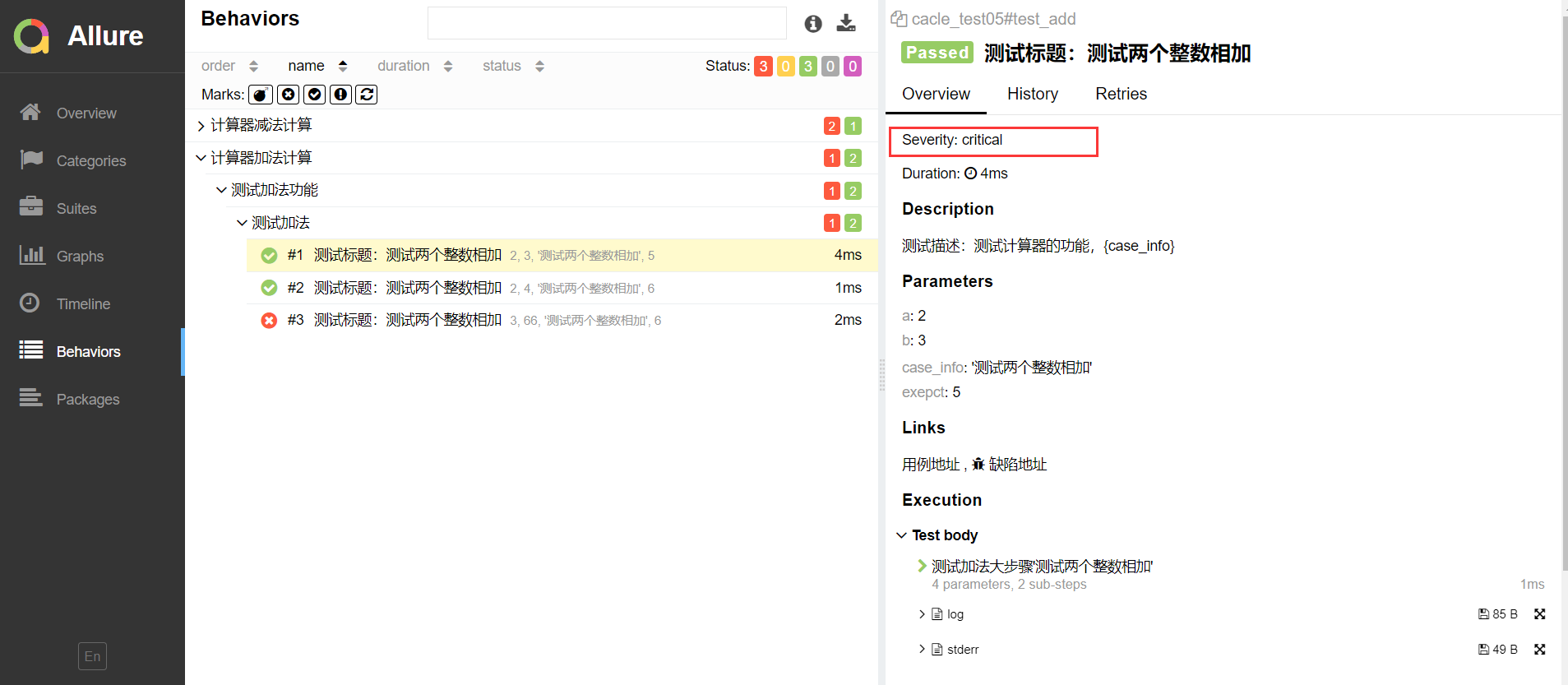
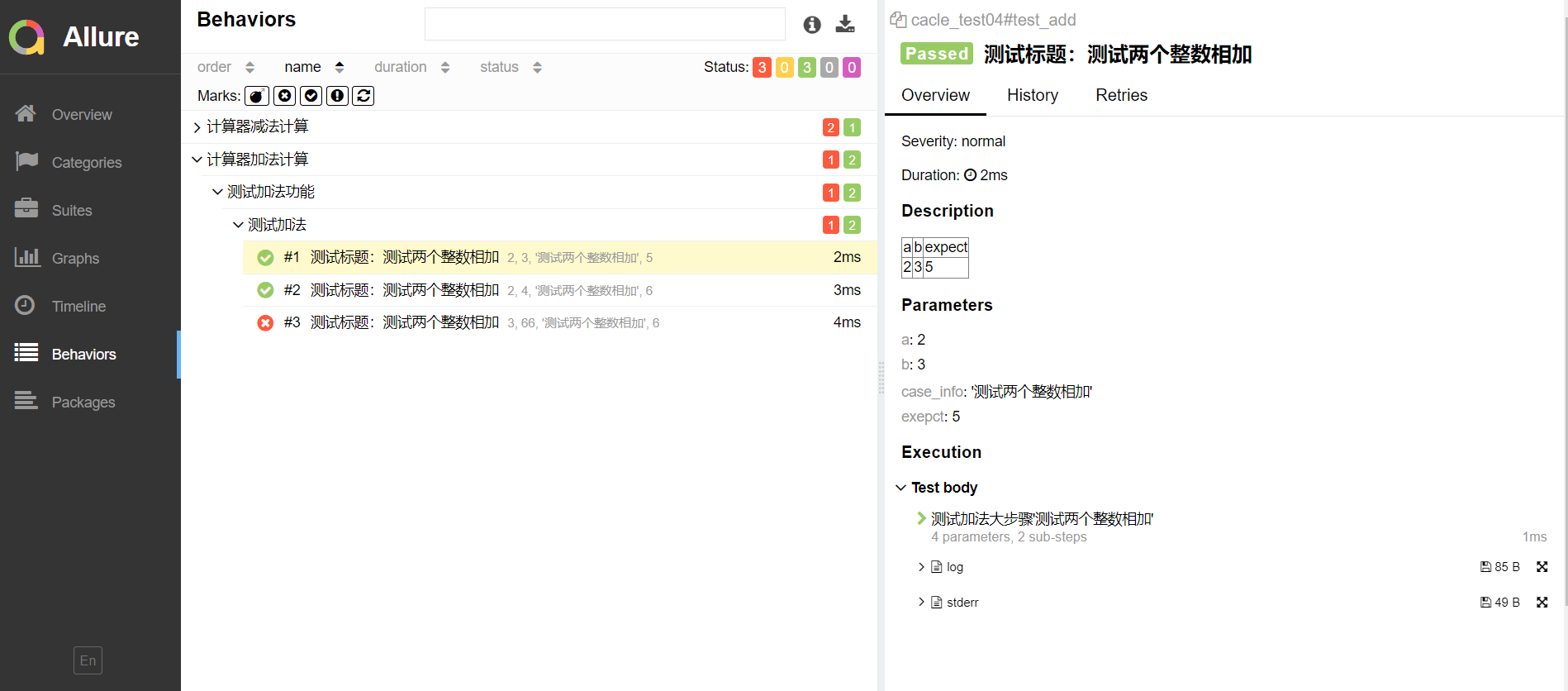
@allure.serverity('用例优先级'或allure.serverity_level.优先级)# BLOCKER:中断,阻碍# CRITICL:严重# NORMAL:一般、正常、普通# MINOR:次要# TRIVIAL:轻微# 不能放在函数、方法之中# 所有用例只执行一次# 可以使用参数化的参数# 支持print、日志# 大步骤和小步骤应该至少有一个
import allure, pytest, loggingfrom calc import *logging.basicConfig(level=logging.DEBUG)cases = [['测试两个整数相加', 2, 3, 5], ['测试两个整数相加', 2, 4, 6], ['测试两个整数相加', 3, 66, 6]]@allure.suite('计算器测试')@allure.epic('计算器加法计算')@allure.feature('测试加法功能')@allure.story('测试加法')@pytest.mark.parametrize('case_info,a,b,exepct', cases)@allure.title('测试标题:{case_info}')@allure.description('测试描述:测试计算器的功能,{case_info}')@allure.step('测试加法大步骤{case_info}')@allure.severity('critical')def test_add(case_info, a, b, exepct):with allure.step("""调用被测函数,验证加法"""):actual = add(a, b)with allure.step('断言'):if actual == exepct:passed, msg = True, f'{case_info},测试通过'logging.info(msg)else:passed, msg = False, f'{case_info},测试失败,预期结果为{exepct},实际结果为{actual}'logging.warning(msg)assert passed, msgsub_cases = [['测试两个整数相减', 2, 3, 5], ['测试两个负整数相加', -2, -4, -6], ['测试正数相减负数', 2, -3, 5]]@allure.suite('计算器测试')@allure.epic('计算器减法计算')@allure.feature('测试减法功能')@allure.story('测试减法')@pytest.mark.parametrize('case_info,a,b,exepct', sub_cases)def test_sub(case_info, a, b, exepct):actual = sub(a, b)if actual == exepct:passed, msg = True, f'{case_info},测试通过'logging.info(msg)else:passed, msg = False, f'{case_info},测试失败,预期结果为{exepct},实际结果为{actual}'logging.warning(msg)assert passed, msgif __name__ == '__main__':pytest.main(['-v', '--tb=line', '--html=calc.html','--log-format=%(asctime)s [%(levelname)s] %(message)s [%(filename)s:%(lineno)s]','--log-date-format=%Y-%m-%d %H:%M:%S', '--alluredir=allure-results', '--clean-alluredir','cacle_test05.py'])import osos.system('allure.bat generate allure-results -o report --clean')
5.链接特性
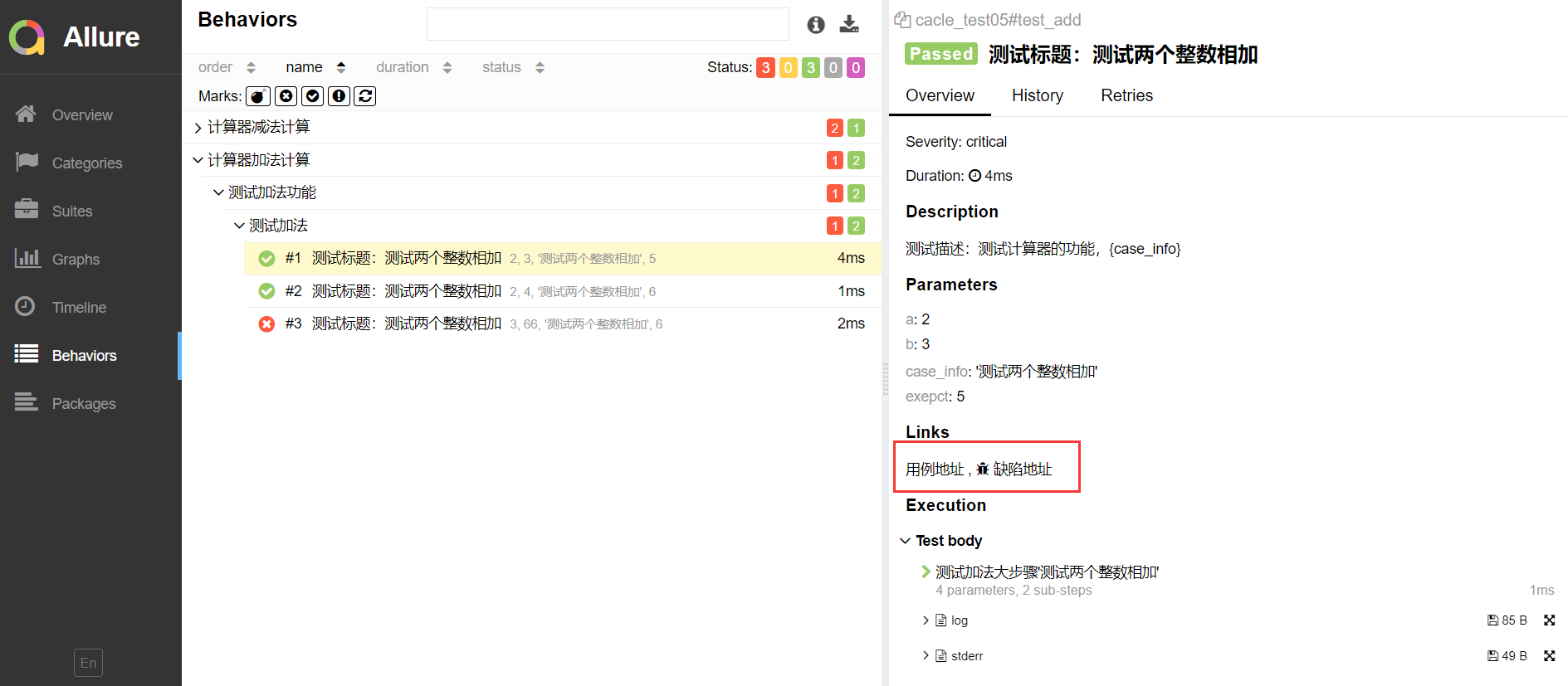
@allure.issue('缺陷连接地址',name='报告中的链接文字')# 不能放在函数方法之中# 所有用例只执行一次# 不能使用参数化的参数@allure.testcase('用例链接地址',name='报告中的链接文字')# 不能放在函数方法之中# 所有用例只执行一次# 不能使用参数化的参数# 用例链接缺陷与缺陷链接先写的后显示,但是两个链接地址可以相同@allure.link('链接地址',name='报告中的链接文字')types.LinkType.ISSUE #表示缺陷链接types.LinkType.TEST_CASE #表示用例链接from allure_commons import type# 任意链接,不是非得报告# 不能放在函数方法中# 所有用例只执行一次# 不能使用参数化的参数
import allure, pytest, loggingfrom calc import *logging.basicConfig(level=logging.DEBUG)cases = [['测试两个整数相加', 2, 3, 5], ['测试两个整数相加', 2, 4, 6], ['测试两个整数相加', 3, 66, 6]]@allure.suite('计算器测试')@allure.epic('计算器加法计算')@allure.feature('测试加法功能')@allure.story('测试加法')@pytest.mark.parametrize('case_info,a,b,exepct', cases)@allure.title('测试标题:{case_info}')@allure.description('测试描述:测试计算器的功能,{case_info}')@allure.step('测试加法大步骤{case_info}')@allure.severity('critical')@allure.issue('http://www.baidu.com',name='缺陷地址')@allure.testcase('http://www.baidu.com',name='用例地址')def test_add(case_info, a, b, exepct):with allure.step("""调用被测函数,验证加法"""):actual = add(a, b)with allure.step('断言'):if actual == exepct:passed, msg = True, f'{case_info},测试通过'logging.info(msg)else:passed, msg = False, f'{case_info},测试失败,预期结果为{exepct},实际结果为{actual}'logging.warning(msg)assert passed, msgsub_cases = [['测试两个整数相减', 2, 3, 5], ['测试两个负整数相加', -2, -4, -6], ['测试正数相减负数', 2, -3, 5]]@allure.suite('计算器测试')@allure.epic('计算器减法计算')@allure.feature('测试减法功能')@allure.story('测试减法')@pytest.mark.parametrize('case_info,a,b,exepct', sub_cases)def test_sub(case_info, a, b, exepct):actual = sub(a, b)if actual == exepct:passed, msg = True, f'{case_info},测试通过'logging.info(msg)else:passed, msg = False, f'{case_info},测试失败,预期结果为{exepct},实际结果为{actual}'logging.warning(msg)assert passed, msgif __name__ == '__main__':pytest.main(['-v', '--tb=line', '--html=calc.html','--log-format=%(asctime)s [%(levelname)s] %(message)s [%(filename)s:%(lineno)s]','--log-date-format=%Y-%m-%d %H:%M:%S', '--alluredir=allure-results', '--clean-alluredir','cacle_test05.py'])import osos.system('allure.bat generate allure-results -o report --clean')
6.动态特性
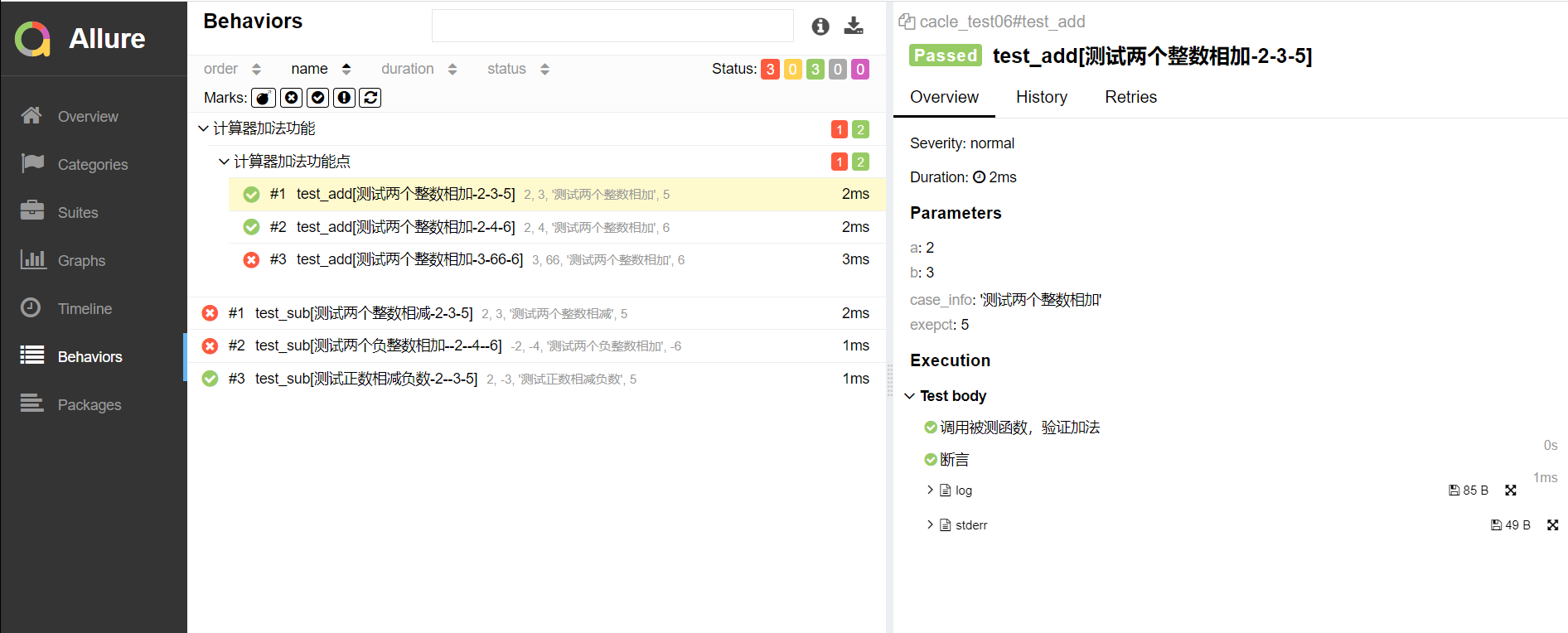
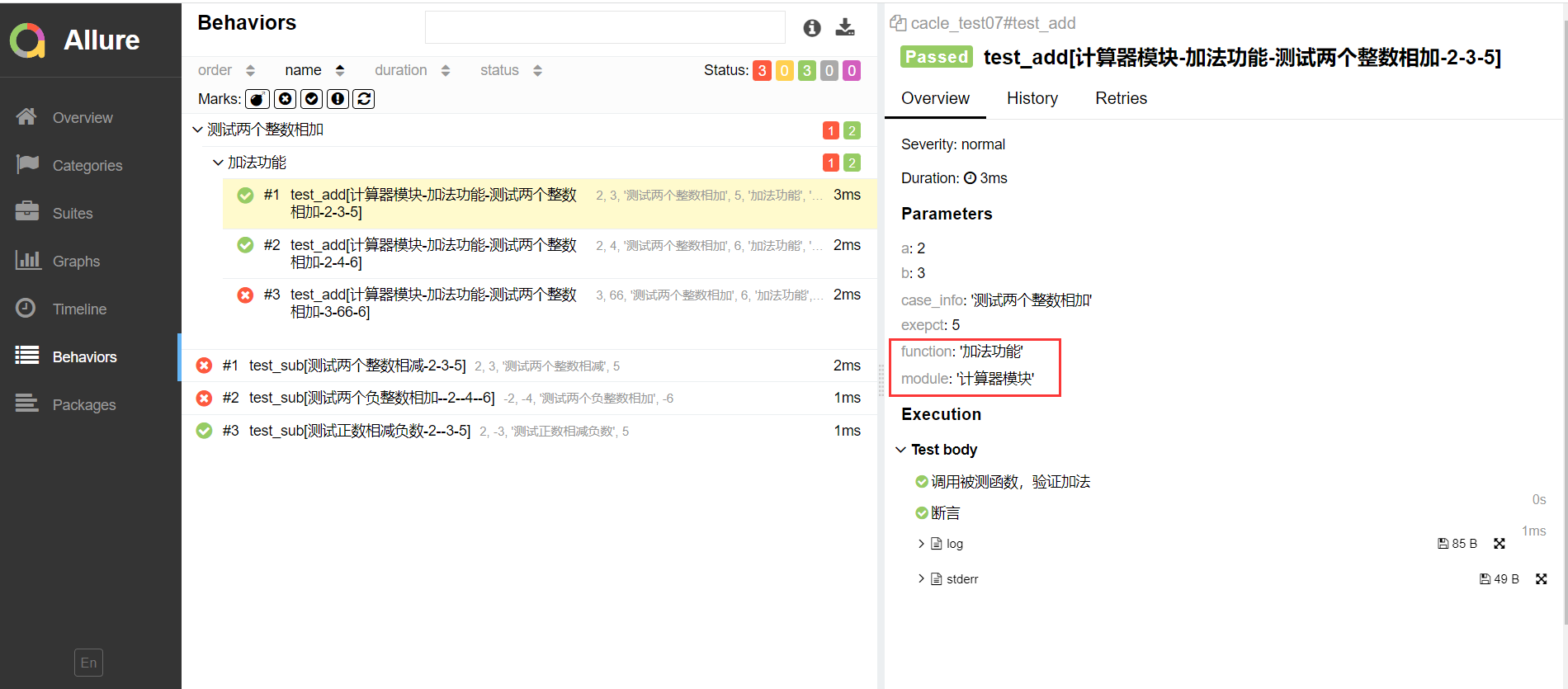
# 动态特性必须放在函数或方法中,全都可以使用参数,来源于excel# 测试集allure.dynamic.suit('测试集名称')# 必须放在函数和方法汇总# 不建议,建议使用@allure.suite,否则报告中会显示混乱# 功能allure.dynamic.feature("功能")# 功能点allure.dynamic.story("功能点")
import allure, pytest, loggingfrom calc import *logging.basicConfig(level=logging.DEBUG)cases = [['计算器模块', '加法功能', '测试两个整数相加', 2, 3, 5], ['计算器模块', '加法功能', '测试两个整数相加', 2, 4, 6],['计算器模块', '加法功能', '测试两个整数相加', 3, 66, 6]]@pytest.mark.parametrize('module,function,case_info,a,b,exepct', cases)def test_add(module, function, case_info, a, b, exepct):allure.dynamic.feature(case_info)allure.dynamic.story(function)with allure.step("调用被测函数,验证加法"):actual = add(a, b)with allure.step('断言'):if actual == exepct:passed, msg = True, f'{case_info},测试通过'logging.info(msg)else:passed, msg = False, f'{case_info},测试失败,预期结果为{exepct},实际结果为{actual}'logging.warning(msg)assert passed, msgsub_cases = [['测试两个整数相减', 2, 3, 5], ['测试两个负整数相加', -2, -4, -6], ['测试正数相减负数', 2, -3, 5]]@pytest.mark.parametrize('case_info,a,b,exepct', sub_cases)def test_sub(case_info, a, b, exepct):actual = sub(a, b)if actual == exepct:passed, msg = True, f'{case_info},测试通过'logging.info(msg)else:passed, msg = False, f'{case_info},测试失败,预期结果为{exepct},实际结果为{actual}'logging.warning(msg)assert passed, msgif __name__ == '__main__':pytest.main(['-v', '--tb=line', '--html=calc.html','--log-format=%(asctime)s [%(levelname)s] %(message)s [%(filename)s:%(lineno)s]','--log-date-format=%Y-%m-%d %H:%M:%S', '--alluredir=allure-results', '--clean-alluredir','cacle_test07.py'])import osos.system('allure.bat generate allure-results -o report --clean')
独立报告
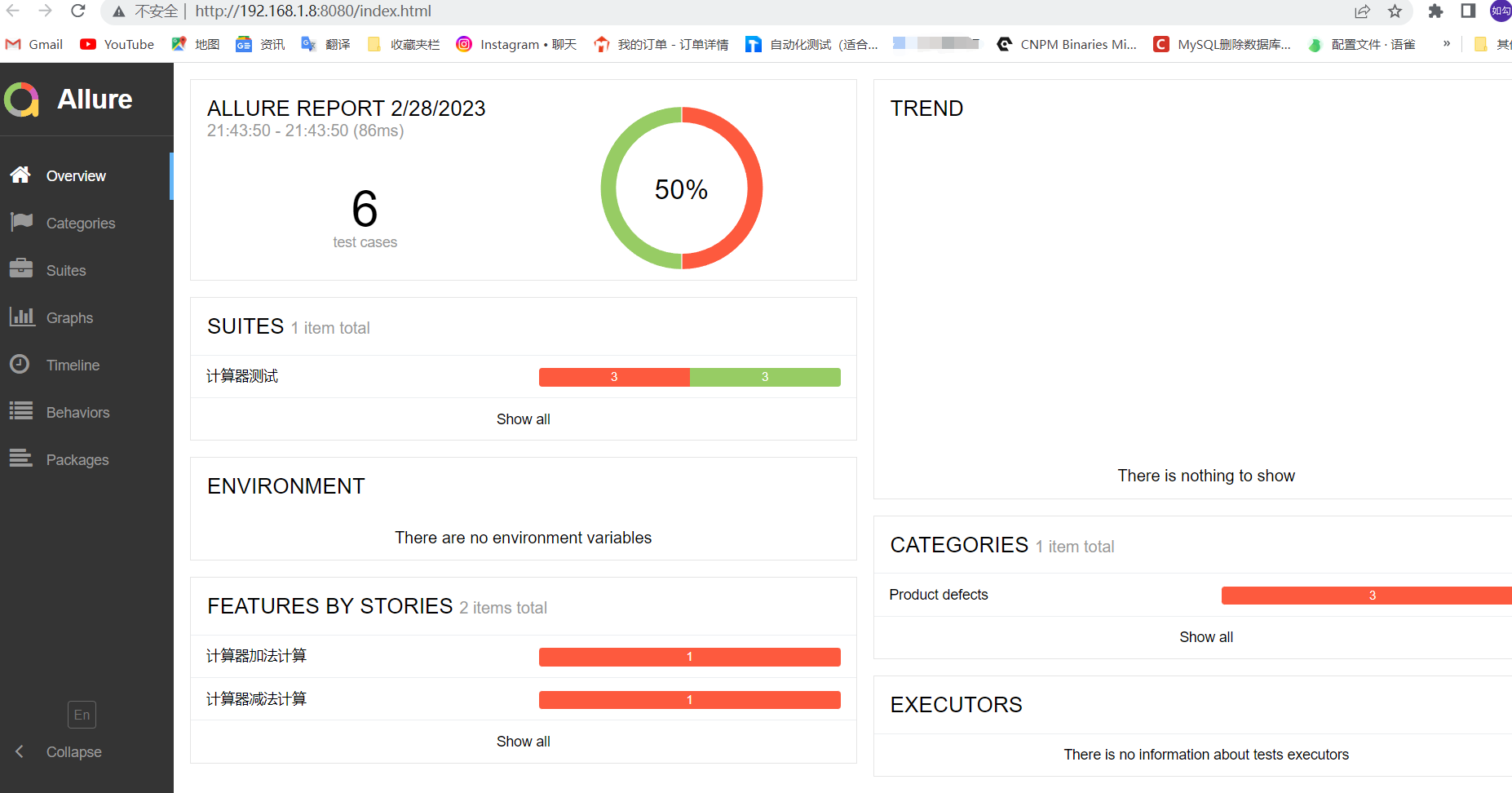
allure.open
allure.open# pycharm执行测试# 进入cmd# 进入测试数据目录# 打开测试报告# allure open -p 端口号 测试报告目录# 打开测试报告allure open -p 端口号 测试报告目录# 需要看报告的任意使用浏览器访问即可

allure server
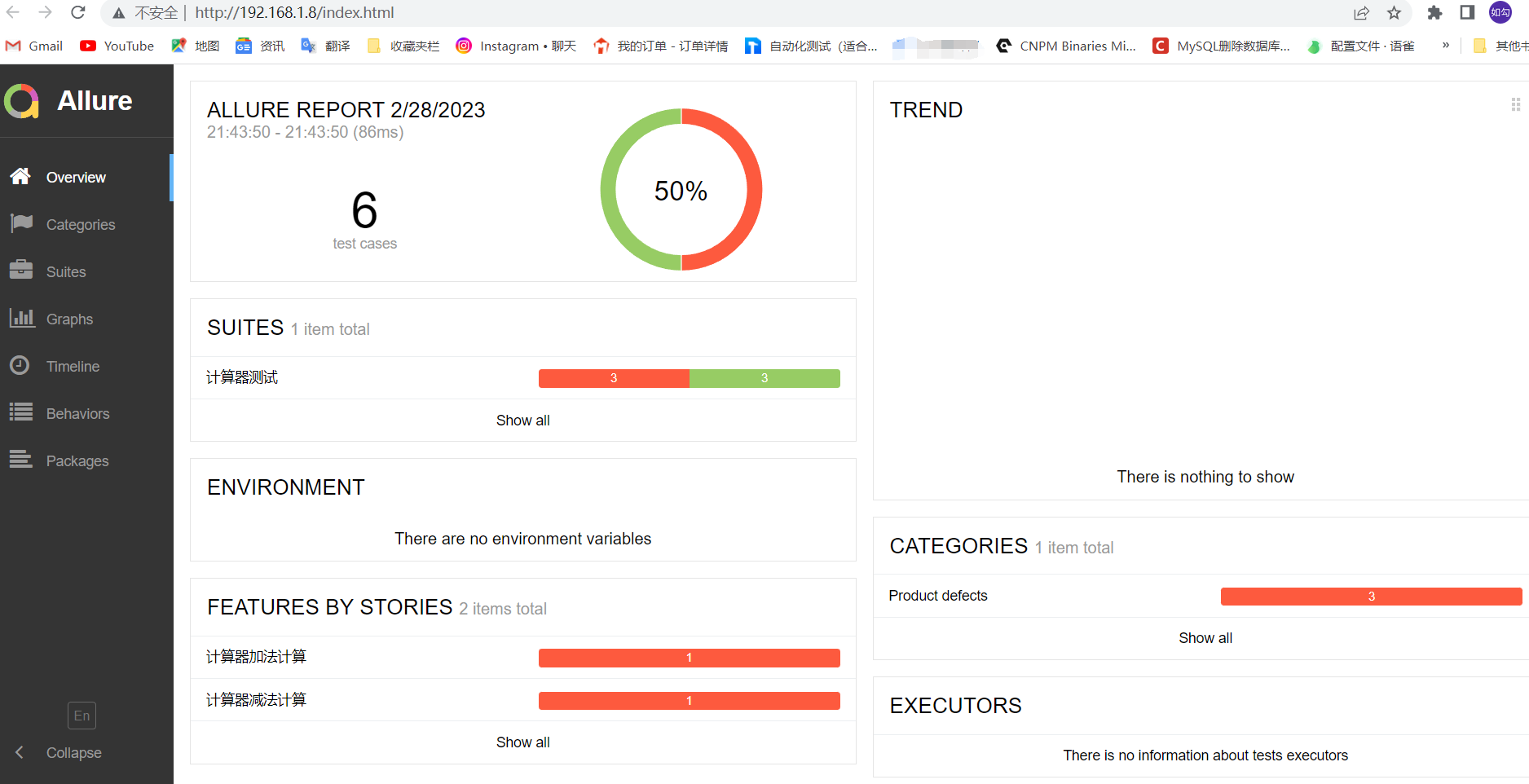
# 重新生成并打开报告# 进入cmd# 进入测试报告目录所在目录allure server -p 端口号 测试数据所在目录


若有收获,就点个赞吧
0 人点赞


