一、什么是消息框
是指在网页里进行某些操作(点击按钮、点击超级链接等)后,在网页上一层出现弹出来的对话框,对话框里显示要提示给客户的消息。
二、如何判断是不是消息框
1. 在对话框上点击鼠标右键,无菜单。2. 大多数都是模态的,如果不关闭它,后面的网页无法进行操作。
注意:消息框不同于网页里的div标记的元素,虽然div元素(代表网页里的一块区域)可以显示为浮动在其他区域上一层的效果,但是不具备上述两个特点。
三、消息框种类
| 类型 | 功能 | 方法 |
|---|---|---|
| alerts 警告框 | 显示通知消息 只能选择OK |
``` |
accept()
|| | 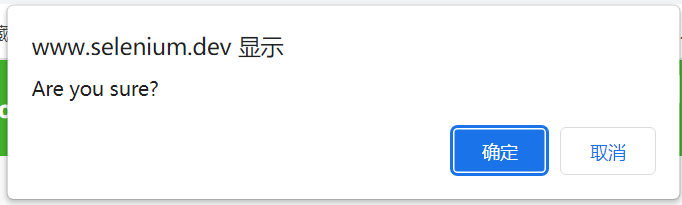 | || **confirm 确认框** | 可以选择确认<br />可以选择取消 |
accept() dismiss()
|| | 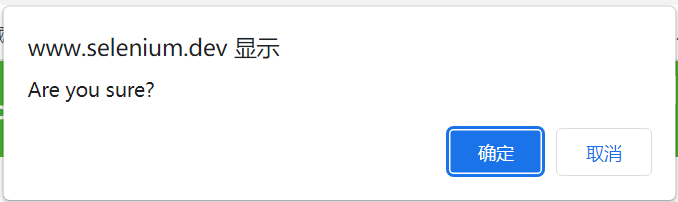 | || **prompt 提示框** | 可以输入信息然后选择确认<br />可以选择取消 |
send_keys()后accept() dismiss()
|| | 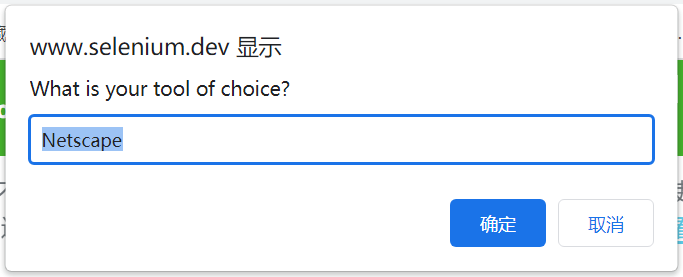 | |<a name="EkPKb"></a>### 四、代码编写| **alert**<a name="sj7dh"></a>### <br />| ```pythonfrom selenium import webdriverfrom time import sleepfrom selenium.webdriver.common.by import Byfrom selenium.webdriver.support import expected_conditions as ECfrom selenium.webdriver.support.wait import WebDriverWait as wait# 用这个网站也可以http://sahitest.com/demo/confirmTest.htmdriver=webdriver.Chrome()driver.get('https://www.selenium.dev/zh-cn/documentation/webdriver/interactions/alerts/')driver.find_element(By.XPATH, "//*[text()='查看样例警告框']").click()# 判断是否有弹窗# 方法一:显示等待写法alert = wait(driver,20,0.5).until(EC.alert_is_present())sleep(2)#获取弹窗文本text = alert.textprint(text)# 点击确认按钮alert.accept()
| | —- | —- | | confirm | ```python from selenium import webdriver from time import sleep from selenium.webdriver.common.by import By from selenium.webdriver.support import expected_conditions as EC from selenium.webdriver.support.wait import WebDriverWait as wait
用这个网站也可以:http://sahitest.com/demo/promptTest.htm
driver=webdriver.Chrome() driver.get(‘https://www.selenium.dev/zh-cn/documentation/webdriver/interactions/alerts/‘) driver.find_element(By.XPATH, “//*[text()=’查看样例确认框’]”).click() wait(driver,20,0.5).until(EC.alert_is_present()) sleep(2)
方法二:switch_to.alert
alert=driver.switch_to.alert text = alert.text #获取alter的文本
点击确认
alert.accept()
点击取消
alert.dismiss()
|| **prompt** | ```pythonfrom selenium import webdriverfrom selenium.webdriver.common.by import Byfrom selenium.webdriver.support import expected_conditions as ECfrom selenium.webdriver.support.wait import WebDriverWait as wait#导入Alert类from selenium.webdriver.common.alert import Alertfrom time import sleep# 用这个网站也可以:http://sahitest.com/demo/promptTest.htmdriver=webdriver.Chrome()driver.get('https://www.selenium.dev/zh-cn/documentation/webdriver/interactions/alerts/')driver.find_element(By.XPATH, "//*[text()='查看样例提示框']").click()wait(driver,20,0.5).until(EC.alert_is_present())sleep(2)#方法三:导入并调用Alert类alert=Alert(driver)text = alert.text #获取alter的文本#向输入框输入一条文本alert.send_keys('这是一条测试数据!')# 点击确认alert.accept()# 点击取消# alert.dismiss()
| | 其他 | 非弹窗的内容,按照HTML元素处理即可 |

若有收获,就点个赞吧
0 人点赞


