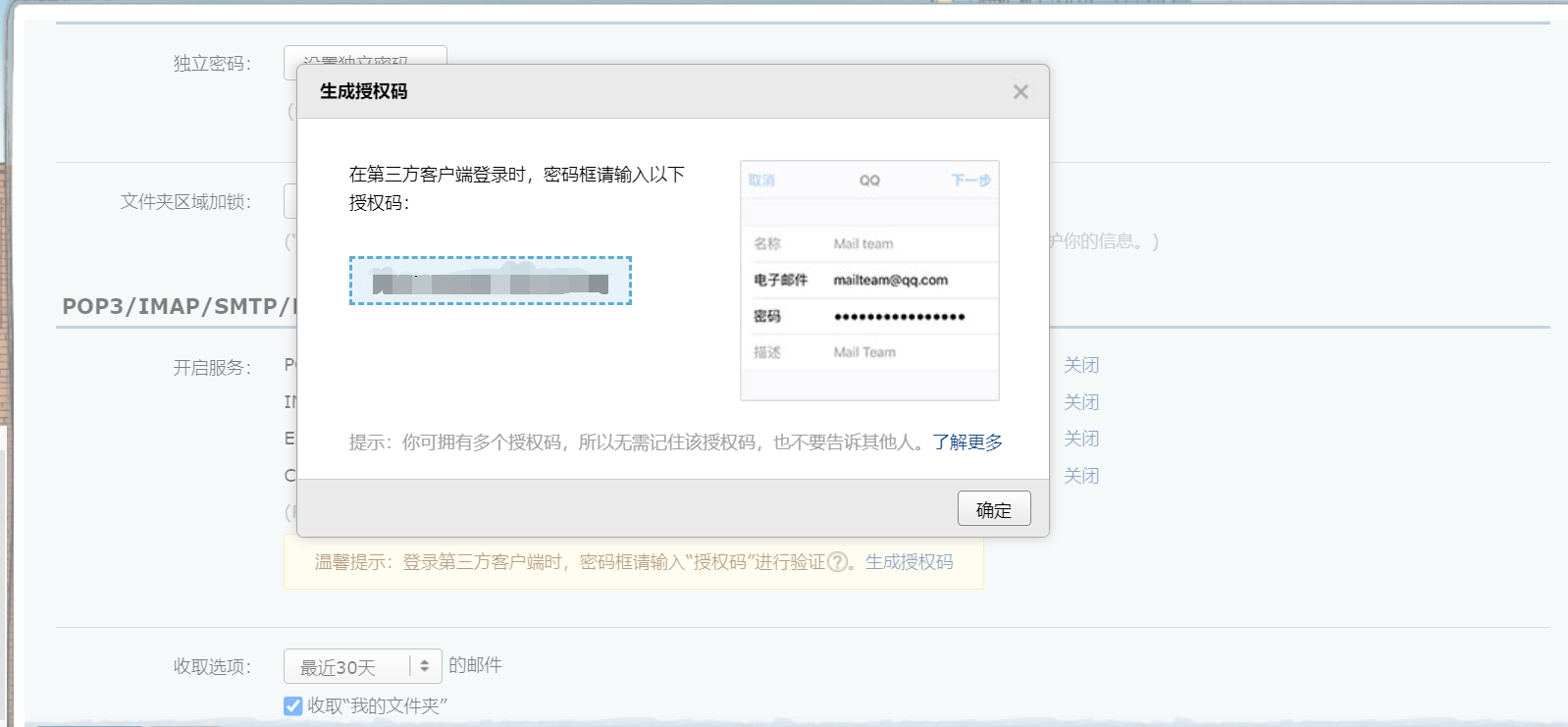
获取授权码
设置—账户—获取授权码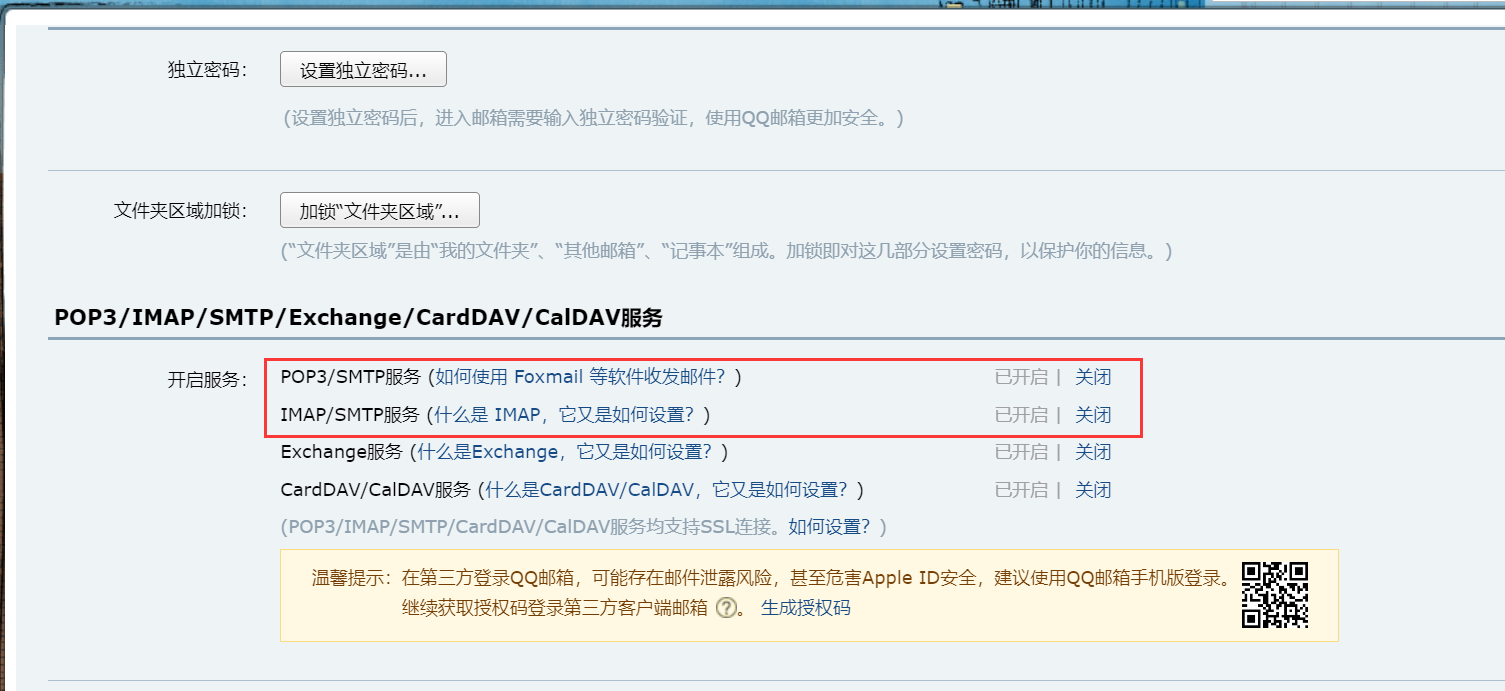
# 参数1:收件人邮箱# 参数2:发送的内容# subject:邮件主题# content_text:邮件正文# attachments:邮件附件# 参数3:cc,可选,抄送s.send_mail("******@qq.com",{"subject":"最新测试结果报告","content_text":"您好,\n 这是最新测试结果报告,请查收附件!","attachments":"E:\\sProject1\\report\\测试结果报告.html"},cc="******@qq.com")
# 导入zmail# 需要安装:pip install zmail==0.2.8 python3才能用import zmail# 导入日志处理模块from utils.logger import logfrom utils.read_mailconf import MailConf# 邮件工具类class EmailUtil:# 参数是要发送的测试结果报告文件路径def send_email(self, file_path):try:mail_host = MailConf().get_mail_host()mail_port = MailConf().get_mail_port()mail_username = MailConf().get_mail_username()mail_password = MailConf().get_mail_password()receivers = MailConf().get_receivers()cc = MailConf().get_cc()# 用发件人的邮箱账号和授权码登陆服务器s = zmail.server(mail_username, mail_password, smtp_host=mail_host, smtp_port=mail_port)# 把html格式的测试结果报告文件的内容作为邮件正文进行发送with open(file_path, "r", encoding="utf-8") as f:mail_content = {"subject": "最新测试结果报告","content_html": f.read(),"attachments": file_path}s.send_mail(receivers, mail_content, cc=cc)log.info(f"发送邮件成功,发送的测试结果报告文件是{file_path}")except Exception as e:log.error(f"发送邮件失败,原因是{str(e)}")if __name__ == '__main__':file_path = "..\\report\\测试结果报告.html"EmailUtil().send_email(file_path)

若有收获,就点个赞吧
0 人点赞


