一、介绍
他是使用安卓自带的UiAutomator测试框架来实现定位,包含一个名称是UiSelector的类,专门用于在安卓App界面上选择界面元素。因为他是Java开发实现的,所以必须要使用双信号,仅适用于Android App中元素的定位。
二、语法
# 因为参数如果是字符串类型,必须使用Java语法里的双引号,所以python程序外层的引号就要用单引号。# 语法一driver.find_element(MobileBy.ANDROID_UIAUTOMATOR,'new UiSelector().方法("参数")')# 语法二:省略new UiSelector()driver.find_element(MobileBy.ANDROID_UIAUTOMATOR,'方法("参数")')
三、方法-参数
text
| 参数 | 截图 |
|---|---|
| text(“完整字符串”):text属性值精确匹配。 | 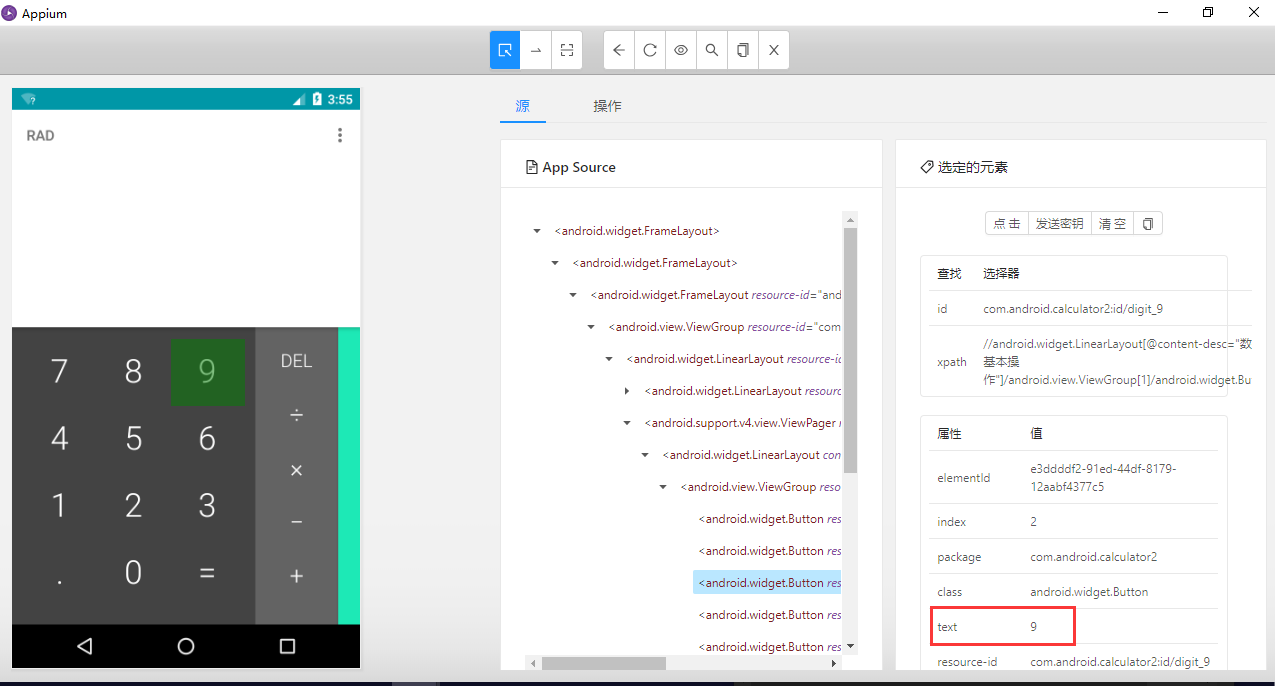 |
| ```python |
driver.find_element(MobileBy.ANDROID_UIAUTOMATOR,’text(“9”)’).click()
| |<a name="jLHdG"></a>#### description| 参数 | 截图 || --- | --- || description("content-desc中完整字符串"):content-desc属性值精确匹配。| 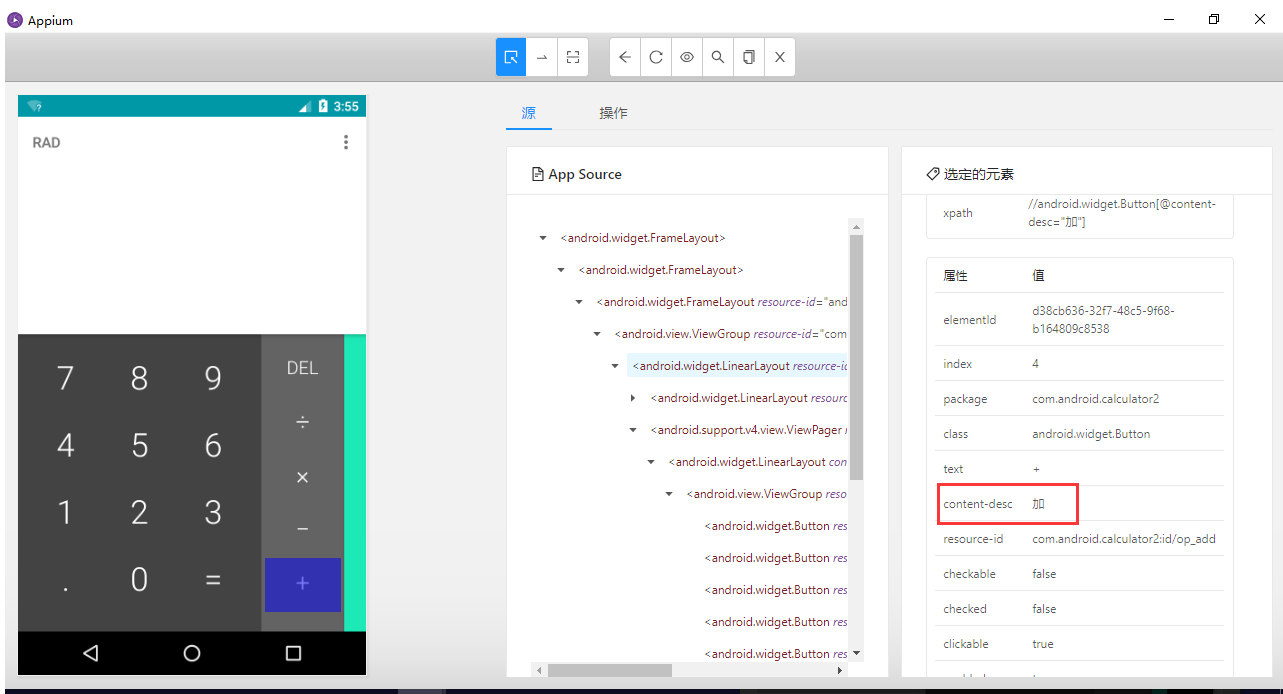 || ```pythondriver.find_element(MobileBy.ANDROID_UIAUTOMATOR,'description("加")').click()
| |
resourceId
| 参数 | 截图 |
|---|---|
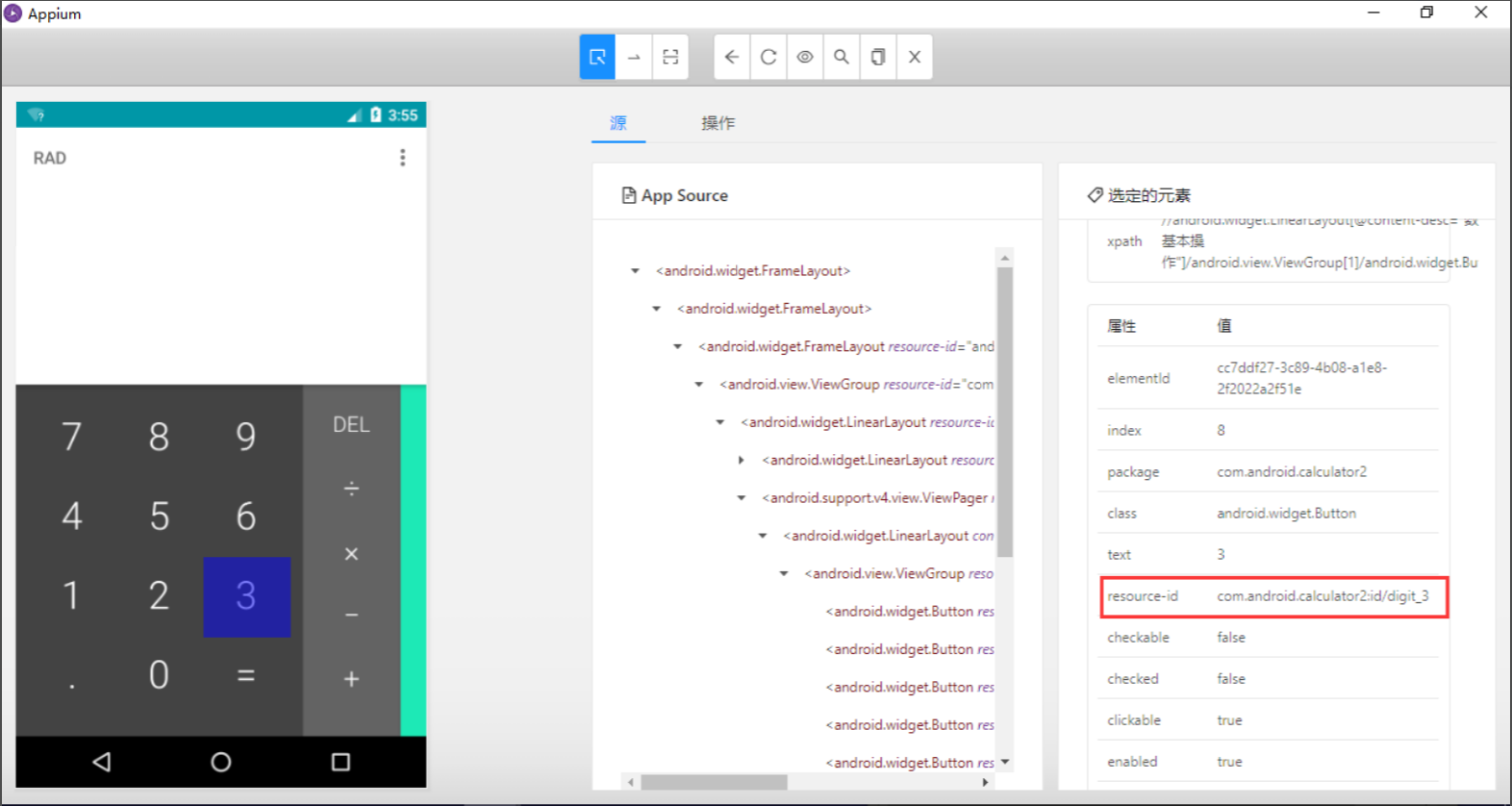
| resourceId(“resource-id属性值的完整字符串”):resource-id属性值精确匹配。 |
|  |
| ```python
driver.find_element(MobileBy.ANDROID_UIAUTOMATOR,’resourceId(“com.android.calculator2:id/digit_3”)’).click()
| |<a name="ZDZ3d"></a>#### className| 参数 | 截图 || --- | --- || className("class属性值的完整字符串"):class属性值精确匹配。一般用于类名特殊的情况下,比如当前App界面上此类型元素只有一个,就可以使用className方法定位。 | 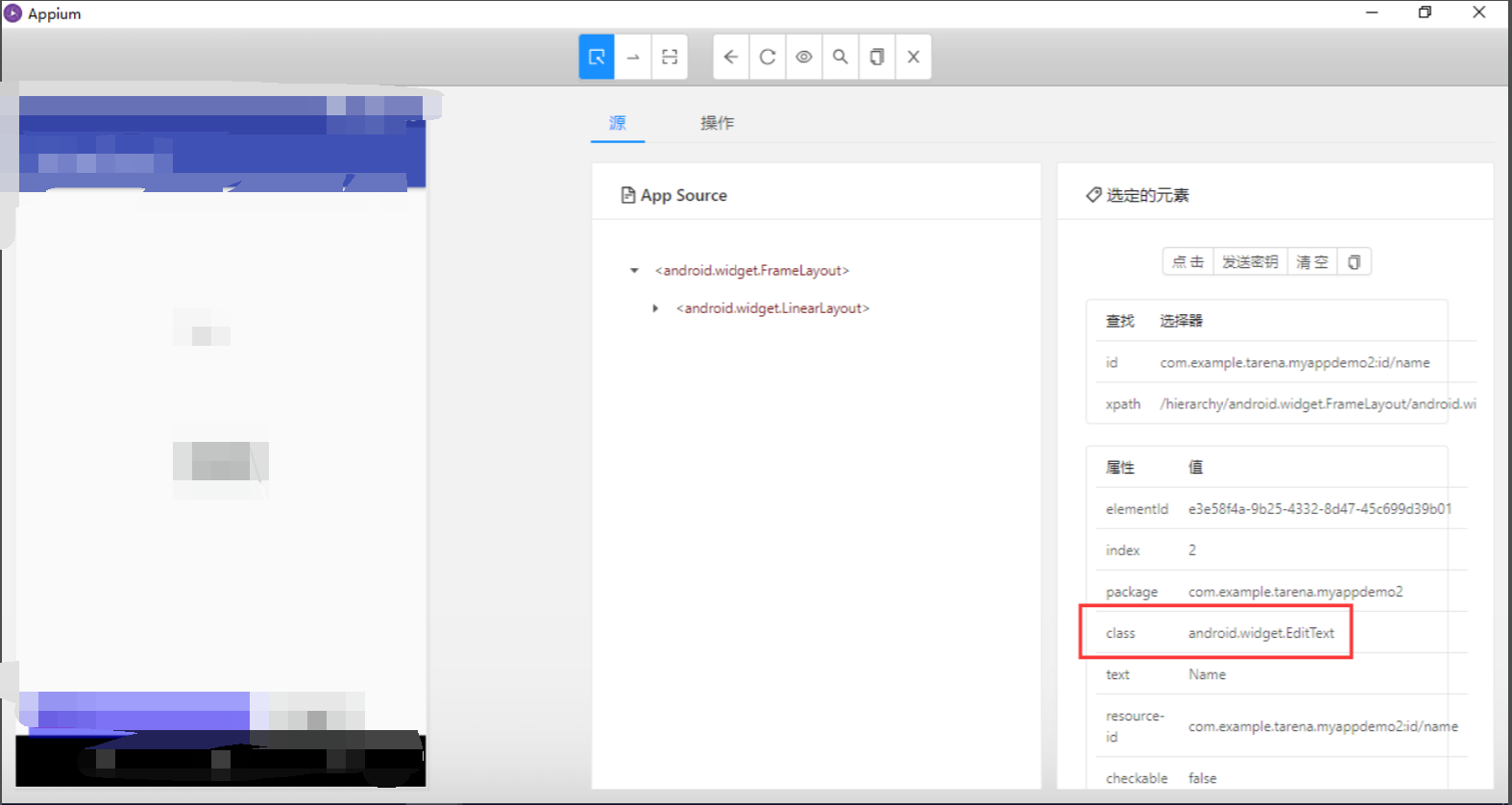 || ```pythondriver.find_element(MobileBy.ANDROID_UIAUTOMATOR,'className("android.widget.EditText")').clear()
| |
index
| 参数 | 截图 |
|---|---|
| index(index属性值):index属性值的参数是整数类型的数据。 —-一般用于索引号较大的情况下使用。 | 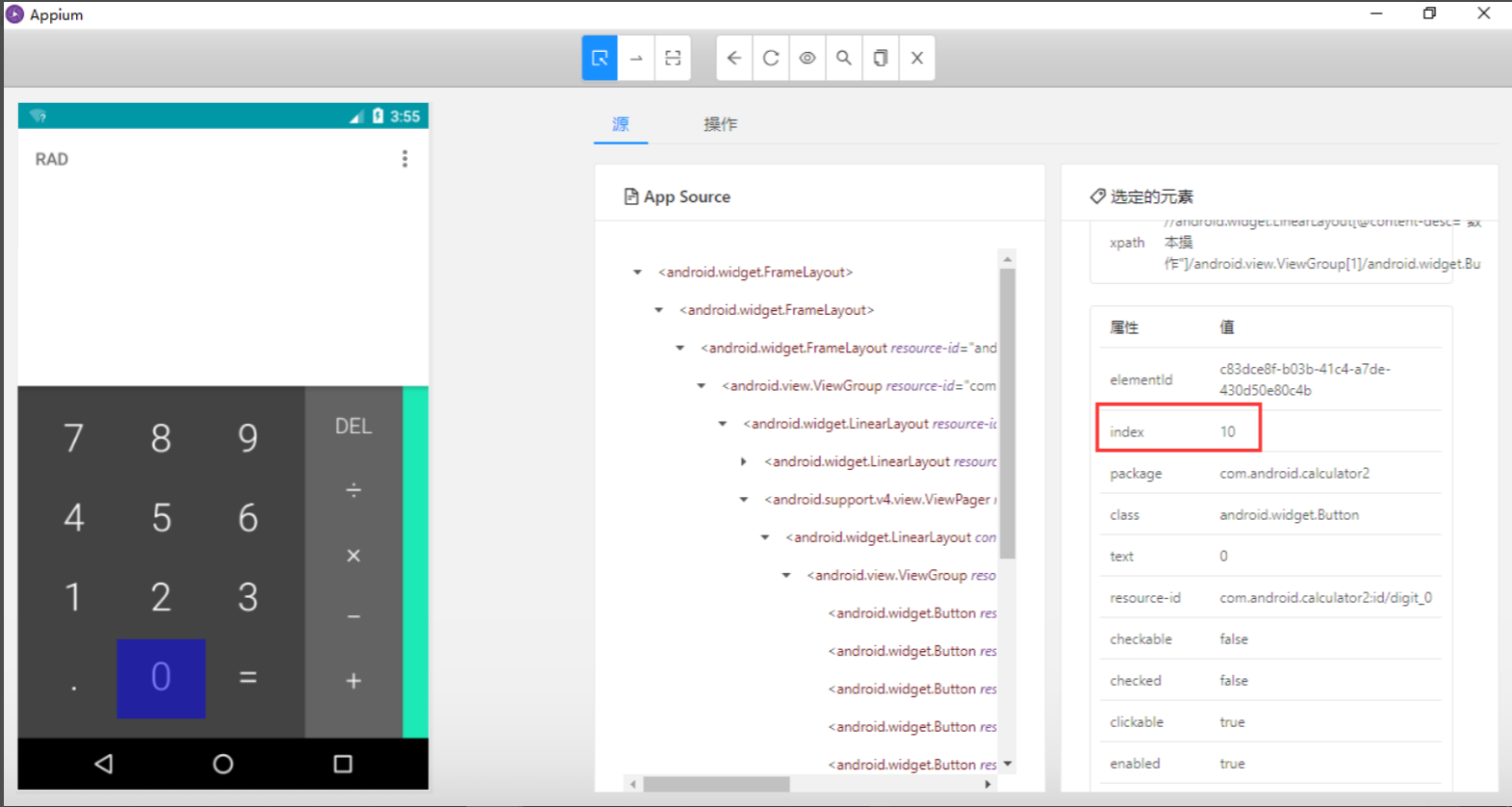 |
| ```python |
driver.find_element(MobileBy.ANDROID_UIAUTOMATOR,’className(“android.widget.EditText”)’).clear()
| |<a name="VHrAE"></a>#### textContains| 参数 | 截图 || --- | --- || textContains("text属性值里包含的一部分字符串"):text属性值模糊匹配。| 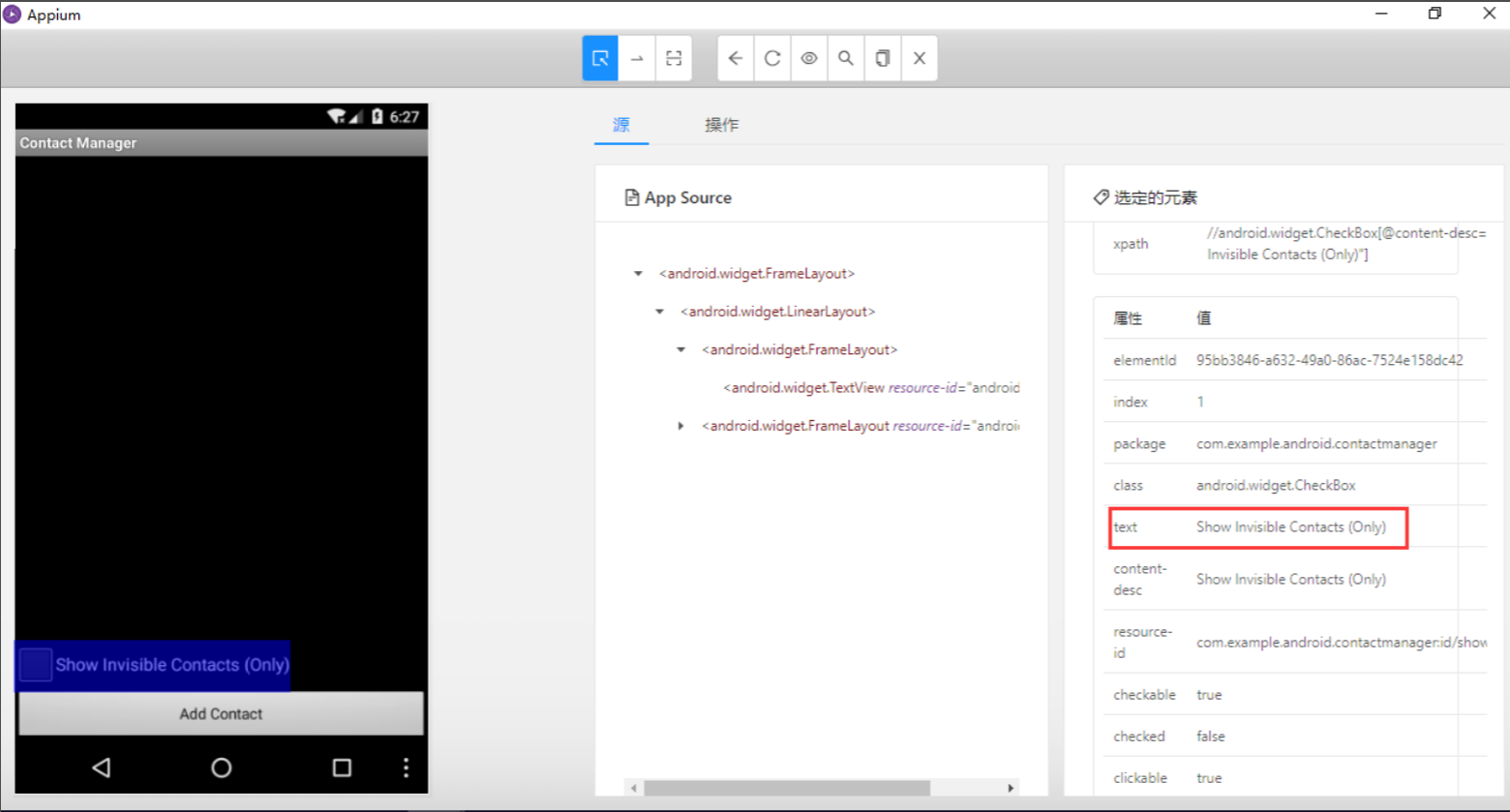 || ```pythondriver.find_element(MobileBy.ANDROID_UIAUTOMATOR,'textContains("Invisible")').click()
| |
textStartsWith
| 参数 | 截图 |
|---|---|
| textStartsWith(“text属性值里开头的一部分字符串”):text属性值模糊匹配。 |
| 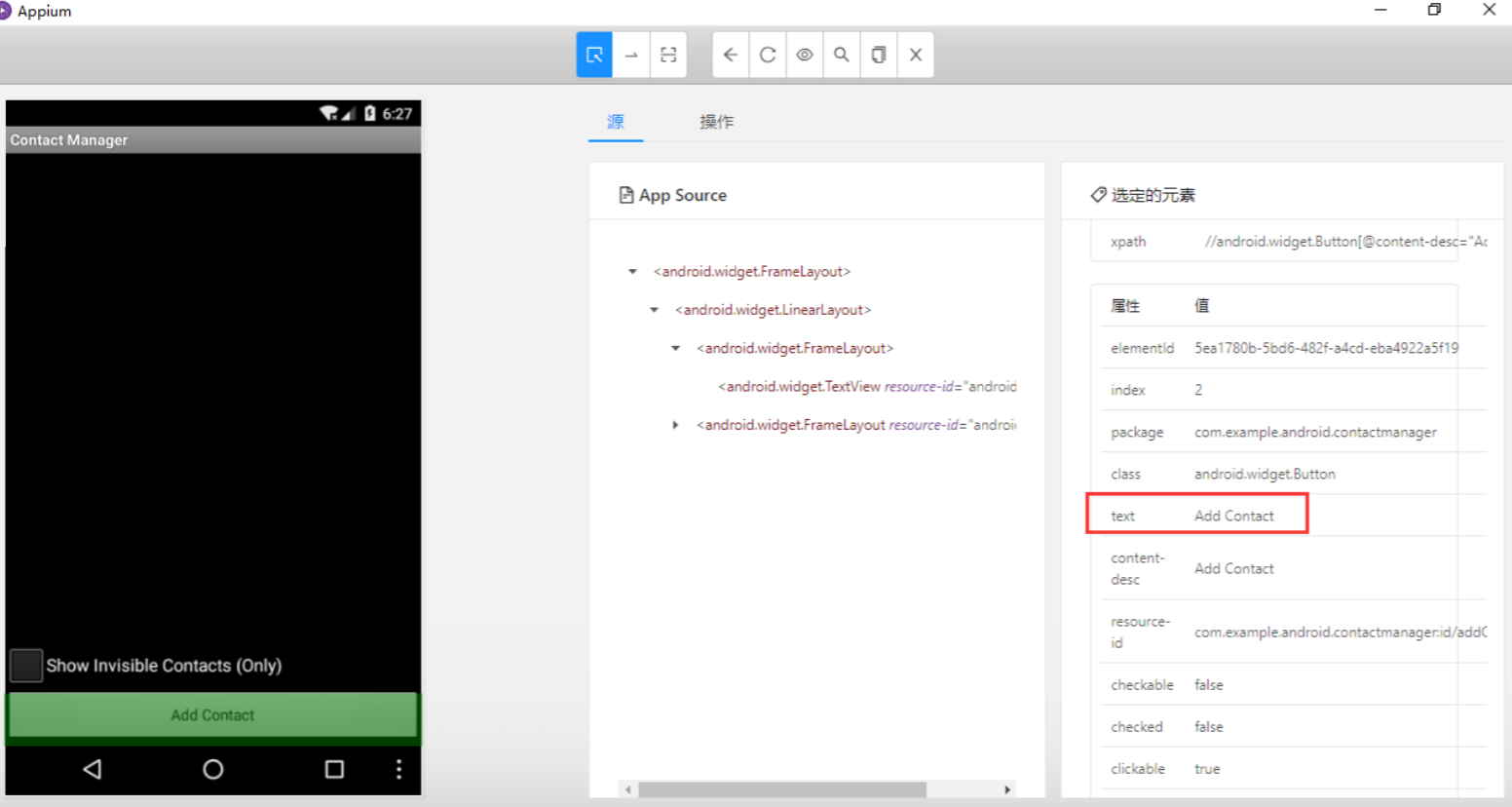 |
| ```python
driver.find_element(MobileBy.ANDROID_UIAUTOMATOR,’textStartsWith(“Add”)’).click()
| |<a name="Gctxh"></a>#### textMatches| 参数 | 截图 || --- | --- || textMatches("text属性值字符串所匹配的正则表达式"):text属性值功能最强大的模糊匹配。 |  || ```pythondriver.find_element(MobileBy.ANDROID_UIAUTOMATOR,'textMatches("Show.*Only.*")').click()
| |
descriptionContains
| 参数 | 截图 |
|---|---|
| descriptionContains(“content-desc属性值所包含的字符串”) | 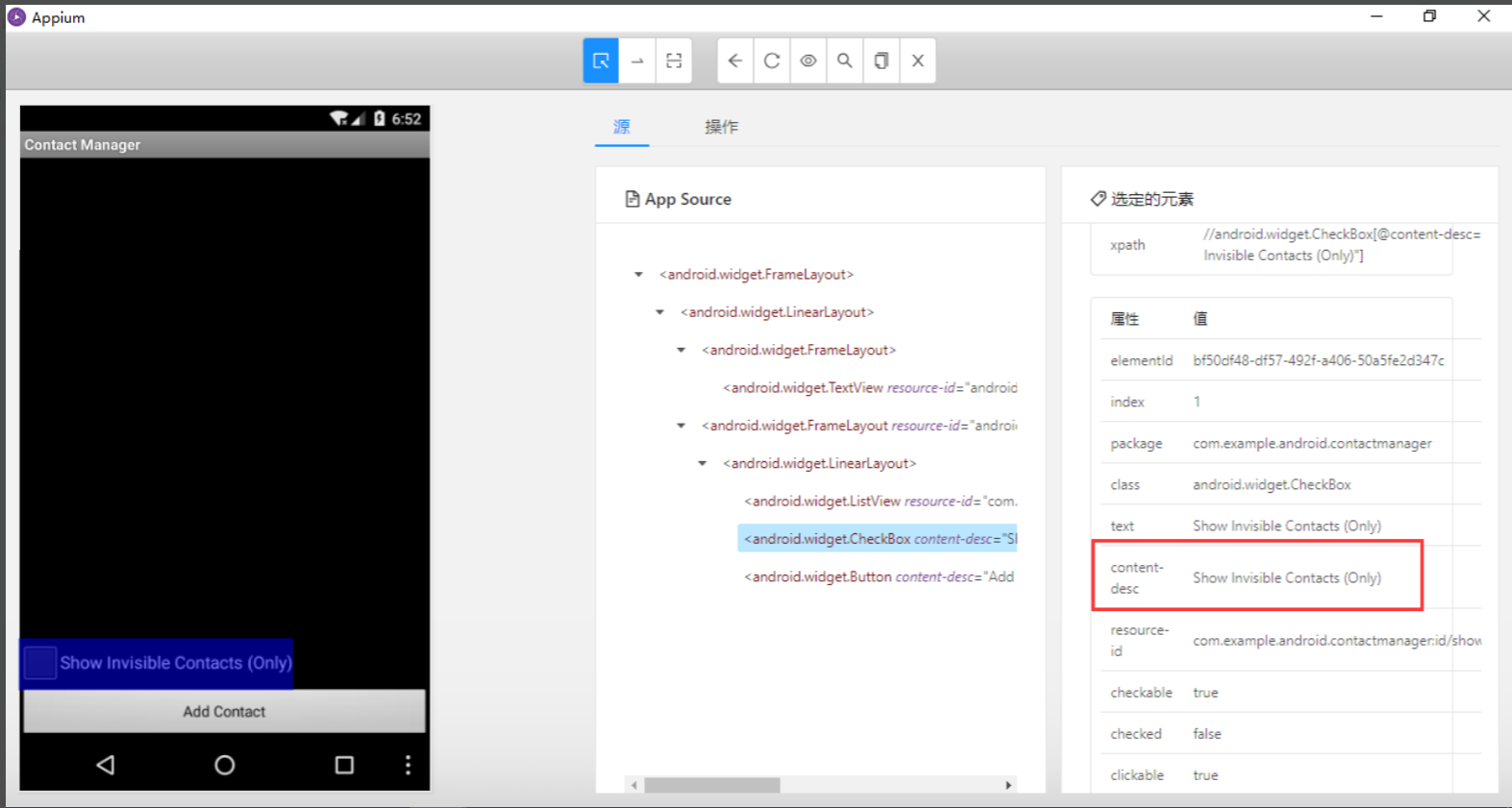 |
| ```python |
driver.find_element(MobileBy.ANDROID_UIAUTOMATOR,’descriptionContains(“Invisible”)’).click()
| |<a name="CK8hr"></a>#### descriptionStartsWith| 参数 | 截图 || --- | --- || descriptionStartsWith("content-desc属性值开头的字符串")| 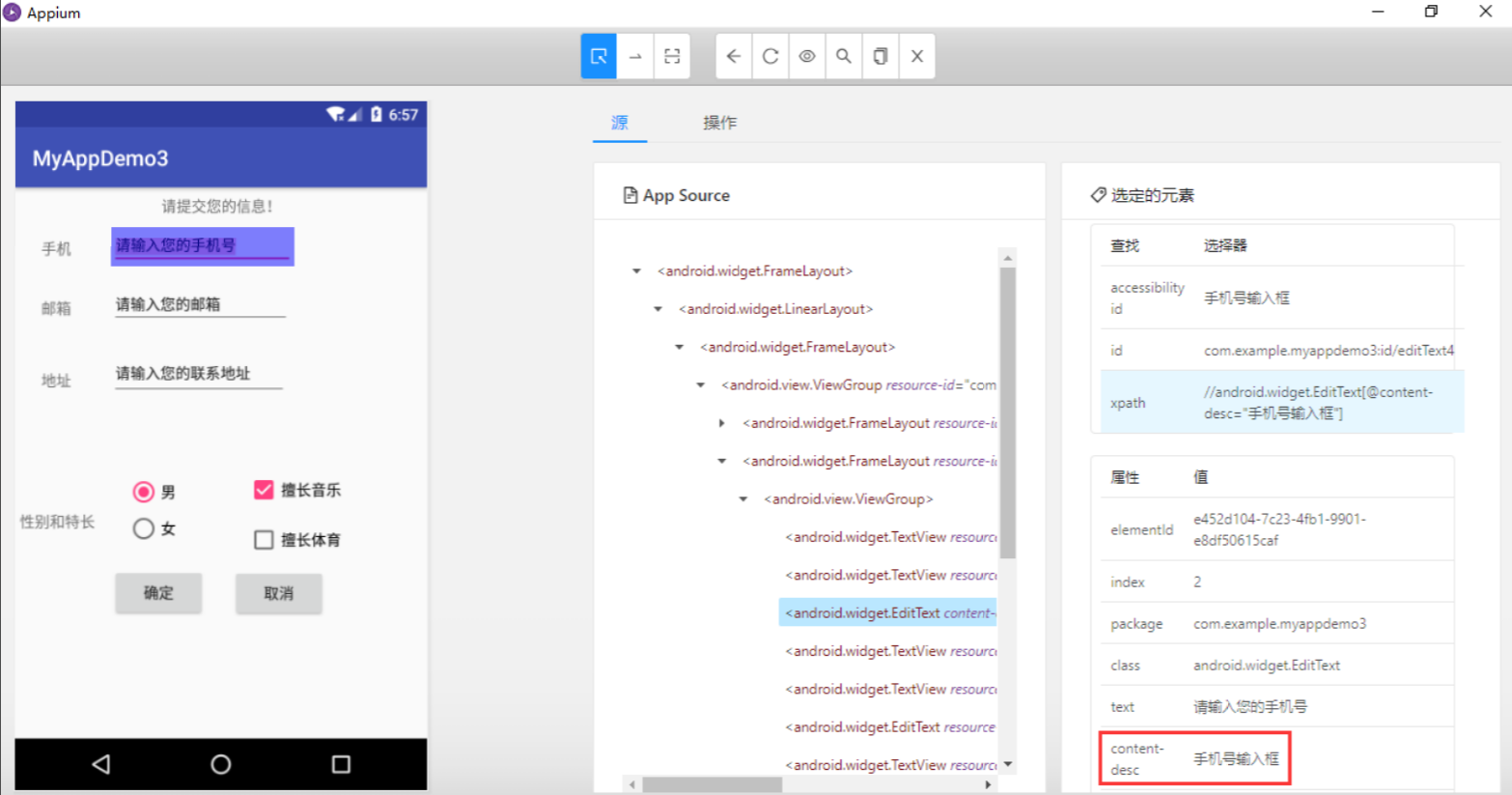 || ```pythondriver.find_element(MobileBy.ANDROID_UIAUTOMATOR,'descriptionStartsWith("手机号")').clear()
| |
descriptionMatches
| 参数 | 截图 |
|---|---|
| descriptionMatches(“content-desc属性值字符串所匹配的正则表达式”) | 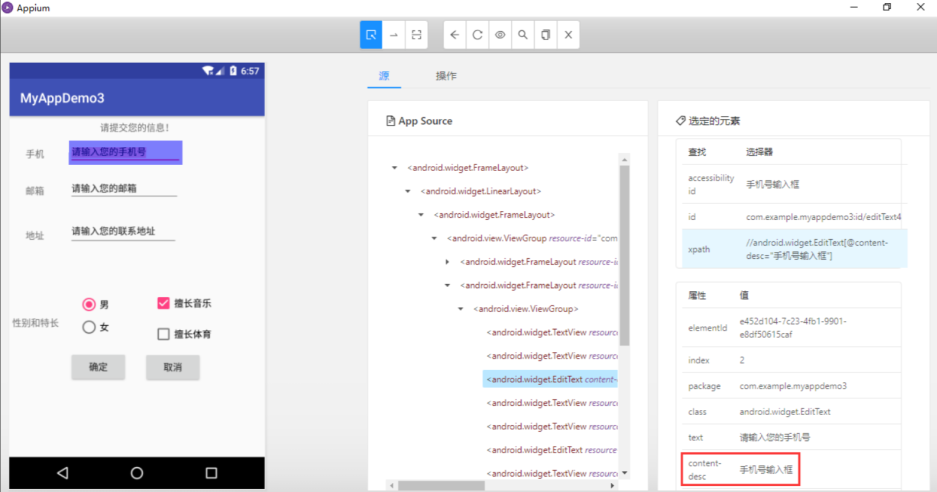 |
| ```python |
driver.find_element(MobileBy.ANDROID_UIAUTOMATOR,’descriptionMatches(“手机.*框”)’).send_keys(‘12345’)
| |<a name="VFH9O"></a>#### resourceIdMathes| 参数 | 截图 || --- | --- || resourceIdMathes("resource-id属性值字符串所匹配的正则表达式"):resource-id属性值唯一的模糊匹配,resource-id属性值没有其他模糊匹配方法。 | 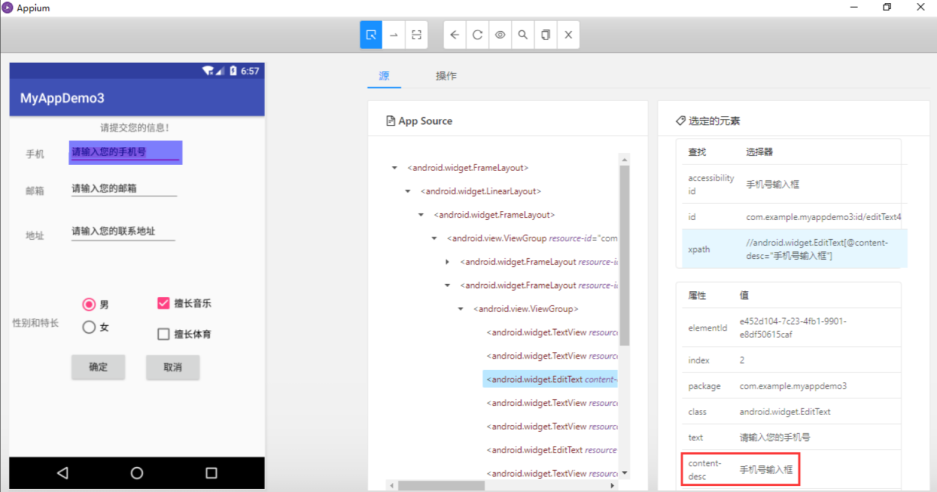 || ```pythondriver.find_element(MobileBy.ANDROID_UIAUTOMATOR,'resourceIdMatches(".*OK")').click()
| |
classNameMatches
| 参数 | 截图 |
|---|---|
| classNameMatches(“class属性值字符串所匹配的正则表达式”):class属性值唯一的模糊匹配,class属性值没有其他模糊匹配方法。 | 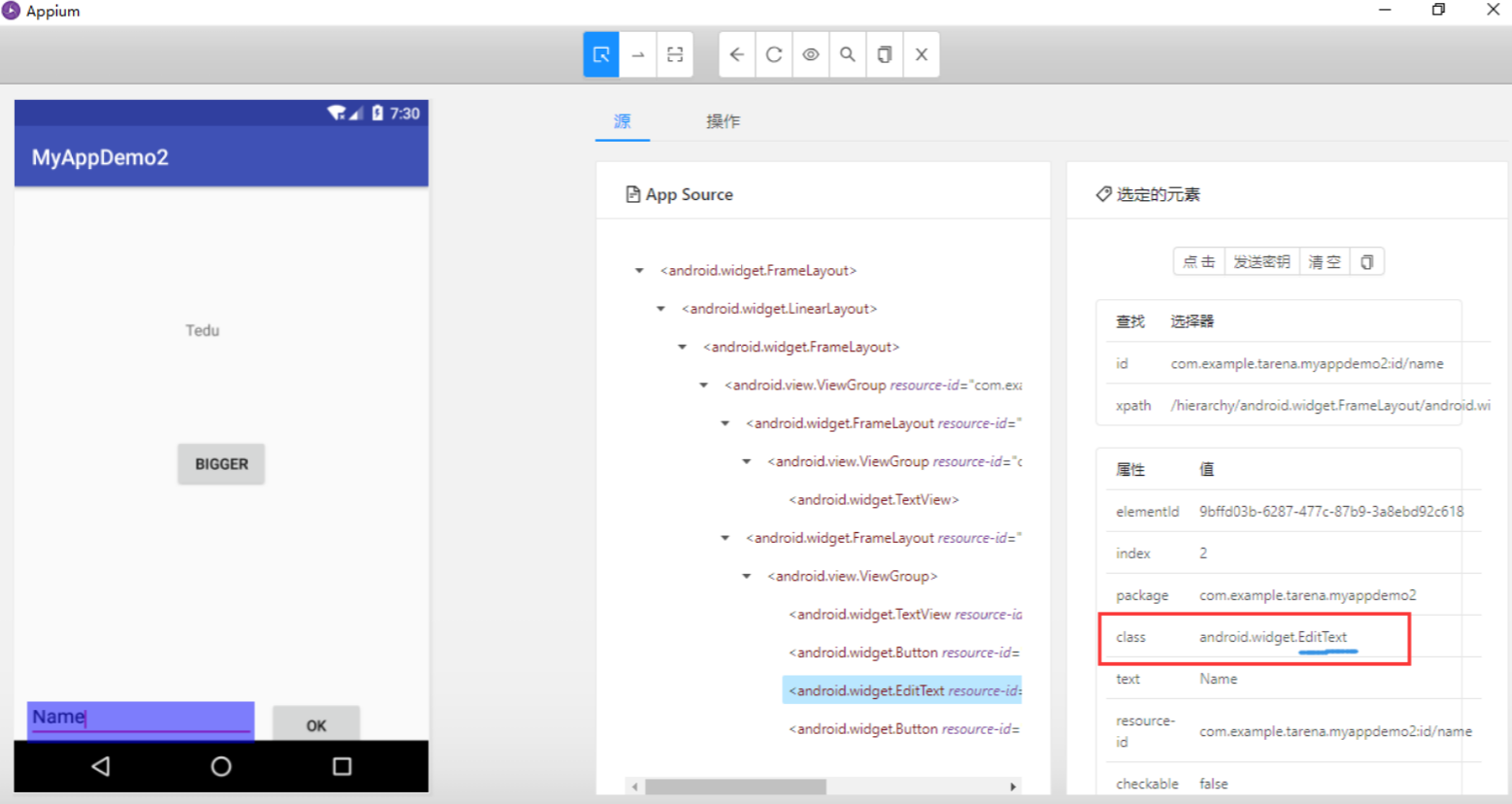 |
| ```python |
driver.find_element(MobileBy.ANDROID_UIAUTOMATOR,’classNameMatches(“.*EditText”)’).clear()
| |<a name="sHrus"></a>#### instance| 参数 | 截图 || --- | --- || instance(前面搜索结果里的索引号) : 必须结合前面的方法进行使用,在前面的方法搜索出来的所有结果里进行排序,从0开始编号,按照此编号来找到目标元素。<br />说明:instance方法写在其他方法后面,用一个点分隔开。注意:instance的索引号要与元素的index属性值不同,我们自己数出来第几个(类似于Selenium中XPATH定位的索引号,先用前面的条件过滤,然后把过滤后的结果排序),index属性值是源代码中能看到的代表父节点下所有子节点的排序索引号(类似于Selenium中CSS定位中的索引号,是不论什么标记节点,只要是同父都一起排序) | 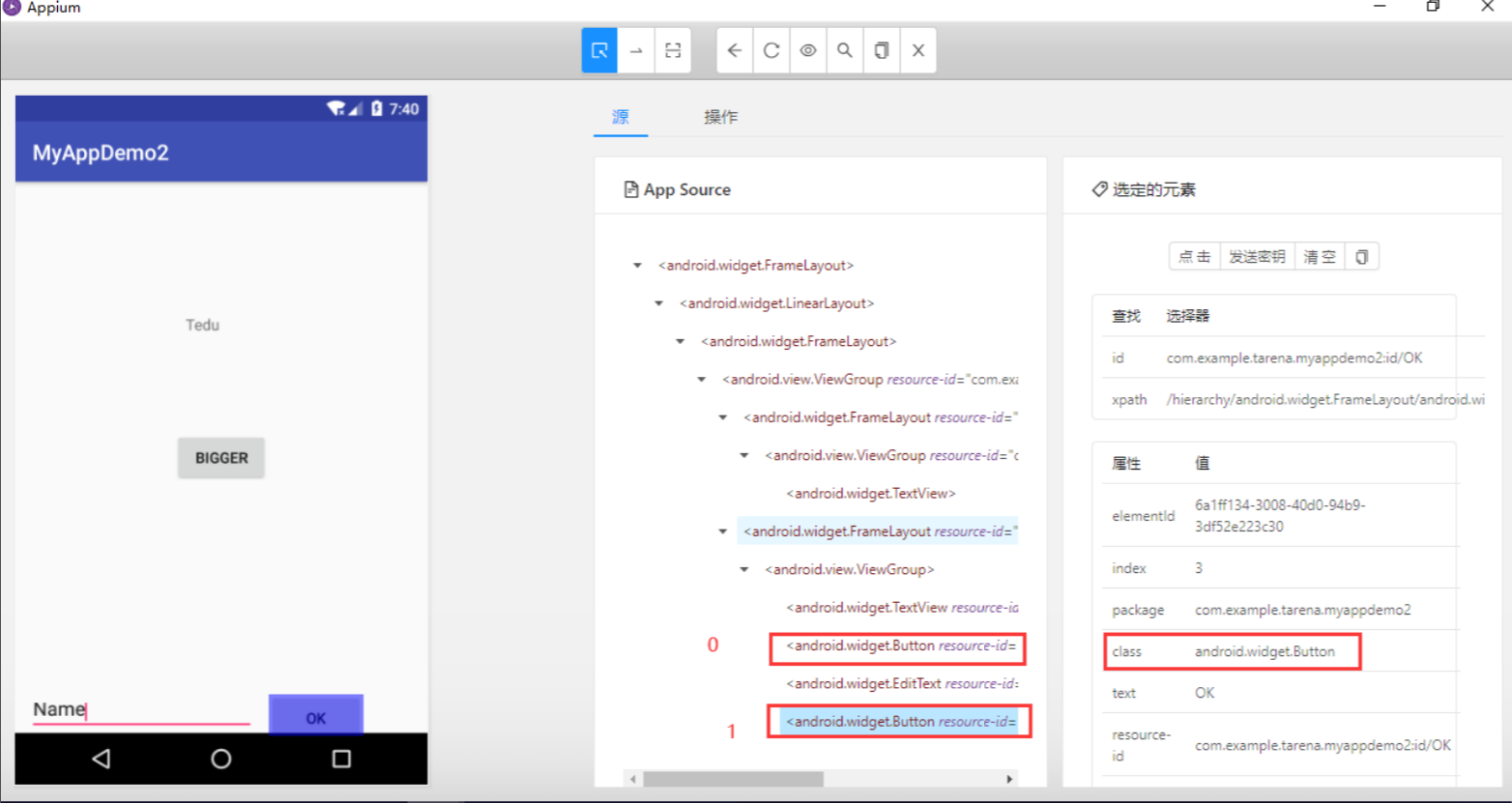|| ```pythondriver.find_element(MobileBy.ANDROID_UIAUTOMATOR,'className("android.widget.Button").instance(0) ').clear()
| |
focused(true)
| 参数 | 截图 |
|---|---|
| focused(true) —-有焦点的元素 | 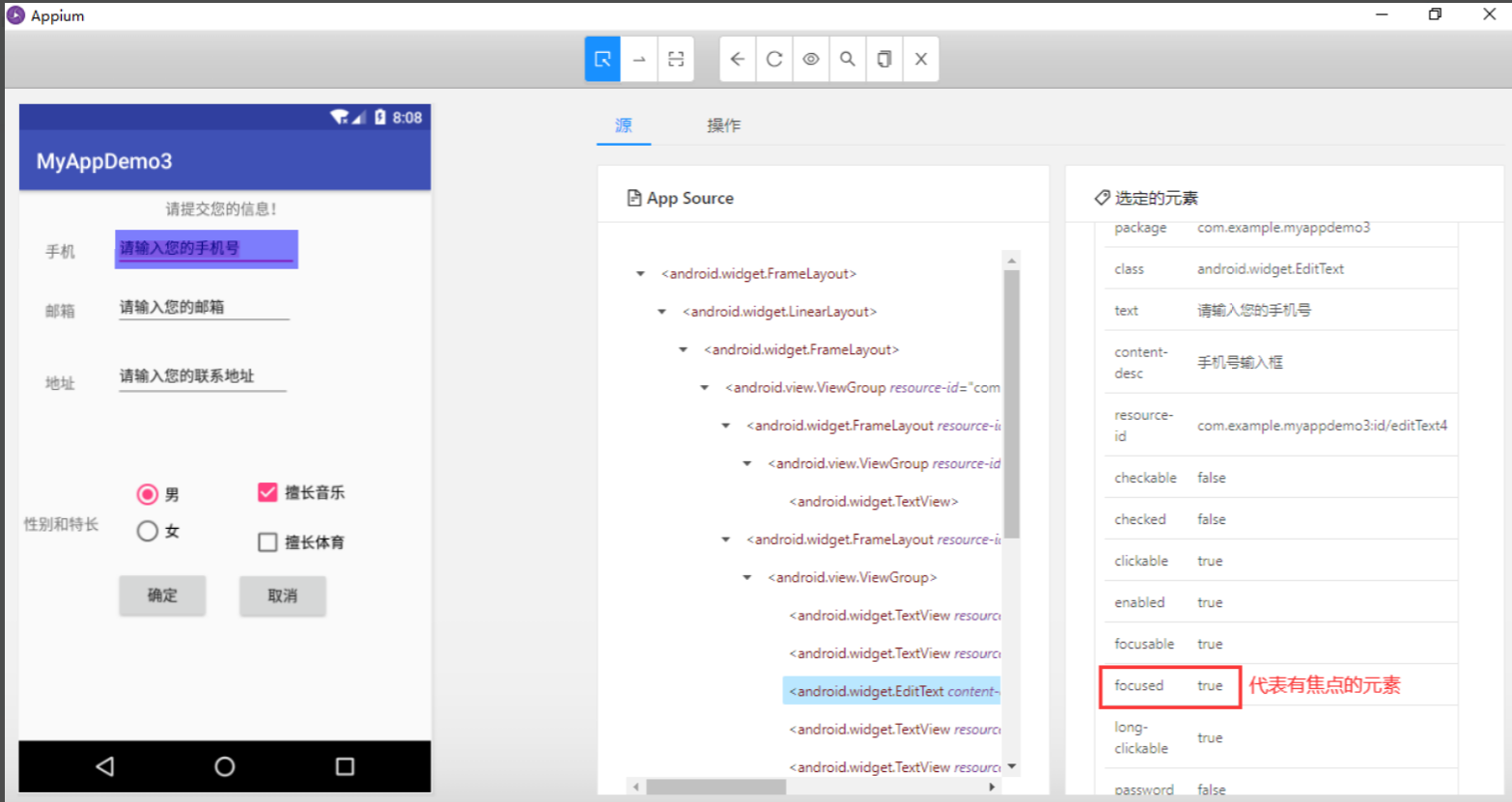 |
| ```python |
driver.find_element(MobileBy.ANDROID_UIAUTOMATOR,’focused(true)’).clear()
| || 参数 | 截图 || --- | --- || checked(true).instance(1) ---当前界面上被选中的元素里的第2个 | 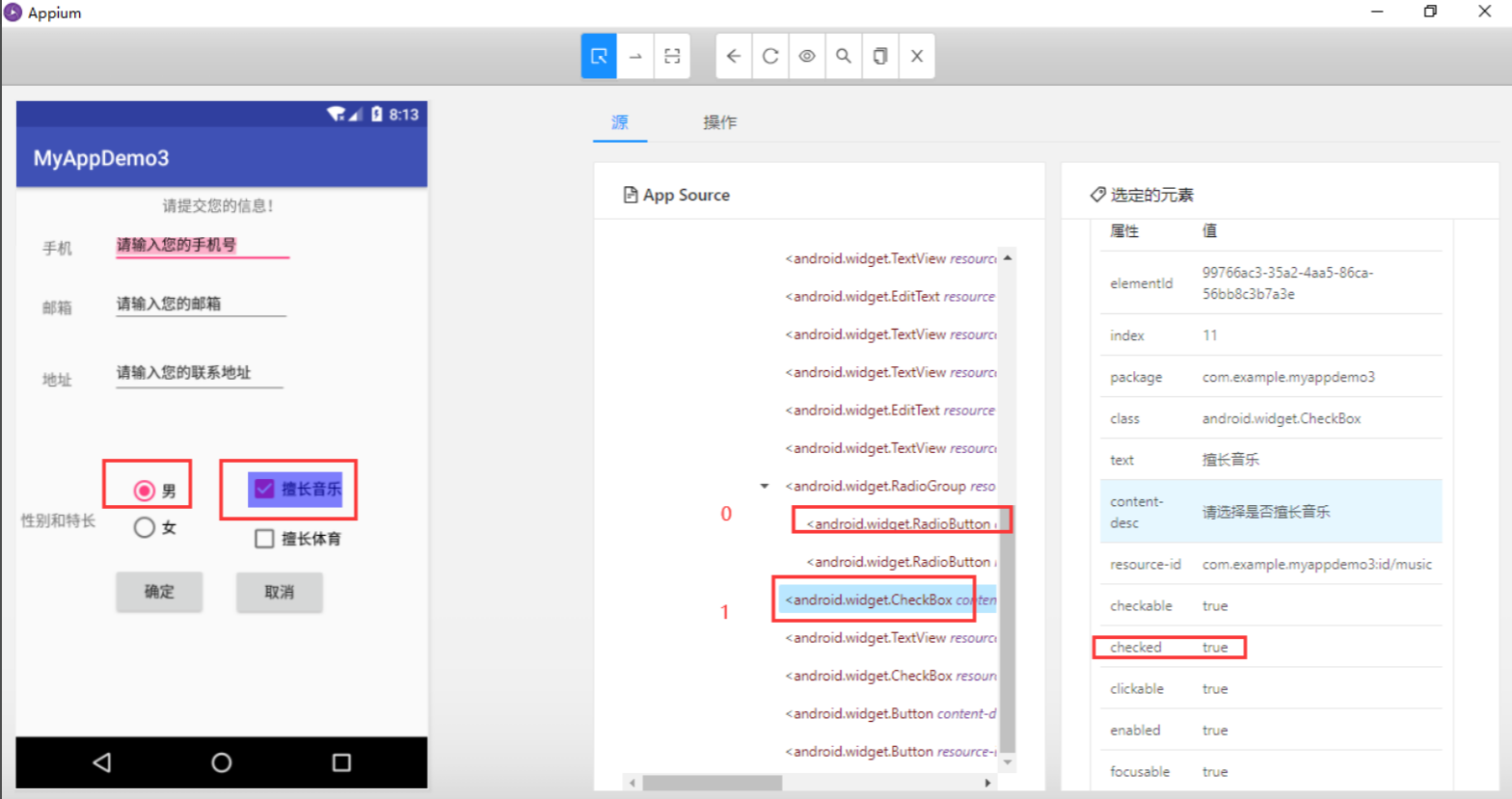 || ```pythondriver.find_element(MobileBy.ANDROID_UIAUTOMATOR,'checked(true).instance(1)').click()
| |
组合
| 参数 | 截图 |
|---|---|
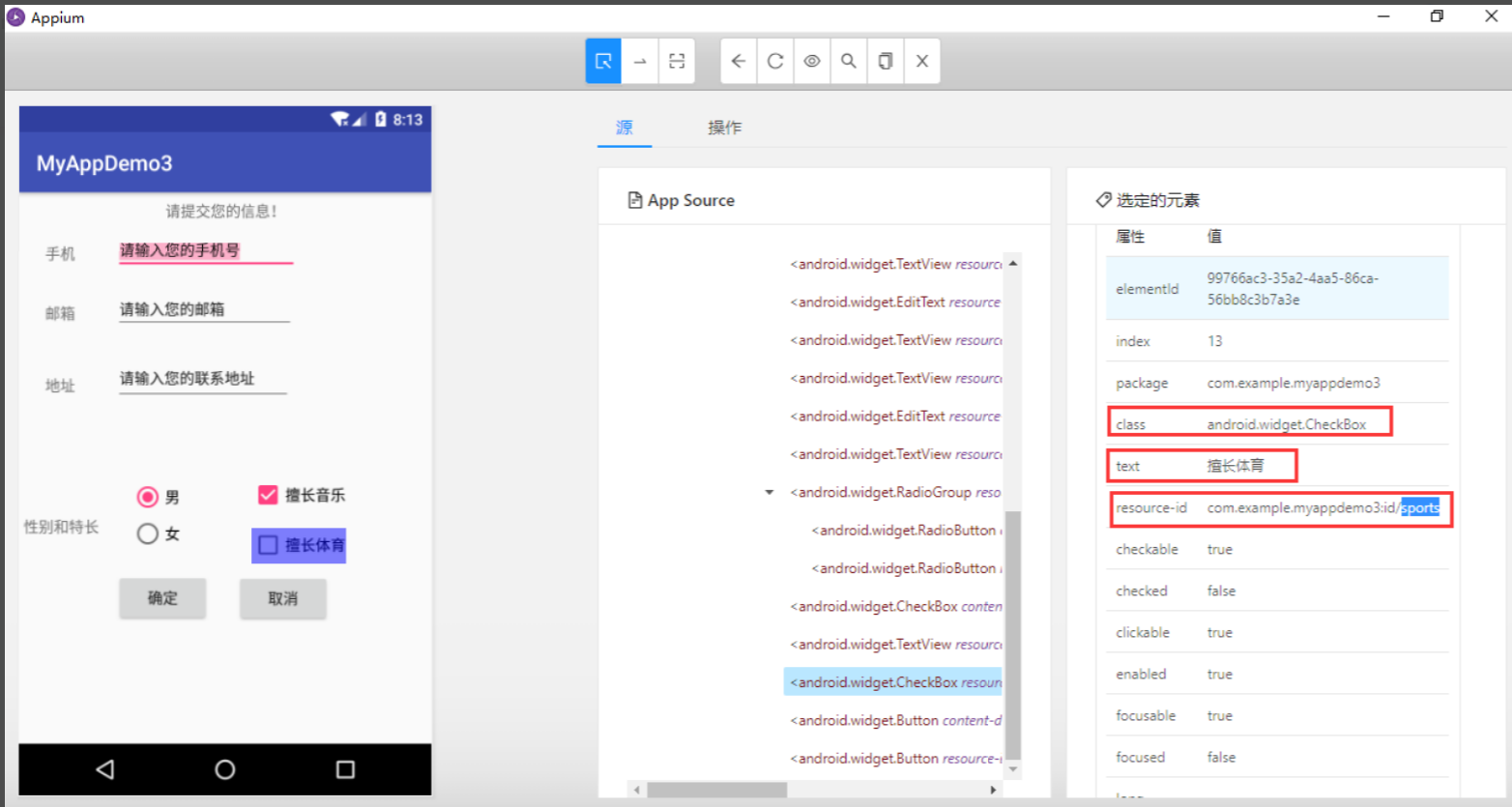
| 多个条件组合选择:链式写法 1.语法:方法1(参数1).方法2(参数2).方法3(参数3)…… 2.分隔符:一个点 3.功能:在前一个方法查找到结果里,再次进行下一个方法的查找,如果这些方法里有instance方法,那么instance方法位于末尾。 |
 |
| ```python |
driver.find_element(MobileBy.ANDROID_UIAUTOMATOR,’className(“android.widget.CheckBox”).text(“擅长体育”).resourceIdMatches(“.*sports”)’).click()
| |<a name="UjyB2"></a>#### 节点| 参数 | 截图 || --- | --- || 父.childSelector(目标子) ---按照父子关系查找,可以多重嵌套<br />多重嵌套:祖父.childSelector(父.childSelector(目标子))曾祖父.childSelector(祖父.childSelector(父.childSelector(目标子)))<br />说明:各个层级都可以使用链式写法进行单个条件筛选或多个条件组合筛选。 | || ```pythondriver.find_element(MobileBy.ANDROID_UIAUTOMATOR,'classNameMatches(".*RadioGroup").childSelector(index(1))').click()
| |

若有收获,就点个赞吧
0 人点赞


