什么是会话跟踪技术: 会话跟踪是Web程序中常用的技术,用来跟踪用户的整个会话。保持对用户会话期间的数据管理。常用的会话跟踪技术是Cookie与Session。 Cookie通过在客户端记录信息确定用户身份 Session通过在服务器端记录信息确定用户身份。
1、Cookie
1.什么是cookie
Cookie是客户端(一般指浏览器)请求服务器后,服务器发给客户端的一个辨认标识,保存在客户端,当客户端再次向服务器发送请求时,会携带着这个辨认标识,服务器就可以通过这个标识来识别客户端的身份或状态等。Cookie的作用:跟踪会话,记录一次会话中(即Session,一次会话可能会有多次请求,当然也可以有多个Cookie来跟踪不同的信息)的信息,这样服务器就会知道用户的状态,比如有没有登录成功,付款时购物车中的东西等,就相当于贴在客户端脑门上的纸条,浏览器看不到,但服务器看得到。
2.Cookie的应用
2.1 保持用户登录状态
将用户的信息保存到Cookie中,并发送给浏览器,并且将有效时间设置为一个较长的时间,这样浏览器在以后访问网站时,都会带着该Cookie,服务器以此来辨识用户,用户就不再需要输入用户名和密码等信息。
2.2 记录用户名
一旦用户登录成功以后,下次再登录时,直接将Cookie中的用户名读取并显示出来,这样用户就不需要再次输入用户名,只输入密码即可。
3. Cookie的设置和获取
3.1 、通过HttpServletResponse.addCookie的方式设置Cookie
注意:new Cookie()时两个参数都是字符串
Cookie cookie = new Cookie("jieguo","true");
response.addCookie(cookie);
3.2、浏览器中查看cookie的内容

3.3、服务端获取客户端携带的cookie:通过HttpServletRequest获取
<%
    Cookie[] cookies = request.getCookies();
    if(cookies != null){
        for(Cookie c : cookies){
            String name = c.getName();//获取Cookie名称
            if("jieguo".equals(name)){
            String value = c.getValue();//获取Cookie的值
            bool = Boolean.valueOf(value);//将值转为Boolean类型
        }
    }
%>
4.删除Cookie
通过设置同名Cookie的最大存活时间为0,删除Cookie是指使浏览器不再保存Cookie,使Cookie立即失效
举例:使name为username的Cookie立即失效
//1.创建一个name为username的Cookie
Cookie cookie = new Cookie("username", "aaa");
//2.设置Cookie的有效时间为0
cookie.setMaxAge(0);//删除cookie的关键
//3.将cookie发送给浏览器,来替换同名Cookie
response.addCookie(cookie);
Cookie的有效时间
Cookie发送给浏览器以后,浏览器并不会永久保存,也就是到了一定的时间以后浏览器会自动销毁Cookie。
Cookie的默认有效时间为一次会话(一次打开关闭浏览器的过程),我们也可以手动指定Cookie的有效时间
//setMaxAge用来设置Cookie的最大有效时间,需要int型的参数,代表有效的秒数
cookie.setMaxAge(秒数);
//当参数大于0时,会设置为指定的秒数
cookie.setMaxAge(30);
//当参数等于0时,浏览器不会保存Cookie,Cookie立即失效
cookie.setMaxAge(0);
//当参数小于0时,和不设置是一样,当前会话有效
cookie.setMaxAge(-100);
//设置一个永久有效的Cookie,并非永久,只是使Cookie的生命很长而已
cookie.setMaxAge(60*60*24*365*10);
2、Session
1.什么是Session
Session是另一种记录客户状态的机制,不同的是Cookie保存在客户端浏览器中,而Session保存在服务器上。客户端浏览器访问服务器的时候,服务器把客户端信息以某种形式记录在服务器上。这就是Session。客户端浏览器再次访问时只需要从该Session中查找该客户的状态就可以了。
如果说Cookie机制是通过检查客户身上的“通行证”来确定客户身份的话,那么Session机制就是通过检查服务器上的“客户明细表”来确认客户身份。Session相当于程序在服务器上建立的一份客户档案,客户来访的时候只需要查询客户档案表就可以了。
2.创建Session的格式
Session对应的类为javax.servlet.http.HttpSession类。每个来访者对应一个Session对象,所有该客户的状态信息都保存在这个Session对象里。Session对象是在客户端第一次请求服务器的时候创建的。
Session也是一种key-value的属性对,通过getAttribute(Stringkey)和setAttribute(String key,Objectvalue)方法读写客户状态信息。Servlet里通过request.getSession()方法获取该客户的 Session
例如:
HttpSession session = request.getSession(); // 获取Session对象
session.setAttribute("loginTime", new Date()); // 设置Session中的属性
out.println("登录时间为:" +(Date)session.getAttribute("loginTime")); // 获取Session属性
3.Session的生命周期
Session保存在服务器端。为了获得更高的存取速度,服务器一般把Session放在内存里。每个用户都会有一个独立的Session。如果Session内容过于复杂,当大量客户访问服务器时可能会导致内存溢出。因此,Session里的信息应该尽量精简。
Session在用户第一次访问服务器的时候自动创建。需要注意只有访问JSP、Servlet等程序时才会创建Session,只访问HTML、IMAGE等静态资源并不会创建Session。如果尚未生成Session,也可以使request.getSession(true)强制生成Session。
Session生成后,只要用户继续访问,服务器就会更新Session的最后访问时间,并维护该Session。用户每访问服务器一次,无论是否读写Session,服务器都认为该用户的Session“活跃(active)”了一次。
由于会有越来越多的用户访问服务器,因此Session也会越来越多。为防止内存溢出,服务器会把长时间内没有活跃的Session从内存删除。这个时间就是Session的超时时间。如果超过了超时时间没访问过服务器,Session就自动失效了。
Session的超时时间为maxInactiveInterval属性,可以通过对应的getMaxInactiveInterval()获取,通过setMaxInactiveInterval(longinterval)修改。
Session的超时时间也可以在web.xml中修改。另外,通过调用Session的invalidate()方法可以使Session失效。
<session-config>
<session-timeout>30</session-timeout>
</session-config>
4.Session常用的方法
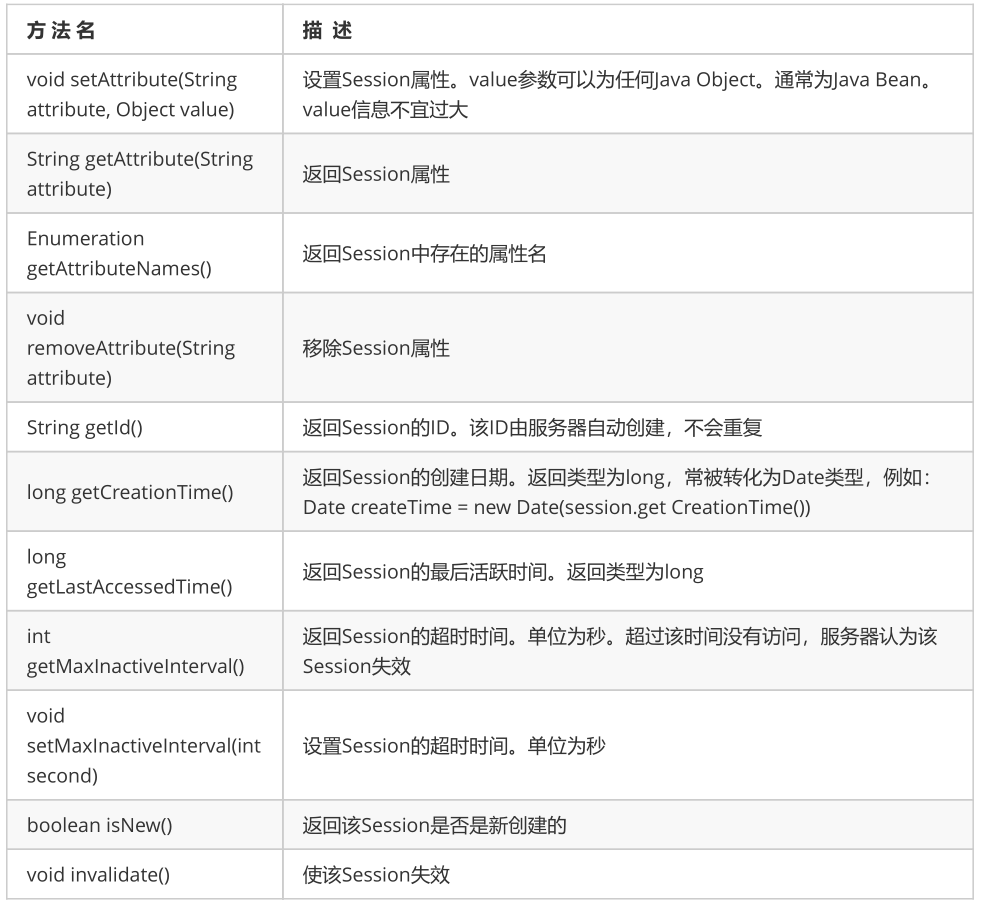
5.Sesssion的应用场景
代码演示:1.登录 2.退出(创建Session和消除Session)
req.getSession().setAttribute("name",uname);
session.invalidate();//让所有的session的相关值都清除
6.Session和Cookie的区别
(1) Cookie数据保存在客户端,Session数据保存在服务器端。
(2) Session是由应用服务器维持的一个服务器端的存储空间,用户在连接服务器时,会由服务器生成一个唯一的SessionID,用该SessionID 为标识符来存取服务器端的Session存储空间。而SessionID这一数据则是保存到客户端,用Cookie保存的,用户提交页面时,会将这一SessionID提交到服务器端,来存取Session数据。这一过程,是不用开发人员干预的。所以一旦客户端禁用Cookie,那么Session也会失效。
(3) Cookies是属于Session对象的一种。但有不同,Cookies不会占服务器资源,是存在客服端内存或者一个Cookie的文本文件中;而Session则会占用服务器资源。所以,尽量不要使用Session,而使用Cookies。但是我们一般认为Cookie是不可靠的,Cookies是保存在本机上的,但是其信息的完全可见性且易于本地编辑性,往往可以引起很多的安全问题Session是可靠地。但是目前很多著名的站点也都用Cookie。
3、过滤器(Filter)
1.什么是过滤器
过滤器实际上就是对web资源进行拦截,做一些处理后再交给下一个过滤器或servlet处理,通常都是用来拦截request进行处理的,也可以对返回的response进行拦截处理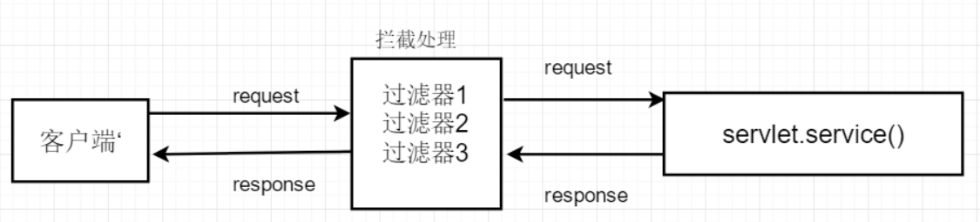
2.过滤器的语法格式
2.1.创建一个类实现Filter接口
public class CharSetFilter implements Filter{}
2.2.重写接口中的方法
public void destroy() { //销毁的方法}
public void doFilter(ServletRequest req, ServletResponse resp, FilterChain chain) throws
ServletException, IOException {
    //过滤方法 主要是对request和response进行一些处理,然后交给下一个过滤器或Servlet处理
    chain.doFilter(req, resp);
}
public void init(FilterConfig config) throws ServletException {
    /*初始化方法 接收一个FilterConfig类型的参数 该参数是对Filter的一些配置*/
}
2.3.在web.xml文件中配置
<filter>
    <filter-name>过滤器名称</filter-name>
    <filter-class>过滤器所在的路径</filter-class>
</filter>
<filter-mapping>
    <filter-name>过滤器名称</filter-name>
    <url-pattern>需要过滤的资源</url-pattern>
</filter-mapping>
3.使用场景
- 3.1.如何防止用户未登录就执行后续操作
String name=(String)session.getAttribute(“key”);
if(name==null){
//跳转到登录页面
}
- 3.2.设置编码方式—统一设置编码
- 3.3.加密解密(密码的加密和解密)
- 3.4.非法文字筛选
- 3.5.下载资源的限制
-
4、监听器(Listener)
1.什么是监听器
监听器就是监听某个域对象的的状态变化的组件 监听器的相关概念: 事件源:被监听的对象(三个域对象request、session、servletContext) 监听器:监听事件源对象事件源对象的状态的变化都会触发监听器 注册监听器:将监听器与事件源进行绑定 响应行为:监听器监听到事件源的状态变化时所涉及的功能代码(程序员编写代码)
2.监听器分类
第一维度按照被监听的对象划分:ServletRequest域、HttpSession域、ServletContext域 第二维度按照监听的内容分:监听域对象的创建与销毁的、监听域对象的属性变化的

3.监听三大域对象的创建与销毁的监听器
监听器的编写步骤(重点):
编写一个监听器类去实现监听器接口 覆盖监听器的方法 需要在web.xml中进行配置—注册<listener> <listener-class>监听器所在的路径</listener-class> </listener> ServletContextListener
监听ServletContext域的创建与销毁的监听器
- Servlet域的生命周期
何时创建:服务器启动创建 何时销毁:服务器关闭销毁
- ServletContextListener监听器的主要作用
初始化的工作:初始化对象、初始化数据(加载数据库驱动、连接池的初始化) 加载一些初始化的配置文件
(spring的配置文件) 任务调度(定时器—Timer/TimerTask)
- HttpSessionListener
监听Httpsession域的创建和销毁的监听器
- HttpSession对象的生命周期
何时创建:第一次调用request.getSession时创建 何时销毁:服务器关闭销毁、session过期(默认30分钟,修改
默认的30分钟是在Tomcat的web.xml,修改当前项目的过期时间是在自己项目的web.xml中)、手动销毁
- HttpSessionListener监听器的主要作用:
由于每次访问网站都会默认创建session对象(jsp页面中page指令中的session属性默认为true,即被访问时创建
session),可以用于计数网站访问过的人
- ServletRequestListener
监听ServletRequest域创建与销毁的监听器
- ServletRequest的生命周期
创建:每一次请求都会创建request
销毁:请求结束
用法同上,用处不是很大,此处省略。
5、小试牛刀
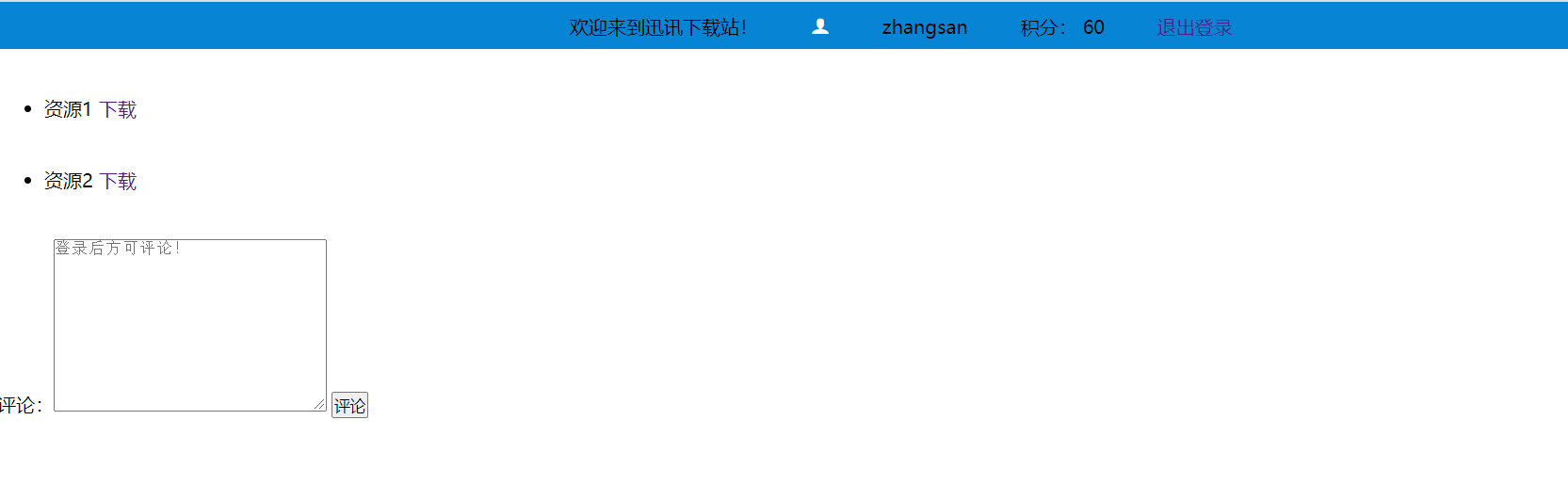
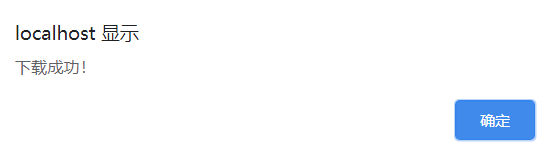
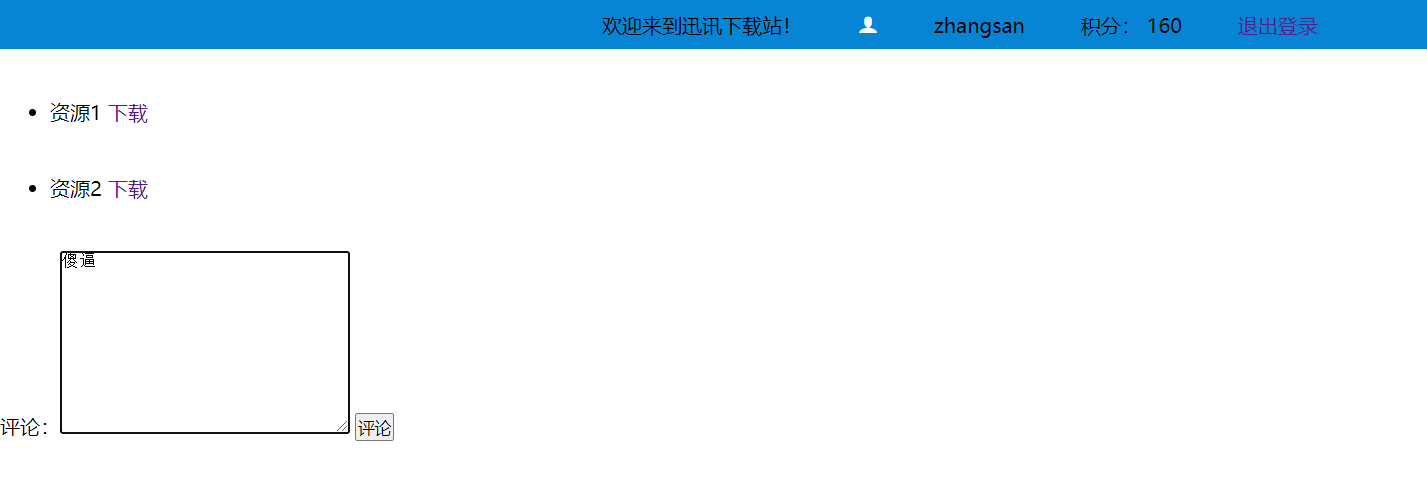
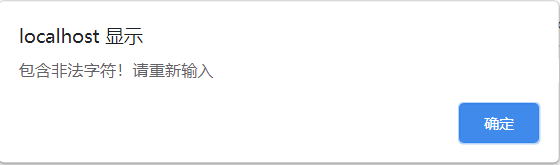
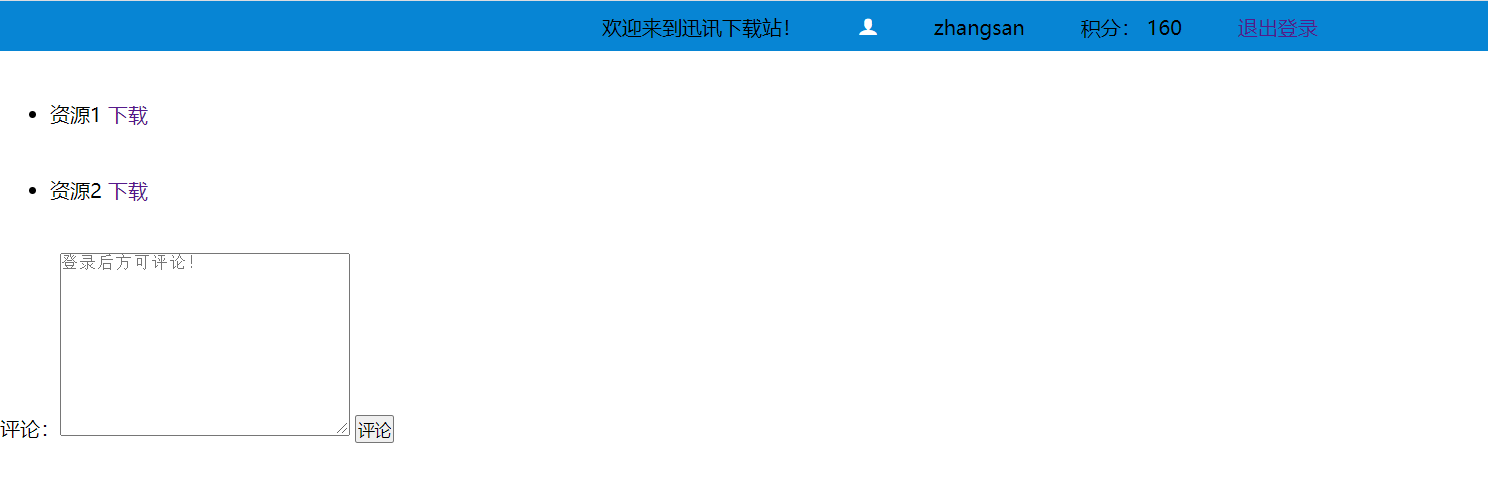
编写一个带过滤器的网页,不登录的时候,不允许下载内容和评论,下载也受到下载积分的影响,低于100分不允许下载,可以充值积分。对评论进行过滤,不出现不合适的字符。
代码:
index.jsp
<%--
Created by IntelliJ IDEA.
User: zlz1314
Date: 2020/9/7
Time: 13:05
To change this template use File | Settings | File Templates.
--%>
<%@ page contentType="text/html;charset=UTF-8" language="java" %>
<html>
<head>
<meta charset="UTF-8">
<title>Document</title>
<style>
* {margin:0px;padding:0px}
a {text-decoration: none;}
.header .content ul li{list-style:none;}
.header{top:0px;width:100%;background-color: #0785D4;}
.content{height: 40px;text-align: center;width: 800px;margin: 0 auto;}
.header .content ul li{display: inline-block;margin: 10px 20px;}
@font-face {font-family: 'icomoon';src: url('fonts/icomoon.eot?7kkyc2');src: url('fonts/icomoon.eot?7kkyc2#iefix') format('embedded-opentype'),url('fonts/icomoon.ttf?7kkyc2') format('truetype'),url('fonts/icomoon.woff?7kkyc2') format('woff'),url('fonts/icomoon.svg?7kkyc2#icomoon') format('svg');font-weight: normal;font-style: normal;}
.icon{font-family: "icomoon";margin-top: 20px;color: white;}
.main ul li{margin: 40px;}
</style>
</head>
<body>
<div class="header">
<div class="content">
<ul>
<li>
<span>欢迎来到迅讯下载站!</span>
</li>
<li>
<span class="icon"></span>
</li>
<li>
<a href="login.jsp">登录</a>
</li>
</ul>
</div>
</div>
<div class="main">
<ul>
<li>
<span>资源1</span>
<a href="download">下载</a>
</li>
<li>
<span>资源2</span>
<a href="download">下载</a>
</li>
</ul>
</div>
<div>
<form action="comment" method="post" name="userComment">
评论:<textarea name="comment" placeholder="登录后方可评论!" cols="30" rows="10">${comment}</textarea>
<input type="submit" value="评论">
</form>
</div>
</body>
</html>
login.jsp
<%--
  Created by IntelliJ IDEA.
  com.zh.User: zlz1314
  Date: 2020/9/6
  Time: 11:11
  To change this template use File | Settings | File Templates.
--%>
<%@ page contentType="text/html;charset=UTF-8" language="java" %>
<html lang="en">
<head>
    <meta charset="UTF-8">
    <meta name="viewport" content="width=device-width, initial-scale=1.0">
    <title>登录</title>
    <style>
        /* 全局设置,取消默认属性 */
        * {margin:0px;padding: 0px;}
        li {list-style: none;}
        /* content样式 */
        #content{width: 600px;height: 400px;background-color: white;margin: 40px auto;border: 1px solid #808080;}
        /* form样式 */
        #registForm{display: block;}

        /* title样式 */
        #title{height: 40px;width: 600px;font-size: 30px;color: #25BB9B;margin: 30px auto;font-weight: bold;line-height: 40px;border-bottom: 1px solid #f1f4f5;text-align: center;}
        /* li */
        li{display: block;}
        li .label,.r-txt,.tips {display: inline-block;}
        .label{margin: 10px 5px 10px 20px;width: 70px;height: 28px;}
        .r-txt{width: 200px;height: 22px;}
        .r-txt,.tips{margin: 10px;}
        .tips{line-height: 22px;color: darkgray; font-size: 13px;}
        /* input */
        .inptxt{height: 30px;width:200px ;line-height: 20px;border: 1px solid #cfcdc7;background: #fff;color: #999;padding: 5px 0 5px 5px;border-radius: 5px;caret-color:black;}
        /* button */
        .btn{margin:40px;display: inline-block;}
        .button{height: 40px;width: 200px;text-align: center;background-color: #25BB9B;border:none;color:white}
        .btn :hover{cursor: pointer;}
    </style>
</head>
<body>

<div id = "content" >
    <div id="title">登录</div>
    <form id = "registForm" action="login" method="POST" name="loginForm" onsubmit="return doSubmit()">
        <div id = "layout-bg">
            <ul class="reg-list">
                <li>
                    <div class="label">登录账号:</div>
                    <div class="r-txt"><input class = "inptxt" type="text" placeholder="请输入账号" name="uaccount" onblur="checkUname()" /></div>

                </li>
                <li>
                    <div class="label">登录密码:</div>
                    <div class="r-txt"><input class = "inptxt" type="password" placeholder="请输入密码" name="upass" onblur="checkUpass()" /></div>
                </li>

                <li>
                    <div class="btn" style="margin-left: 110px;">
                        <input class="button" type="submit" value="立即登录"/>
                    </div>
                </li>

            </ul>

        </div>
    </form>
</div>

</body>
</html>
loginTip.jsp
<%--
  Created by IntelliJ IDEA.
  User: zlz1314
  Date: 2020/9/7
  Time: 13:20
  To change this template use File | Settings | File Templates.
--%>
<%@ page contentType="text/html;charset=UTF-8" language="java" %>
<html>
<head>
    <title>登录提示</title>
</head>
<body>
    <div>
        <h3>
            请点击登录:<a href="login.jsp">登录</a>
        </h3>
    </div>

</body>
</html>
recharge.jsp
<%--
  Created by IntelliJ IDEA.
  User: zlz1314
  Date: 2020/9/7
  Time: 13:21
  To change this template use File | Settings | File Templates.
--%>
<%@ page contentType="text/html;charset=UTF-8" language="java" %>
<html>
<head>
    <title>Title</title>
</head>
<body>
<div>
    <h3>
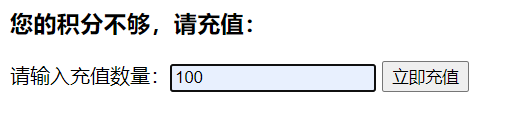
        您的积分不够,请充值:
    </h3>
    <form action="recharge" method="post">
        请输入充值数量:<input type="text" name="increase">
        <input type="submit" name="submit" value="立即充值">
    </form>
</div>
</body>
</html>
success.jsp
<%--
Created by IntelliJ IDEA.
User: zlz1314
Date: 2020/9/7
Time: 13:16
To change this template use File | Settings | File Templates.
--%>
<%@ page contentType="text/html;charset=UTF-8" language="java" %>
<html>
<head>
<meta charset="UTF-8">
<meta name="viewport" content="width=device-width, initial-scale=1.0">
<title>Document</title>
<style>
* {margin:0px;padding:0px}
a {text-decoration: none;}
.header .content ul li{list-style:none;}
.header{top:0px;width:100%;background-color: #0785D4;}
.content{height: 40px;text-align: center;width: 800px;margin: 0 auto;}
.header .content ul li{display: inline-block;margin: 10px 20px;}
@font-face {font-family: 'icomoon';src: url('fonts/icomoon.eot?7kkyc2');src: url('fonts/icomoon.eot?7kkyc2#iefix') format('embedded-opentype'),url('fonts/icomoon.ttf?7kkyc2') format('truetype'),url('fonts/icomoon.woff?7kkyc2') format('woff'),url('fonts/icomoon.svg?7kkyc2#icomoon') format('svg');font-weight: normal;font-style: normal;}
.icon{font-family: "icomoon";margin-top: 20px;color: white;}
.main ul li{margin: 40px;}
</style>
</head>
<body>
<div class="header">
<div class="content">
<ul>
<li>
<span>欢迎来到迅讯下载站!</span>
</li>
<li>
<span class="icon"></span>
</li>
<li>
<a>${name}</a>
</li>
<li>
<a>积分:</a>
<%
session.setAttribute("integral",60);
int integral = (int) session.getAttribute("integral");
int increase = 0;
if(session.getAttribute("increase") != null){
increase = (int) session.getAttribute("increase");
}
integral += increase;
session.setAttribute("integral",integral);
%>
<span>${integral}</span>
</li>
<li>
<a href="loginOut">退出登录</a>
</li>
</ul>
</div>
</div>
<div class="main">
<ul>
<li>
<span>资源1</span>
<a href="download">下载</a>
</li>
<li>
<span>资源2</span>
<a href="download">下载</a>
</li>
</ul>
</div>
<div>
<form action="comment" method="post" name="userComment">
评论:<textarea name="comment" placeholder="登录后方可评论!" cols="30" rows="10">${comment}</textarea>
<input type="submit" value="评论">
</form>
</div>
</body>
</html>
web.xml
<?xml version="1.0" encoding="UTF-8"?>
<web-app xmlns="http://xmlns.jcp.org/xml/ns/javaee"
         xmlns:xsi="http://www.w3.org/2001/XMLSchema-instance"
         xsi:schemaLocation="http://xmlns.jcp.org/xml/ns/javaee http://xmlns.jcp.org/xml/ns/javaee/web-app_4_0.xsd"
         version="4.0">

    <filter>
        <filter-name>f1</filter-name>
        <filter-class>
            com.zh.Utils.Filter1
        </filter-class>
    </filter>
    <filter-mapping>
        <filter-name>f1</filter-name>
        <url-pattern>/*</url-pattern>
    </filter-mapping>

    <filter>
        <filter-name>f2</filter-name>
        <filter-class>
            com.zh.Utils.ChargeFilter
        </filter-class>
    </filter>
    <filter-mapping>
        <filter-name>f2</filter-name>
        <url-pattern>/*</url-pattern>
    </filter-mapping>

    <filter>
        <filter-name>f3</filter-name>
        <filter-class>
            com.zh.Utils.CommentFilter
        </filter-class>
    </filter>
    <filter-mapping>
        <filter-name>f3</filter-name>
        <url-pattern>/*</url-pattern>
    </filter-mapping>
</web-app>
LoginServlet.java
package com.zh.web;

import javax.servlet.ServletException;
import javax.servlet.annotation.WebInitParam;
import javax.servlet.annotation.WebServlet;
import javax.servlet.http.HttpServlet;
import javax.servlet.http.HttpServletRequest;
import javax.servlet.http.HttpServletResponse;
import java.io.IOException;

/**
 * @Author: deemoHui
 * @Description:
 * @Date Created in 2020-09-07 13:10
 * @Modified By:
 */
@WebServlet(urlPatterns = {"/login"},
        initParams ={
                @WebInitParam(name = "code",value = "utf-8")
        },loadOnStartup = 1)
public class LoginServlet  extends HttpServlet {
    @Override
    protected void service(HttpServletRequest req, HttpServletResponse resp) throws IOException {

        String uaccount= req.getParameter("uaccount");
        if("zhangsan".equals(uaccount)){
            req.getSession().setAttribute("name",uaccount);
            resp.sendRedirect("success.jsp");
        }else{
            resp.sendRedirect("login.jsp");
        }
    }
}
LoginOutServlet.java
package com.zh.web;

import javax.servlet.ServletException;
import javax.servlet.annotation.WebInitParam;
import javax.servlet.annotation.WebServlet;
import javax.servlet.http.HttpServlet;
import javax.servlet.http.HttpServletRequest;
import javax.servlet.http.HttpServletResponse;
import javax.servlet.http.HttpSession;
import java.io.IOException;

/**
 * @Author: deemoHui
 * @Description:
 * @Date Created in 2020-09-07 13:15
 * @Modified By:
 */
@WebServlet(urlPatterns = {"/loginOut"},
        initParams ={
                @WebInitParam(name = "code",value = "utf-8")
        },loadOnStartup = 1)
public class LoginOutServlet extends HttpServlet {
    @Override
    protected void service(HttpServletRequest req, HttpServletResponse resp) throws IOException {
        //让session失效
        HttpSession session = req.getSession();
        session.invalidate();//让所有的session的相关值都清除
        resp.sendRedirect("index.jsp");
    }
}
RechargeServlet.java
package com.zh.web;

import javax.servlet.annotation.WebInitParam;
import javax.servlet.annotation.WebServlet;
import javax.servlet.http.HttpServlet;
import javax.servlet.http.HttpServletRequest;
import javax.servlet.http.HttpServletResponse;
import java.io.IOException;

/**
 * @Author: deemoHui
 * @Description:
 * @Date Created in 2020-09-07 17:12
 * @Modified By:
 */
@WebServlet(urlPatterns = {"/recharge"},
        initParams ={
                @WebInitParam(name = "code",value = "utf-8")
        },loadOnStartup = 1)
public class RechargeServlet  extends HttpServlet {
    @Override
    protected void service(HttpServletRequest req, HttpServletResponse resp) throws IOException {

        int increase = Integer.parseInt(req.getParameter("increase"));
        if(increase > 0){
            req.getSession().setAttribute("increase",increase);
            resp.sendRedirect("/success.jsp");
        }else{
            resp.sendRedirect("/recharge.jsp");
        }
    }
}
DownloadServlet.java
package com.zh.web;

import javax.servlet.annotation.WebInitParam;
import javax.servlet.annotation.WebServlet;
import javax.servlet.http.HttpServlet;
import javax.servlet.http.HttpServletRequest;
import javax.servlet.http.HttpServletResponse;
import java.io.IOException;
import java.io.PrintWriter;

/**
 * @Author: deemoHui
 * @Description:
 * @Date Created in 2020-09-07 17:55
 * @Modified By:
 */
@WebServlet(urlPatterns = {"/download"},
        initParams ={
                @WebInitParam(name = "code",value = "utf-8")
        },loadOnStartup = 1)
public class DownloadServlet  extends HttpServlet {
    @Override
    protected void service(HttpServletRequest req, HttpServletResponse resp) throws IOException {
        resp.setContentType("text/html;charset=utf-8");
        resp.setCharacterEncoding("utf-8");
        PrintWriter writer = resp.getWriter();
        writer.write("<script>alert('下载成功!');location.href='/success.jsp'</script>");
    }
}
CommentServlet.java
package com.zh.web;

import javax.servlet.annotation.WebInitParam;
import javax.servlet.annotation.WebServlet;
import javax.servlet.http.HttpServlet;
import javax.servlet.http.HttpServletRequest;
import javax.servlet.http.HttpServletResponse;
import java.io.IOException;
import java.io.PrintWriter;

/**
 * @Author: deemoHui
 * @Description:
 * @Date Created in 2020-09-07 17:46
 * @Modified By:
 */
@WebServlet(urlPatterns = {"/comment"},
        initParams ={
                @WebInitParam(name = "code",value = "utf-8")
        },loadOnStartup = 1)
public class CommentServlet  extends HttpServlet {
    @Override
    protected void service(HttpServletRequest req, HttpServletResponse resp) throws IOException {
        resp.setContentType("text/html;charset=utf-8");
        resp.setCharacterEncoding("utf-8");
        String comment = req.getParameter("comment");
        System.out.println(comment);
        req.getSession().setAttribute("comment",comment);
        PrintWriter writer = resp.getWriter();
        writer.write("<script>alert('评论成功');location.href='/success.jsp'</script>");
    }
}
ChargeFilter.java
package com.zh.Utils;

import javax.servlet.*;
import javax.servlet.http.HttpServletRequest;
import javax.servlet.http.HttpServletResponse;
import java.io.IOException;
import java.io.PrintWriter;

/**
 * @Author: deemoHui
 * @Description:
 * @Date Created in 2020-09-07 17:40
 * @Modified By:
 */
public class ChargeFilter implements Filter{
    @Override
    public void init(FilterConfig filterConfig) throws ServletException {
        System.out.println("初始化filter");
    }

    @Override
    public void doFilter(ServletRequest servletRequest, ServletResponse servletResponse, FilterChain filterChain) throws IOException, ServletException {
        System.out.println("积分过滤器开始执行");
        HttpServletRequest request=(HttpServletRequest)servletRequest;
        HttpServletResponse response=(HttpServletResponse)servletResponse;
        request.setCharacterEncoding("utf-8");
        response.setContentType("text/html;charset=utf-8");

        int integral = 0;
        PrintWriter writer = response.getWriter();
        if(request.getSession().getAttribute("integral") != null){
            integral = (int) request.getSession().getAttribute("integral");
        }

        String requestURI = request.getRequestURI();
        System.out.println("requestURI="+requestURI);
        //对某些资源放行(用户未登录的情况下可以访问的资源,或session有值的情况下可以访问)
        if(requestURI.endsWith("/")||requestURI.endsWith("loginTip.jsp")||requestURI.endsWith("/index.jsp")||
                requestURI.endsWith("/login.jsp")||requestURI.endsWith("/login")||requestURI.endsWith("/recharge.jsp")||
        requestURI.endsWith("/recharge")||requestURI.endsWith("/success.jsp")|| integral >= 100){
            //调取下一个servlet或filter
            filterChain.doFilter(servletRequest, servletResponse);
        }else{
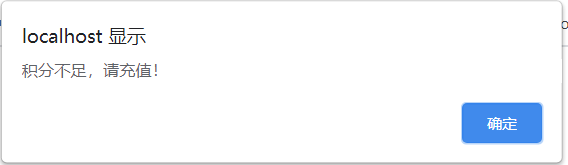
            writer.write("<script>alert('积分不足,请充值!');location.href='recharge.jsp'</script>");
        }

        System.out.println("积分过滤器结束执行");
}

    @Override
    public void destroy() {
        System.out.println("销毁积分filter");
    }
}
CommentFilter.java
package com.zh.Utils;

import javax.servlet.*;
import javax.servlet.http.HttpServletRequest;
import javax.servlet.http.HttpServletResponse;
import java.io.IOException;
import java.io.PrintWriter;

/**
 * @Author: deemoHui
 * @Description:
 * @Date Created in 2020-09-07 17:42
 * @Modified By:
 */
public class CommentFilter implements Filter {
    @Override
    public void init(FilterConfig filterConfig) throws ServletException {
        System.out.println("初始化filter");
    }

    @Override
    public void doFilter(ServletRequest servletRequest, ServletResponse servletResponse, FilterChain filterChain) throws IOException, ServletException {
        System.out.println("评论过滤器开始执行");
        HttpServletRequest request=(HttpServletRequest)servletRequest;
        HttpServletResponse response=(HttpServletResponse)servletResponse;
        request.setCharacterEncoding("utf-8");
        response.setContentType("text/html;charset=utf-8");

        String comment = "";
        if(request.getParameter("comment") != null){
            comment = request.getParameter("comment");
        }
        String requestURI = request.getRequestURI();
        System.out.println("requestURI="+requestURI);
        //对某些资源放行(用户未登录的情况下可以访问的资源,或session有值的情况下可以访问)
        if(requestURI.endsWith("/")||requestURI.endsWith("loginTip.jsp")||requestURI.endsWith("/index.jsp")||
                requestURI.endsWith("/login.jsp")||requestURI.endsWith("/login")||requestURI.endsWith("/recharge.jsp")||
                requestURI.endsWith("/recharge")||!comment.contains("傻逼")){
            //调取下一个servlet或filter
            filterChain.doFilter(servletRequest, servletResponse);

        }else{
            PrintWriter writer = response.getWriter();
            System.out.println("feifa");
            writer.write("<script>alert('包含非法字符!请重新输入');location.href='success.jsp'</script>");
        }

        System.out.println("评论过滤器结束执行");
    }

    @Override
    public void destroy() {
        System.out.println("销毁评论filter");
    }
}
Filter1.java
package com.zh.Utils;

import javax.servlet.*;
import javax.servlet.http.HttpServletRequest;
import javax.servlet.http.HttpServletResponse;
import java.io.IOException;
import java.io.UnsupportedEncodingException;

/**
 * @Author: deemoHui
 * @Description:
 * @Date Created in 2020-09-07 13:09
 * @Modified By:
 */
public class Filter1 implements Filter {
    @Override
    public void init(FilterConfig filterConfig) throws ServletException {
        System.out.println("初始化filter");
    }
    @Override
    public void doFilter(ServletRequest servletRequest, ServletResponse servletResponse, FilterChain filterChain) throws IOException, ServletException, UnsupportedEncodingException {
        System.out.println("登录过滤器开始执行");
        HttpServletRequest request=(HttpServletRequest)servletRequest;
        HttpServletResponse response=(HttpServletResponse)servletResponse;
        request.setCharacterEncoding("utf-8");
        response.setContentType("text/html;charset=utf-8");

        String name = (String)request.getSession().getAttribute("name");
        String requestURI = request.getRequestURI();
        System.out.println("requestURI="+requestURI);
        //对某些资源放行(用户未登录的情况下可以访问的资源,或session有值的情况下可以访问)
        if(requestURI.endsWith("/")||requestURI.endsWith("loginTip.jsp")||requestURI.endsWith("/index.jsp")||
                requestURI.endsWith("/login.jsp")||requestURI.endsWith("/login")|| name!=null){
            //调取下一个servlet或filter
            filterChain.doFilter(servletRequest, servletResponse);
        }else{
            response.sendRedirect("/loginTip.jsp");
        }


        System.out.println("登录过滤器结束执行");
    }

    @Override
    public void destroy() {
        System.out.println("销毁登录filter");
    }
}
运行截图:
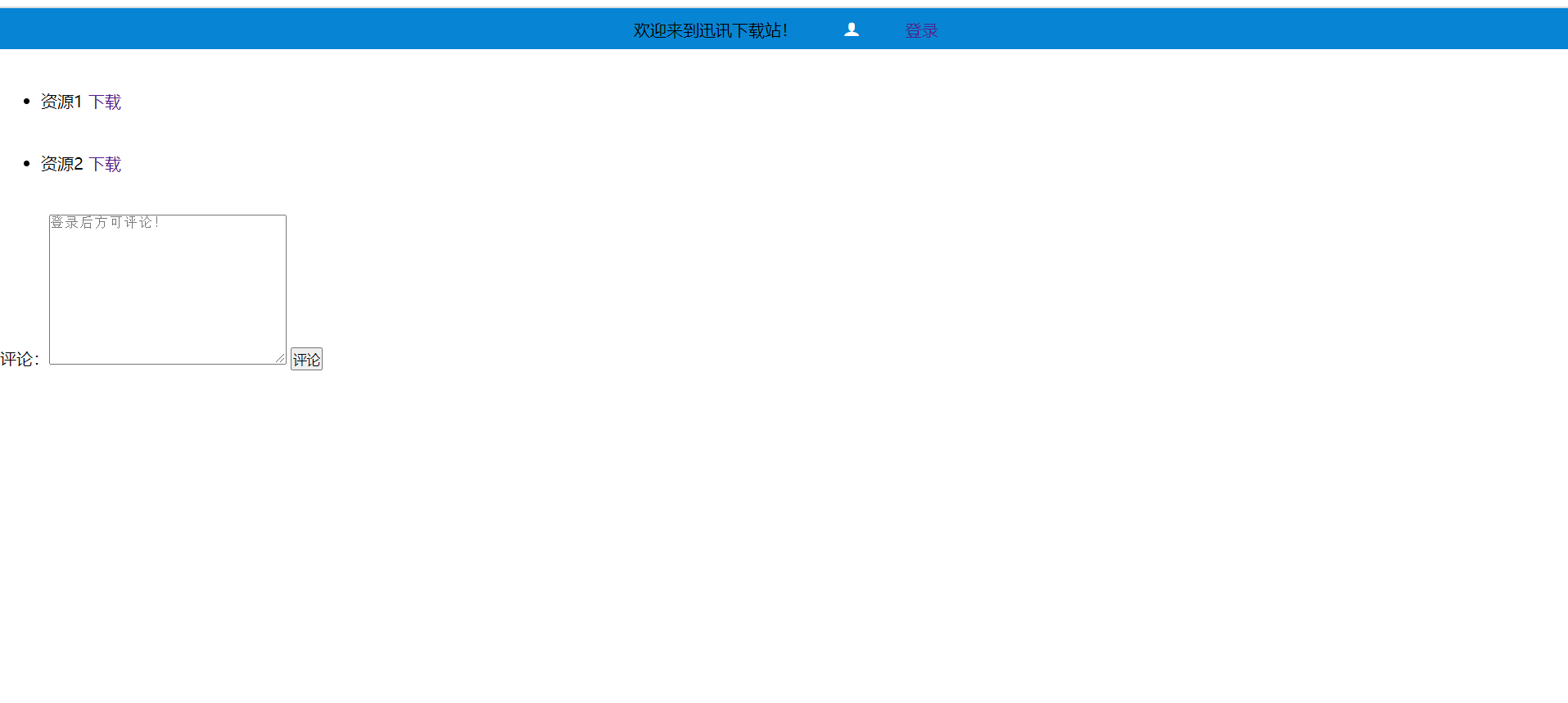
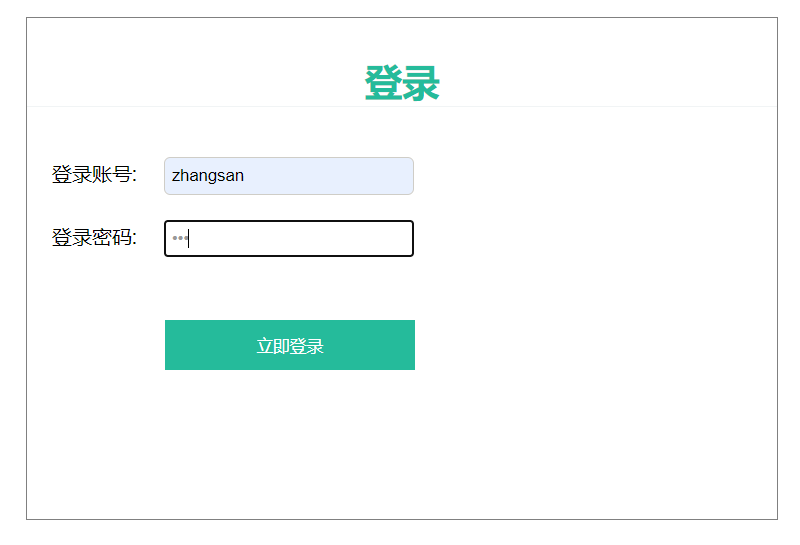
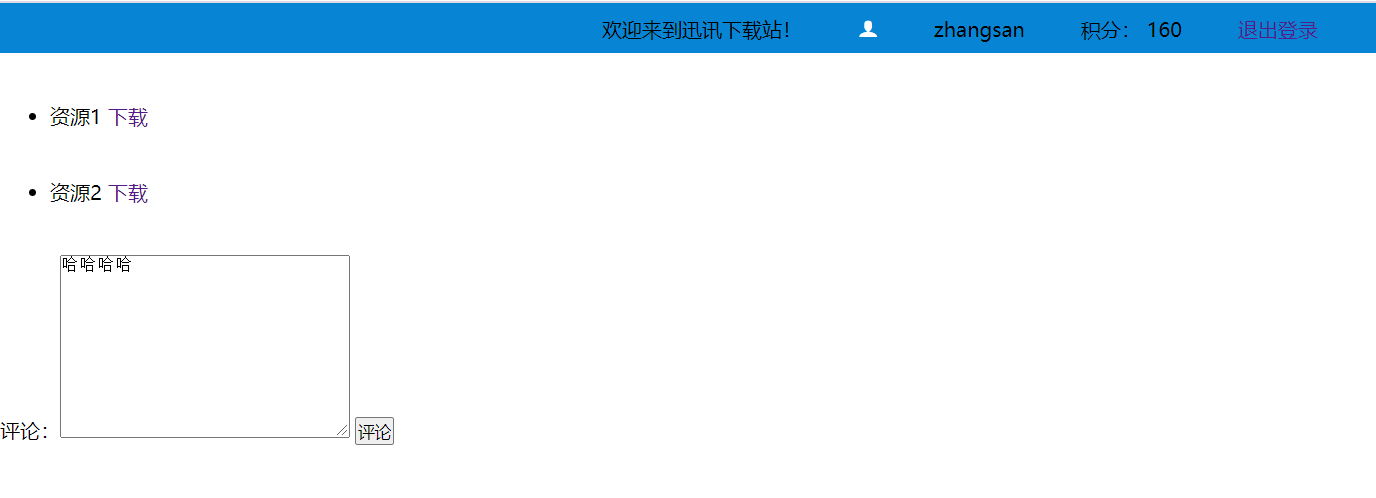
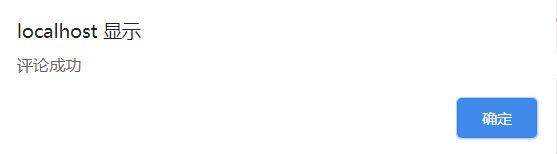
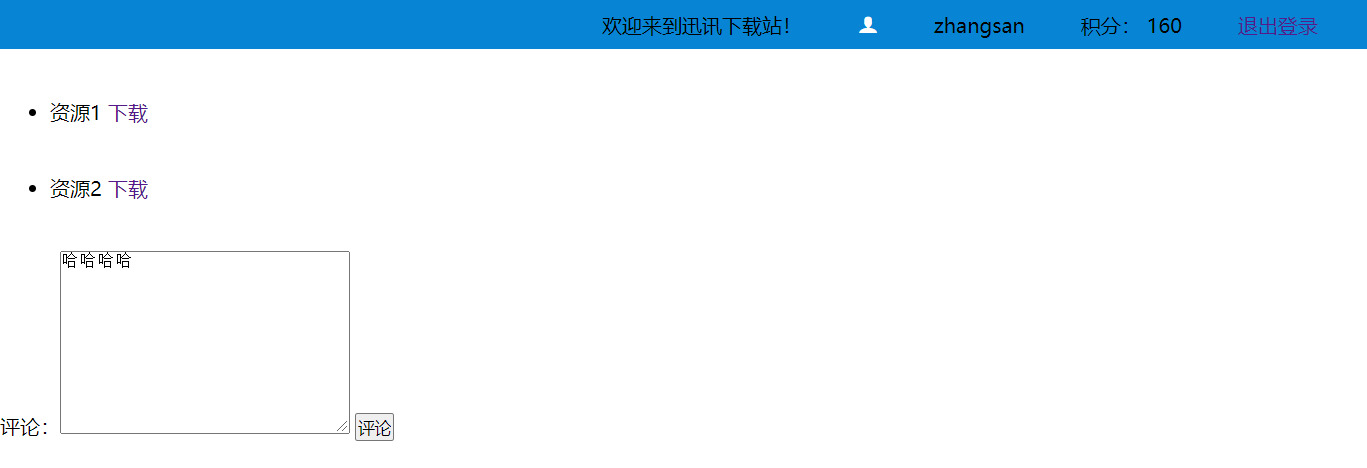
遇到的问题:
filter千万不要忘记在web.xml中配置,另外放行条件就是对未登录用户的可见页面,同时还会有 action 和herf 的请求的,也要考虑的,出错的时候加一些语句观察观察就知道了。
filter在 web.xml中的顺序会影响先进入哪一个过滤器。
当时我的弹窗,总是乱码,然后原因是响应没有设置编码,而我的弹窗是用响应的writer写的js脚本:
PrintWriter writer = response.getWriter();
writer.write("<script>alert('积分不足,请充值!');location.href='recharge.jsp'</script>");
需要设置响应的编码就不乱码了:注意是setContentType,而不是response.setCharacterEncoding();
response.setContentType("text/html;charset=utf-8");
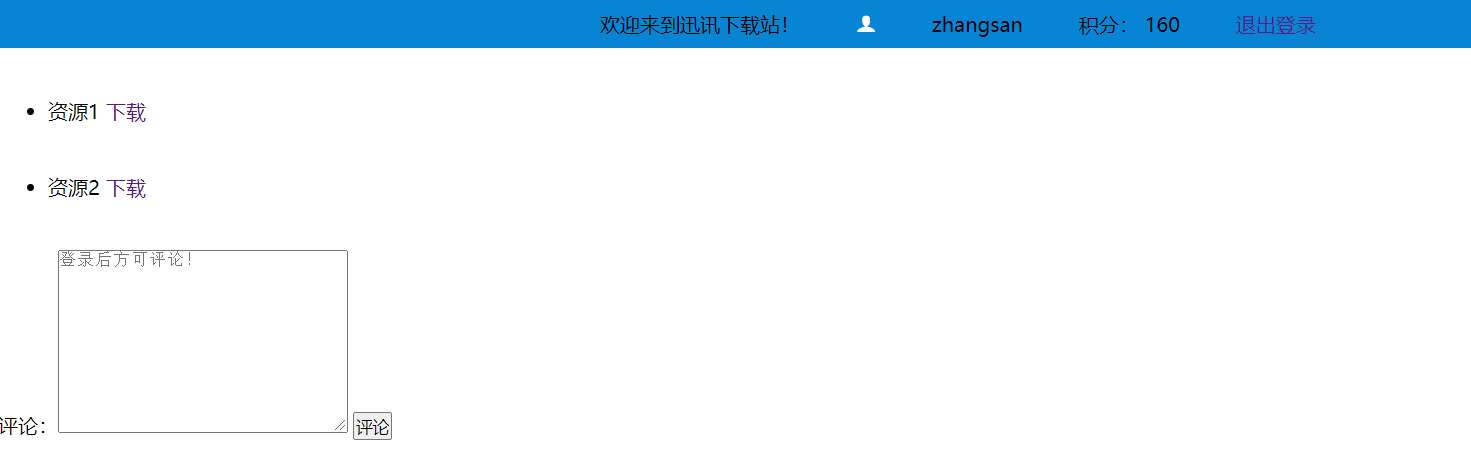
另外,我的那个增加积分的设想是可以多次增加,但是只能增加一次,这里应该可以加个判断来实现多次,但是没必要,因为之后这些数据应该都是从数据库读取的,那样更新的话就简单多了。

若有收获,就点个赞吧
0 人点赞


