1、feign的client
feign的client中,requestMapping是service的拼接。例如,这里:service中controller中: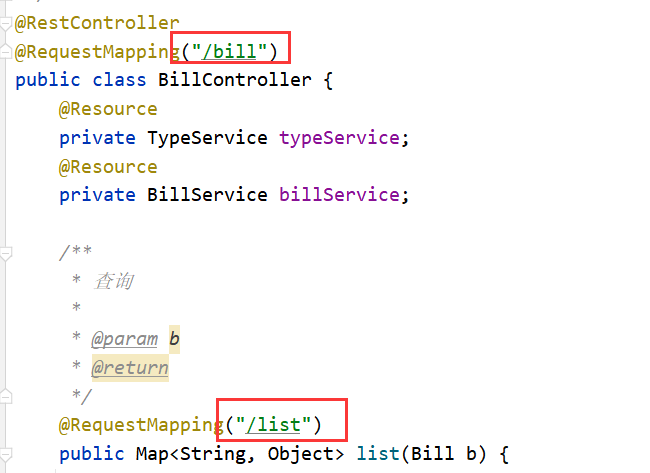
那么feignClient中,应该是他两个的拼接
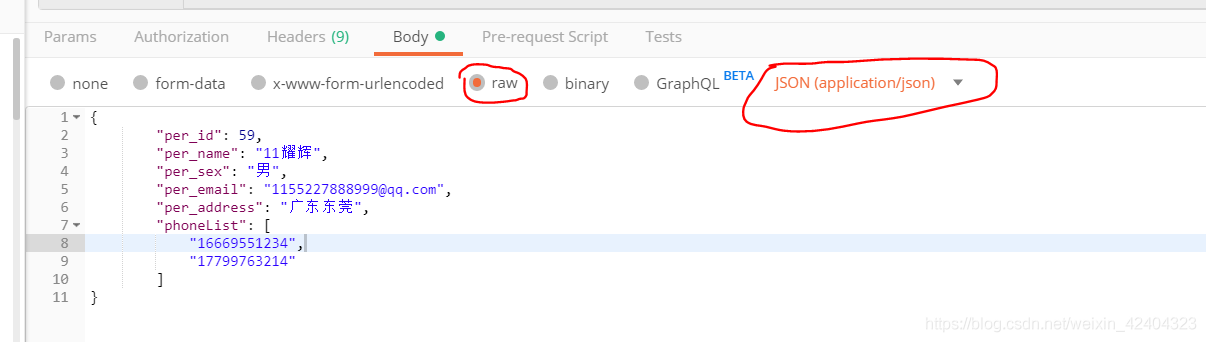
2、Postman发送json



3、list方法最好分开
为了能用postman传递,这里使用了@RequestBody标识Bill,
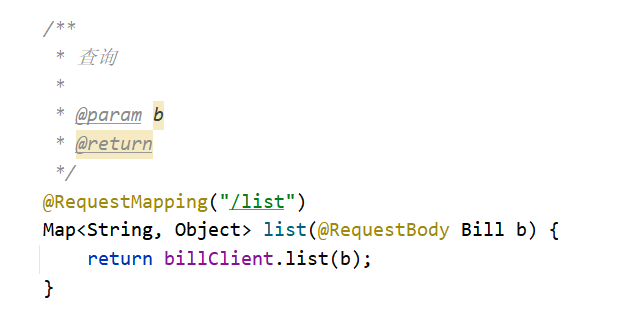
但是带来的问题是, 访问无法访问了,报错信息如下:
就是说,少了那个需要的Bill
4、Gateway注意点

*号不加引号,会出现如下错误:Caused by: org.yaml.snakeyaml.scanner.ScannerException: while scanning an alias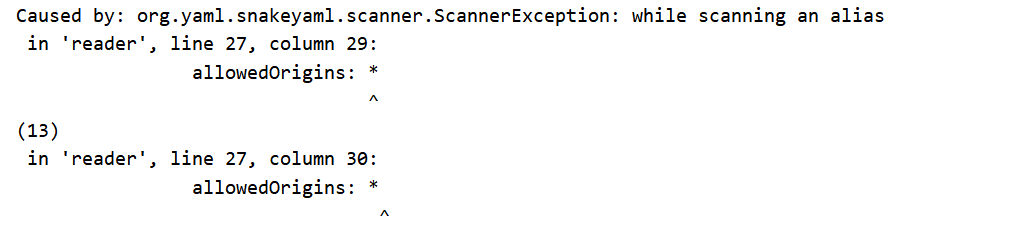
上面那种配置,没有使用feign,如果想使用feign可以如下修改:
其实就是修改 uri和 predicates: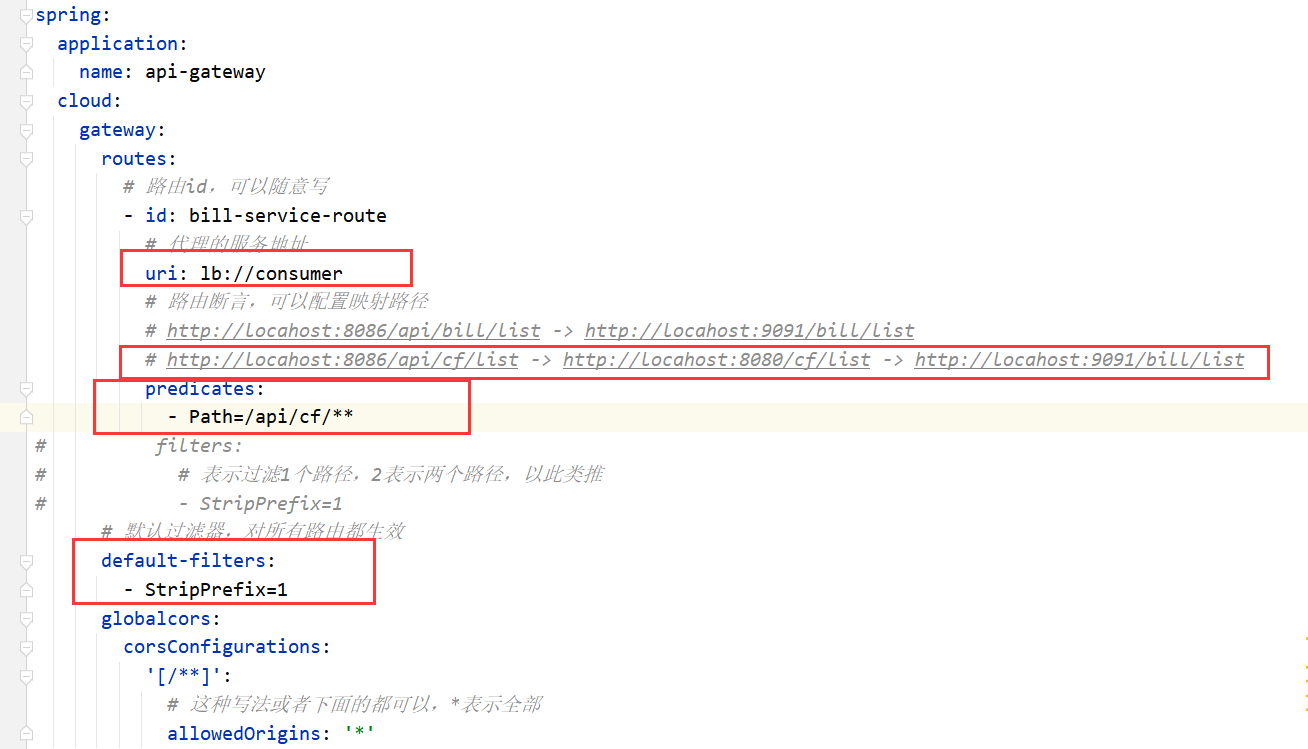
5、配置中心


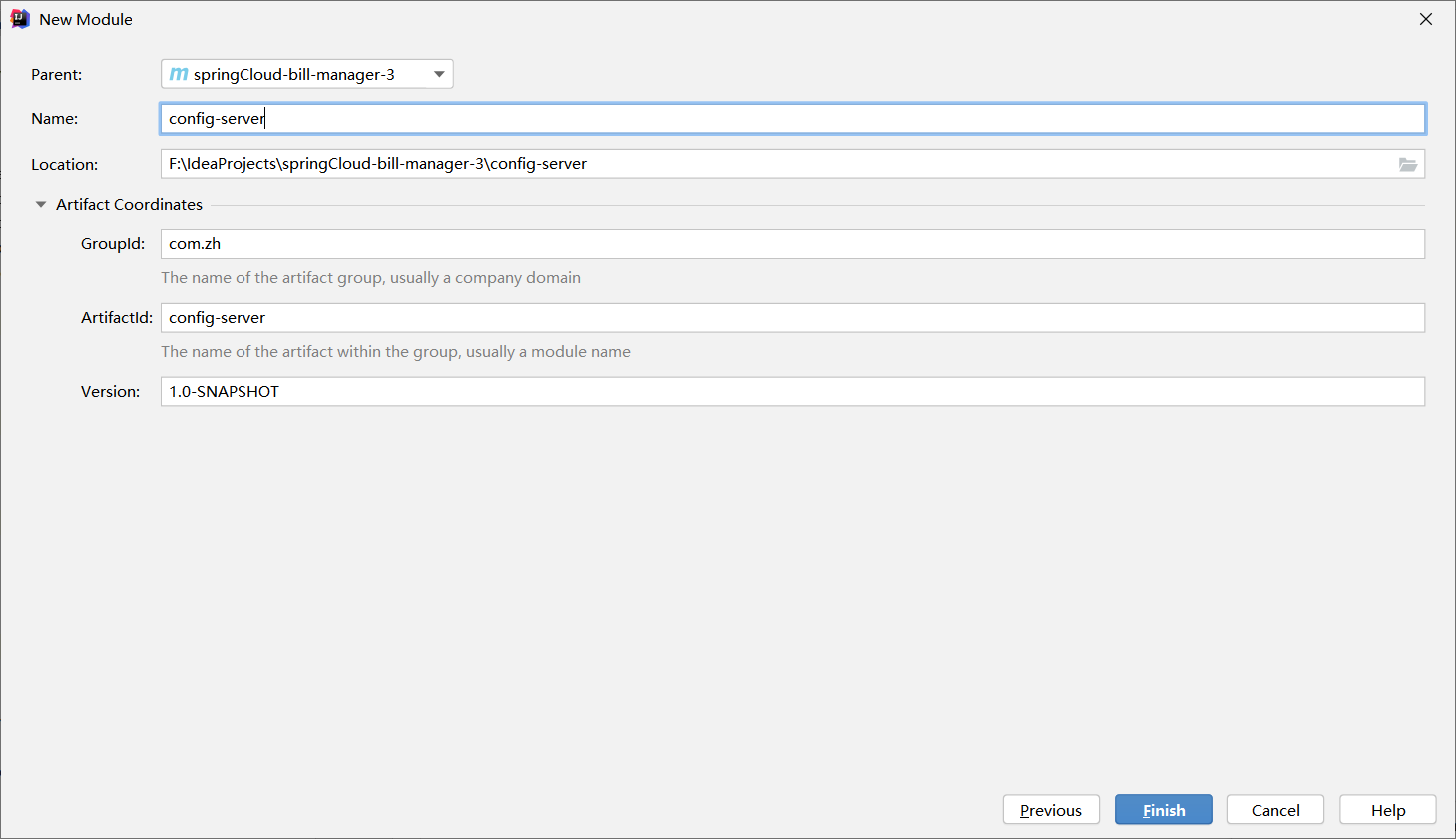
添加依赖
<?xml version="1.0" encoding="UTF-8"?><project xmlns="http://maven.apache.org/POM/4.0.0"xmlns:xsi="http://www.w3.org/2001/XMLSchema-instance"xsi:schemaLocation="http://maven.apache.org/POM/4.0.0 http://maven.apache.org/xsd/maven-4.0.0.xsd"><parent><artifactId>springCloud-bill-manager-3</artifactId><groupId>com.zh</groupId><version>1.0-SNAPSHOT</version></parent><modelVersion>4.0.0</modelVersion><artifactId>config-server</artifactId><dependencies><dependency><groupId>org.springframework.cloud</groupId><artifactId>spring-cloud-starter-netflix-eureka-client</artifactId></dependency><dependency><groupId>org.springframework.cloud</groupId><artifactId>spring-cloud-config-server</artifactId></dependency></dependencies></project>
启动类:
package com.zh.config;

import org.springframework.boot.SpringApplication;
import org.springframework.boot.autoconfigure.SpringBootApplication;
import org.springframework.cloud.config.server.EnableConfigServer;

@SpringBootApplication
@EnableConfigServer//开启配置服务
public class ConfigServerApplication {
    public static void main(String[] args) {
        SpringApplication.run(ConfigServerApplication.class, args);
    }
}
yml配置文件:
server:
  port: 12000
spring:
  application:
    name: config-server
  cloud:
    config:
      server:
        git:
          uri: https://gitee.com/deemo__hui/my-cloud-bill-config.git
eureka:
  client:
    service-url:
      defaultZone: http://127.0.0.1:10086/eureka
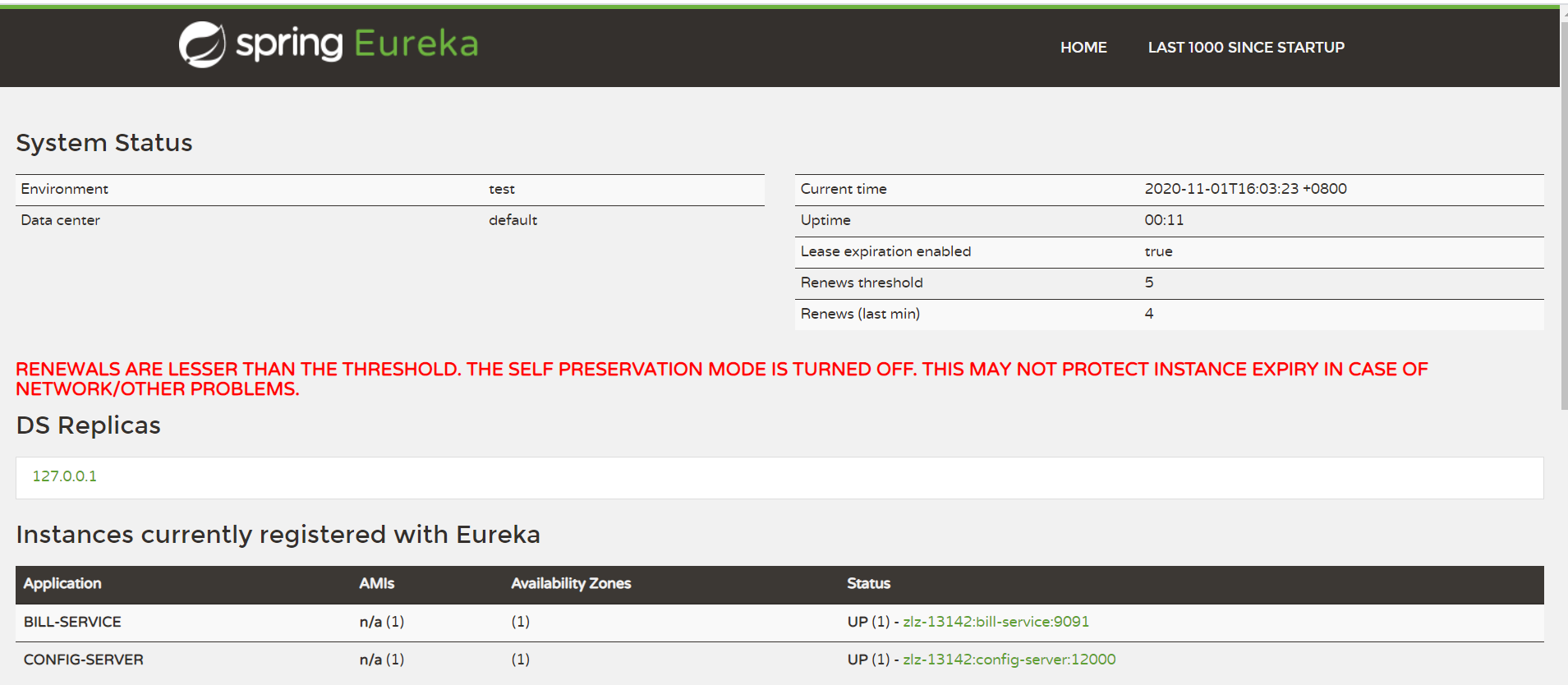
注意地址从下面这种方式获取:
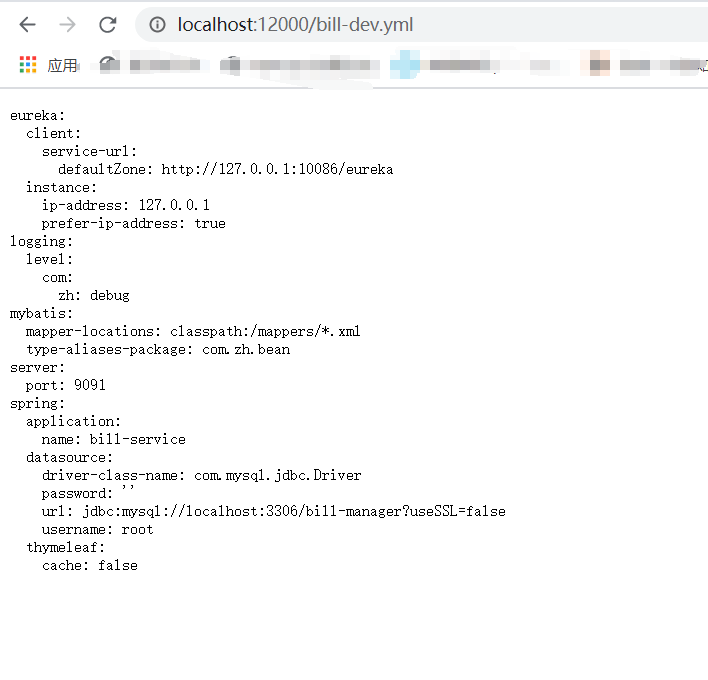

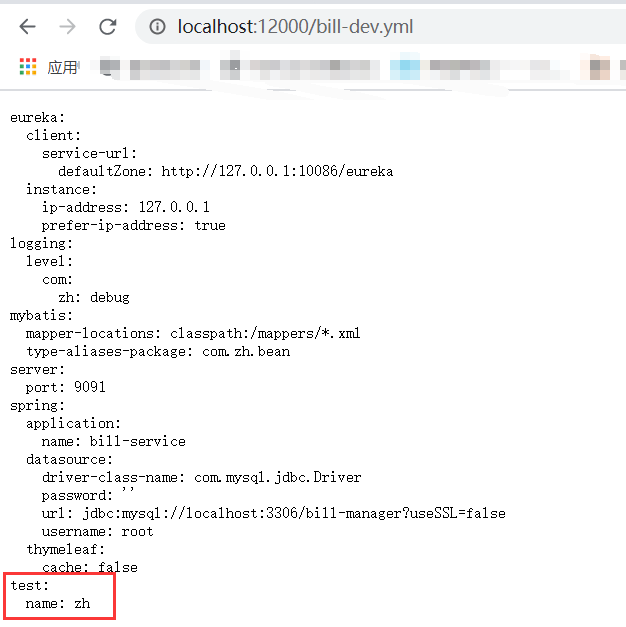
删除bill-service的配置文件,新建bootstrap.yml
spring:
  cloud:
    config:
      # 要与仓库中的配置文件的application保持一致
      name: bill
      # 要与仓库中的配置文件的profile保持一致
      profile: dev
      # 要与仓库中的配置文件所属的版本(分支)一样
      label: master
      discovery:
        # 使用配置中心
        enabled: true
        # 配置中心服务名
        service-id: config-server
eureka:
  client:
    service-url:
      defaultZone: http://127.0.0.1:10086/eureka

总线:
问题:

在bill-manager-service的BillController修改如下:
主要是添加一个字段,并修改toUpdate方法,添加一句输出语句
    @Value("${test.name}")
    private String name;
    @RequestMapping("/toUpdate/{id}")
    public Map<String, Object> toUpdate(@PathVariable("id") Long id) {
        Map<String, Object> map = new HashMap<>();
        List<BillType> types = typeService.list();
        map.put("types", types);
        Bill bill = billService.get(id);
        map.put("bill", bill);
        System.out.println("配置文件中的test.name为:" + name);
        return map;
    }
借助postman访问http://localhost:8086/api/bill/toUpdate/1
可以看到控制台输出了name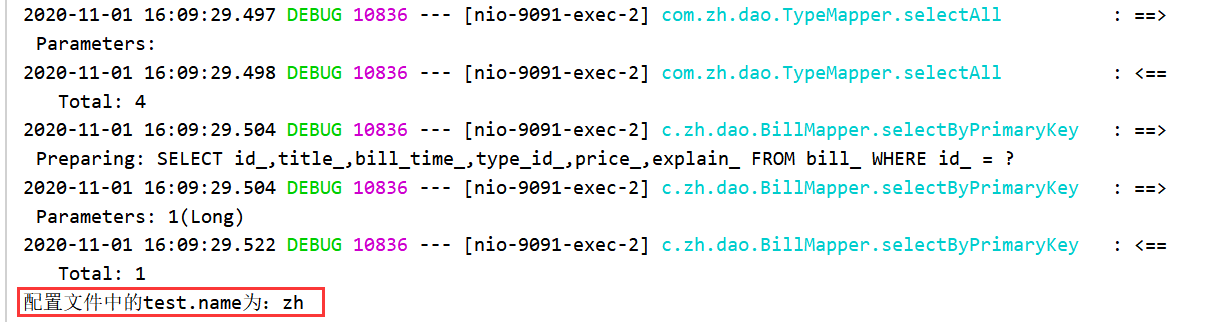
此时,在gitee中修改name值: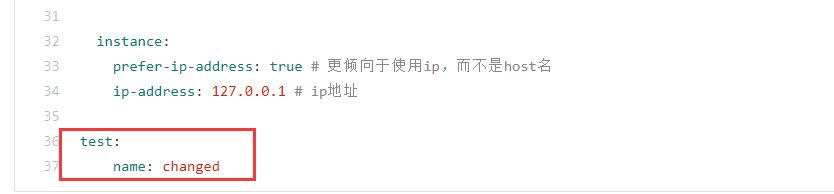
再次使用postman访问,查看控制台输出语句:
依旧是那个值,并没有改变,而重启这个服务之后,显示:
        <dependency>
            <groupId>org.springframework.cloud</groupId>
            <artifactId>spring-cloud-bus</artifactId>
        </dependency>
        <dependency>
            <groupId>org.springframework.cloud</groupId>
            <artifactId>spring-cloud-stream-binder-rabbit</artifactId>
        </dependency>
修改配置中心配置文件:bill-manager-service项目的bootstrap.yml如下
spring:
  cloud:
    config:
      # 要与仓库中的配置文件的application保持一致
      name: bill
      # 要与仓库中的配置文件的profile保持一致
      profile: dev
      # 要与仓库中的配置文件所属的版本(分支)一样
      label: master
      discovery:
        # 使用配置中心
        enabled: true
        # 配置中心服务名
        service-id: config-server
  # 配置rabbitmq信息;如果是都与默认值一致则不需要配置
  rabbitmq:
    host: localhost
    port: 5672
    username: guest
    password: guest
eureka:
  client:
    service-url:
      defaultZone: http://127.0.0.1:10086/eureka
在bill-manager-service的BillController添加@RefreshScope注解
记得打开RabbitMQ服务: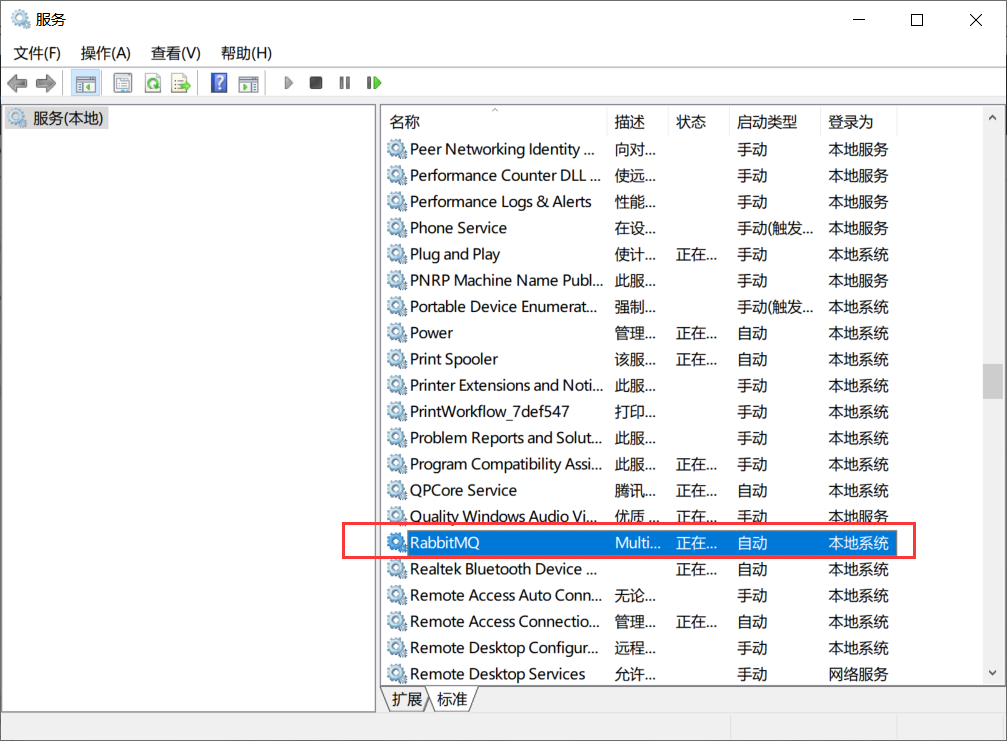
第一步:依次启动注册中心 eureka-server 、配置中心 config-server 、用户服务 bill-service、网关服务
第二步:访问用户微服务http://localhost:8086/api/bill/toUpdate/1;查看IDEA控制台输出结果
第三步:修改Git仓库中配置文件 bill-dev.yml 的 test.name 内容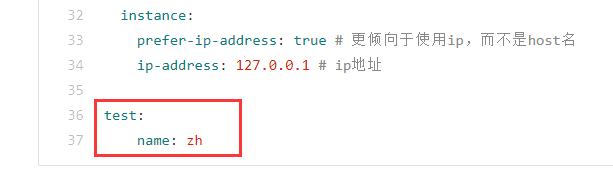
第四步:使用Postman或者RESTClient工具发送POST方式请求访问地址
http://127.0.0.1:12000/actuator/bus-refresh
第五步:访问用户微服务系统控制台查看输出结果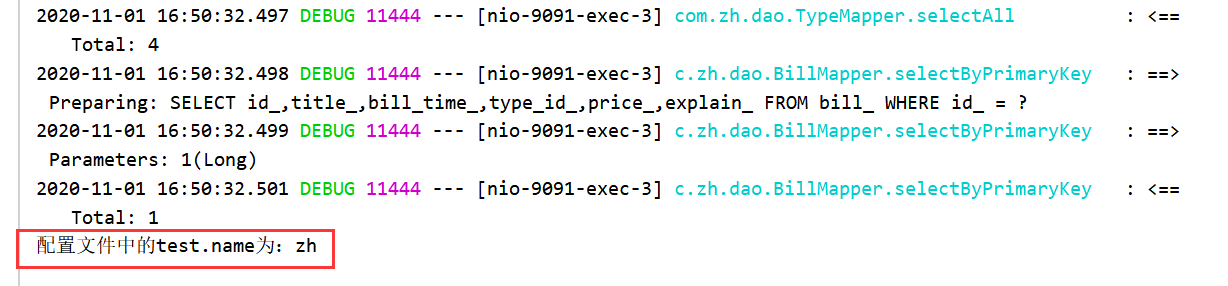
可以看到,确实跟着修改了,而不用手动重启服务
6、Mybatis 的Mapper类注意点
报错:
org.apache.ibatis.binding.BindingException: Parameter 'typeId' not found. Available parameters are [b, offset, limit, param3, param1, param2]] with root cause

当有多个参数的时候,一定要记得写@Param注解,并且,在对应的mapper.xml中,使用类中属性的时候也不要忘记用 实例.属性来访问。
比如,我这里,在mapper.xml中想访问它的typeId等属性:
应该是这样写,而不是直接写typeId等,那样子就会报错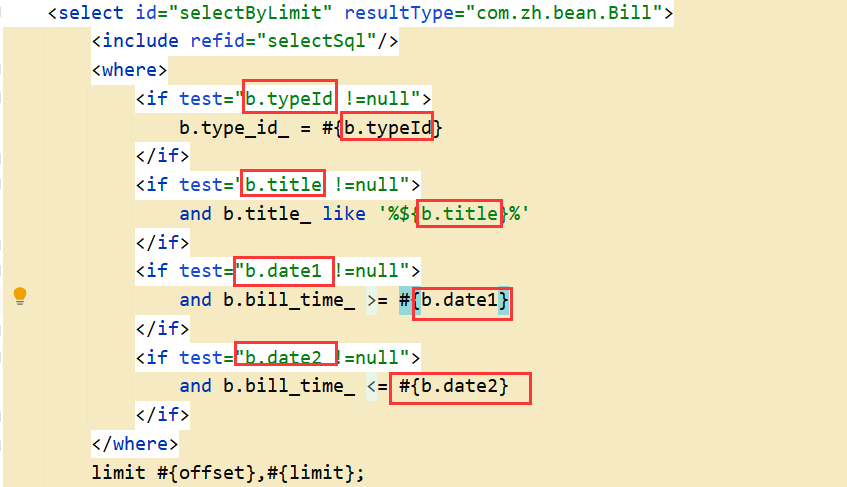
7、bean类的注意
报错:
Resolved [org.springframework.http.converter.HttpMessageNotWritableException: No converter found for return value of type: class com.zh.bean.TableData]
这个是因为你的实体类,没有实现Serializable,序列化接口。注意的是,如果没使用lombok的@Data注解,那么还需要写get/set方法
8、查询
条件查询和查询全部分开写吧,要不然不带条件的list结果不对
9、网关日志打开方式
logging:
  level:
    org.springframework.cloud.gateway: debug

若有收获,就点个赞吧
0 人点赞


