- https://blog.csdn.net/zxj88214/article/details/42007833
- https://www.twblogs.net/a/5e5521b3bd9eee2117c5c615
- https://www.cnblogs.com/cy163/p/3484542.html
- http://www.cppblog.com/chemz/archive/2008/03/31/45822.html
- https://www.cnblogs.com/freebird92/archive/2012/02/08/2342524.html
方式1
设置环境变量MSVCDIR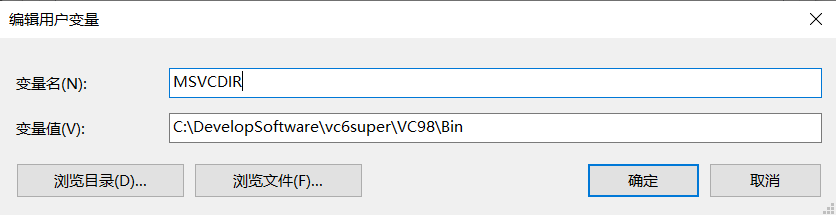
使用VC6.0打开vc6.mak
build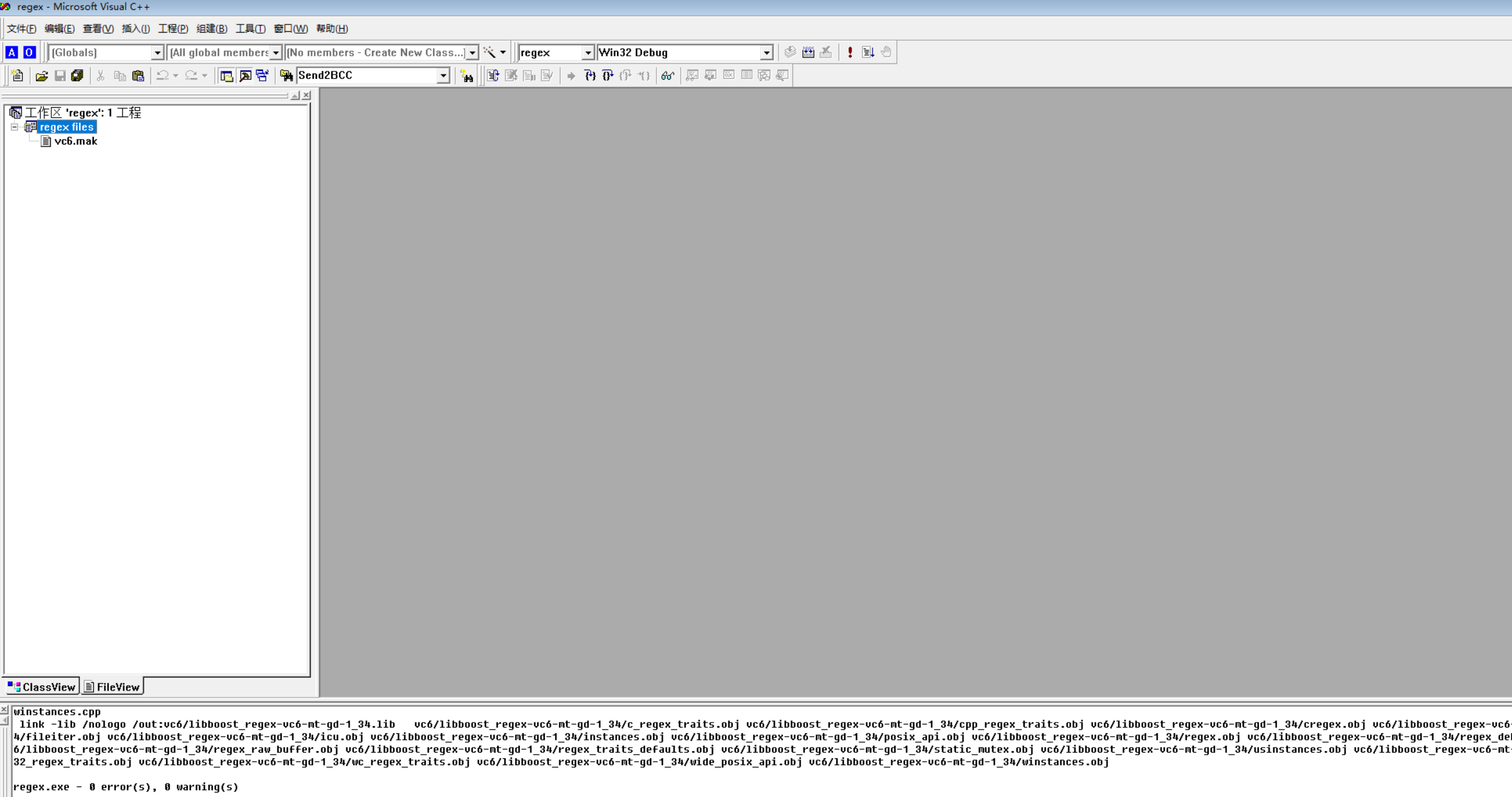
方式2
准备
- 下载boost_1_34_1
- 配置build.bat中的
if "_%ProgramFiles%_" == "__" set ProgramFiles=
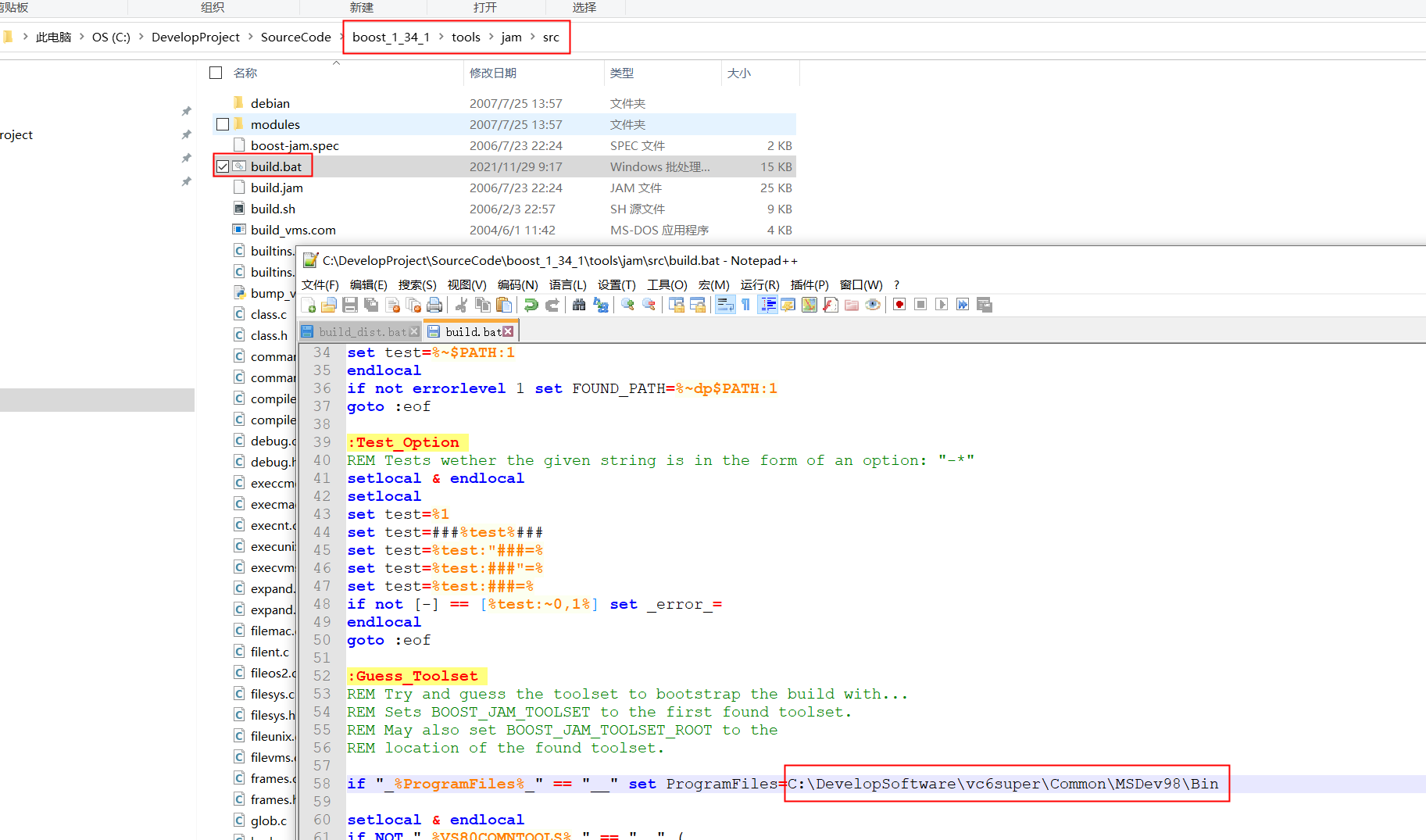
- 配置build.bat中的
VCVARS32.BAT

Build
- 双击
boost_1_34_1\tools\jam\src\build.bat```shellrd /S /Q bootstrap
md bootstrap
cl /nologo /GZ /Zi /MLd -DNT -DYYDEBUG kernel32.lib advapi32.lib user32.lib /Febootstrap\jam0 command.c compile.c debug.c execnt.c expand.c filent.c glob.c hash.c hdrmacro.c headers.c jam.c jambase.c jamgram.c lists.c make.c make1.c newstr.c option.c parse.c pathunix.c regexp.c rules.c scan.c search.c subst.c timestamp.c variable.c modules.c strings.c filesys.c builtins.c pwd.c class.c w32_getreg.c native.c modules/set.c modules/path.c modules/regex.c modules/property-set.c modules/sequence.c modules/order.c ‘cl’ 不是内部或外部命令,也不是可运行的程序 或批处理文件。
改为绝对路径<br />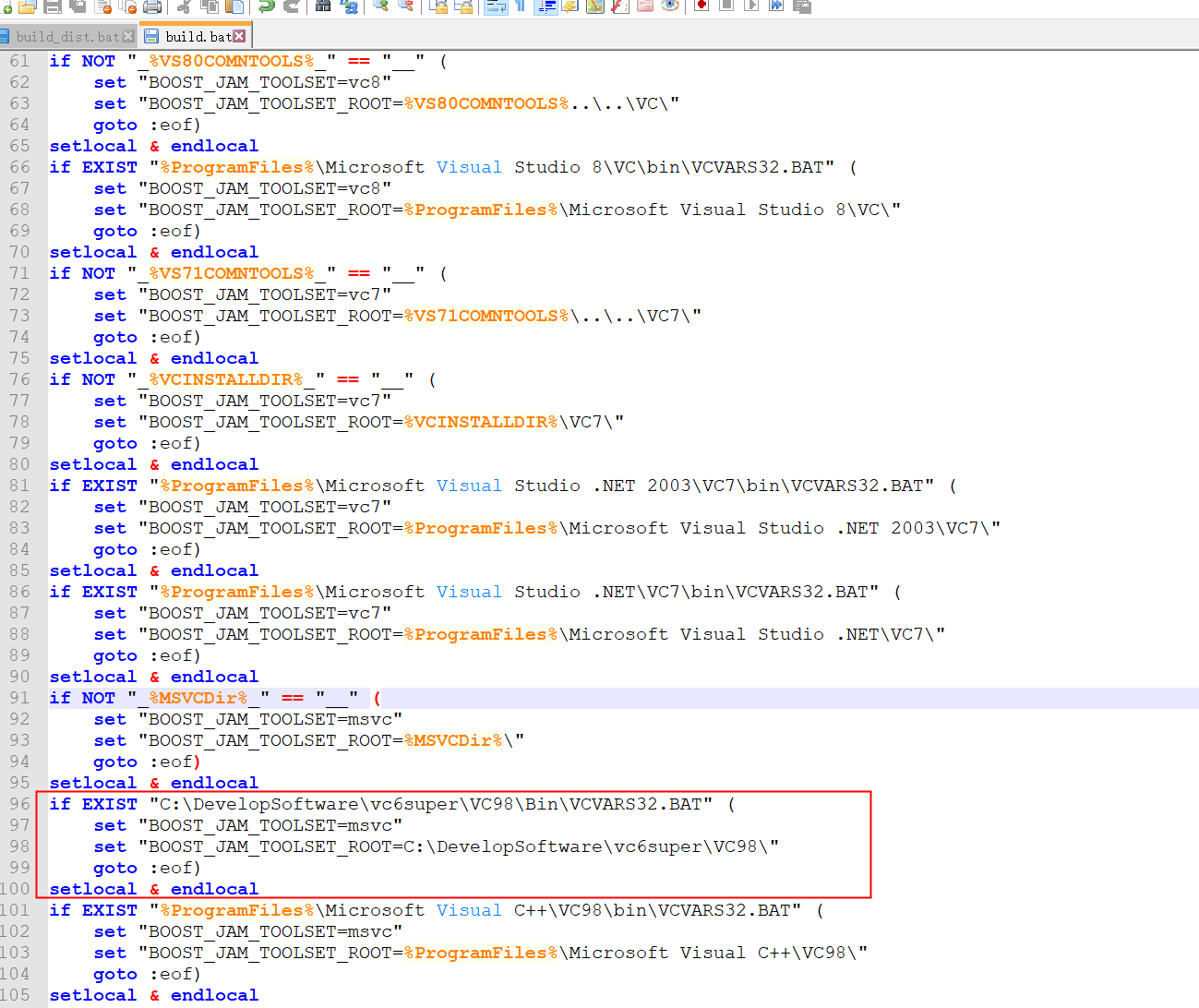```shell.\bootstrap\jam0 -f build.jam --toolset=msvc "--toolset-root=C:\DevelopSoftware\vc6super\VC98\ "...found 45 targets......updating 1 target...[COMPILE] bin.ntx86\bjam.execommand.ccompile.cdebug.cexpand.cglob.chash.chcache.cheaders.chdrmacro.cjam.cjambase.cjamgram.clists.c...执行
bjam.exe在
.../boost_1_34_1/tools/jam/src/bin.ntx86下生成一个bjam.exe文件
把bjam.exe拷贝到.../boost_1_34_1/目录下
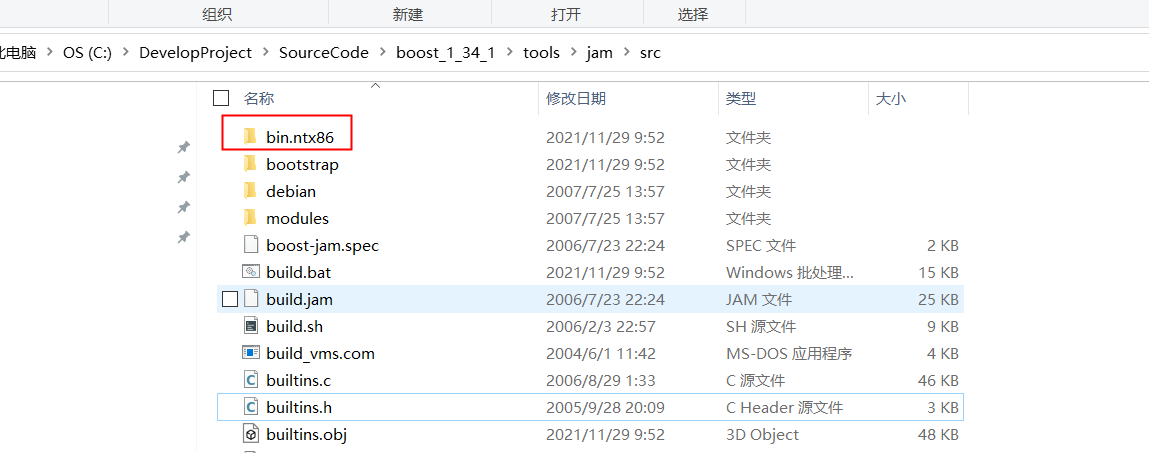
并设置临时环境变量
> SET MSVC_ROOT="C:\DevelopSoftware\vc6super\VC98"
> SET VISUALC="C:\DevelopSoftware\vc6super\VC98"
如果需要编辑python模块还需要下载安装python,并设置以下环境变量
> SET JAM_TOOLSET=VISUALCSETPYTHON_ROOT=
> SET PYTHON_VERSION=2.3
执行命令
> ./bjam -sTOOLS=msvc-6.0 (orbjam -sTOOLS=msvc-6.0 install)
> ./bjam install
有问题,没有生成lib
bjam stage –toolset=msvc-6.0 –stagedir=”C:\SDK\boost\bin” link=staticruntime-link=shared threading=multi debug release
bjam --without-python --toolset=msvc-6.0 --build-type=complete stage
bjam --without-python --toolset=msvc-6.0 --build-type=complete install

若有收获,就点个赞吧
0 人点赞


