1.templates
新建所需要的html文件,list details
输入! + <tab>自动生成标准模板
blog_list.html
<!DOCTYPE html>
<html lang="zh-cn">
<head>
    <meta charset="UTF-8">
    <meta name="viewport" content="width=device-width, initial-scale=1.0">
    <title>我的网站</title>
</head>
<body>
    {% for sb in s2acblogs %}
    <!-- s2acblog来自views.py文件夹中的blog_list函数中的字典 -->
    <h3>{{ sb.title }}</h3>
    <p>{{ sb.content }}</p>
    {% endfor %}
</body>
</html>
blog_details.html
<!DOCTYPE html>
<html lang="zh-cn">
<head>
    <meta charset="UTF-8">
    <meta name="viewport" content="width=device-width, initial-scale=1.0">
    <title>{{ blog.title }}</title>
</head>
<body>
    <h3>{{ blog.title }}</h3>
    <p>{{ blog.content }}</p>
</body>
</html>
2. urls设置
应用文件夹下的urls.py
from django.urls import path
from . import views
#start with blog
urlpatterns = [
        #http://localhost:8000/blog/1
        path('<int:blog_ok>', views.blog_details, name='blog_details'),
        #localhost:8000/

]
项目文件夹的urls.py
from django.contrib import admin
from django.urls import path,include
from s2acblog.views import blog_list
urlpatterns = [
    path('',blog_list,name='home'),#首页
    path('admin/', admin.site.urls),#后台
    path('blog/',include('s2acblog.urls')),
]
3. 常用模板标签
<p>一共有{{ blogs | length }}篇文章</p>
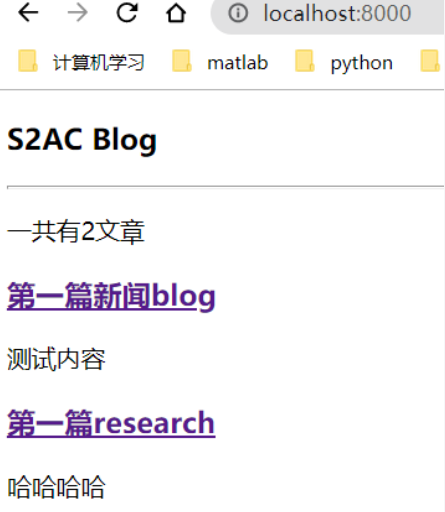
2.2
    def blog_details(request, blog_pk):
        context['blog_count'] = Blog.objects.all().count()
{{blog.count}}
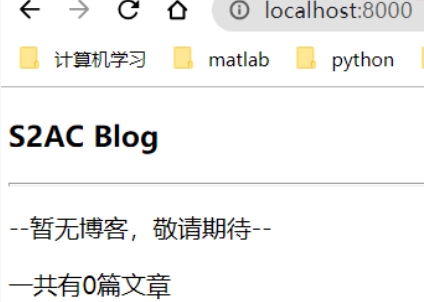
- 文章数量为空时,
显示信息
{% empty %}
    <p>--暂无博客,敬请期待--</p>
- 当content篇幅较长,不适合在list页面全部展示
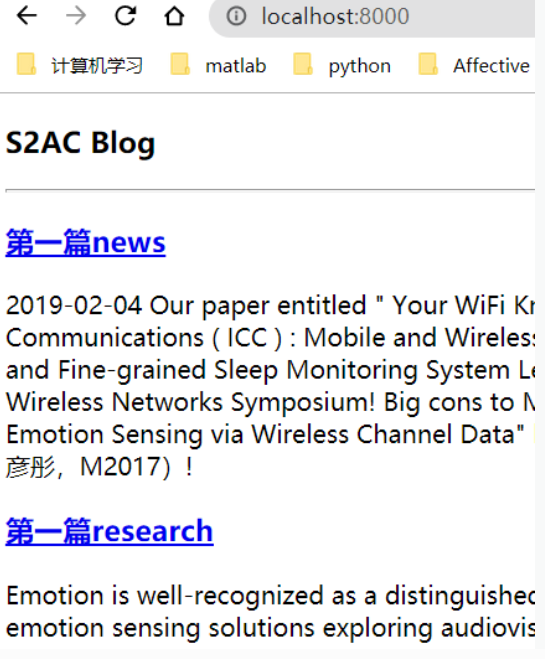
采用过滤器truncatewords: or truncatechars:
<p>{{ blog.content| truncatewords:30 }}</p>

- 作者时间
    <h3>{{ blog.title }}</h3>
    <p>Posted by {{ blog.author }}</p>
    <p>Posted at {{ blog.created_time| date:"Y-m-d H:i:s" }}</p>
    <p>{{ blog.content }}</p>
| 过滤器标识 过滤器使用参考django官方文档
时间格式 |date:”Y-m-d H:i:s

- 其他常用模板标签
循环: for
条件: if ifequal ifnotequal
链接: url
模板嵌套:block extends include
注释:{# #} - 常用过滤器filter
日期:date
字数截取: truncatechars truncatechars_html
truncatewords truncatewords_html
是否信任html: safe
长度:length

若有收获,就点个赞吧
0 人点赞


