- 1.Q: Why have I received a notification that the email I’ve sent has been bounced?
- https://crm.alibaba-inc.com/caesar/” Can’t open CRM">2.Q:“https://crm.alibaba-inc.com/caesar/” Can’t open CRM
- 3.Q: What do I do if I see this error message and cannot log in to my CRM account?
- 4.Q: How do I filter for Leads who:
- 5.How do you create an order for a customer assigned to someone else?
- 6.How do you add notes and change grade for custmers under sales role?
1.Q: Why have I received a notification that the email I’ve sent has been bounced?
A: You do not have permission to send emails. Apply for permission here:
https://bpms.alibaba-inc.com/workdesk/instStart?processCode=buc_apply_wbemail_permission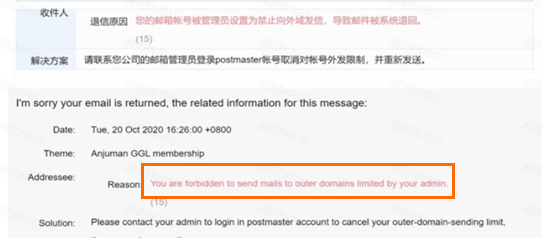
2.Q:“https://crm.alibaba-inc.com/caesar/” Can’t open CRM
A:Please save the link of CRM:
Privvate Pool :https://crm.alibaba-inc.com/crmagent/romeo/private-sea.html?spm=a27dj.19484739.0.0.759313e5C5TJRh
Public Pool :https://crm.alibaba-inc.com/crmagent/romeo/public-sea.html?spm=a27dj.19484760.0.0.622549ce5Mgv0K
Service Pool:https://crm.alibaba-inc.com/crmagent/romeo/customer-service/in-service-new.html?spm=a27dj.19484773.0.0.71777ceabKIq9B
3.Q: What do I do if I see this error message and cannot log in to my CRM account?
A:
Step 1: Confirm you have permission
Step 2: Click this link to switch to GGS-related roles: https://crm.alibaba-inc.com/aegean/tritons/cgspartnerManage/message#/my-msg?_k=h1ghzn
Step 3: Click this link to visit the Private Pool and try logging in again: https://crm.alibaba-inc.com/crmagent/romeo/private-sea.html
4.Q: How do I filter for Leads who:
•Last logged in after June 1
•Haven’t been contacted since November 1
•Have no products posted
•Aren’t marked as A+ or A- intent? 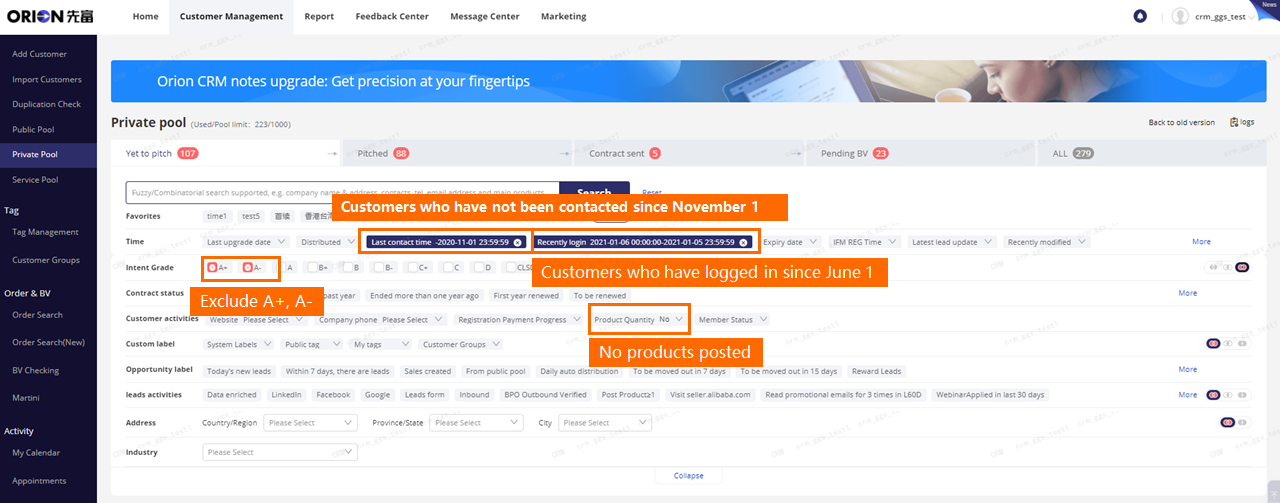
5.How do you create an order for a customer assigned to someone else?
Go to: CRM > Private Pool > Customer details 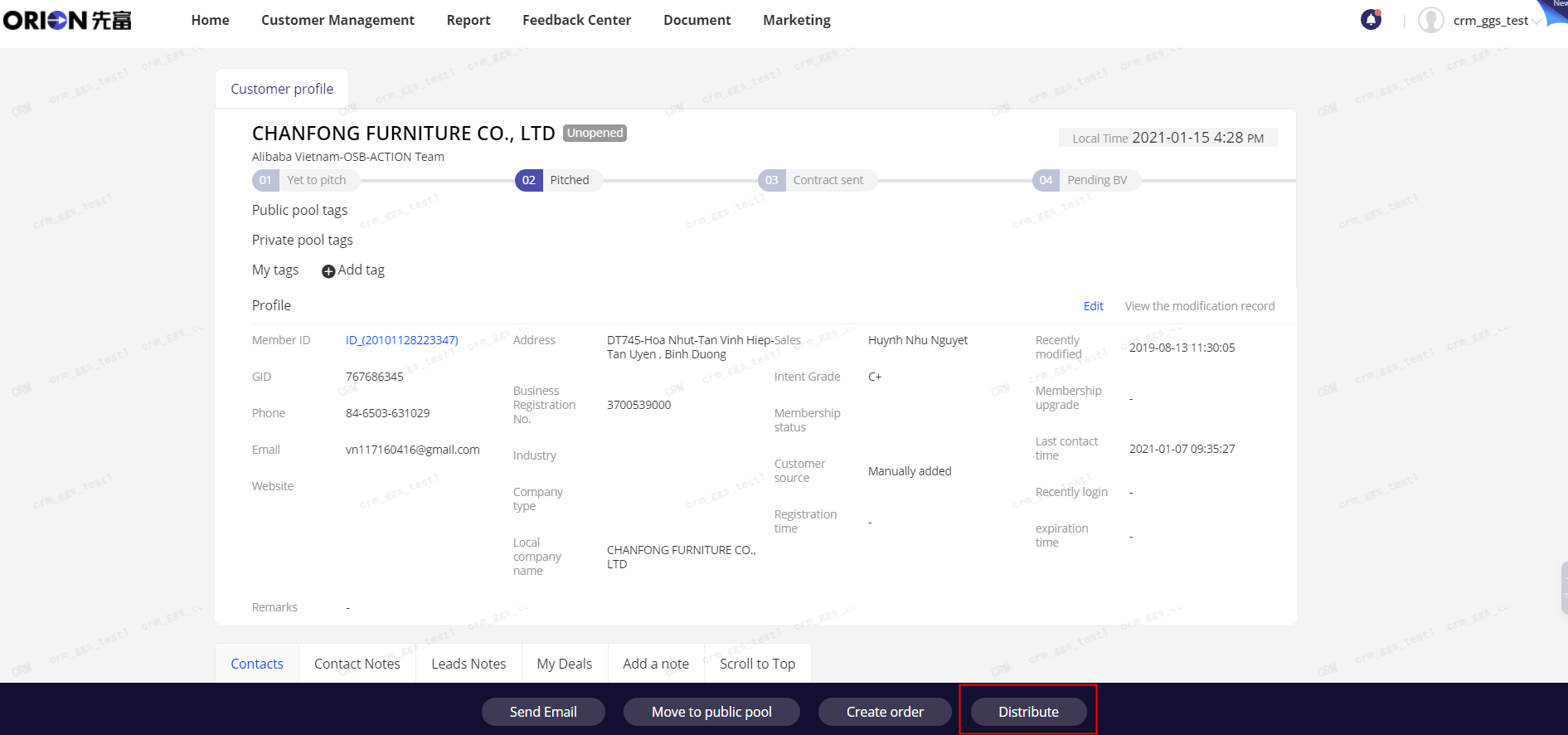
6.How do you add notes and change grade for custmers under sales role?
1) add notes
if you want to add a note,please go to crm > private pool,then click “add a note”
Or go to CRM > Private Pool > Customer details ,then click “add a note”

if you want to add a visiting memo ,please go to crm > service pool,then click “Visiting Memo”
Or go to CRM > service pool > Customer details ,then click “Visiting Memo”


若有收获,就点个赞吧
0 人点赞


