本地镜像发布到阿里云流程
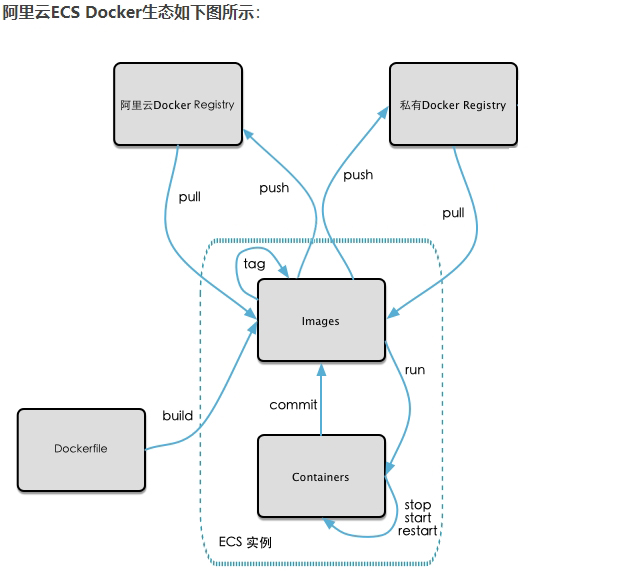
镜像的生成方法
1)DockerFile → docker build
2)从容器创建一个新的镜像:docker commit
基本语法:docker commit [OPTIONS] 容器ID [REPOSITORY[:TAG]]
选项说明:--author , -a:Author (e.g., “John Hannibal Smith hannibal@a-team.com“)--message , -m:Commit message
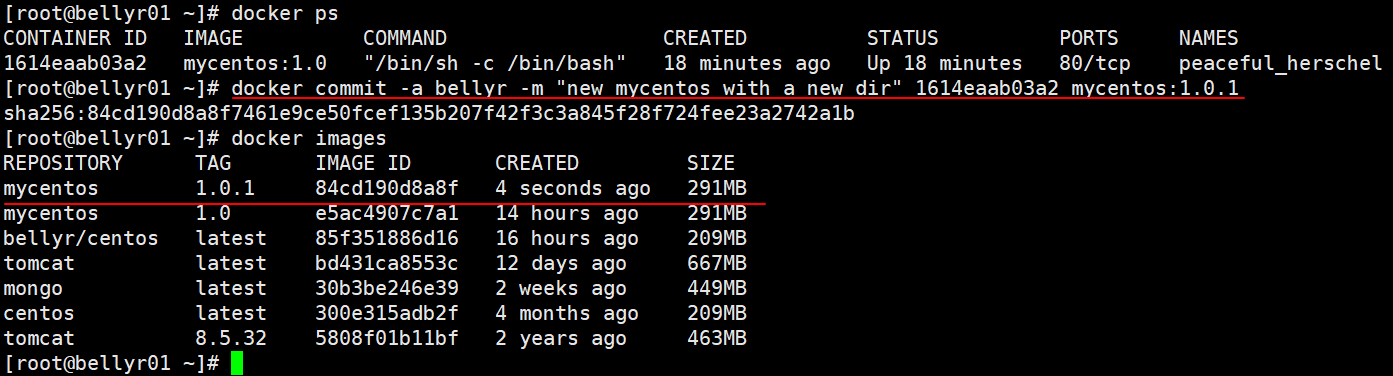
案例:以之前使用的mycentos:1.0镜像运行一个容器,在容器中新建一个文件夹,完成之后使用该容器创建一个新的镜像docker commit -a bellyr -m "new mycentos with a new dir" 1614eaab03a2 mycentos:1.0.1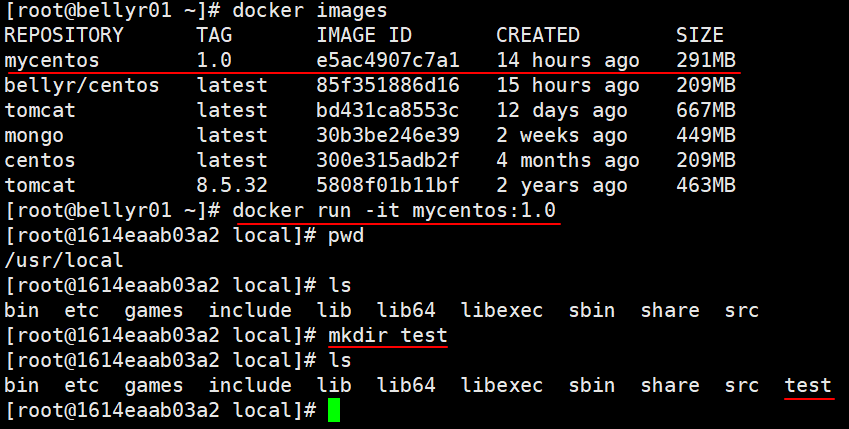
将本地镜像推送到阿里云
1)本地镜像素材原型段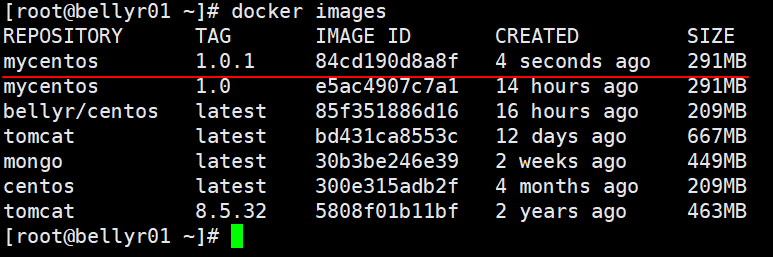
2)阿里云容器镜像服务:https://cr.console.aliyun.com/cn-hangzhou/instances
创建个人版实例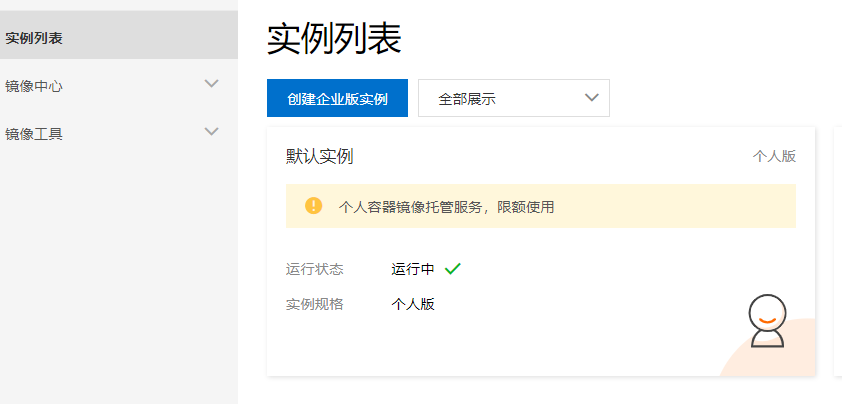
创建命名空间及镜像仓库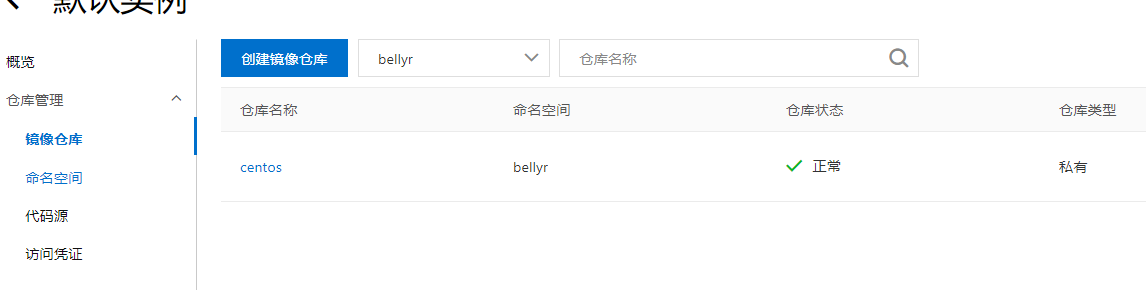
3)将镜像推送到阿里云镜像仓库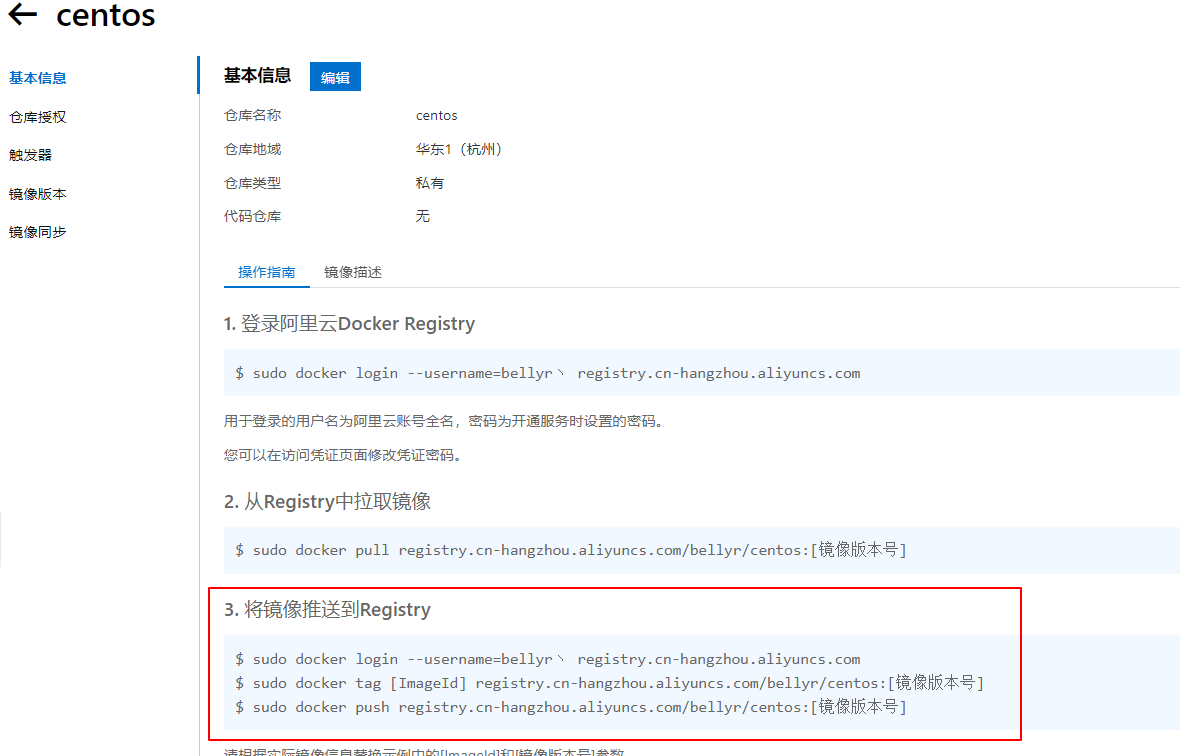
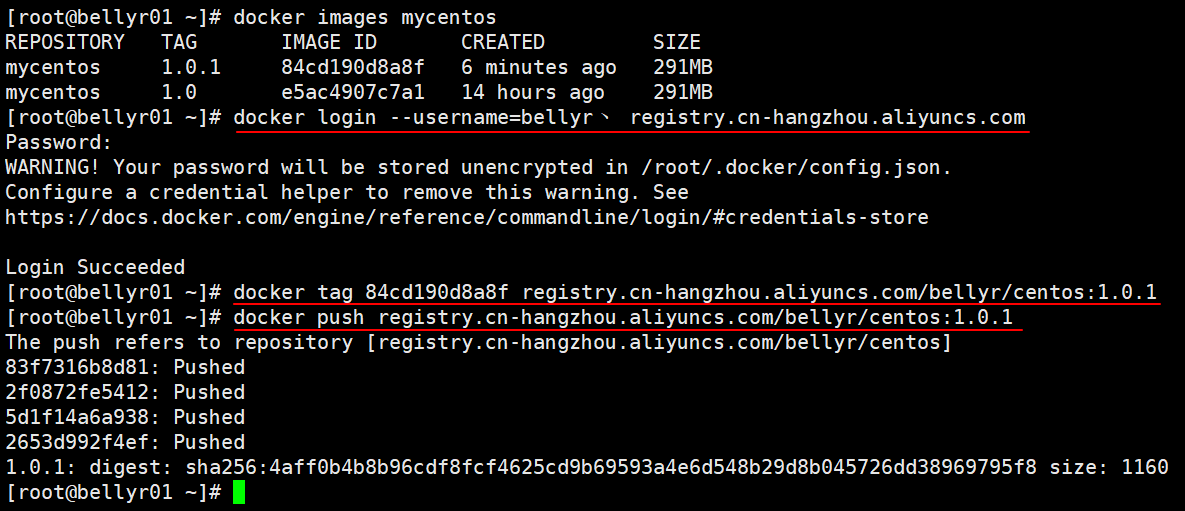
4)推送完成在仓库内可以看到
如果仓库是公有的那么还可以直接查询到
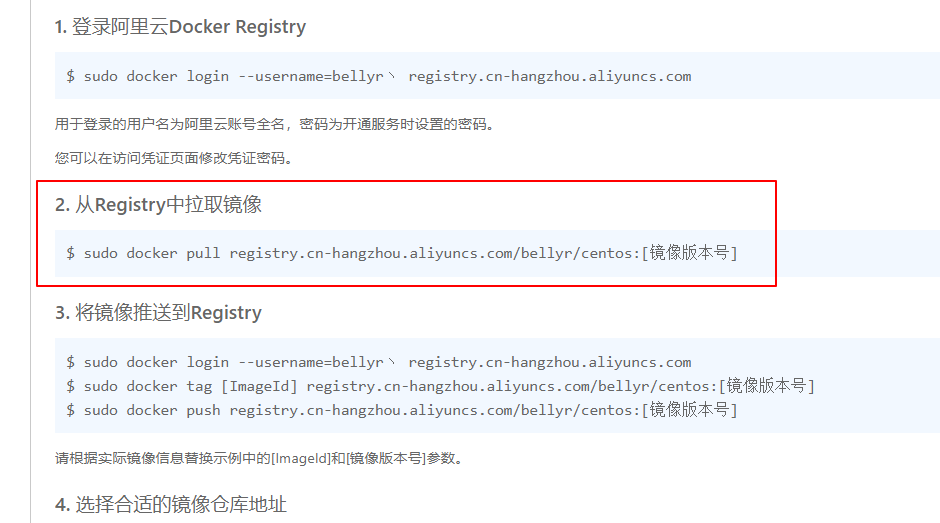
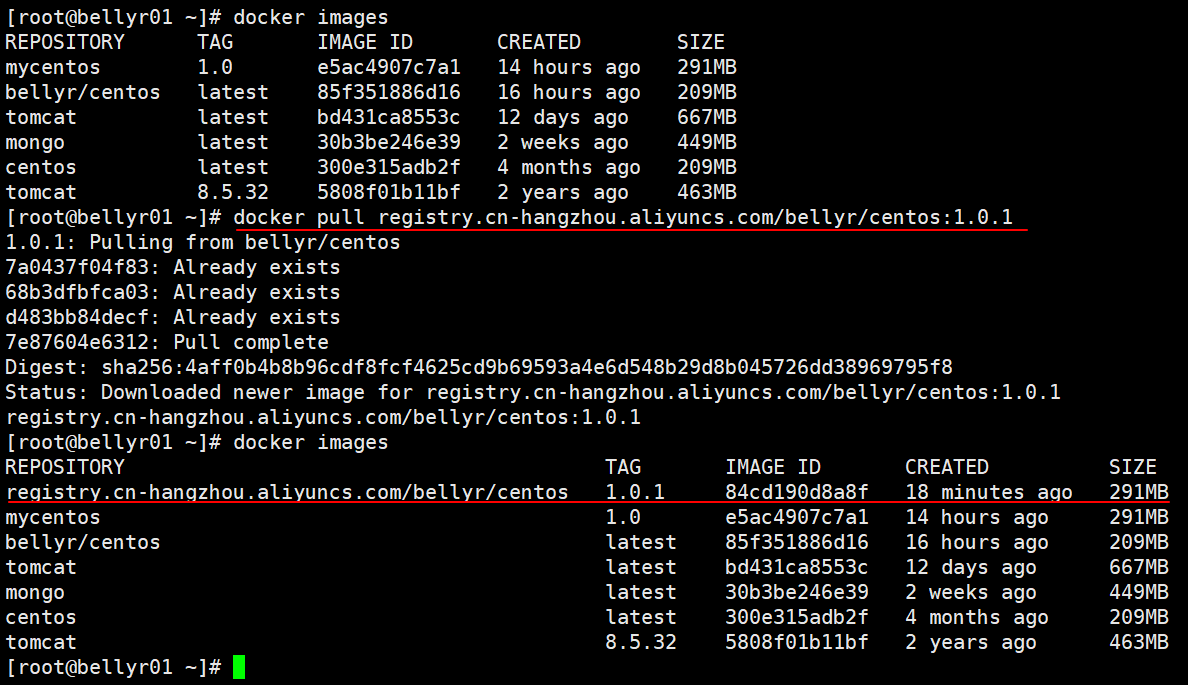
将阿里云上的镜像下载到本地

若有收获,就点个赞吧
0 人点赞


