yichen的信安知识库/web方向/语雀自动同步到hexo博客/
语雀自动同步到hexo博客
hexo+github pages+yuque-hexo插件+github actions+serverless云函数+语雀 实现语雀写完文章能够自动同步到 hexo 博客
本文针对已经搭建好 hexo 博客的,如果没有搭好正常的 hexo 博客的可以去网上找一下,很方便
hexo同步语雀内容
用到了这个项目:https://github.com/x-cold/yuque-hexo
安装:npm i -g yuque-hexo
然后把 package.json 的内容添加上下面这些
"yuqueConfig": {"postPath": "source/_posts","cachePath": "yuque.json","mdNameFormat": "slug","adapter": "hexo","concurrency": 5,"baseUrl": "https://www.yuque.com/api/v2","login": "hxfqg9","repo": "web","token": "语雀token","onlyPublished": true,"onlyPublic": true},"devDependencies": {"yuque-hexo": "^1.6.0"},"hexo": {"version": "4.2.1"},
这里说一下里面的 baseurl 是固定的
login 和 repo 是如下图这样对应的,个人界面和团队界面都可以

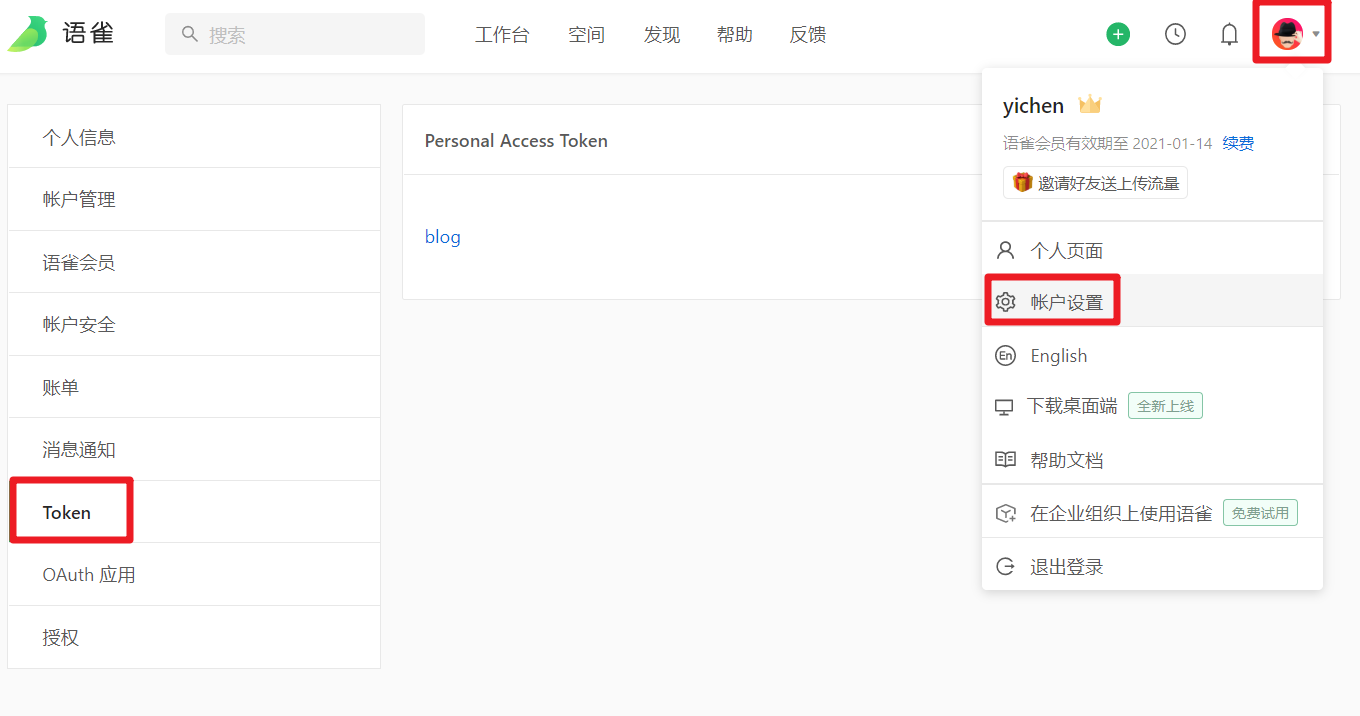
token 是在右上角头像 -> 账户设置 -> Token 添加的,权限的话只给读取就可以
ps.公开的知识库也要设置 Token
在 “scripts” 中添加
"sync": "yuque-hexo sync","clean:yuque": "yuque-hexo clean",
这样整体下来我的 package.json 内容如下
{"name": "hexo-site","version": "0.0.0","private": true,"scripts": {"build": "hexo generate","clean": "hexo clean","deploy": "hexo deploy","server": "hexo server","sync": "yuque-hexo sync","clean:yuque": "yuque-hexo clean"},"yuqueConfig": {"postPath": "source/_posts","cachePath": "yuque.json","mdNameFormat": "slug","adapter": "hexo","concurrency": 5,"baseUrl": "https://www.yuque.com/api/v2","login": "hxfqg9","repo": "web","token": "语雀token","onlyPublished": true,"onlyPublic": true},"devDependencies": {"yuque-hexo": "^1.6.0"},"hexo": {"version": "4.2.1"},"dependencies": {"hexo": "^4.2.1","hexo-deployer-git": "^2.1.0","hexo-generator-archive": "^1.0.0","hexo-generator-baidu-sitemap": "^0.1.6","hexo-generator-category": "^1.0.0","hexo-generator-feed": "^2.2.0","hexo-generator-index": "^1.0.0","hexo-generator-json-content": "^4.2.3","hexo-generator-searchdb": "^1.3.1","hexo-generator-sitemap": "^2.0.0","hexo-generator-tag": "^1.0.0","hexo-renderer-ejs": "^1.0.0","hexo-renderer-marked": "^2.0.0","hexo-renderer-stylus": "^1.1.0","hexo-server": "^1.0.0","hexo-wordcount": "^6.0.1"}}
这时候用 yuque-hexo sync 就会把语雀的文章给下载下来,下载到 \source_posts
然后 hexo g && hexo s 就可以访问 127.0.0.1:4000 本地看一下了
手动发布是 hexo g && hexo d
针对语雀图片无法正常显示的解决办法
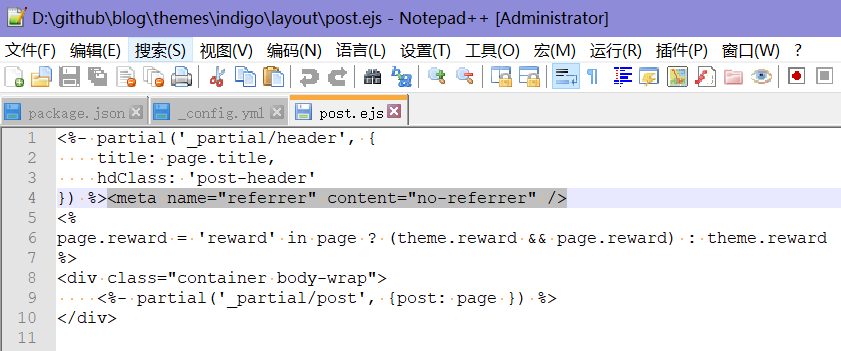
在主题的 layout 文件夹中的 post.ejs 文件中加上一句
<meta name="referrer" content="no-referrer" />
github actions自动更新
在 github 上创建一个私有仓库(因为会涉及到一些 token 啥的)仓库名字无所谓
注意:在仓库里面再放一个仓库是没法把里面那个仓库 push 到 github 的,只会传一个空文件夹,导致后期博客成了空白页面,最简单粗暴的办法就是把你 git clone 的 hexo 主题里的 .git 文件夹给删掉
然后在 hexo 的目录下运行如下命令
git initgit add .git commit -m "first commit"git remote add origin https://github.com/yichen115/blog.gitgit push -u origin master
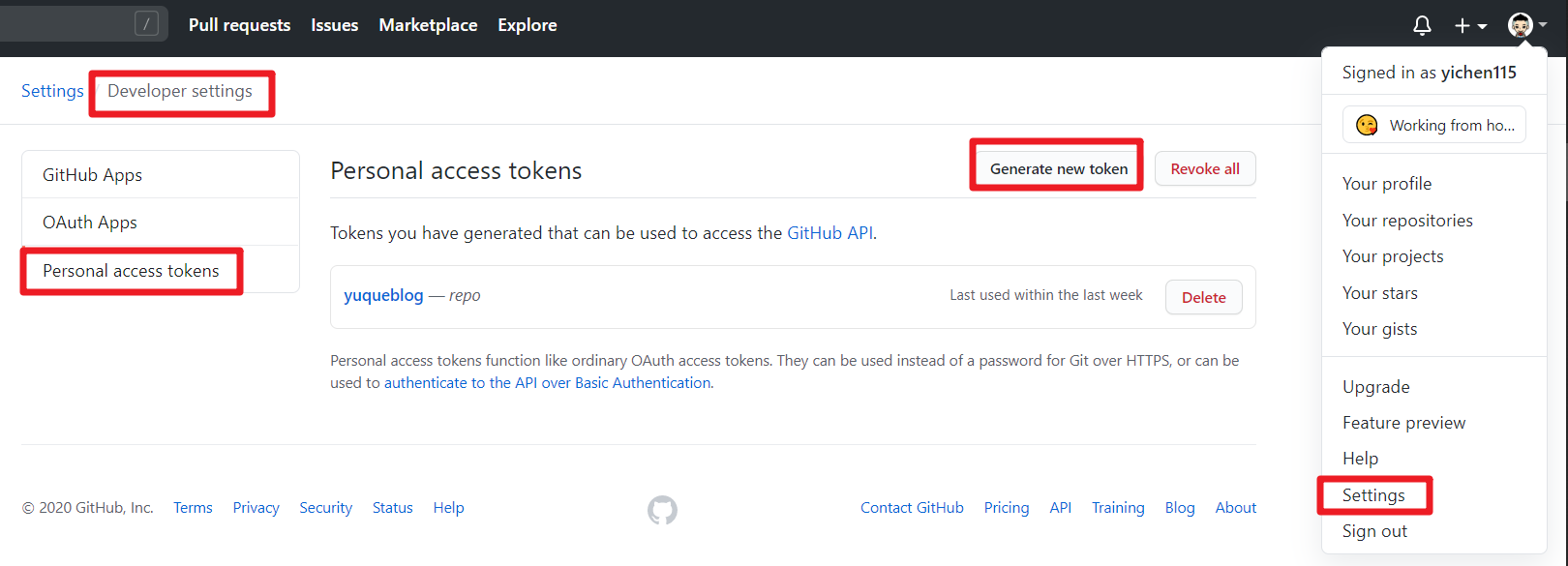
去 github 的 settings 创建一个 token
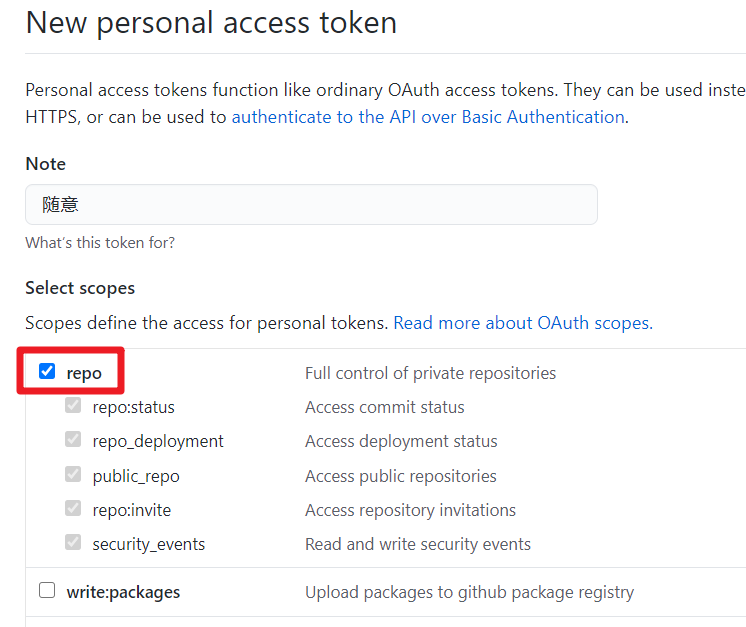
只勾上这一个即可
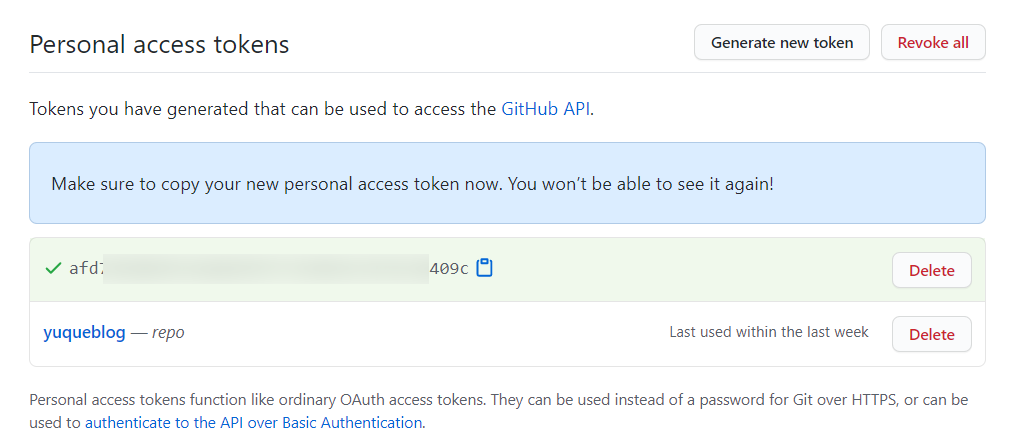
生成了 token 之后一定要记下来,再回来就没法看了
然后来到刚才创建的私有仓库的 settings
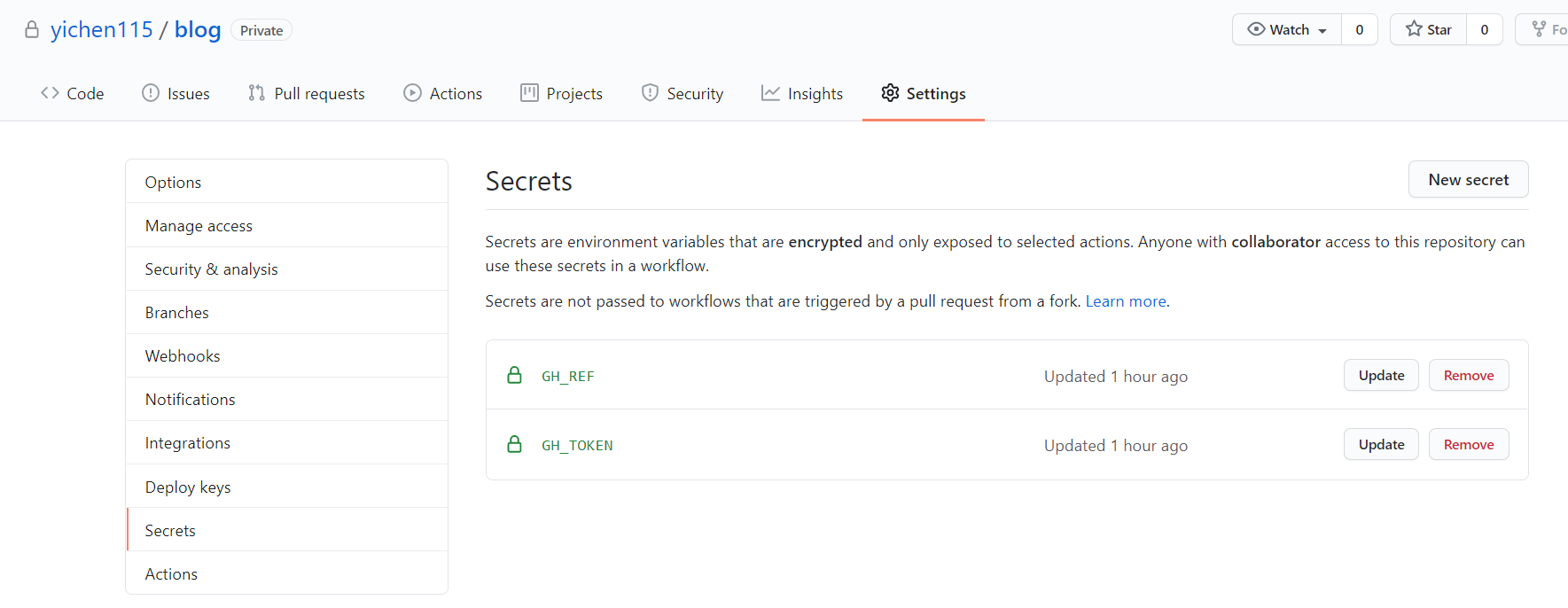
添加两个 secret
GH_REF 是你博客的仓库地址 github.com/yichen115/yichen115.github.io
注意去掉前面 https://
GE_TOKEN 是刚才生成的 token
然后来到 actions,点击 set up a workflow yourself
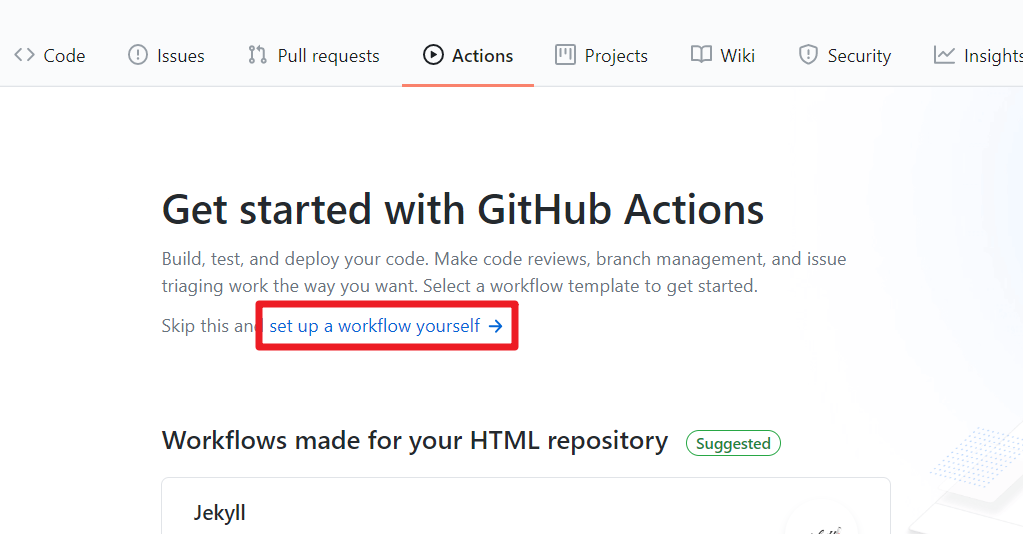
编辑内容如下:
name: Blog CI/CDon: [push, repository_dispatch]jobs:blog-cicd:name: Hexo blog build & deployruns-on: ubuntu-latestenv:TZ: Asia/Shanghaisteps:- name: Checkout codesuses: actions/checkout@v2- name: Setup nodeuses: actions/setup-node@v1with:node-version: '12.x'- name: Cache node modulesuses: actions/cache@v1with:path: ~/.npmkey: ${{ runner.os }}-node-${{ hashFiles('**/package-lock.json') }}- name: Install dependenciesrun: |npm install hexo-cli -gnpm install yuque-hexo -gnpm installyuque-hexo sync- name: Generate filesrun: hexo generate- name: Deploy blogrun: |git clone "https://${{ secrets.GH_REF }}" deploy_gitmv ./deploy_git/.git ./public/cd ./publicgit config user.name "yichen"git config user.email "1097179511@qq.com"git add .git commit -m "GitHub Actions Auto Builder at $(date +'%Y-%m-%d %H:%M:%S')"git push --force --quiet "https://${{ secrets.GH_TOKEN }}@${{ secrets.GH_REF }}" master:master
下面那个 user.name 和 user.email 根据自己的情况改一下,注意对齐
弄完之后每当 push 或 repository_dispatch 的时候都会自动的进行更新
配置serverless云函数
来这里 https://console.cloud.tencent.com/scf/ 注册个账号
新建一个函数服务
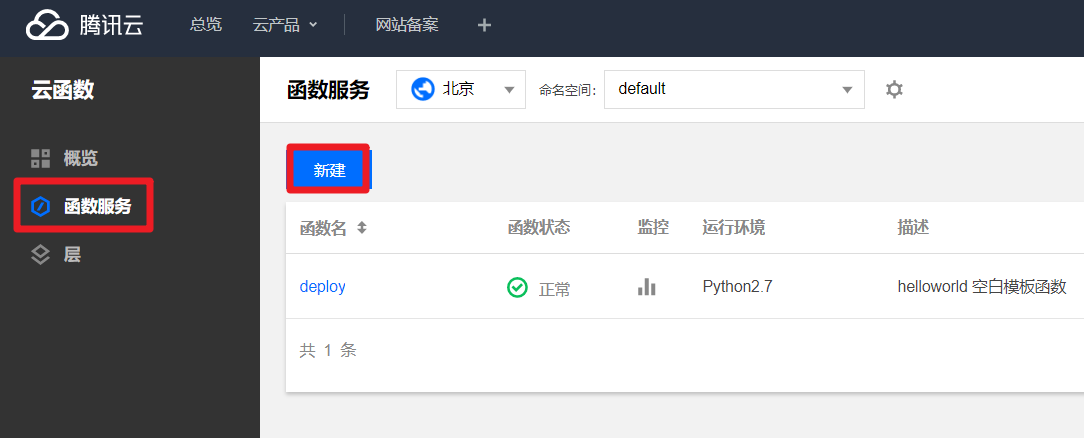
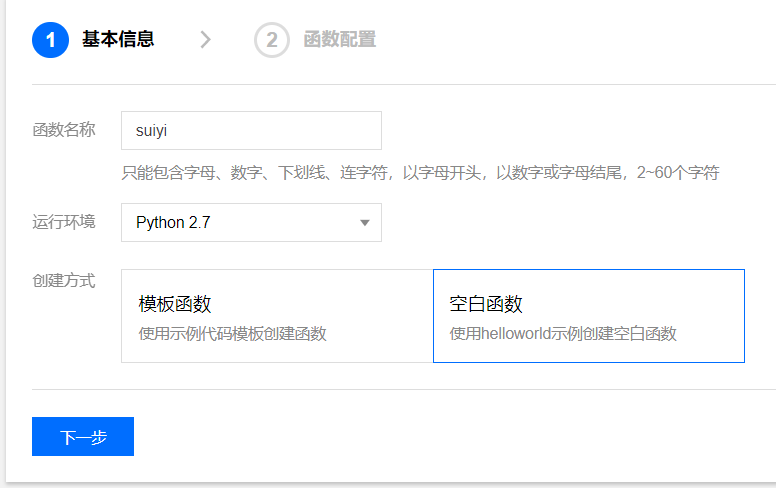
内容写
# -*- coding: utf8 -*-import requestsdef main_handler(event, context):r = requests.post("https://api.github.com/repos/yichen115/blog/dispatches",json = {"event_type": "run-it"},headers = {"User-Agent":'curl/7.52.1','Content-Type': 'application/json','Accept': 'application/vnd.github.everest-preview+json','Authorization': 'token 你的GH_TOKEN'})if r.status_code == 204:return "This's OK!"else:return r.status_code
post 请求里只需要改用户名和仓库名(yichen115/blog)后面是固定的
那个 token 是带着的,完整的就是 ‘Authorization’: ‘token xxxxxxxxxxxxxx’
点下面那个测试,返回 This’s OK!
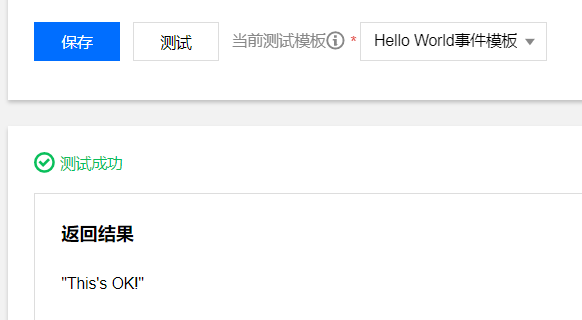
同时 github actions 也会收到指令,去执行之前在 main.yml 设定好的
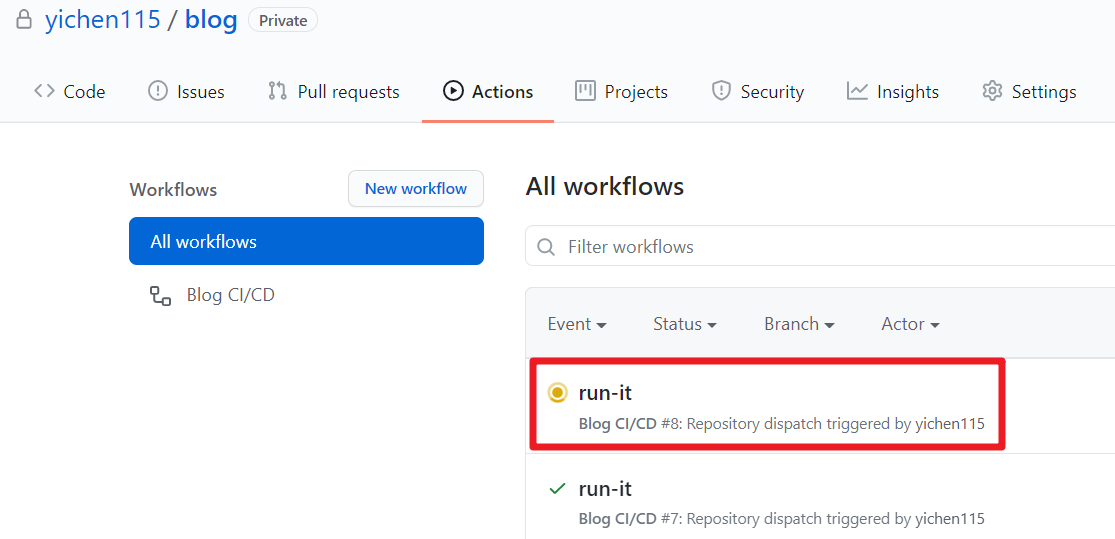
过一阵就成下面那个绿色的对号了,然后去访问一下博客,看看是否正常。可以的话就证明云函数可以了
创建一个触发器
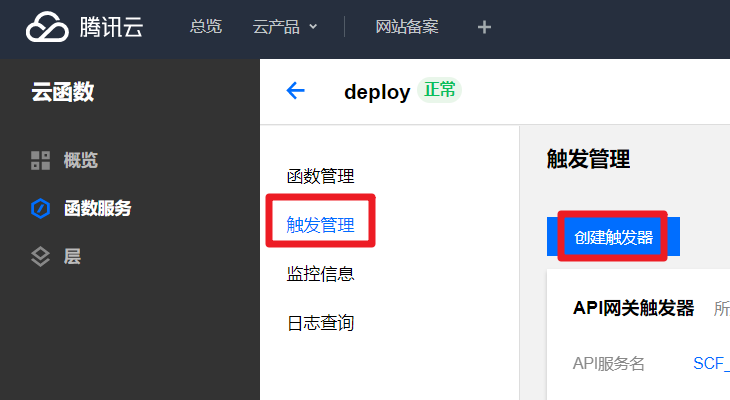
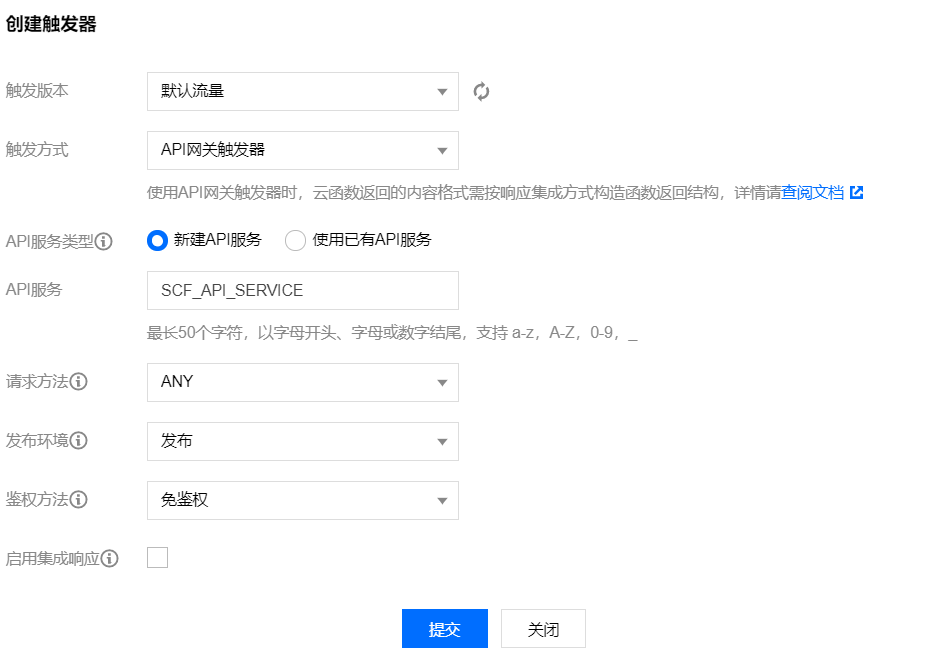
他会给你一个访问路径,记下来
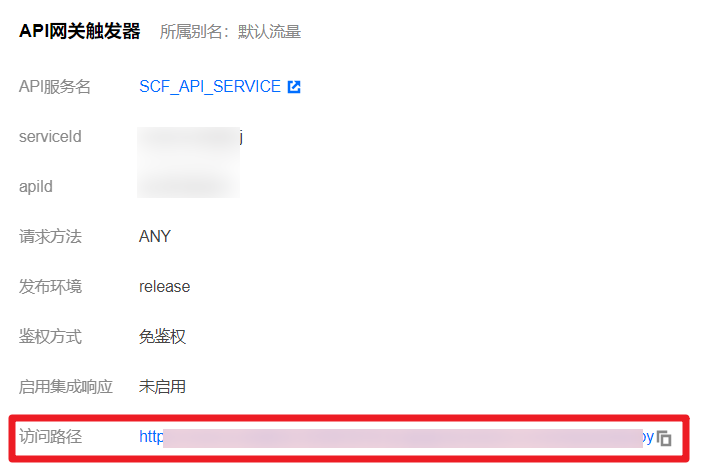
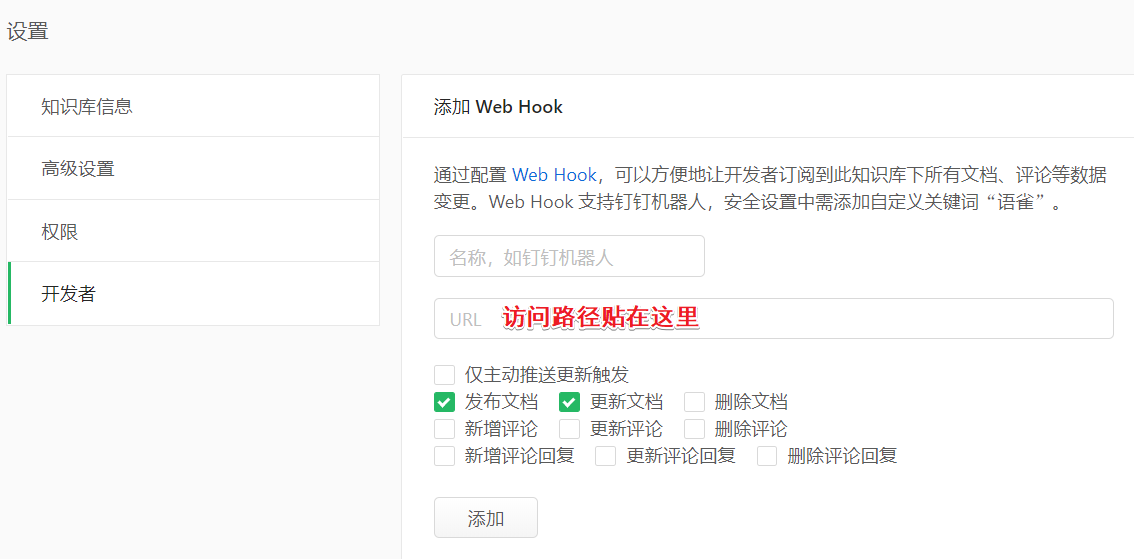
配置语雀webhook
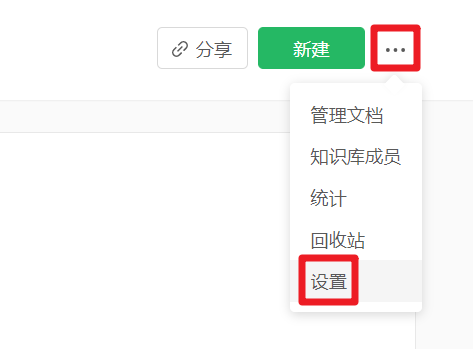
在知识库中选择设置
触发规则自己定就好啦
这篇文章更新的时候发现有失败的可能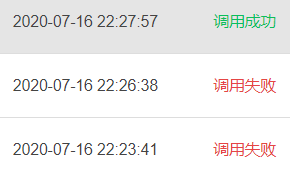
我的博客地址:[https://yichen115.github.io**](https://yichen115.github.io/)

若有收获,就点个赞吧
0 人点赞


