前言
Git 是目前世界上最先进的分布式版本控制系统(没有之一)。
Git 每次提交代码时,都需要写 Commit Message (提交说明),否则就不允许提交。
$ git commit -m '第一次提交'
在工作中一份清晰简介规范的 Commit Message 能让后续代码审查、信息查找、版本回退都更加高效可靠。
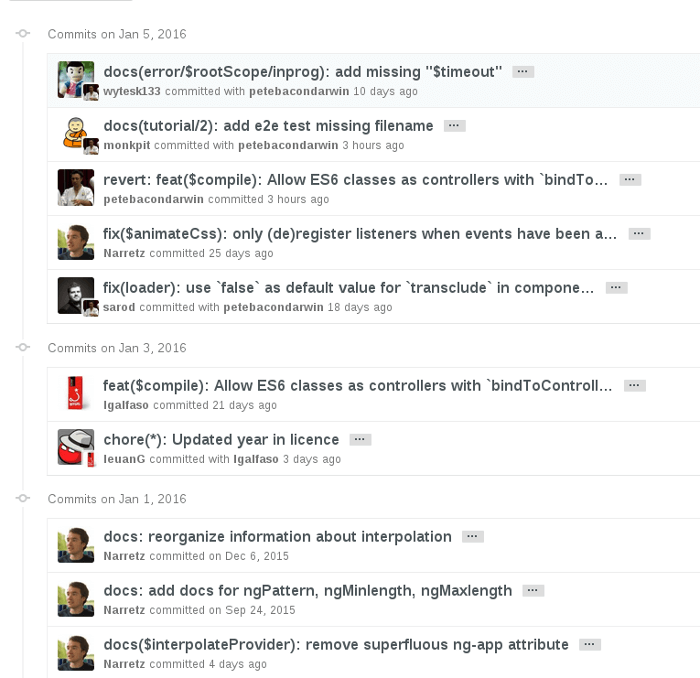
Commit Message 的标准格式
Commit Message 标准格式包括三个部分:Header,Body,Footer
<type>(<scope>): <subject>// 空一行<body>// 空一行<footer>
其中,Header 是必需的,Body 和 Footer 可以省略
Header
Header 部分只有一行,包括三个字段:type(必需)、scope(可选)、subject(必需)
1. type
用于说明类型。
| feat | 新功能(A new feature) |
|---|---|
| fix | 修复bug(A bug fix) |
| improvement | 对当前功能的改进(An improvement to a current feature) |
| docs | 仅包含文档的修改(Documentation only changes) |
| style | 格式化变动,不影响代码逻辑。比如清除多余空白,删除分号 等 |
| refactor | 重构,即不是新增功能,也不是修改bug的代码变动 |
| perf | 提高性能的修改(A code change that improves performance) |
| test | 添加或修改测试代码(Adding missing tests or correcting existing tests) |
| build | 构建工具或外部依赖包的修改。比如更新依赖包的版本等 (Changes that affect the build system or external dependencies) |
| ci | 持续集成的配置文件或脚本的修改(Changes to our CI configuration files and scripts) |
| chore | 杂项。其它不修改源代码与测试代码的修改(Other changes that don’t modify src or test files) |
| revert | 撤销某次提交(Reverts a previous commit) |
2. scope
用于说明影响的范围,比如数据层、控制层、视图层等等。
3. subject
主题,简短描述。一行
Body
对 subject 的补充。可以多行。
Footer
主要是一些关联 issue 的操作。
Commitizen
Commitizen 是一个撰写符合上面 Commit Message 标准的一款工具。
安装
全局安装
- 下载
npm install -g commitizen cz-conventional-changelog
- 创建 ~/.czrc 文件,写入如何内容
{ "path": "cz-conventional-changelog" }
- 这时就可以全局使用
git cz命令来代替git commit命令了
项目局部使用
- 下载 commitizen
npm install --save-dev commitizen
- 配置,打开项目的 package.json 文件,配置如下。
{"scripts": {"commit": "git-cz",},"config": {"commitizen": {"path": "node_modules/cz-conventional-changelog"}}}
- 这时就可以使用
npm run commit脚本了
使用
全局安装使用 git cz 来代替 git commit
局部安装使用 npm run commit 脚本来代替 git commit
详细步骤说明
- 选择此次提交的类型
注意:不要使用 git bash (不能进行键盘上下选择)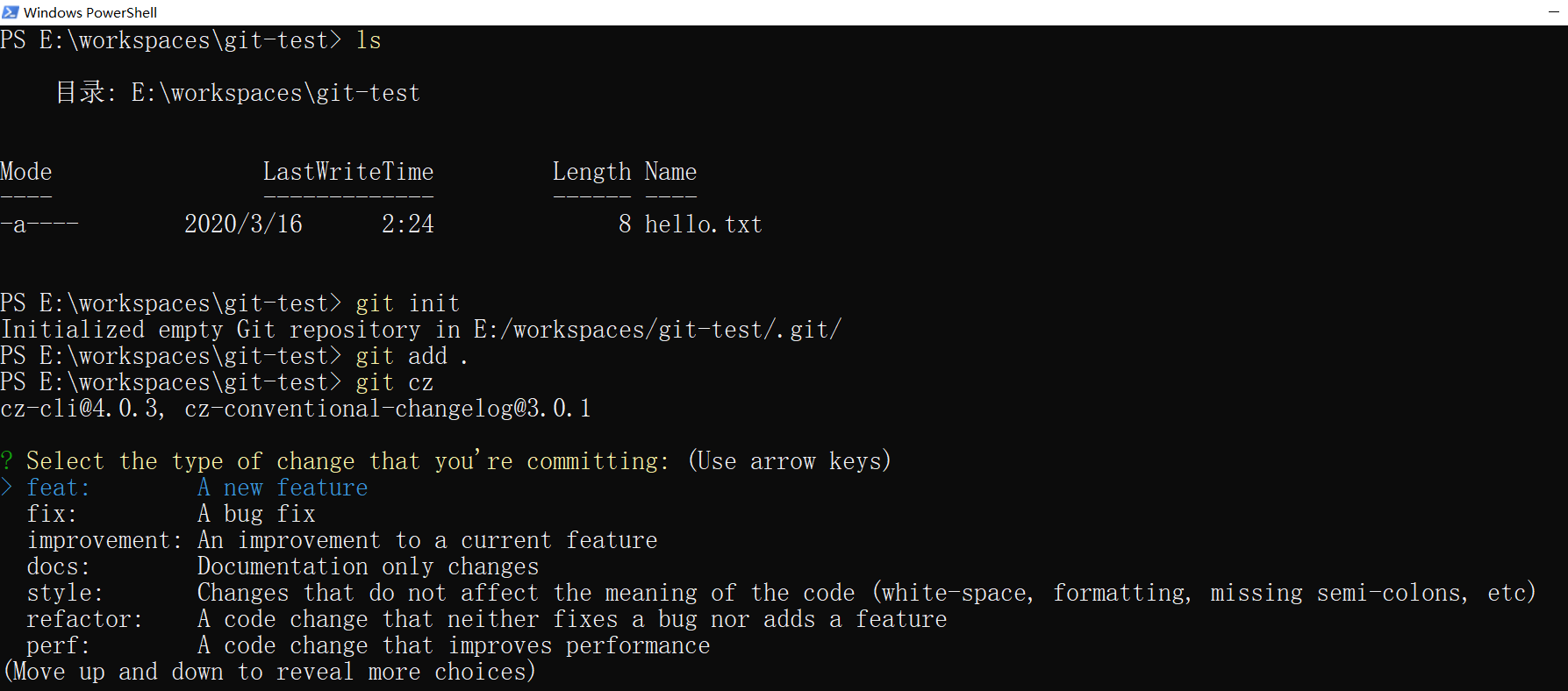
- 输入这次提交的影响范围
如没有,可直接回车跳过
- 输入这次提交的主题
注意:精简,字数限制。不可跳过
- 输入这次提交的详细描述
如没有,可直接回车跳过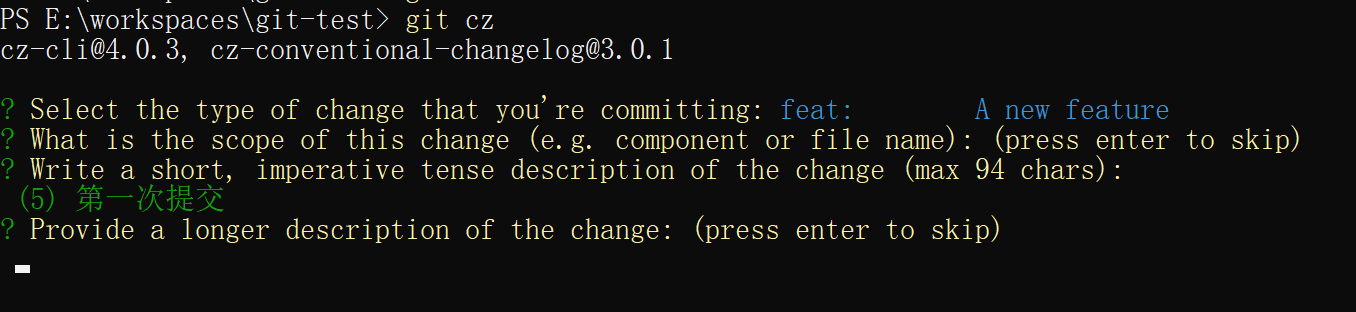
- 这次提交是否有突破性变化(是否不向下兼容)
注意:如果输入 y ,会有新的提示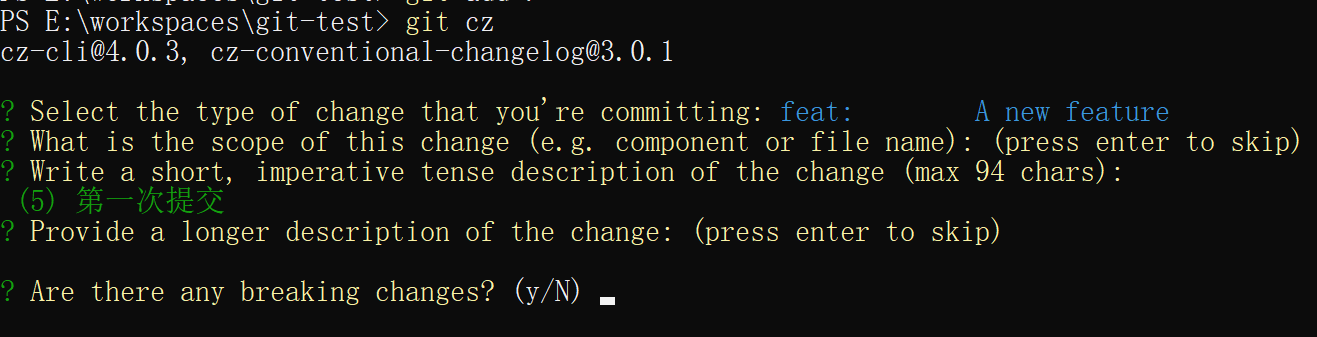
- 这次提交是否有关联的 issues
注意:如果输入 y ,会有新的提示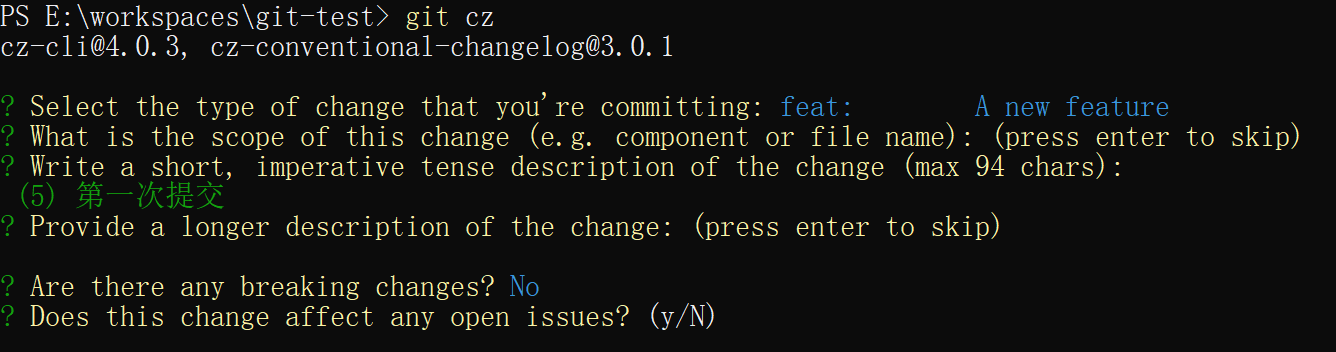
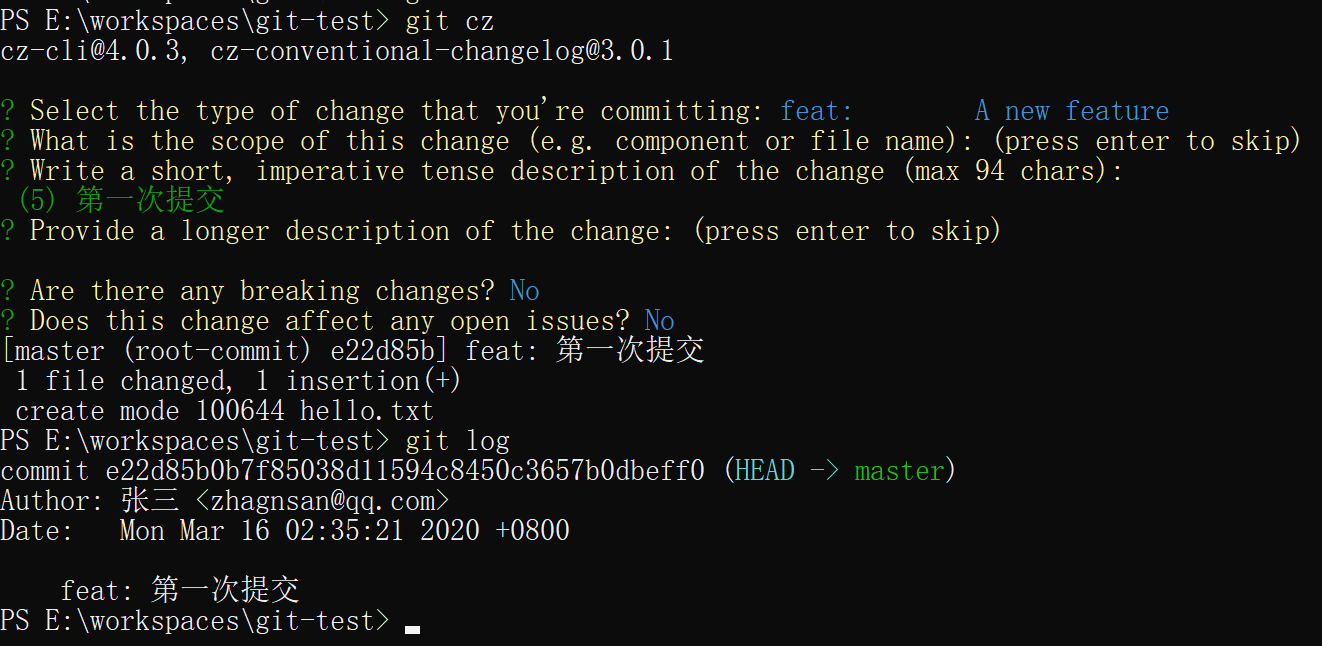
- 完成

- 查看日志

若有收获,就点个赞吧
0 人点赞


