笔记记录
编写人:老王
时间:2023-04-4
地点:广州
screen获取屏幕信息
package javafx.test;import javafx.application.Application;import javafx.application.Platform;import javafx.geometry.Rectangle2D;import javafx.stage.Screen;import javafx.stage.Stage;public class Main4 extends Application {public static void main(String[] args) {launch(args);}@Overridepublic void start(Stage stage) throws Exception {Screen screen = Screen.getPrimary();//获取全部的屏幕的宽度和高度,看不到的也能获取Rectangle2D rec1 = screen.getBounds();//获取用户可视的屏幕的宽度和高度Rectangle2D rec2 = screen.getVisualBounds();//下面是全部屏幕宽高和坐标System.out.println("左上角x = "+ rec1.getMinX() + " " +"左下角y = " + rec1.getMinY());System.out.println("右下角x = "+ rec1.getMaxX() + " " +"右下角y = " + rec1.getMaxY());Platform.exit();}}
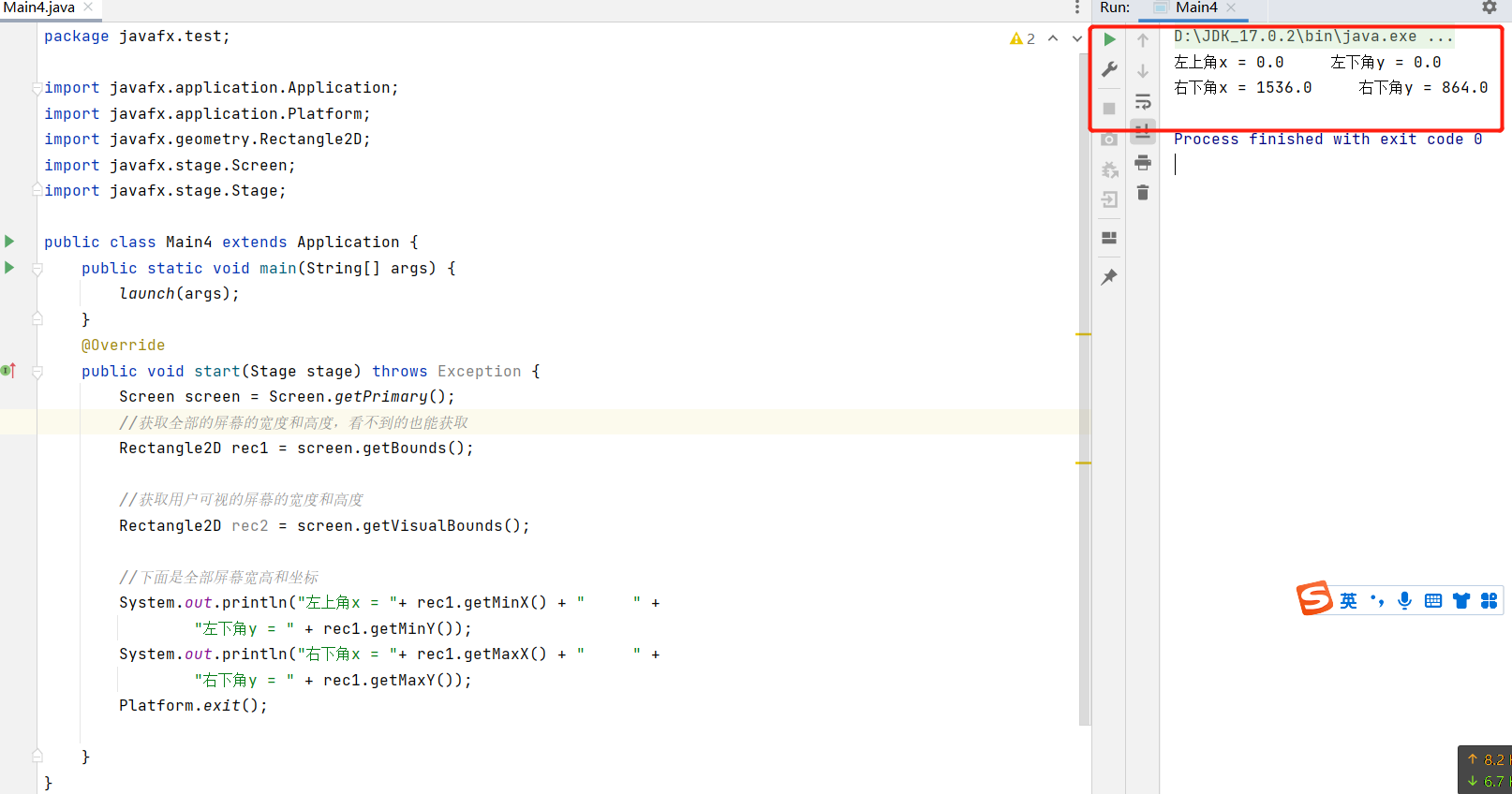 获取屏幕的宽和高:
System.out.println("宽度 = "+ rec1.getWidth() + " " +"高度 = " + rec1.getHeight());
 最终的完整查看可视屏幕和完整屏幕的代码如下:
package javafx.test;import javafx.application.Application;import javafx.application.Platform;import javafx.geometry.Rectangle2D;import javafx.stage.Screen;import javafx.stage.Stage;public class Main4 extends Application {public static void main(String[] args) {launch(args);}@Overridepublic void start(Stage stage) throws Exception {Screen screen = Screen.getPrimary();//获取全部的屏幕的宽度和高度,看不到的也能获取Rectangle2D rec1 = screen.getBounds();//获取用户可视的屏幕的宽度和高度Rectangle2D rec2 = screen.getVisualBounds();//下面是全部屏幕宽高和坐标System.out.println("下面是全部屏幕的宽高和坐标");System.out.println("左上角x = "+ rec1.getMinX() + " " +"左下角y = " + rec1.getMinY());System.out.println("右下角x = "+ rec1.getMaxX() + " " +"右下角y = " + rec1.getMaxY());System.out.println("宽度 = "+ rec1.getWidth() + " " +"高度 = " + rec1.getHeight());System.out.println("下面是可以看到的屏幕的宽高和坐标");System.out.println("左上角x = "+ rec2.getMinX() + " " +"左下角y = " + rec2.getMinY());System.out.println("右下角x = "+ rec2.getMaxX() + " " +"右下角y = " + rec2.getMaxY());System.out.println("宽度 = "+ rec2.getWidth() + " " +"高度 = " + rec2.getHeight());Platform.exit();}}

可以看到完整的和可视的 宽度和高度是不一样。
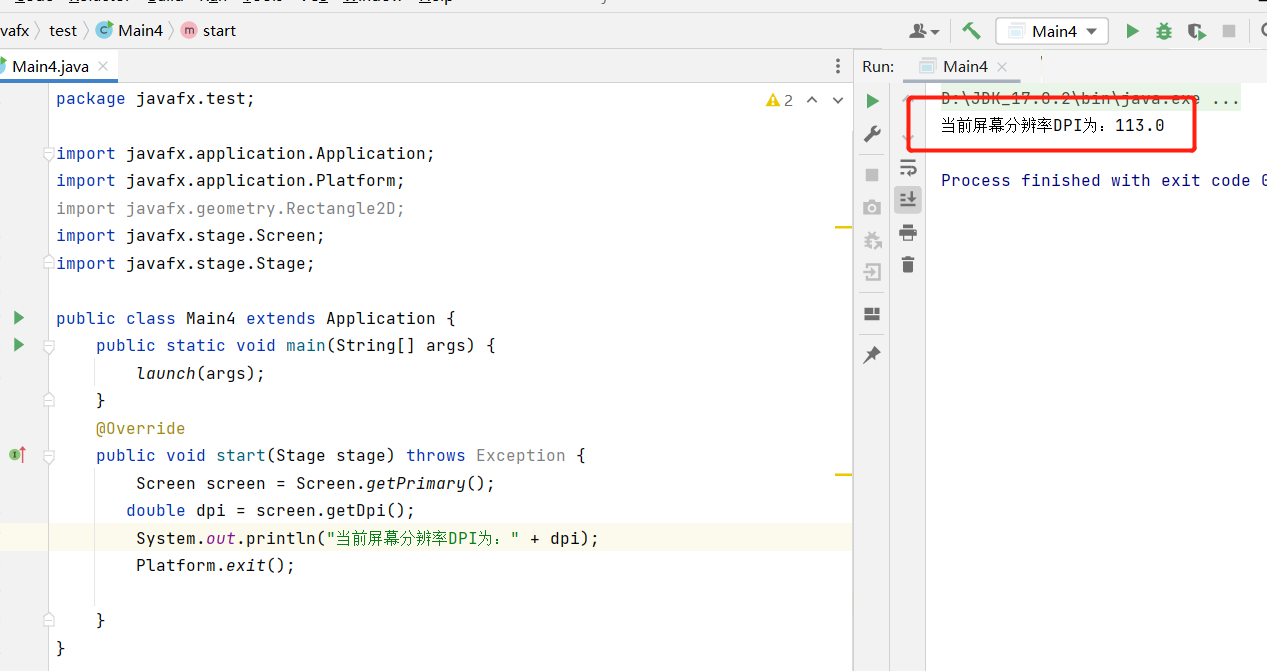
查看当前屏幕的分辨率DPI
package javafx.test;import javafx.application.Application;import javafx.application.Platform;import javafx.geometry.Rectangle2D;import javafx.stage.Screen;import javafx.stage.Stage;public class Main4 extends Application {public static void main(String[] args) {launch(args);}@Overridepublic void start(Stage stage) throws Exception {Screen screen = Screen.getPrimary();double dpi = screen.getDpi();System.out.println("当前屏幕分辨率DPI为:" + dpi);Platform.exit();}}

若有收获,就点个赞吧
0 人点赞


