笔记记录
编写人:老王
时间:2023-04-10
地点:广州
BorderPane就是方位布局
分为上下左右和中间。5个地方放什么东西都可以,非常nice的一个布局。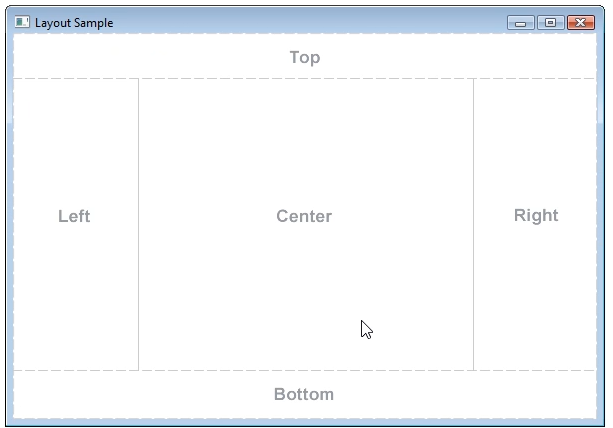
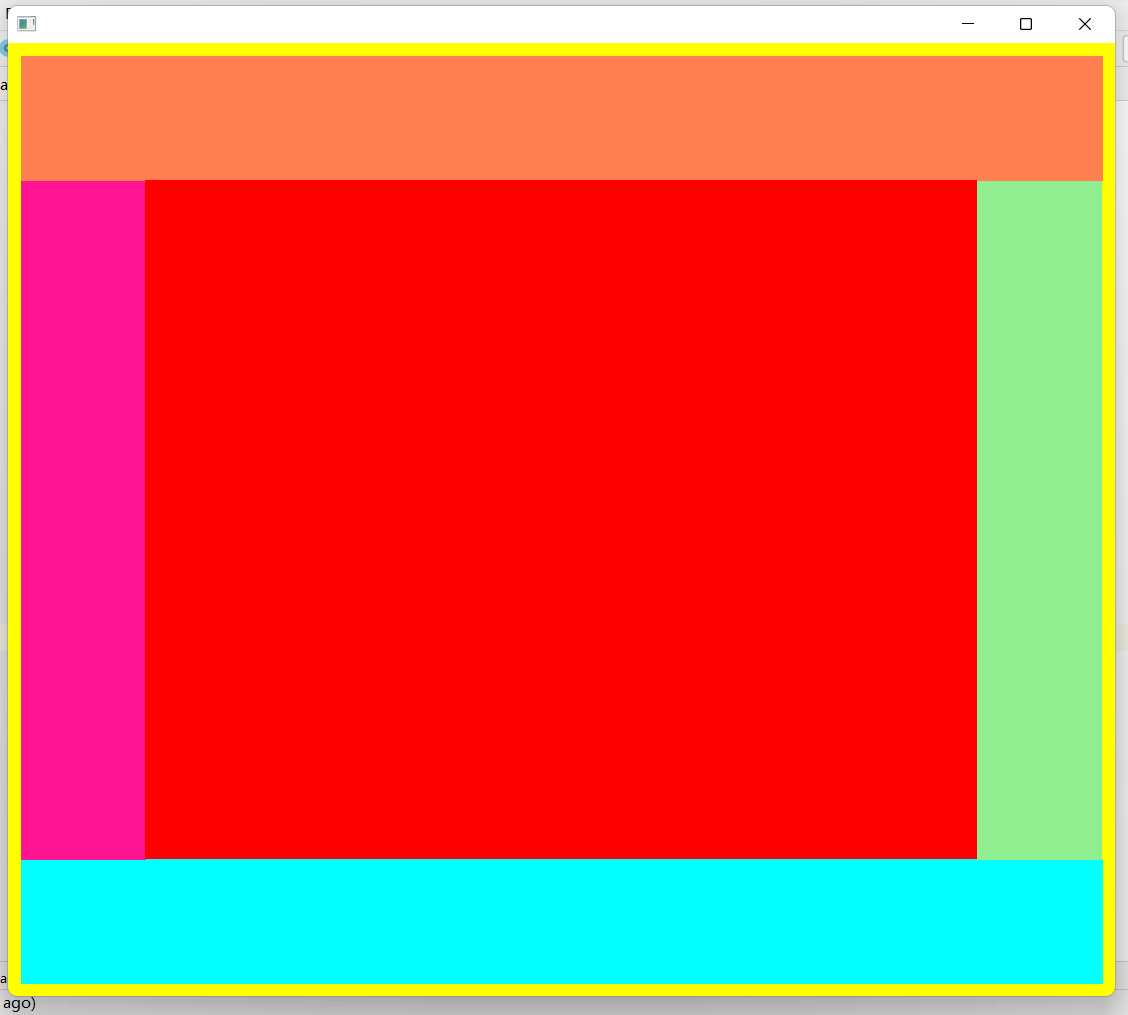
package com.example.demo2;import javafx.application.Application;import javafx.scene.Scene;import javafx.scene.layout.AnchorPane;import javafx.scene.layout.BorderPane;import javafx.stage.Stage;public class Main3 extends Application {public static void main(String[] args) {launch(args);}@Overridepublic void start(Stage stage) throws Exception {AnchorPane a1 = new AnchorPane();//橙色a1.setStyle("-fx-background-color: #ff7f50;");a1.setPrefHeight(100);a1.setPrefWidth(100);AnchorPane a2 = new AnchorPane();//蓝色a2.setStyle("-fx-background-color: #00ffff;");a2.setPrefHeight(100);a2.setPrefWidth(100);AnchorPane a3 = new AnchorPane();//粉色a3.setStyle("-fx-background-color: #ff1493;");a3.setPrefHeight(100);a3.setPrefWidth(100);AnchorPane a4 = new AnchorPane();//绿色a4.setStyle("-fx-background-color: #90ee90;");a4.setPrefHeight(100);a4.setPrefWidth(100);AnchorPane a5 = new AnchorPane();//红色a5.setStyle("-fx-background-color: #ff0000;");a5.setPrefHeight(100);a5.setPrefWidth(100);BorderPane bor =new BorderPane();//黄色bor.setStyle("-fx-background-color: #ffff00;");bor.setTop(a1);bor.setBottom(a2);bor.setLeft(a3);bor.setRight(a4);bor.setCenter(a5);Scene scene = new Scene(bor);stage.setScene(scene);stage.setHeight(800);stage.setWidth(900);stage.show();}}
 设置方位布局的内边距为10:
//黄色
        bor.setStyle("-fx-background-color: #ffff00;");
        bor.setPadding(new Insets(10));
        bor.setTop(a1);
        bor.setBottom(a2);
        bor.setLeft(a3);
        bor.setRight(a4);
        bor.setCenter(a5);
 设置顶部的外边距:
bor.setMargin(a1,new Insets(10));


若有收获,就点个赞吧
0 人点赞


