:::tips
用在一个线程等待另一个线程的执行结果
:::
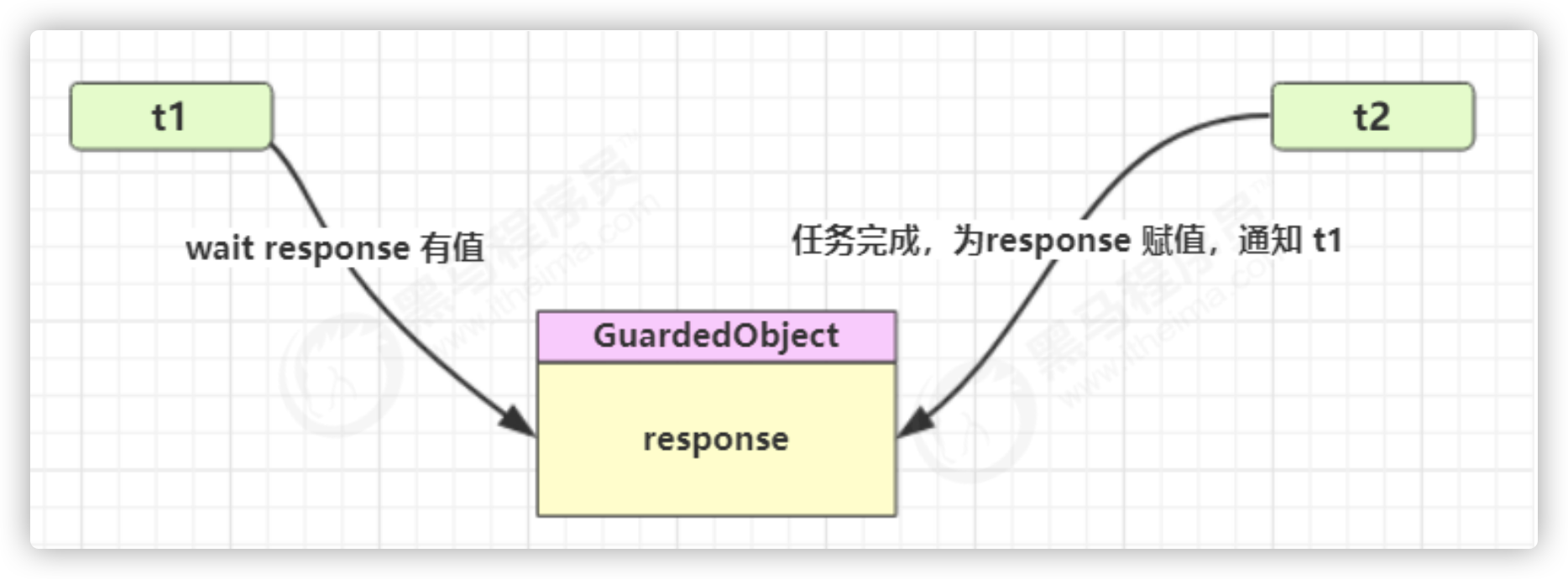
要点
- 有一个结果需要从一个线程传递到另一个线程,让他们关联同一个 GuardedObject
- 如果有结果不断从一个线程到另一个线程那么可以使用消息队列(见生产者/消费者)
- JDK 中,join 的实现、Future 的实现,采用的就是此模式
- 因为要等待另一方的结果,因此归类到同步模式
public class TestGuardedObject {public static void main(String[] args) {GuardedObject guardedObject = new GuardedObject();new Thread(() -> {try {List<String> response = download();log.debug("download complete...");guardedObject.complete(response);} catch (IOException e) {e.printStackTrace();}}).start();log.debug("waiting...");Object response = guardedObject.get();log.debug("get response: [{}] lines", ((List<String>) response).size());}}class GuardedObject {private Object response;private final Object lock = new Object();public Object get() {synchronized (lock) {// 条件不满足则等待while (response == null) {try {lock.wait();} catch (InterruptedException e) {e.printStackTrace();}}return response;}}public void complete(Object response) {synchronized (lock) {// 条件满足,通知等待线程this.response = response;lock.notifyAll();}}}public class Downloader {public static List<String> download() throws IOException {HttpURLConnection conn = (HttpURLConnection) new URL("https://www.baidu.com/").openConnection();List<String> lines = new ArrayList<>();try (BufferedReader reader =new BufferedReader(new InputStreamReader(conn.getInputStream(), StandardCharsets.UTF_8))) {String line;while ((line = reader.readLine()) != null) {lines.add(line);}}return lines;}}

若有收获,就点个赞吧
0 人点赞


