前我们说过一个vue文件就是一个组件, 那么组件是怎么组成完整页面的呢?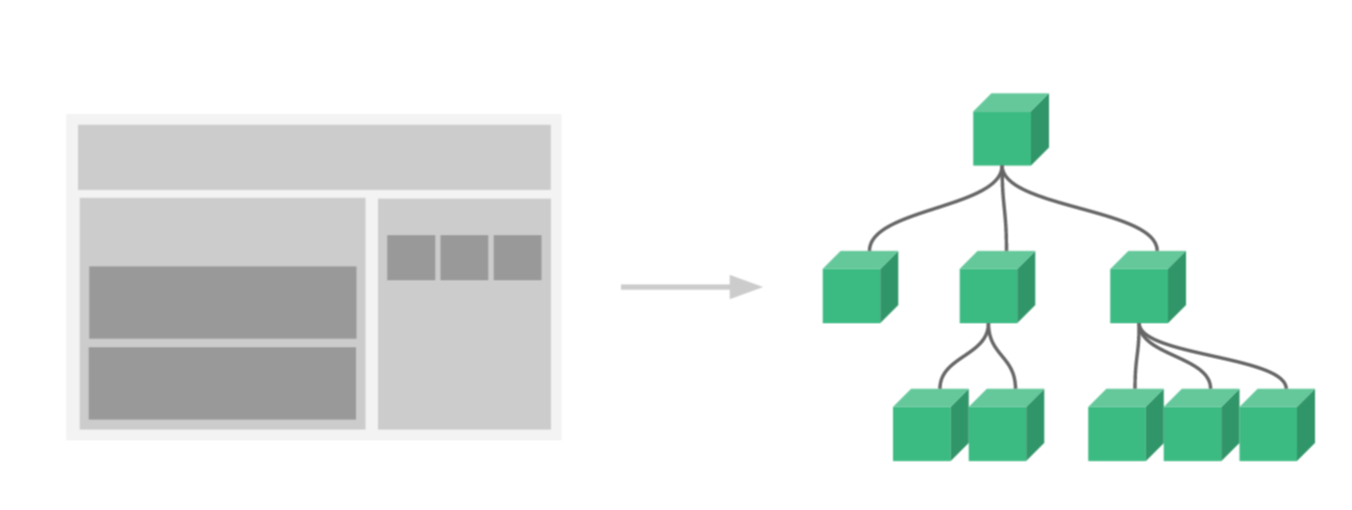
一般情况下, vue项目都是由一个根级组件嵌套多个子组件形成的, 当然子组件也可以嵌套子组件, 像树一样连接在一起形成页面.
组件的嵌套和复用(components)
写一个简单的组件, 文件名为Child.vue:
// components/Child.vue<template><h1 :style="{color:color}">{{content}}</h1></template><script>import { defineComponent } from "vue";export default defineComponent({data() {return {content: "hi vue",color: "#3eaf7c", // 绿色};},});</script>
在App.vue中引入Child.vue
<!-- App.vue -->
<template>
  <!-- 插入子组件 -->
  <Child/>
</template>

<script>
  import { defineComponent } from "vue";
  import Child from './Parent/Child.vue'
  export default defineComponent({
    // 注册子组件
    components:{Child},
  });
</script>
运行效果:
代码中做了2件事:
- 在js部分导入子组件, 然后通过”components”字段注册子组件.
- 在模板中以标签形式使用子组件,标签的名称要”components”中组件对应的键值名一致.
复用
实际上我们可以多次引用同一个组件: ```html
**预览效果**<br />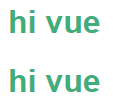<br />这里调用了2次**子组件,** 从这里很明显可以看出组件的优点:
1. 代码结构清晰.
1. 复用方便.
<a name="na6xx"></a>
## 通过props向子组件传数据
上面的例子中2个子组件的文字都是绿色, 这显然不是实际开发的常见情景, 所以我们需要想办法让组件"可定制",比如这样:<br />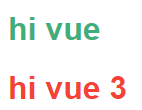<br />同样是调用2次"Child"组件, 但是这次在父组件中我们要给子组件传参数:
**子组件**<br />删除"data"字段, 使用"props"字段定义子组件的参数.
```html
<template>
<h1 :style="{color}">{{content}}</h1>
</template>
<script>
import { defineComponent } from "vue";
export default defineComponent({
props:{
content:{
type:String,
default:'hi vue'
},
color:{
type:String,
default:'#3eaf7c'
}
},
});
</script>
父组件
<template>
  <Child/>
  <Child color="#f44336" content="hi vue3" />
  <!-- 等价于 -->
  <Child :color="'#f44336'" :content="'hi vue3'" />
</template>

<script>
  import { defineComponent } from "vue";
  import Child from './Parent/Child.vue'
  export default defineComponent({
    components:{Child},
  });
</script>
注意看模板, 模板中我写了2种使用参数的方式:
- 带”:”表示”=”后面的内容是js代码.
- 不带”:” 那么”=”后面的内容是只能是字符串, 所以如果你传入的参数是”字符串字面量”, 那么可以省略”:”.
⚡ 在线视频

若有收获,就点个赞吧
0 人点赞


