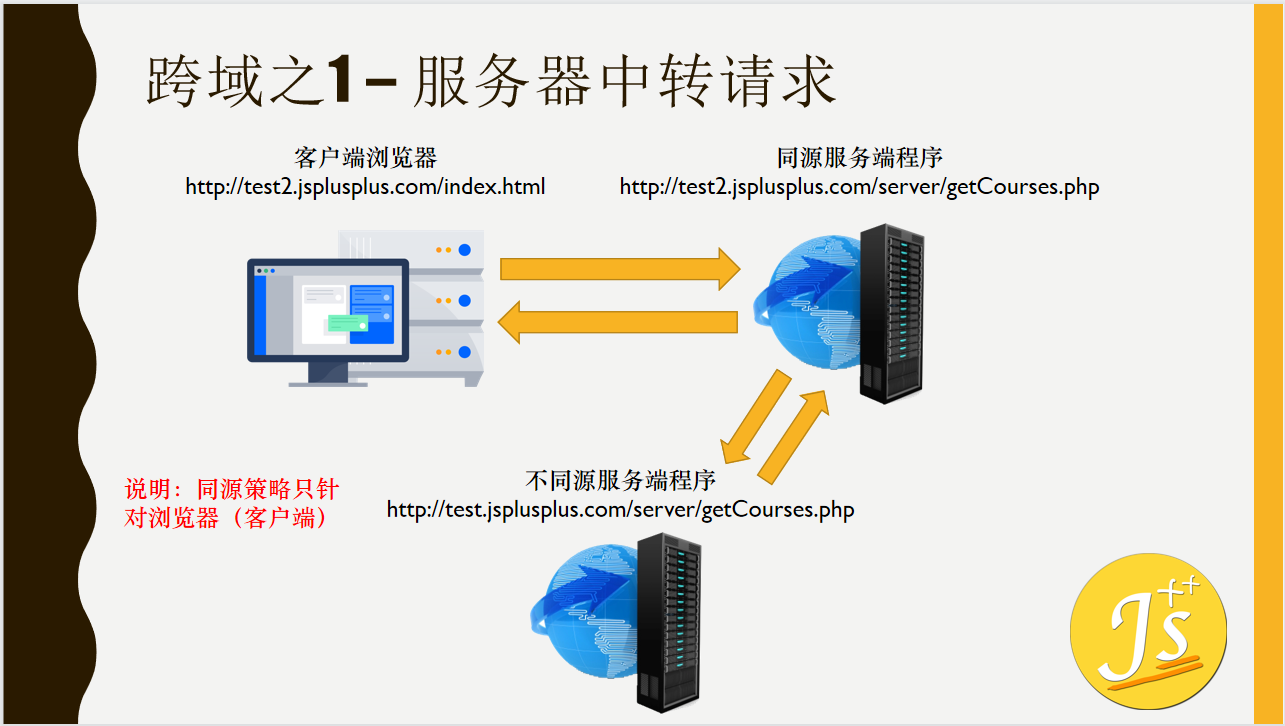
1.服务器中转
原理同源策略只针对浏览器 服务端不会存在跨域的问题
通过请求同源的接口 通过接口中转接口
请求页面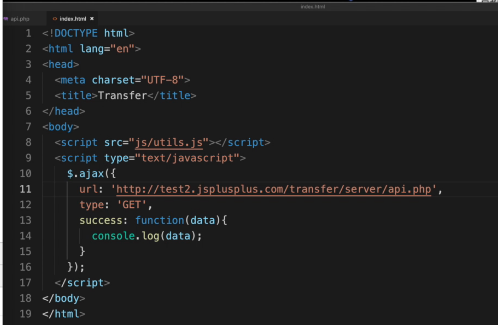
中转页面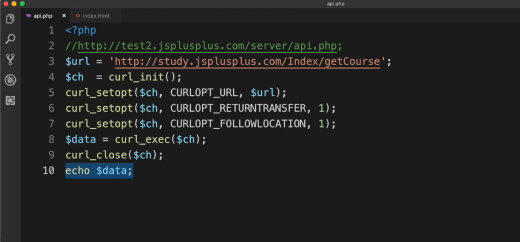
中转页面
2.基础域名相同的情况
解决方案:设置基础域名+iframe

原理
请求页面 http://test2.jsplus.com/index.html
//设置基础域名document.domain = 'jsplus.com'; //**var iframe = document.createElement('iframe');// iframe 引入与接口同源的的页面 1.设置相同的基础域名iframe.src = 'http://test.jsplus.com/index.html';iframe.id = 'myIframe';iframe.style.display = 'none';iframe.onload = function(){// 获取并使用iframe的ajax程序var $$ = document.getElementById('myIframe').contentWindows.$;$$.post('http://test.jsplus.com/get_courses1.php',{status:1,},function(data){console.log(data);});}document.body.appendChild(iframe);
被引入的请求页面 http://test.jsplus.com/index.html
<!DOCTYPE html>
<html lang="en">
<head>
    <meta charset="UTF-8">
    <meta http-equiv="X-UA-Compatible" content="IE=edge">
    <meta name="viewport" content="width=device-width, initial-scale=1.0">
    <title>Document</title>
</head>
<body>

</body>
<script>
       //设置基础域名
    document.domain = 'jsplus.com';
</script>
</html>
封装ajaxDomain函数
    var ajaxDomain = (function(){
        function createIframe(frameId,frameUrl){
            var frame = document.createElement('iframe');
            frame.scr = frameUrl;
            frame.id = frameId;
            frame.style.display = 'none';

            return frame;
        }
        return function(opt){
            document.domain =  opt.basicDomain;
            var frame = createIframe(opt.frameId,opt.frameUrl);
            frame.onload = function(){
                var $$ = document.getElementById(opt.frameId).contentWindows.$;
                $$.ajax({
                    url:opt.url,
                    type:opt.type,
                    data:opt.data,
                    success:opt.success,
                    error:opt.error
                })
            }
            document.body.appendChild(frame);
        }
    })();

    ajaxDomain({
        basicDomain : 'jsplus.com',
        frameUrl:'http://test.jsplus.com/index.html', //需要引入的请求的页面
        url:'http://test.jsplus.com/get_courses1.php', //需要请求的接口
        type:'POST',
        data:{
            status:1
        },
        success:function(data){
            console.log(data);
        },
        error:function(){
            console.log('error');
        }
    })
3. window.name+iframe 掌握
大量数据请求 不推荐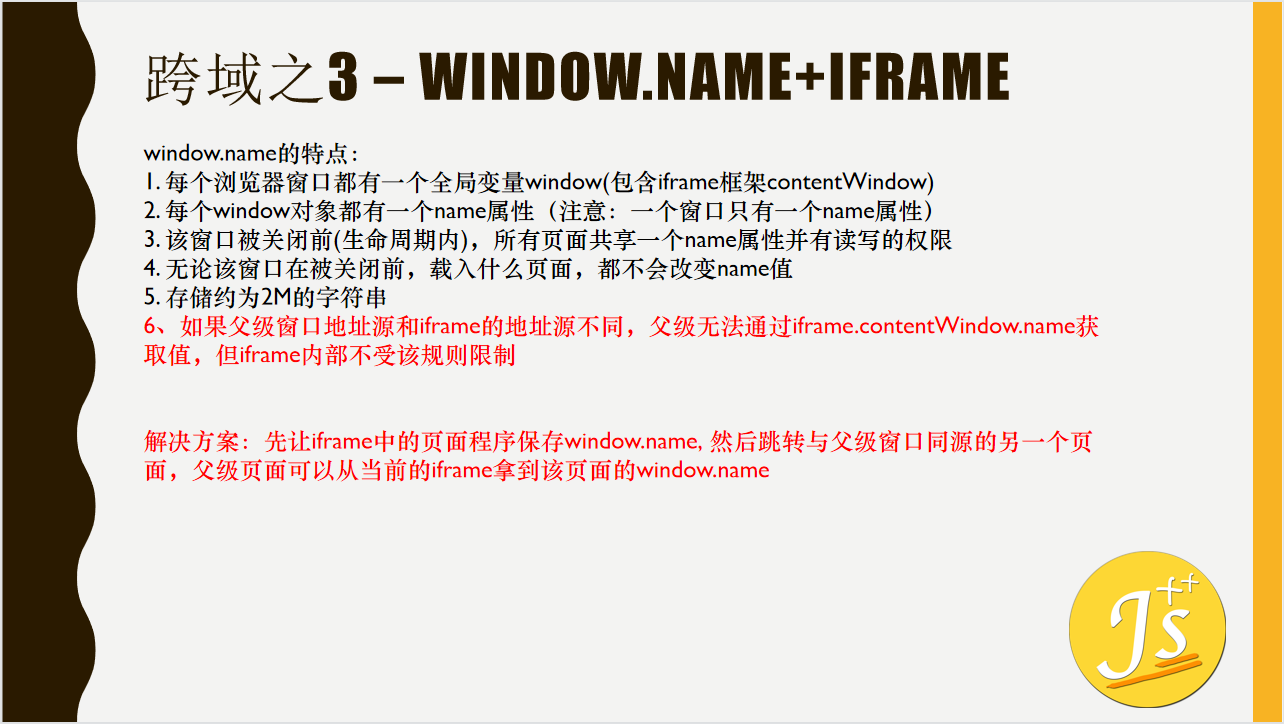

    var flag = false;

    var iframe = document.createElement('iframe');
    var getData = function () {
        if (flag) {
            // 5.报错获取来的数据
            var data = iframe.contentWindow.name;
            console.log(JSON.parse(data));
        }
        else {
            flag = true;
            setTimeout(function () {
                // 3.调转到与父元素同源的页面 4.再次load 请求getdata
                iframe.contentWindow.location = 'index2.html';
            }, 500);
        }
    }
    // 1.引用请求接口的页面 2.请求getData
    iframe.src = 'http://test.jsplusplus.com/index.html';

    iframe.style.display = 'none';

    // 兼容性判断
    // 判断是否有attachEvent方法
    if (iframe.attachEvent) {
        iframe.attachEvent('onload', getData);
        // 没有就使用onload句柄方式
    } else {
        iframe.onload = getData;
    }

    document.body.appendChild(iframe);
ajax请求页面
<script src="./untils.js"></script>
<script>
    $.post('http://test.jsplus.com/get_courses.php',{
        status:1
    },function(data){
        window.name = JSON.stringify(data);
    })
</script>
4.postmessage+iframe
不常用原因
1、伪造数据端漏洞 2、xss攻击 3、兼容性问题 

接收数据页面
<!DOCTYPE html>
<html lang="en">

<head>
    <meta charset="UTF-8">
    <meta http-equiv="X-UA-Compatible" content="IE=edge">
    <meta name="viewport" content="width=device-width, initial-scale=1.0">
    <title>postMessage</title>
</head>

<body>
    <iframe src="http://test.jsplus.com/index.html" id="iframe"></iframe>
</body>
<script src="./untils.js"></script>
<script>
    window.onmessage = function(e){
        var e = e || window.e;
        console.log(JSON.parse(e.data));
    }
</script>

</html>
请求数据页面
<!DOCTYPE html>
<html lang="en">

<head>
    <meta charset="UTF-8">
    <meta http-equiv="X-UA-Compatible" content="IE=edge">
    <meta name="viewport" content="width=device-width, initial-scale=1.0">
    <title>Document</title>
</head>

<body>

</body>
<script src="./untils.js"></script>
<script>
    $.post('http://test.jsplus.com/get_courses.php',{
        status:1
    },function(data){
        window.name = JSON.stringify(data);
        // window => iframe  windows.parent => 接收信息的主窗口

        // 接收方的的引用            要发送到接收方的数据 接收方的源
        window.parent.postMessage(JSON.stringify(data),'http://test2.jsplus.com/index.html')
    })
</script>

</html>
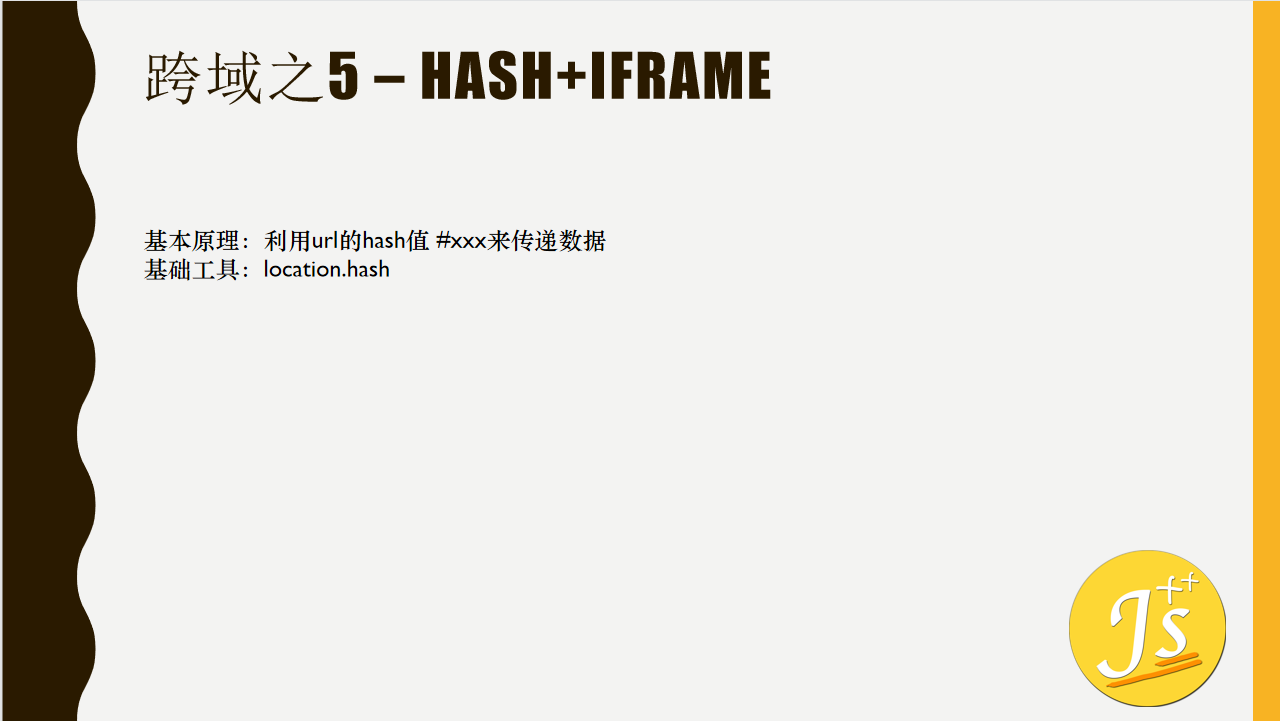
5.hash+iframe
 test2页面
<!DOCTYPE html>
<html lang="en">

<head>
    <meta charset="UTF-8">
    <meta http-equiv="X-UA-Compatible" content="IE=edge">
    <meta name="viewport" content="width=device-width, initial-scale=1.0">
    <title>Document</title>
</head>

<body>
    <!-- 引入test页面 -->
    <iframe src="http:test.jsplus.com/index.html#getCourses" frameborder="0"></iframe>
</body>
<script src="./untils.js"></script>
<script>
    var oBtn = document.getElementById('btn');
    oBtn.onclick = function () {
        console.log(JSON.parse(decodeURI(location.hash.substring(1))));
    }
</script>

</html>
test页面
<!DOCTYPE html>
<html lang="en">

<head>
    <meta charset="UTF-8">
    <meta http-equiv="X-UA-Compatible" content="IE=edge">
    <meta name="viewport" content="width=device-width, initial-scale=1.0">
    <title>Document</title>
</head>

<body>
    <!-- 引入test页面 -->
    <iframe src="http:test2.jsplus.com/index2.html" id="iframe" frameborder="0"></iframe>
</body>
<script src="./untils.js"></script>
<script>
    var hash = location.hash.substring(1),
        iframe = document.getElementById('iframe');

    switch (hash) {
        case 'getCourses':
            $.post('http://test.jsplus.com/get_courses.php', {
                status: 1
            }, function (data) {
                var str = JSON.stringify(data);
                iframe.src = 'http://test2.jsplus.com/hash/index.html#' + str;
            })
    }
</script>

</html>
index2页面
<!DOCTYPE html>
<html lang="en">

<head>
    <meta charset="UTF-8">
    <meta http-equiv="X-UA-Compatible" content="IE=edge">
    <meta name="viewport" content="width=device-width, initial-scale=1.0">
    <title>Document</title>
</head>

<body>
    <script>
        setTimeout(function () {
            // window.parent ==> parent    windows ==> >self
            parent.parent.location.hash = self.location.hash.substring(1);
        }, 300)
    </script>
</body>

</html>
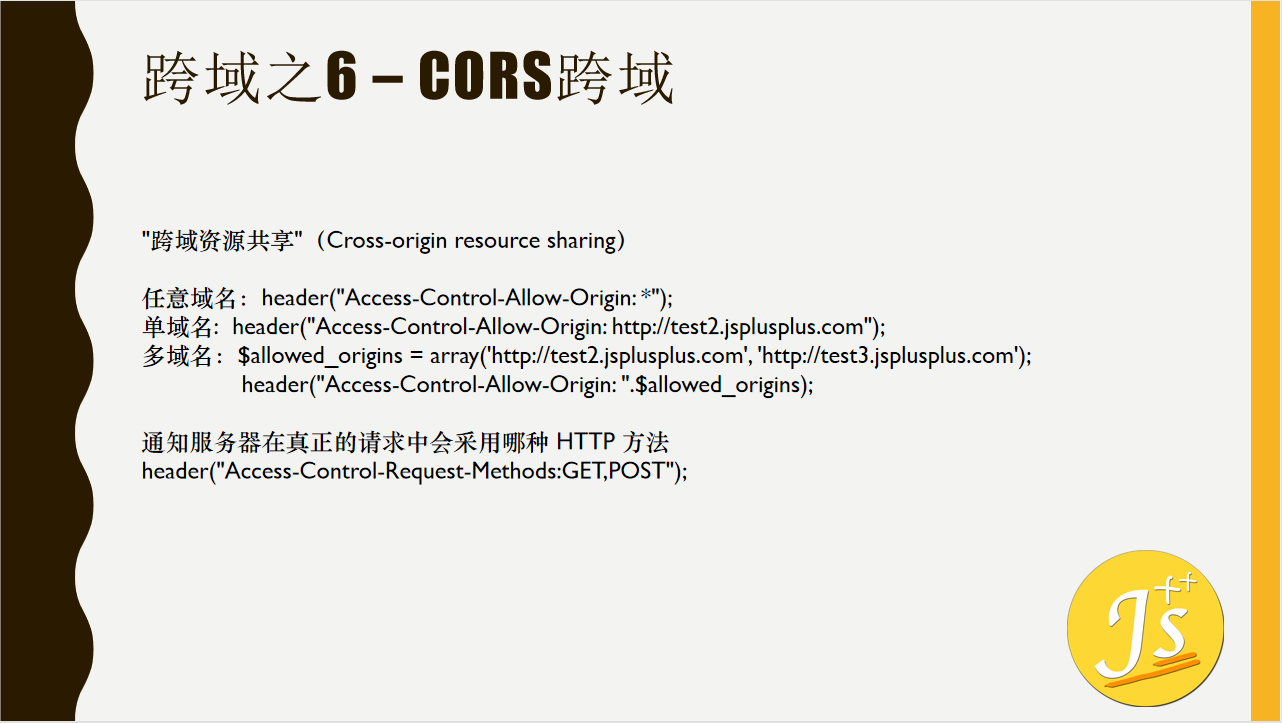
6.CORS跨域
7.JSONP
1.4中不受同源策略影响的标签 img iframe script link
2.JSONP 只适用于get 请求
8.flash跨域

若有收获,就点个赞吧
0 人点赞


