3.2.1 检查现有 pod 的 YAML 描述文件
$ kubectl get pod hello-node-86ddc8d867-rkfq6 -o yaml
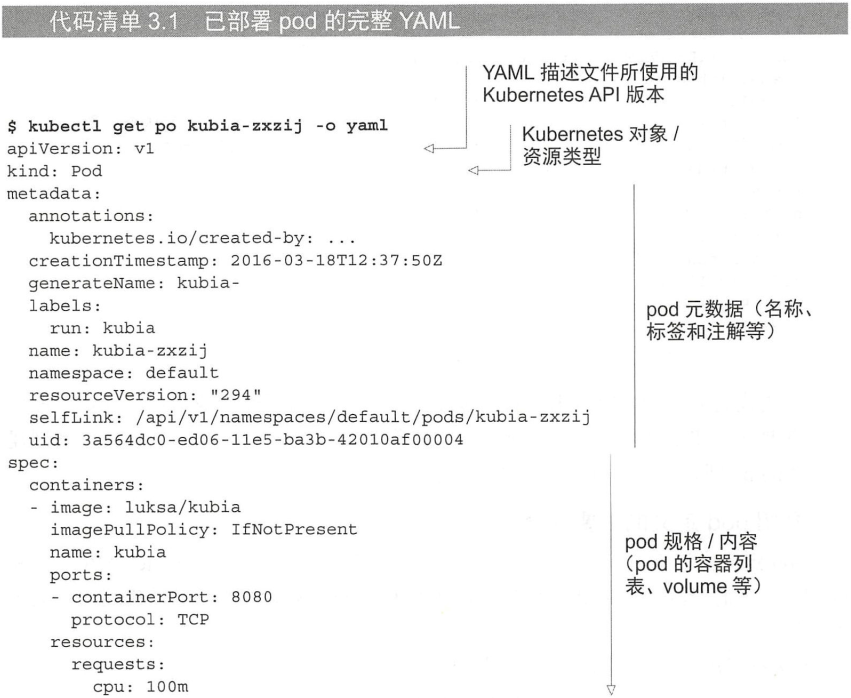
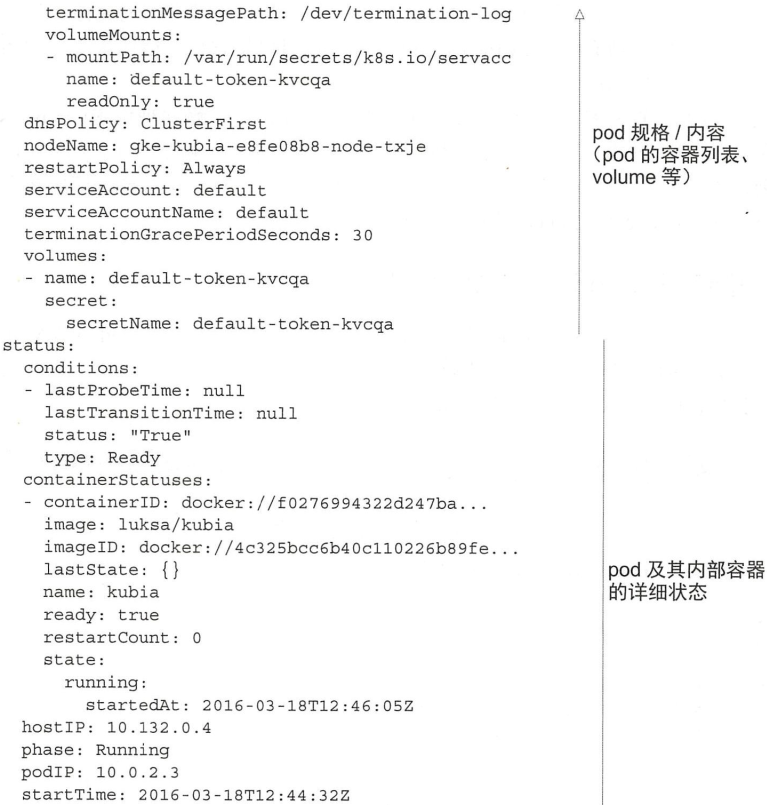
介绍 pod 定义的主要部分
- Kubernetes API 版本, 资源类型
- metadata
- spec
- status (创建时不需要提供)
3.2.2 为 pod 创建一个简单的 YAML 描述文件
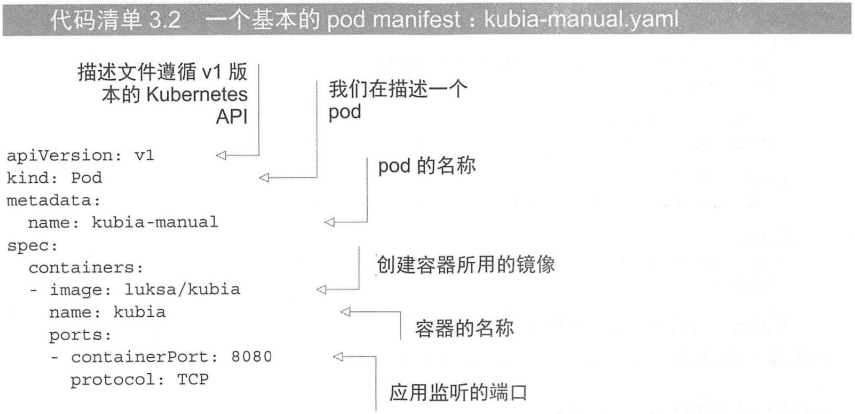
模仿:
apiVersion: v1kind: Podmetadata:name: hello_podspec:containers:- image: jdxj/study_kubernetes:v0.1.0name: test_study_k8sports:- containerPort: 8080protocol: TCP
指定容器端口
- spec 中指定的端口是展示性的
查看 yaml 中各字段的含义:
$ kubectl explain pods
$ kubectl explain pod.spec
3.2.3 使用 kubectl create 来创建 pod
$ kubectl create -f main-manual.yaml
pod/hello-pod created
得到运行中 pod 的完整定义
$ kubectl get po hello-pod -o yaml
在 pod 列表中查看新创建的 pod
$ kubectl get pods
NAME                          READY   STATUS    RESTARTS   AGE
hello-node-86ddc8d867-rkfq6   1/1     Running   1          20h
hello-pod                     1/1     Running   0          5m53s
3.2.4 查看应用程序日志
使用 kubectl logs 命令获取 pod 日志
$ kubectl logs hello-pod
[GIN-debug] [WARNING] Running in "debug" mode. Switch to "release" mode in production.
 - using env:    export GIN_MODE=release
 - using code:    gin.SetMode(gin.ReleaseMode)

[GIN-debug] GET    /                         --> main.hello (1 handlers)
[GIN-debug] Listening and serving HTTP on :8080
获取多容器 pod 的日志时指定容器名称
-c 选项:
$ kubectl logs hello-pod -c test-study-k8s
[GIN-debug] [WARNING] Running in "debug" mode. Switch to "release" mode in production.
 - using env:    export GIN_MODE=release
 - using code:    gin.SetMode(gin.ReleaseMode)

[GIN-debug] GET    /                         --> main.hello (1 handlers)
[GIN-debug] Listening and serving HTTP on :8080
如果想要持久化日志, 那么需要设置集群日志系统, 17章.
3.2.5 向 pod 发送请求
将本地网络端口转发到 pod 中的端口
不通过 service 的情况下与某个特定的 pod 进行通信.
$ kubectl port-forward hello-pod 8888:8080
Forwarding from 127.0.0.1:8888 -> 8080
Forwarding from [::1]:8888 -> 8080
# 是阻塞的
通过端口转发连接到 pod
$ curl localhost:8888
{"message":"ok"}
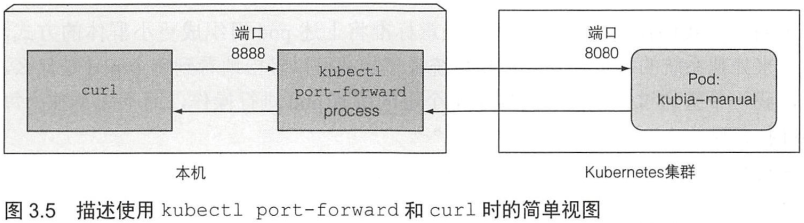
很神奇, 因为该 pod 运行在 minikube vm 中, 很好奇整个路由是怎样的.
简化的视图:

若有收获,就点个赞吧
0 人点赞


