3.7.1 了解对命名空间的需求
将资源分配为生产, 开发和 QA 环境.
3.7.2 发现其他命名空间及其 pod
列出集群中所有命名空间:
$ kubectl get nsNAME STATUS AGEdefault Active 46hkube-node-lease Active 46hkube-public Active 46hkube-system Active 46hkubernetes-dashboard Active 24h
列出指定 ns 中的 pod:
- 也可以使用
-n
$ kubectl get po --namespace kube-systemNAME READY STATUS RESTARTS AGEcoredns-74ff55c5b-hxsrg 1/1 Running 2 46hetcd-minikube 1/1 Running 2 46hkube-apiserver-minikube 1/1 Running 2 46hkube-controller-manager-minikube 1/1 Running 2 46hkube-proxy-zctp7 1/1 Running 2 46hkube-scheduler-minikube 1/1 Running 2 46hmetrics-server-56c4f8c9d6-mxtqq 0/1 ImagePullBackOff 0 23hstorage-provisioner 1/1 Running 4 46h
3.7.3 创建一个命名空间
从 YAML 文件创建命名空间
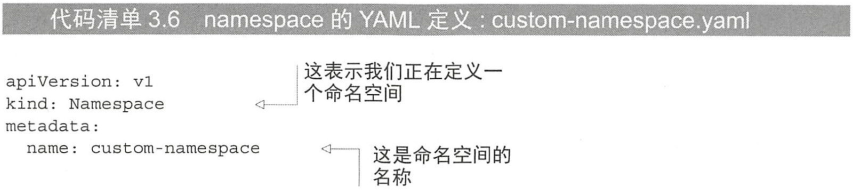
模拟:
apiVersion: v1kind: Namespacemetadata:name: custom-namespace
创建:
$ kubectl create -f custom-namespace.yaml
namespace/custom-namespace created
使用 kubernetes create namespace 命名创建命名空间
$ kubectl create namespace custom-namespace-v2
namespace/custom-namespace-v2 created
注意命名规则: RFC1035
3.7.4 管理其他命名空间中的对象
在指定的命名空间中创建资源, 可以在 yaml 中 metadata 下添加 namespace: custom-namespace 属性, 也可以使用命名:
$ kubectl create -f main-manual.yaml -n custom-namespace
pod/hello-pod created
kubectl 上下文:
kubectl config
3.7.5 命名空间提供的隔离
命名空间的隔离不是开箱即用的, 只是逻辑上隔离, 物理上 (比如网络) 不是隔离的.

若有收获,就点个赞吧
0 人点赞


