pod 应该不关心主机的文件系统, 但是系统级的 pod 需要.
6.3.1 介绍 hostPath 卷
hostPath 卷指向节点文件系统上的特定文件或目录.

删除 pod 后主机上的文件保留.
注意数据库 pod 使用卷的方式.
6.3.2 检查使用 hostPath 卷的系统 pod
- 列出 pod
$ kubectl get pods --namespace kube-systemNAME READY STATUS RESTARTS AGEcoredns-74ff55c5b-hxsrg 1/1 Running 5 4d22hetcd-minikube 0/1 Running 5 4d22hingress-nginx-admission-create-g7vtb 0/1 Completed 0 46hingress-nginx-admission-patch-65rxm 0/1 Completed 0 46hingress-nginx-controller-65cf89dc4f-7mnlz 0/1 ImagePullBackOff 0 46hkube-apiserver-minikube 1/1 Running 5 4d22hkube-controller-manager-minikube 0/1 Running 5 4d22hkube-proxy-zctp7 1/1 Running 5 4d22hkube-scheduler-minikube 0/1 Running 5 4d22hmetrics-server-56c4f8c9d6-mxtqq 0/1 ImagePullBackOff 0 4dstorage-provisioner 1/1 Running 10 4d22h
有错误?

- 查看使用的卷
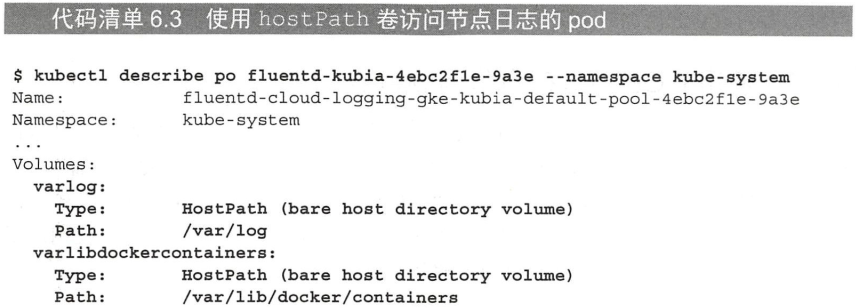
$ kubectl describe po etcd-minikube --namespace kube-system...Volumes:etcd-certs:Type: HostPath (bare host directory volume)Path: /var/lib/minikube/certs/etcdHostPathType: DirectoryOrCreateetcd-data:Type: HostPath (bare host directory volume)Path: /var/lib/minikube/etcdHostPathType: DirectoryOrCreate....

若有收获,就点个赞吧
0 人点赞


