[]:https://github.com/happyfish100/fastdfs-client-java:https://github.com/bojiangzhou/lyyzoo-fastdfs-java
<dependency><groupId>net.oschina.zcx7878</groupId><artifactId>fastdfs-client-java</artifactId><version>1.27.0.0</version></dependency>[配置]:直接复制包下的 fastdfs-client.properties.sample 或者 fdfs_client.conf.sample 到项目:配置 tracker_servers
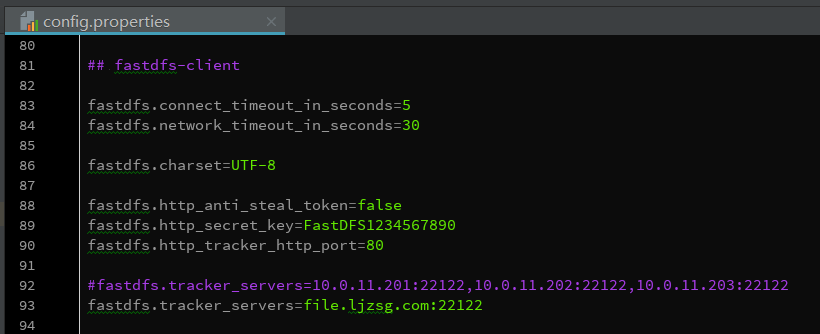
[]// FastDFS的权限控制是在服务端开启token验证, 客户端根据文件名、当前unix时间戳、秘钥获取token// 在地址中带上token参数即可通过http方式访问文件[服务端开启token验证]:vim /etc/fdfs/http.conf设置为true表示开启token验证http.anti_steal.check_token=true设置token失效的时间单位为秒(s)http.anti_steal.token_ttl=1800密钥,跟客户端配置文件的fastdfs.http_secret_key保持一致http.anti_steal.secret_key=FASTDFS1234567890如果token检查失败,返回的页面http.anti_steal.token_check_fail=/ljzsg/fastdfs/page/403.html[配置客户端]# token 防盗链功能fastdfs.http_anti_steal_token=true# 密钥fastdfs.http_secret_key=FASTDFS1234567890[客户端生成token]// 访问文件需要带上生成的token以及unix时间戳,所以返回的token是token和时间戳的拼接file.ljzsg.com/group1/M00/00/00/wKgzgFnkaXqAIfXyAAEoRmXZPp878.jpeg?token=078d370098b03e9020b82c829c205e1f&ts=1508141521

若有收获,就点个赞吧
0 人点赞


