注册中心主要操作
- 服务注册
- 服务续约
- 服务剔除
- 服务下线
- 服务发现
- 集群信息同步
一、了解Eureka
1.1 简介
Eureka是Netflix开源的一款提供服务注册和发现的产品,它提供了完整的Service Registry和Service Discovery实现。也是springcloud体系中最重要最核心的组件之一。
详情请看https://github.com/Netflix/eureka/wiki/Eureka-at-a-glance
1.2 作为服务注册中心有哪些实现?
- Eureka (2.0 版本不再更新)
Eureka是Netflix开源的一款提供服务注册和发现的产品,它提供了完整的Service Registry和Service Discovery实现。也是springcloud体系中最重要最核心的组件之一。
- spring-cloud-alibaba Nacos
该项目通过自动配置以及其他 Spring 编程模型的习惯用法为 Spring Boot 应用程序在服务注册与发现方面提供和 Nacos 的无缝集成。 通过一些简单的注解,您可以快速来注册一个服务,并使用经过双十一考验的 Nacos 组件来作为大规模分布式系统的服务注册中心。
- Spring Cloud Consul
Consul是由HashiCorp基于Go语言开发的支持多数据中心分布式高可用的服务发布和注册服务软件, 采用Raft算法保证服务的一致性,且支持健康检查。
- Spring Cloud Zookeeper
zookeeper它是一个分布式服务框架,是Apache Hadoop 的一个子项目,它主要是用来解决分布式应用中经常遇到的一些数据统一管理问题,简单来说zookeeper=文件系统+监听通知机制。
二、案例实践
2.1 启动一个简单的Eureka Server
这里使用的SpringBoot 的版本为2.1.4.RELEASE ,SpringCloud版本为Greenwich.SR1
- 创建SpringBoot eureka-server
pom.xml ```xml <?xml version=”1.0” encoding=”UTF-8”?>
4.0.0 <groupId>org.springframework.boot</groupId><artifactId>spring-boot-starter-parent</artifactId><version>2.1.4.RELEASE</version><relativePath/> <!-- lookup parent from repository -->
cn.hdj eureka-server 0.0.1-SNAPSHOT eureke-server Demo project for Spring Boot UTF-8 UTF-8 1.8 Greenwich.SR1 org.springframework.boot spring-boot-starter-web org.springframework.cloud spring-cloud-starter-netflix-eureka-server org.springframework.boot spring-boot-starter-test test <dependencies><dependency><groupId>org.springframework.cloud</groupId><artifactId>spring-cloud-dependencies</artifactId><version>${spring-cloud.version}</version><type>pom</type><scope>import</scope></dependency></dependencies>
org.springframework.boot spring-boot-maven-plugin
- 添加启动代码中添加@EnableEurekaServer注解,注册为服务中心```java@SpringBootApplication@EnableEurekaServer //标识为EurekaServerpublic class EurekaServerApplication {public static void main(String[] args) {SpringApplication.run(EurekaServerApplication.class, args);}}
配置文件application.yml(程序启动后,再读取的配置)
server:port: 8761 #使用默认端口eureka:client:#表示是否将自己注册到Eureka Server,默认为true。registerWithEureka: false#表示是否从Eureka Server获取注册信息,默认为true。fetchRegistry: false
bootstrap.yml (程序启动时,需要读取的配置)
spring:application:name: eureka-server
更多的参数选项请查看EurekaInstanceConfigBean and EurekaClientConfigBean
启动程序访问: http://localhost:8761
可以看到下面的页面,其中还没有发现任何服务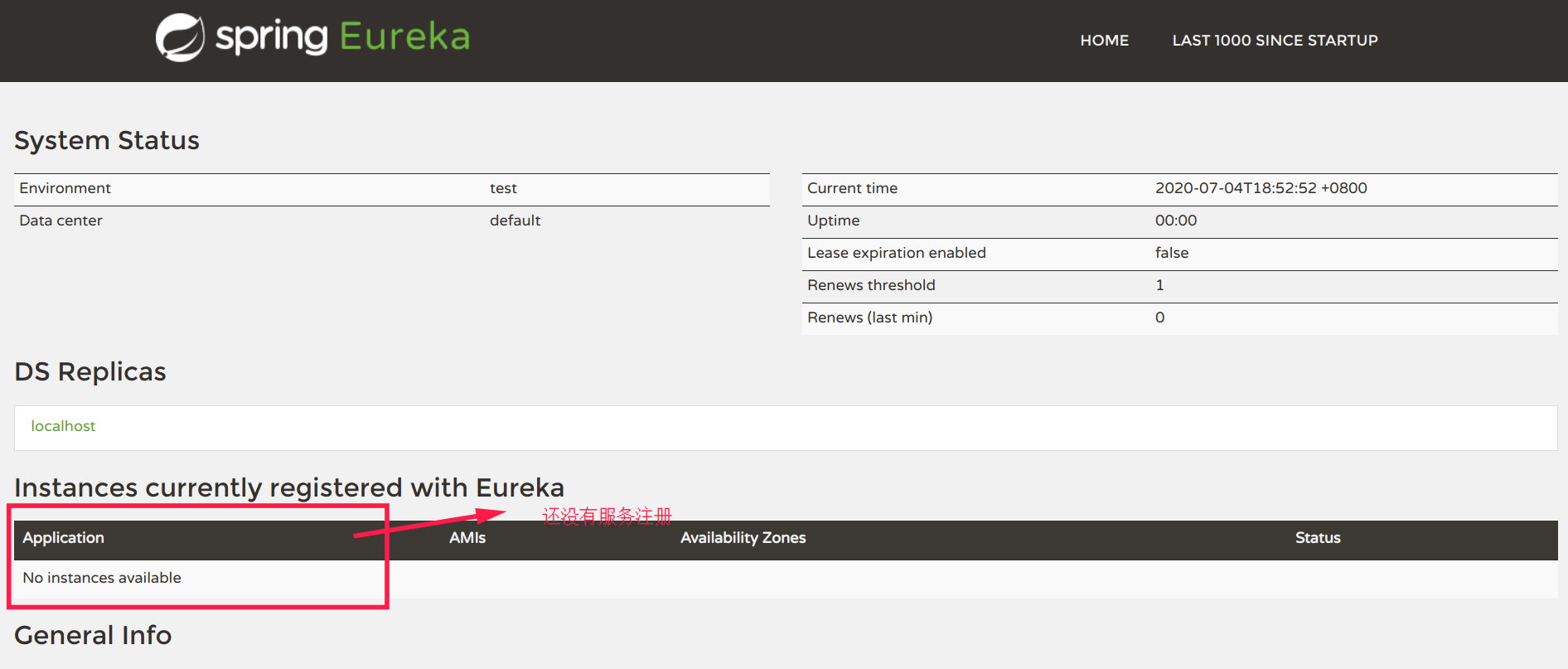
2.2 将服务注册到 Eureka Server
- 创建SpringBoot项目 euraka-waiter-service
pom.xml ```xml <?xml version=”1.0” encoding=”UTF-8”?>
4.0.0 <groupId>org.springframework.boot</groupId><artifactId>spring-boot-starter-parent</artifactId><version>2.1.4.RELEASE</version><relativePath/> <!-- lookup parent from repository -->
cn.hdj euraka-waiter-service 0.0.1-SNAPSHOT eurakaWaiterService euraka-waiter-service 1.8 Greenwich.SR1 <dependency><groupId>org.springframework.boot</groupId><artifactId>spring-boot-starter-web</artifactId></dependency><dependency><groupId>org.springframework.cloud</groupId><artifactId>spring-cloud-starter-netflix-eureka-client</artifactId></dependency><dependency><groupId>org.springframework.boot</groupId><artifactId>spring-boot-starter-test</artifactId><scope>test</scope><exclusions><exclusion><groupId>org.junit.vintage</groupId><artifactId>junit-vintage-engine</artifactId></exclusion></exclusions></dependency>
<dependencies><dependency><groupId>org.springframework.cloud</groupId><artifactId>spring-cloud-dependencies</artifactId><version>${spring-cloud.version}</version><type>pom</type><scope>import</scope></dependency></dependencies>
org.springframework.boot spring-boot-maven-plugin
- 添加启动代码中添加@EnableDiscoveryClient注解,注册到服务中心```java@EnableDiscoveryClient@SpringBootApplicationpublic class EurakaWaiterServiceApplication {public static void main(String[] args) {SpringApplication.run(EurakaWaiterServiceApplication.class, args);}}
配置文件application.yml
server:port: 0 #随机端口
bootstrap.yml
spring:application:name: waiter-service
启动 eureka-server 项目
- 再启动 euraka-waiter-service
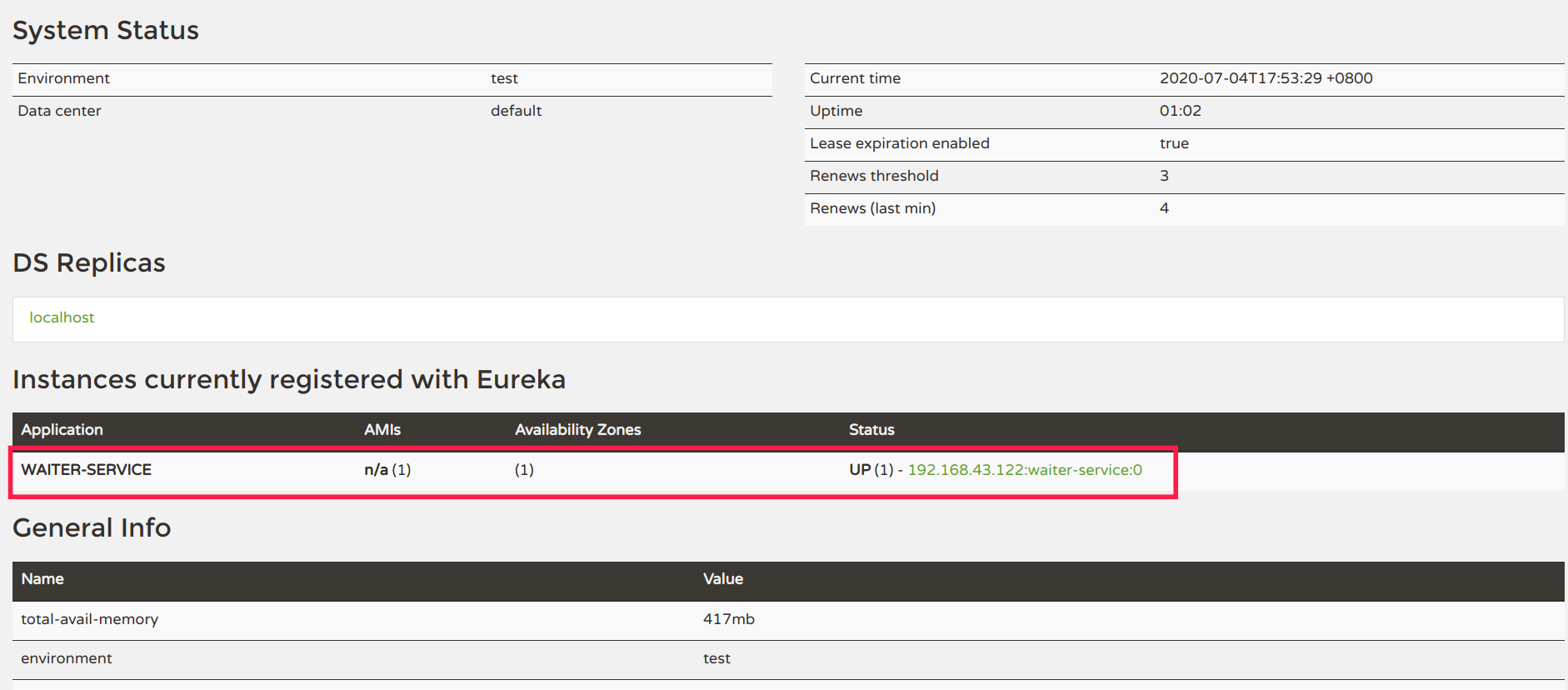
2.3 创建集群版Eureka Server
2.2.1 双节点Eureka Server的创建 (eureka-server-two)
创建application-peer1.properties,作为peer1服务中心的配置,并将serviceUrl指向peer2
server:port: 8001spring:application:name: spring-cloud-eurekaeureka:instance:hostname: peer1client:serviceUrl:defaultZone: http://peer2:8002/eureka/
创建application-peer2.properties,作为peer2服务中心的配置,并将serviceUrl指向peer1
server:port: 8002spring:application:name: spring-cloud-eurekaeureka:instance:hostname: peer2client:serviceUrl:defaultZone: http://peer1:8001/eureka/
配置hosts
Window下配置: 自行搜索
Linux 下配置
sudo vim /etc/hosts#添加以下映射127.0.0.1 peer1127.0.0.1 peer2
- 打包启动
IDEA 中配置peer1 和peer2 ,然后分别启动
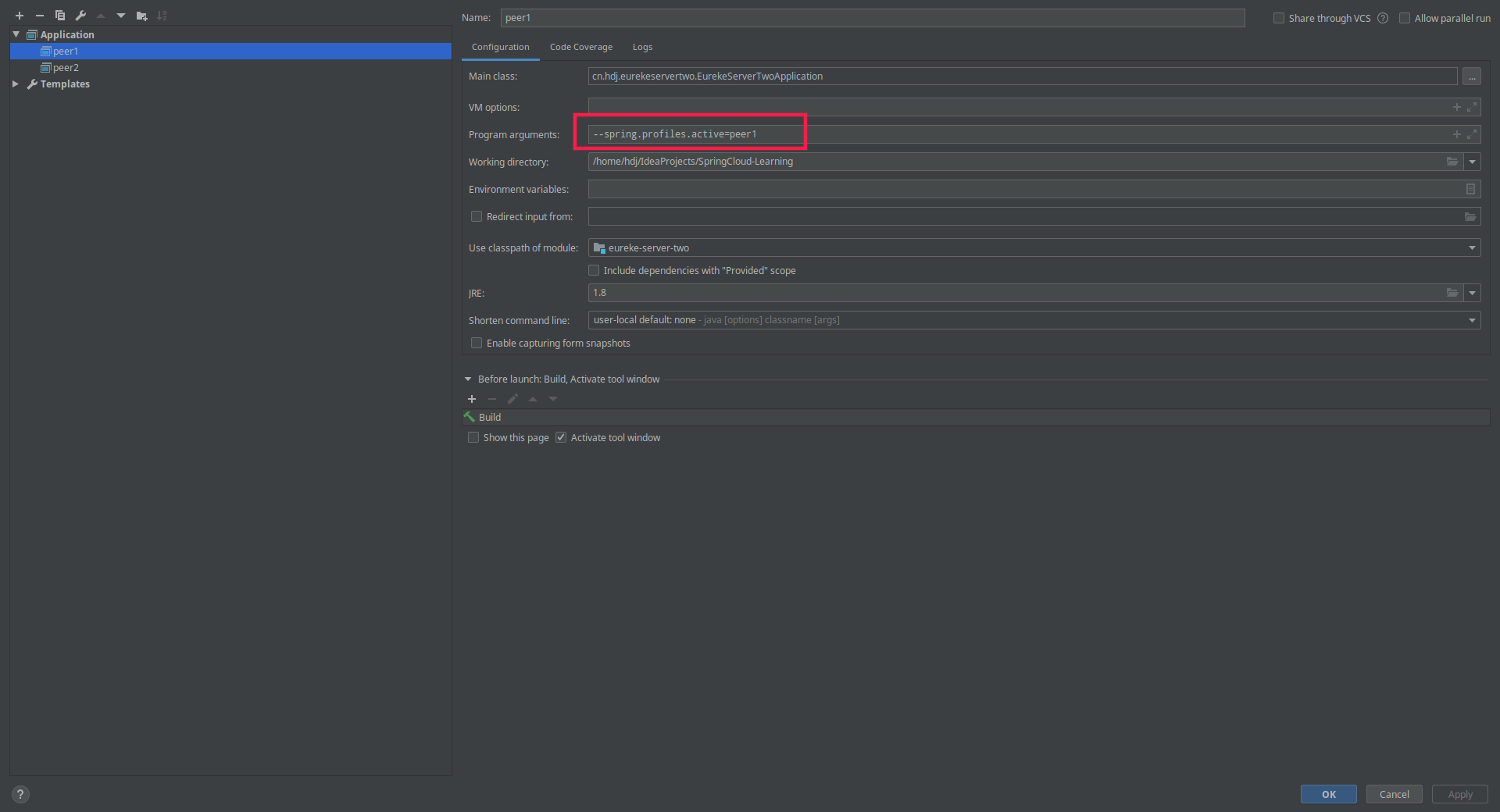
都启动后访问: http://peer1:8001/ 就能看到peer2 节点信息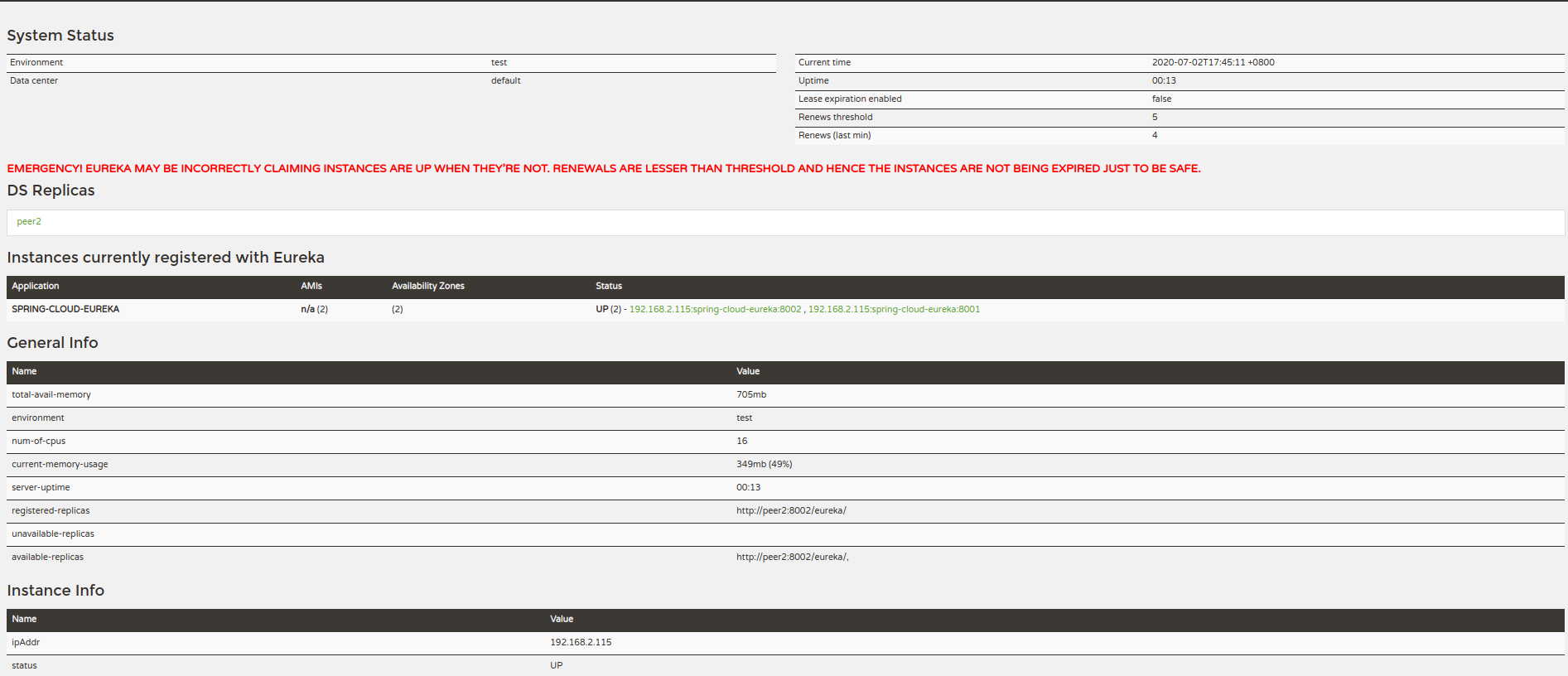
当我们手动停止peer2 节点后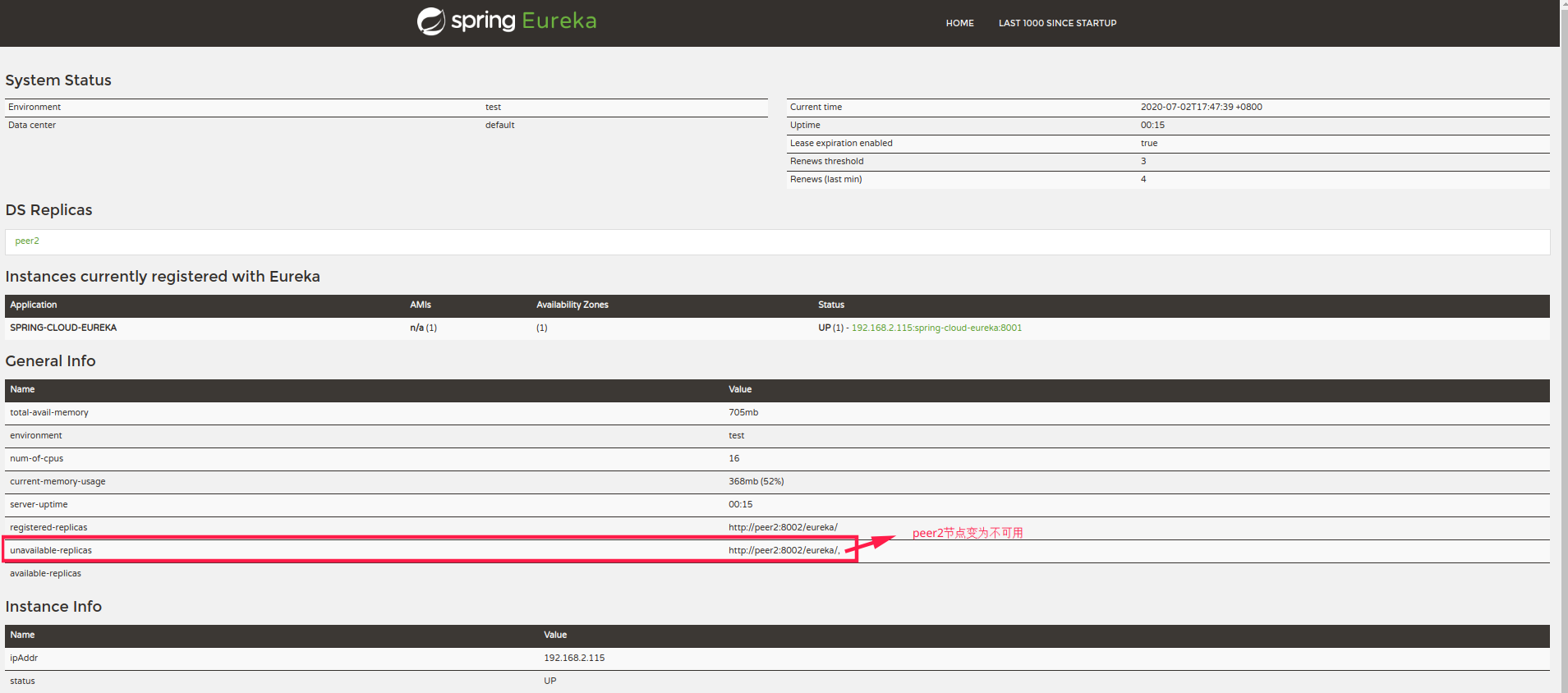
也可以使用maven 打为jar包
#打包mvn clean package -Dmaven.test.skip=true# 分别以peer1和peeer2 配置信息启动eurekajava -jar ./target/eureke-server-two-0.0.1-SNAPSHOT.jar --spring.profiles.active=peer1java -jar ./target/eureke-server-two-0.0.1-SNAPSHOT.jar --spring.profiles.active=peer2
到此双节点的配置完成
2.2.2 配置三个节点
- 修改配置
application-peer1.yml
server:port: 8001spring:application:name: spring-cloud-eurekaeureka:instance:hostname: peer1client:serviceUrl:defaultZone: http://peer2:8002/eureka/,http://peer3:8003/eureka/
application-peer2.yml
server:port: 8002spring:application:name: spring-cloud-eurekaeureka:instance:hostname: peer2client:serviceUrl:defaultZone: http://peer1:8001/eureka/,http://peer3:8002/eureka/
application-peer3.yml
spring:application:name: spring-cloud-eurekaprofiles: peer3server:port: 8003eureka:instance:hostname: peer3client:serviceUrl:defaultZone: http://peer1:8001/eureka/,http://peer2:8002/eureka/
- 重新像两个节点时一样打包运行, 然后访问http://peer1:8001/
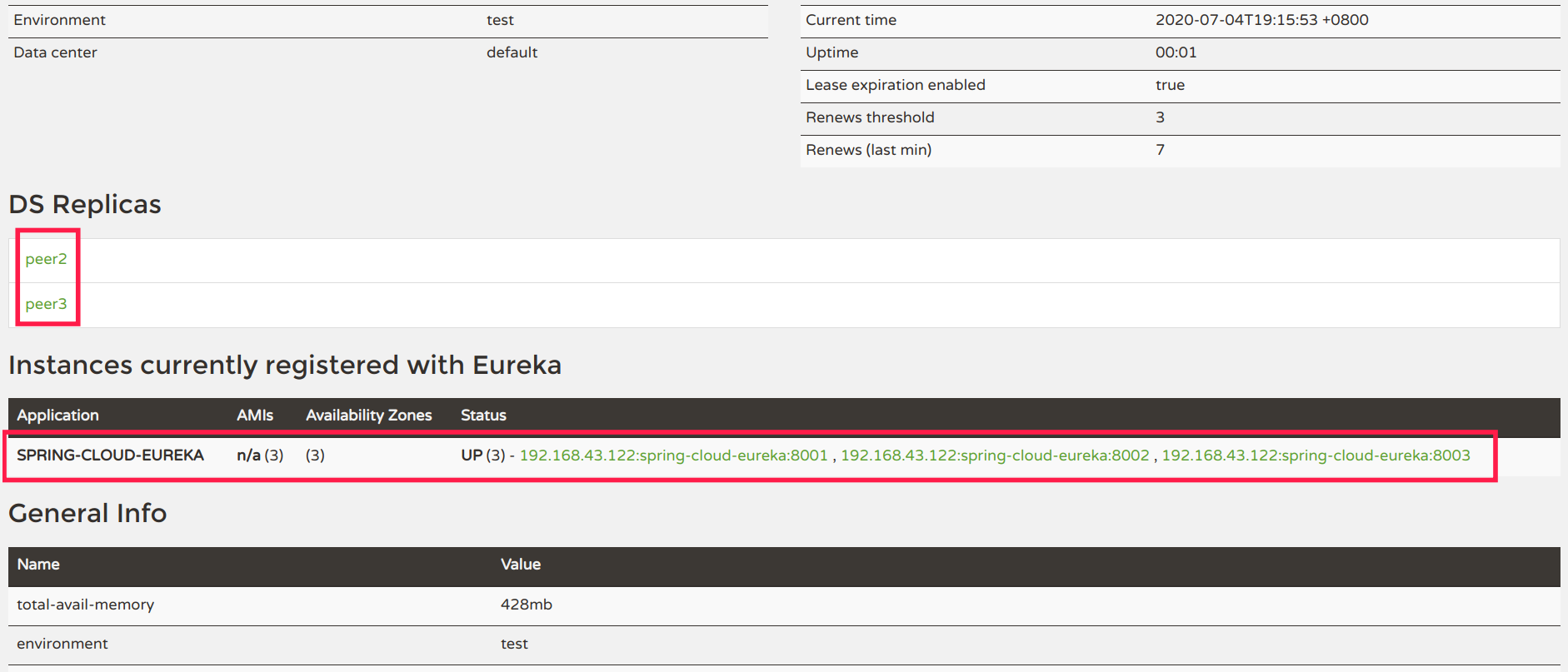
集群配置完成
项目地址
https://github.com/h-dj/SpringCloud-Learning
参考

若有收获,就点个赞吧
0 人点赞


