WRITE BY:20级蔡经浩
QQ:2189665826
Special Thanks:刘科征老师
🥰课🥰程🥰资🥰源🥰(持续更新中🥵)
虚拟现实技术课程资源1.zip
虚拟现实技术课程资源2.zip
虚拟现实技术课程资源3.zip
虚拟现实技术课程资源4.zip
…………
[20220403~20220403] 完成初版
资源声明
本场景为一个简易的FPS游戏,代码包括了基础FPS功能的实现。
笔者的unity版本为2020.3.30f1c1LTS
基础知识
unity引擎使用的是C#代码
unity的继承方式如图所示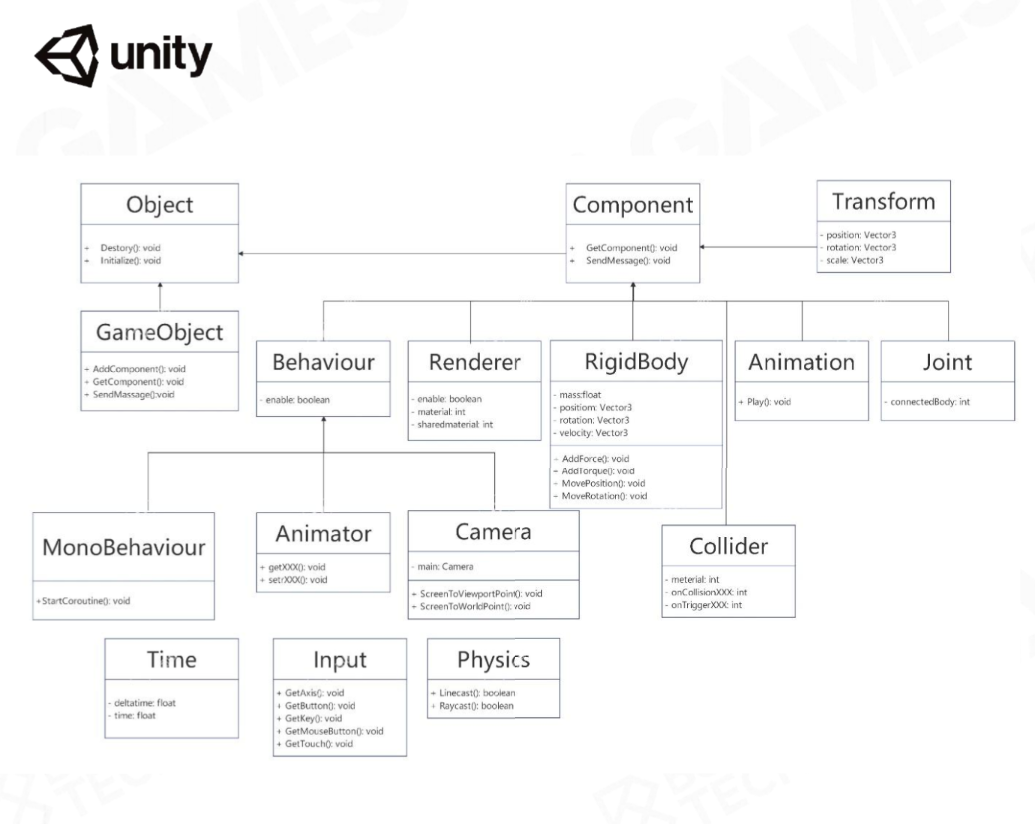
代码框架
当你在unity中生成一个新的C#文件以后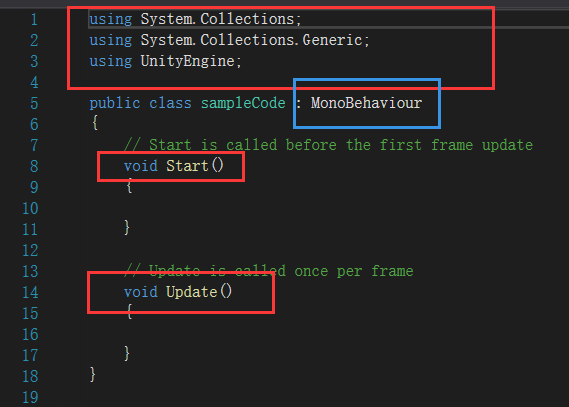
//下面为unity中的C#文件的参考命名空间using System.Collections;using System.Collections.Generic;using UnityEngine;//所有的C#脚本都被封装为一个共有类,并且该类名与C#文件名必须一致//继承自unity为用户封装好的MonoBehaviour类中//也就是说我们需要在封装好的代码基础上对进行开发//这就要求我们了解他人定义的一些宏public class sampleCode : MonoBehaviour{// Start is called before the first frame update//该函数会在第一帧游戏画面的渲染时被调用void Start(){}// Update is called once per frame//该函数会在后续游戏画面帧的更新中被调用void Update(){}}
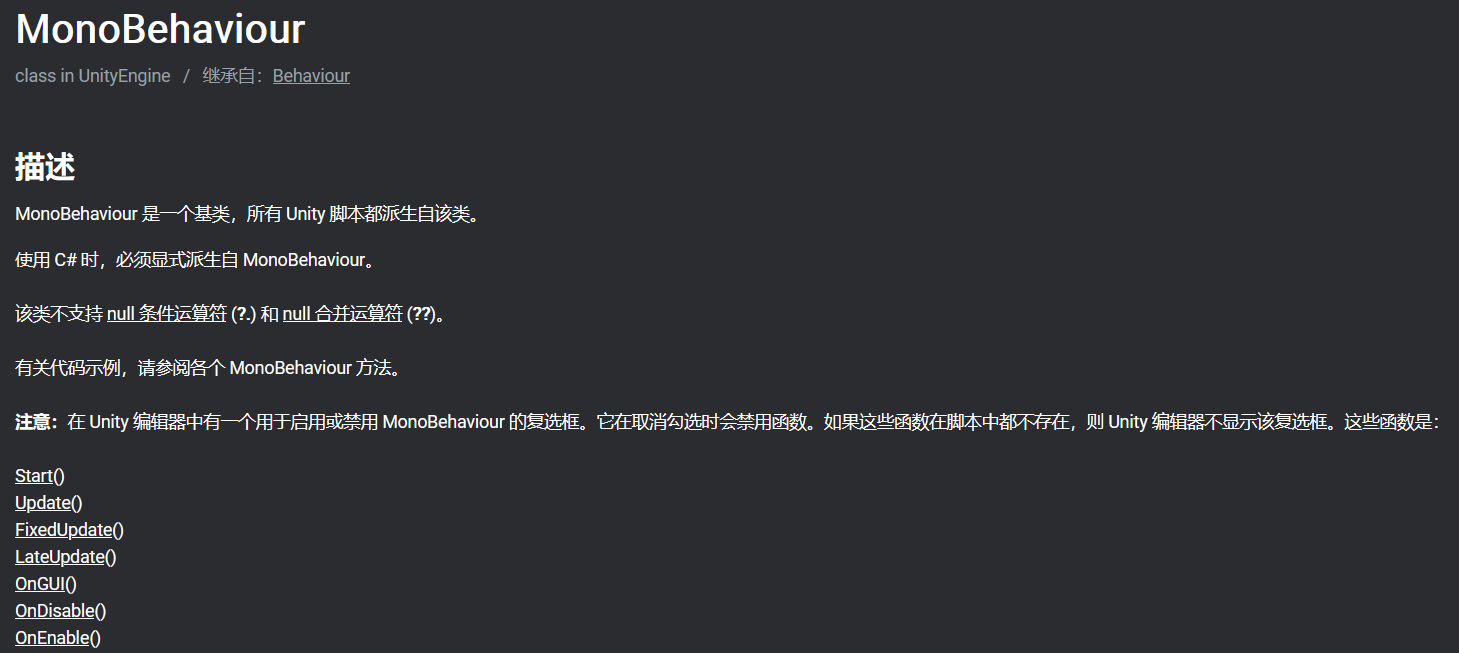
如果想要了解更多关于MonoBehaviour可以到官网参阅使用手册
代码解读
MouseLook()
using System.Collections;
using System.Collections.Generic;
using UnityEngine;

public class MouseLook : MonoBehaviour
{

//定义函数中可能会用到的数据
    //定义一个枚举类型来控制
    public enum RotationAxes
    {
        MouseXAndY = 0,
        MouseX = 1,
        MouseY = 2
    }
    public RotationAxes axes = RotationAxes.MouseXAndY;
    public float sensitivityHor = 9.0f;  //水平旋转系数
    public float sensitivityVert = 9.0f; //垂直旋转系数
    public float minimumVert = -45.0f;   //俯仰角下界
    public float maximumVert = 45.0f;    //俯仰角上界
    private float rotationX = 0;

    // Start is called before the first frame update
    void Start()
    {
        Rigidbody body = GetComponent<Rigidbody>();//获取刚体组件
        if (body != null)
        {
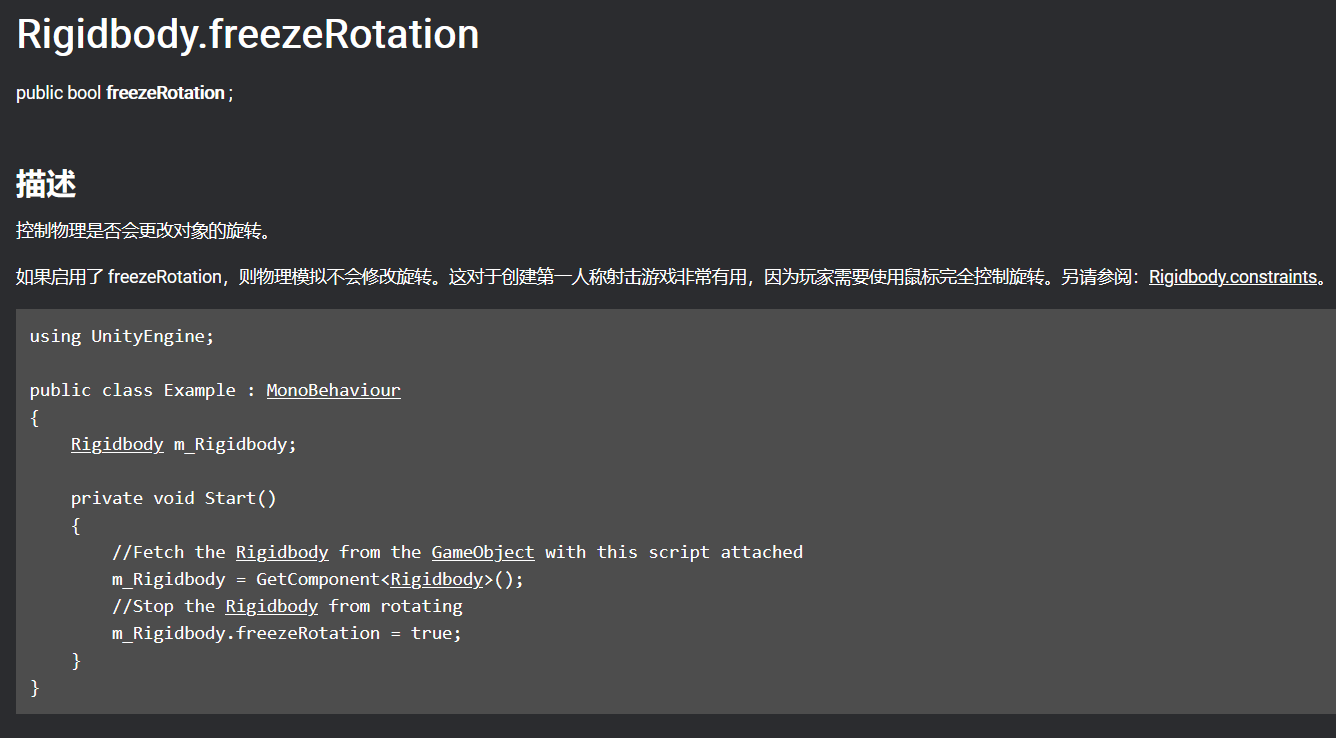
            body.freezeRotation = true;
        }
    }
    // Update is called once per frame
    void Update()
    {
        if(axes == RotationAxes.MouseX)
        {
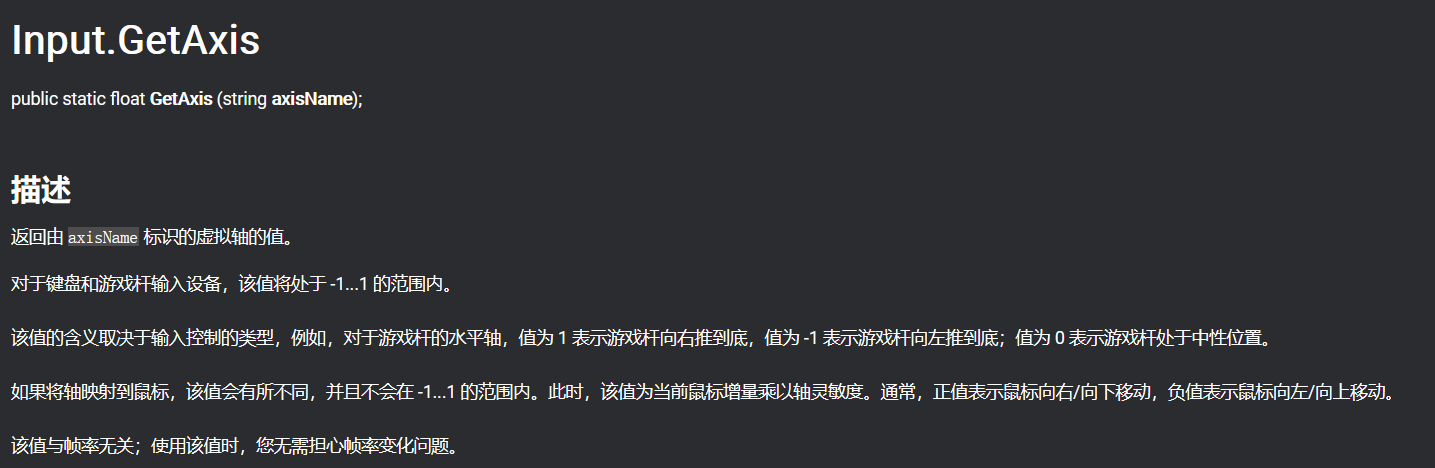
            transform.Rotate(0, Input.GetAxis("Mouse X")*sensitivityHor, 0);
            //水平方向旋转代码
        }
        else if(axes == RotationAxes.MouseY)
        {
            //垂直方向的旋转代码
            rotationX -= Input.GetAxis("Mouse Y") * sensitivityVert;
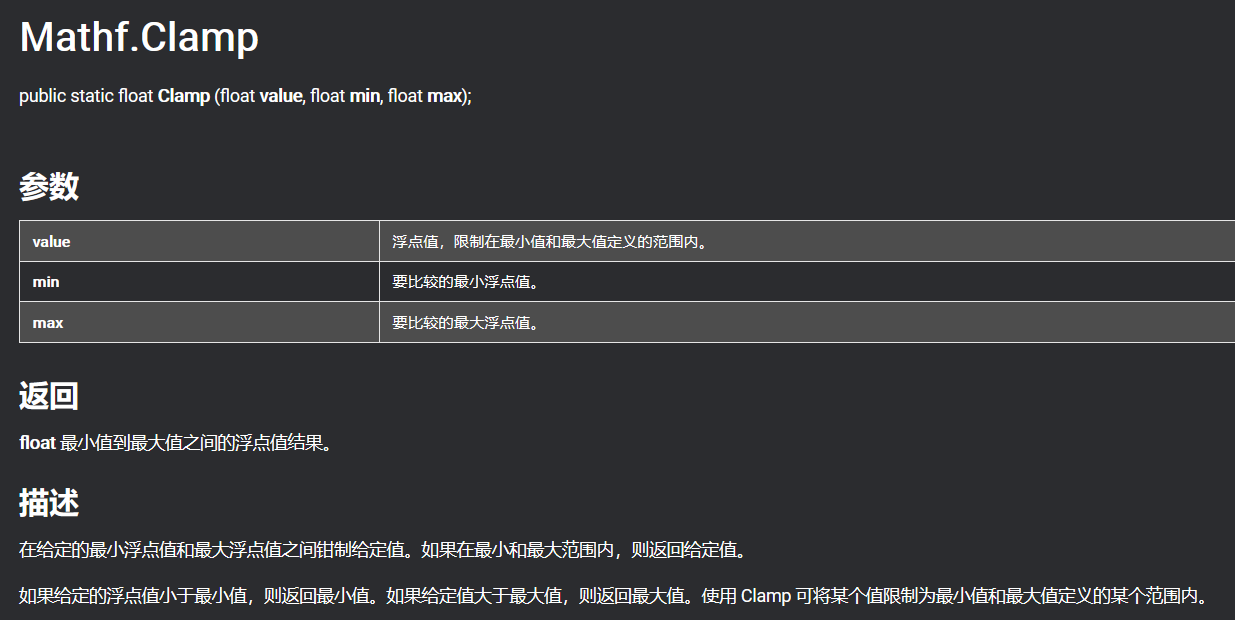
            rotationX = Mathf.Clamp(rotationX, minimumVert, maximumVert);
            //Clamp函数是常用的将一段非法的长度范围的值线性压缩至给定边界的函数
            float rotationY = transform.localEulerAngles.y;
            transform.localEulerAngles = new Vector3(rotationX, rotationY, 0);
        }
        else
        {
            //既有水平旋转又有垂直旋转的代码
            rotationX -= Input.GetAxis("Mouse Y") * sensitivityVert;
            rotationX = Mathf.Clamp(rotationX, minimumVert, maximumVert);
            float delta = Input.GetAxis("Mouse X") * sensitivityHor;
            float rotationY = transform.localEulerAngles.y + delta;
            transform.localEulerAngles = new Vector3(rotationX, rotationY, 0);

        }

    }
}
关键注释
Rigidbody
Input

Mathf.Clamp
Transform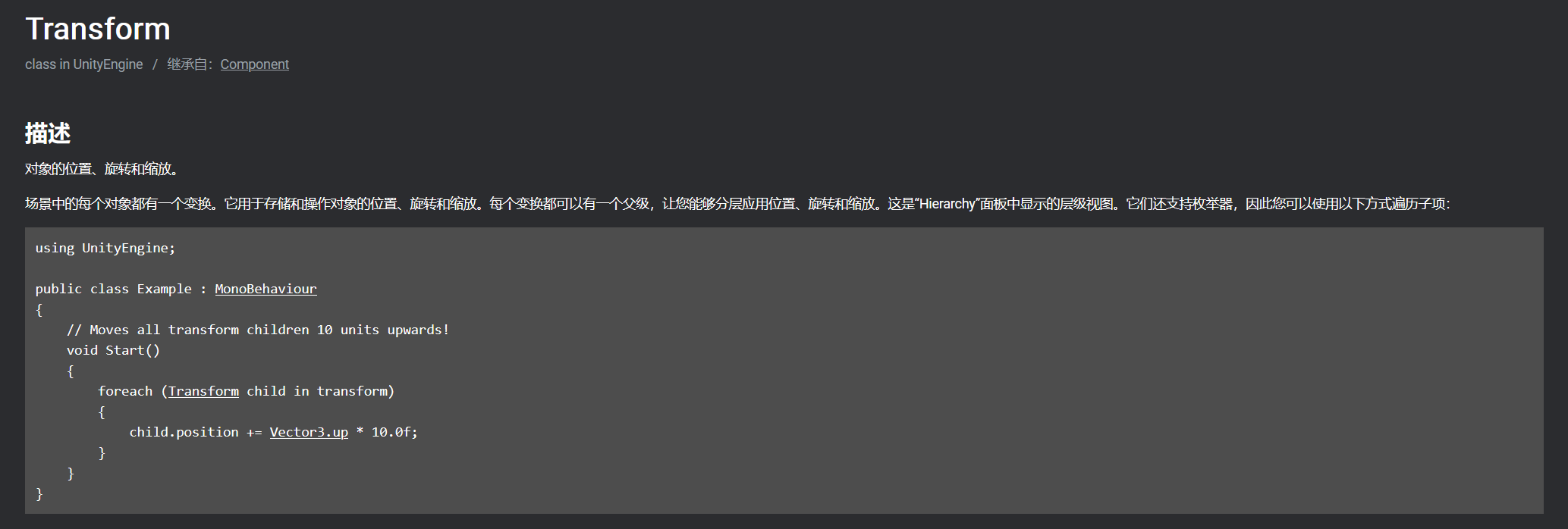
因为继承自component,我们可以在inspector中找到这个组件,同时这也是大部分游戏对象所具有的属性。
Transform.localEulerAngles
unity中将四元数封装为更直观的欧拉角表示法,但实际上在使用欧拉角表示旋转的时候容易产生万向节死锁的问题
点击查看【bilibili】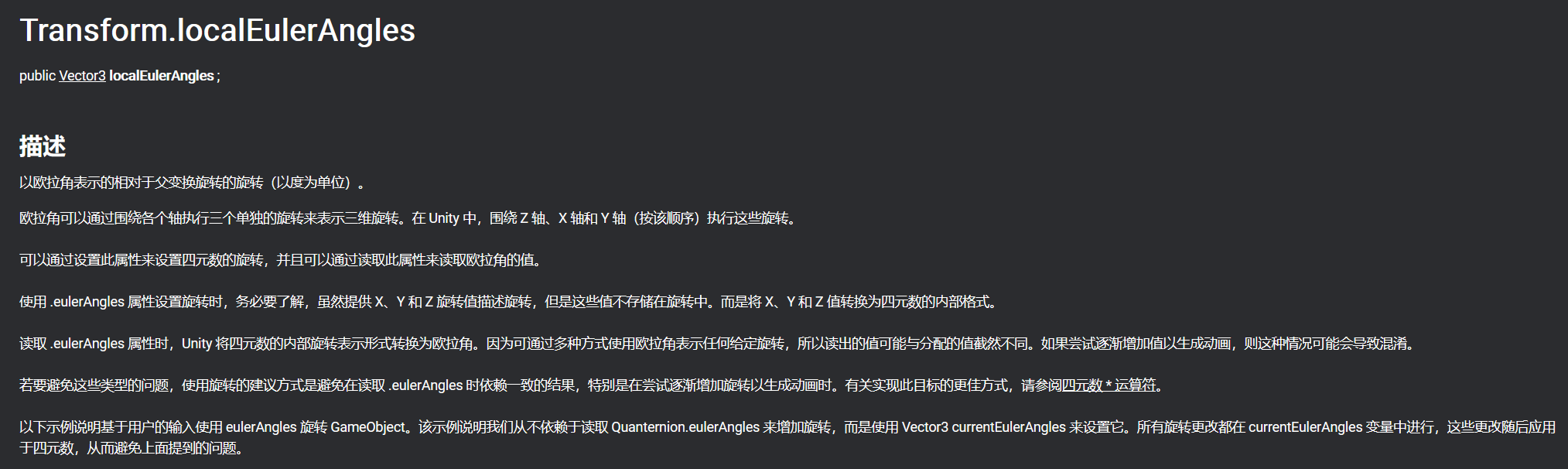
FpsInput
using System.Collections;
using System.Collections.Generic;
using UnityEngine;
[RequireComponent(typeof(CharacterController))]
[AddComponentMenu("Control Script/FPS Input")]
public class FpsInput : MonoBehaviour
{
    public float speed = 6.0f;
    public float gravity = -9.8f;
    private CharacterController characterController;
    void Start()
    {
        characterController = GetComponent<CharacterController>();
    }
    // Update is called once per frame
    void Update()
    {
        float deltaX = Input.GetAxis("Horizontal") * speed;
        float deltaZ = Input.GetAxis("Vertical") * speed;
        Vector3 movement = new Vector3(deltaX, 0, deltaZ);
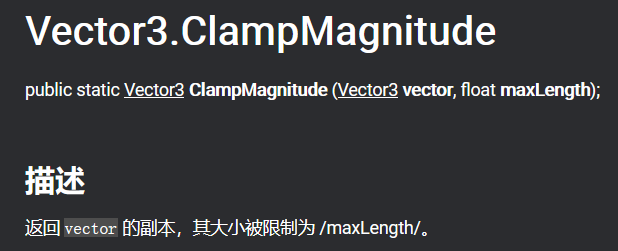
        movement = Vector3.ClampMagnitude(movement, speed);
        movement.y = gravity;
        movement *= Time.deltaTime;
        movement = transform.TransformDirection(movement);
        characterController.Move(movement);

    }
}
Vector3.ClampMagnitude
Time.deltaTime
注:由于不同电脑硬件的差异,运算速度在计算物体位移的时候可能会产生不同的结果,为了补偿这种效应,对传入transform的向量乘上一个帧间速度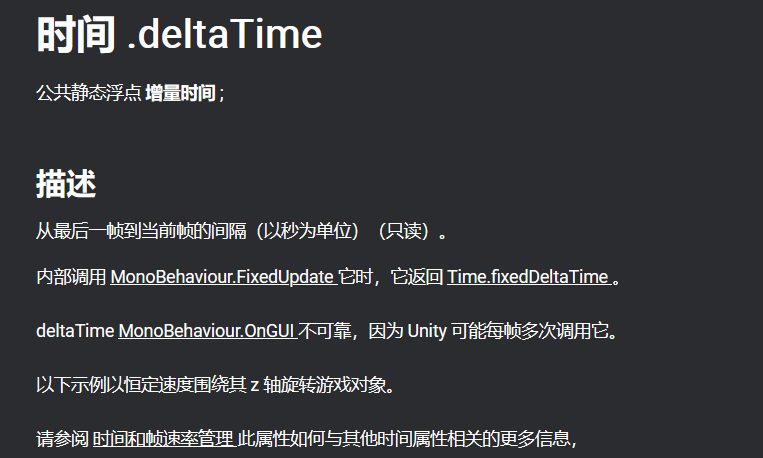
WanderingAI
using System.Collections;
using System.Collections.Generic;
using UnityEngine;

public class WanderingAI : MonoBehaviour
{
    public float speed = 3.0f;
    public float obstacleRange = 5.0f;
    private bool _alive;
    //序列化私有的游戏对象
    [SerializeField] private GameObject fireballPrefab;
    private GameObject fireball;
    private void Start()
    {
        _alive = true;
    }

    // Update is called once per frame
    void Update()
    {
        if (_alive)
        {
            transform.Translate(0, 0, speed * Time.deltaTime);
            //生成一个由当前位置指向面朝前向的射线
            Ray ray = new Ray(transform.position, transform.forward);
            RaycastHit hit;
            if (Physics.SphereCast(ray, 0.75f, out hit))
            {
                GameObject hitObject = hit.transform.gameObject;
                if (hitObject.GetComponent<PlayerCharacter>())
                //如果被射中的目标上存在PlayerCharacter组件则执行
                {
                    if(fireball == null)
                    //如果火球为空则用预制件重新生成一个火球,将其位置前向移动一点点
                    {
                        fireball = Instantiate(fireballPrefab) as GameObject;
                        fireball.transform.position = transform.TransformPoint(Vector3.forward * 1.5f);
                        fireball.transform.rotation = transform.rotation;
                    }
                }
                else if (hit.distance < obstacleRange)
                //自动避障
                {
                    float angle = Random.Range(-110, 110);
                    transform.Rotate(0, angle, 0);
                }
            }
        }

    }
    public void SetAlive(bool alive)
    {
        _alive = alive;
    }
}
SerializeField
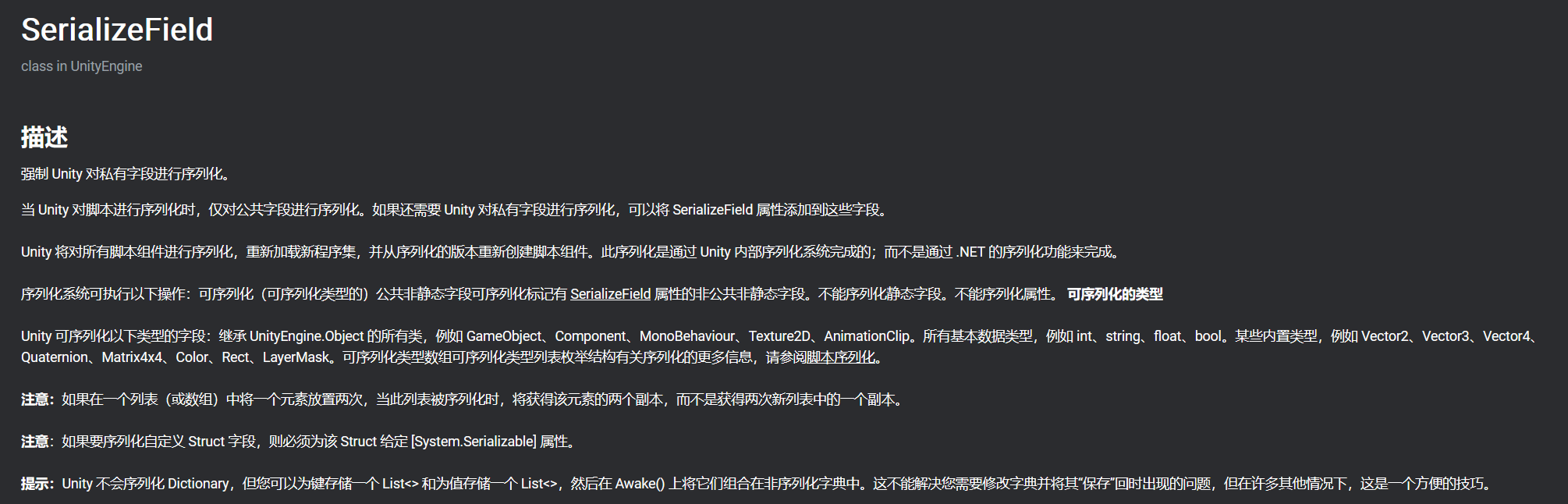
注:本处对游戏对象火球的预制件进行序列化,使得其可以重新生成。
预制件Prefabs
Unity 的预制件系统允许创建、配置和存储游戏对象及其所有组件、属性值和子游戏对象作为可重用资源。预制件资源充当模板,在此模板的基础之上可以在场景中创建新的预制件实例。
如果要在场景中的多个位置或项目中的多个场景之间重用以特定方式配置的游戏对象,比如非玩家角色 (NPC)、道具或景物,则应将此游戏对象转换为预制件。这种方式比简单复制和粘贴游戏对象更好,因为预制件系统可以自动保持所有副本同步。
对预制件资源所做的任何编辑都会自动反映在该预制件的实例中,因此可以轻松地对整个项目进行广泛的更改,而无需对资源的每个副本重复进行相同的编辑。
可将预制件嵌套在另一个预制件中,从而创建在多个级别易于编辑的复杂对象层级视图。
但是,这并不意味着所有预制件实例都必须完全相同。如果希望预制件的某些实例与其他实例不同,则可以覆盖各个预制件实例的设置。还可以创建预制件的变体,从而将一系列覆盖组合在一起成为有意义的预制件变化。
如果游戏对象在一开始不存在于场景中,而希望在运行时实例化游戏对象(例如,使能量块、特效、飞弹或 NPC 在游戏过程中的正确时间点出现),那么也应该使用预制件。
使用预制件的一些常见示例包括:
- 环境资源 - 例如,在一个关卡附近多次使用的某种树(如上面的截屏所示)。
- 非玩家角色 (NPC) - 例如,某种类型的机器人可能会在游戏的多个关卡之间多次出现。它们的移动速度或声音可能不同(使用覆盖)。
- 飞弹 - 例如,海盗的大炮可能会在每次射击时实例化炮弹预制件。
- 玩家主角 - 玩家预制件可能被放置在游戏每个关卡(不同场景)的起点。
创建预制件
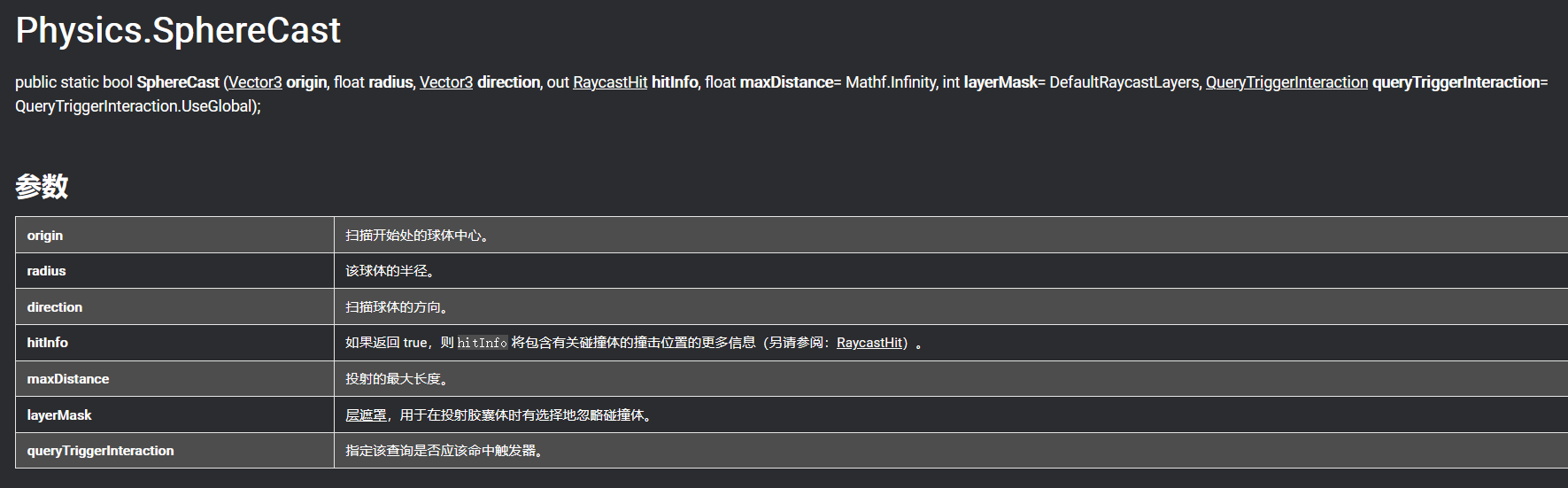
Physics.SphereCast
描述
沿射线投射球体并返回有关命中对象的详细信息。
当射线投射未提供足够的精度时,这很有用。例如,您可能只想知道某个具有特定大小的对象, 比如某个角色,能否在沿途不与任何对象发生碰撞的情况下到达某个地方。 可以将球体想象成一种“很厚”的射线投射。在这种情况下, 射线由起始矢量和方向指定。
注意:对于球体与碰撞体重叠的情况,SphereCast 不会检测到碰撞体。传递零作为半径会导致未定义的输出,其行为并不总是与 Physics.Raycast 相同。
另请参阅:Physics.SphereCastAll、Physics.CapsuleCast、Physics.Raycast、Rigidbody.SweepTest。
out修饰符相当于一个触发器检测开关,检测是否为碰撞到物体SceneController
```csharp using System.Collections; using System.Collections.Generic; using UnityEngine;
public class SceneController : MonoBehaviour { [SerializeField] private GameObject enemyPrefab; private GameObject enemy;
// Update is called once per frame
void Update()
{
    if(enemy == null)
    //如果enemy为空则重新以预制件实例化一个新的enemy对象
    {
        enemy = Instantiate(enemyPrefab) as GameObject;
        enemy.transform.position = new Vector3(0, 1, 0);
        float angle = Random.Range(0, 360);
        enemy.transform.Rotate(0, angle, 0);
    }
}
}
<a name="VpGMx"></a>
### ReactiveTarget
```csharp
using System.Collections;
using System.Collections.Generic;
using UnityEngine;

public class ReactiveTarget : MonoBehaviour
{
    public void ReactToHit()
    {
        WanderingAI behavior = GetComponent<WanderingAI>();
        if (behavior != null)
        {
            behavior.SetAlive(false);
        }
        StartCoroutine(Die());
    }
    private IEnumerator Die()
    {
        this.transform.Rotate(-75, 0, 0);
        yield return new WaitForSeconds(1);
        Destroy(this.gameObject);
    }
}
StartCoroutine
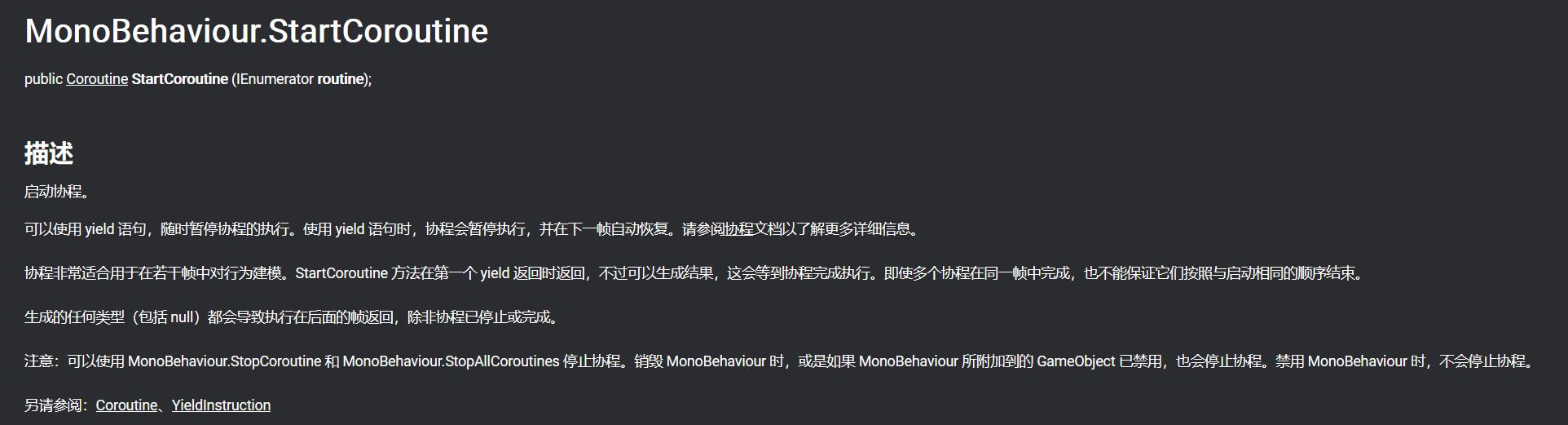
开辟一个新的线程让某个游戏对象脱离出主进程,可以人为控制新的进程中游戏对象的状态
Fireball
using System.Collections;
using System.Collections.Generic;
using UnityEngine;

public class Fireball : MonoBehaviour
{
    public float speed = 10.0f;
    public int damage = 1;
    // Update is called once per frame
    void Update()
    {
        transform.Translate(0, 0, speed * Time.deltaTime);
    }
    private void OnTriggerEnter(Collider other)
    {
        PlayerCharacter player = other.GetComponent<PlayerCharacter>();
        if (player != null)
        {
            player.Hurt(damage);
        }
        Destroy(this.gameObject);
    }
}
Collider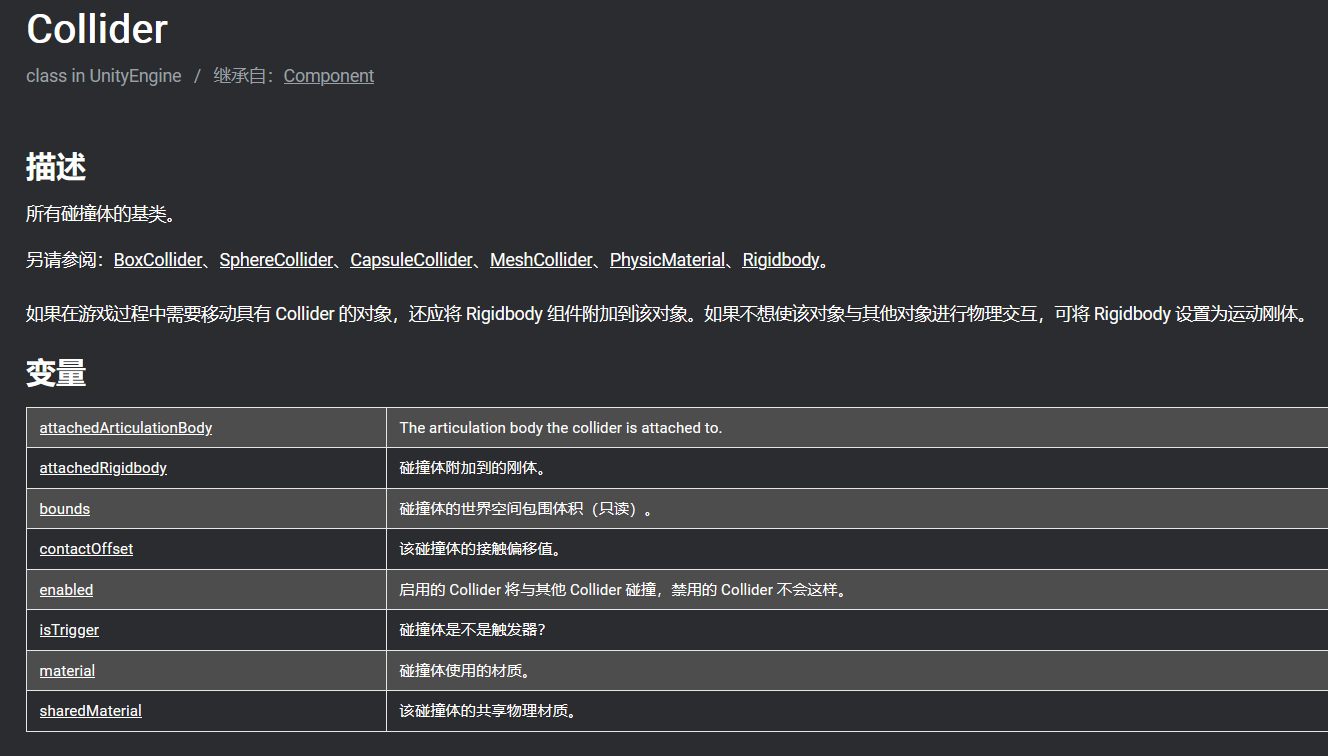
PlayerCharacter
using System.Collections;
using System.Collections.Generic;
using UnityEngine;

public class PlayerCharacter : MonoBehaviour
{
    private int health;
    private void Start()
    {
        health = 5;//玩家生命值
    }
    public void Hurt(int damage)
    {
        health -= damage;
        Debug.Log("Health" + health);
    }

}
RayShooter
using System.Collections;
using System.Collections.Generic;
using UnityEngine;

public class RayShooter : MonoBehaviour
{
    private Camera camera;
    void Start()
    {
        camera = GetComponent<Camera>();
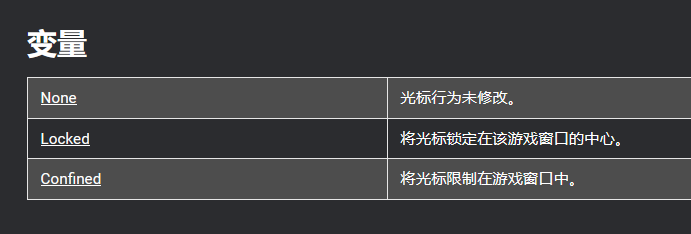
        Cursor.lockState = CursorLockMode.Locked;//将鼠标锁定在游戏窗口中心
        Cursor.visible = false;
    }
    private void OnGUI()
    //设置屏幕中心的准心
    {
        int size = 12;
        float posX = camera.pixelWidth / 2 - size / 4;
        float posY = camera.pixelHeight / 2 - size / 2;
        GUI.Label(new Rect(posX, posY, size, size), "*");
    }
    void Update()
    对于输入的控制
    {

        if (Input.GetMouseButtonDown(0))
        {
            Vector3 point = new Vector3(camera.pixelWidth / 2, camera.pixelHeight / 2, 0);
            Ray ray = camera.ScreenPointToRay(point);
            RaycastHit hit;
            if(Physics.Raycast(ray,out hit))
            {
                GameObject hitObject = hit.transform.gameObject;
                ReactiveTarget target = hitObject.GetComponent<ReactiveTarget>();
                /*hit.collider.gameObject.CompareTag("Enemy")*/
                if (target!=null)
                {
                    target.ReactToHit();
                }
                else
                {
                    StartCoroutine(SphereIndicator(hit.point));
                }

            }
        }
    }
    private IEnumerator SphereIndicator(Vector3 pos)
    {
        GameObject sphere = GameObject.CreatePrimitive(PrimitiveType.Sphere);
        sphere.transform.position = pos;
        yield return new WaitForSeconds(1);
        Destroy(sphere);
    }
}
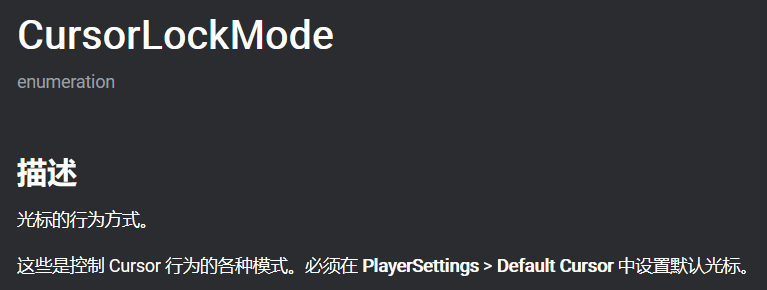
CursorLockMode

若有收获,就点个赞吧
0 人点赞


