- 1. WHAT: GGS Webinar System
- 2. WHY:Benefits of using the GGS webinar system
- 3. HOW do suppliers register/attend webinars?
- 4. How to find webinar leads and check lead information on CRM?
- 5. How to get the private link before every webinar?
- 6. Webinar Requirements
- 7. Content Material: pls provide below details:
1. WHAT: GGS Webinar System
GGS webinar system is a webinar system provided by GGS of Alibaba.com.
Sellers can go to webinar page on seller central to register, join and watch the replay of webinars. The webinars are hold through Zoom or other video platforms if needed. The data of all leads will be recorded in CRM for sales to check and follow up.
2. WHY:Benefits of using the GGS webinar system
(1). It’s a good way to get new webinar leads and manage your private webinar leads:
- private leads can register and join the webinar;
- Leads from public pool and organic new leads can also join (central ops team will always send eDM to public pool) and the leads can be distributed to channel sales automatically. So this is the way to get more leads;
- Using the private link function for each sales can help to lock your new leads. These leads will be automatically distributed to your private pool. It is a great way to clarify leads between different sales. (see part 5 how to get private link).
(2)Supplier behavior/ activities data can be recorded on CRM and webinar leads can be found on CRM easily:
- Through CRM, all the leads information are collected and stored online, easy for sales to check and access to all leads information;
- All webinar leads will be marked with webinar tags automatically on time, Sales do not need to mark the leads by themselves manually.
For details please refer to part 4 How to find webinar leads and check leads.
3. HOW do suppliers register/attend webinars?
a. Detail pages
1) Everytime when you hold one live webinar, Rachel@吴瑞竹(筱竹) will create a detail page, for example: https://seller.alibaba.com/webinars/PX53N5ES and sales can use this link to make the invitation.
2) This page will cover all basic information: the status of the webinar (upcoming, live, replay)/ the time/ the speaker/ the title and brief introduction of the webinar.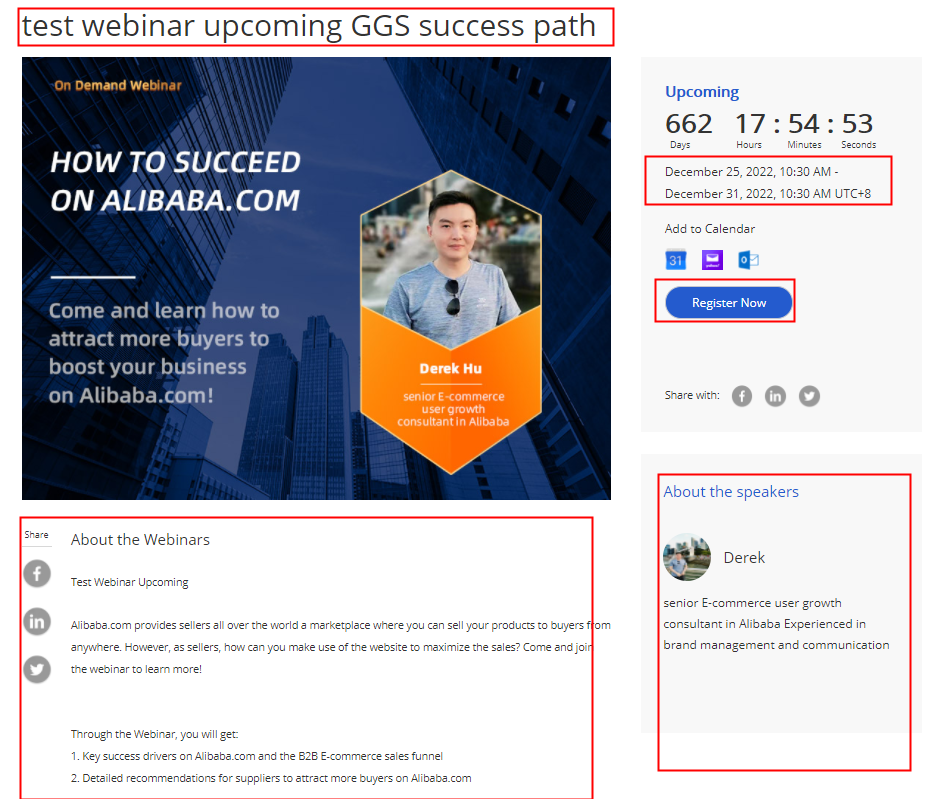
b. How to register
**Step 1. When seller receive this link of webinar detail page, open it and click “Register Now”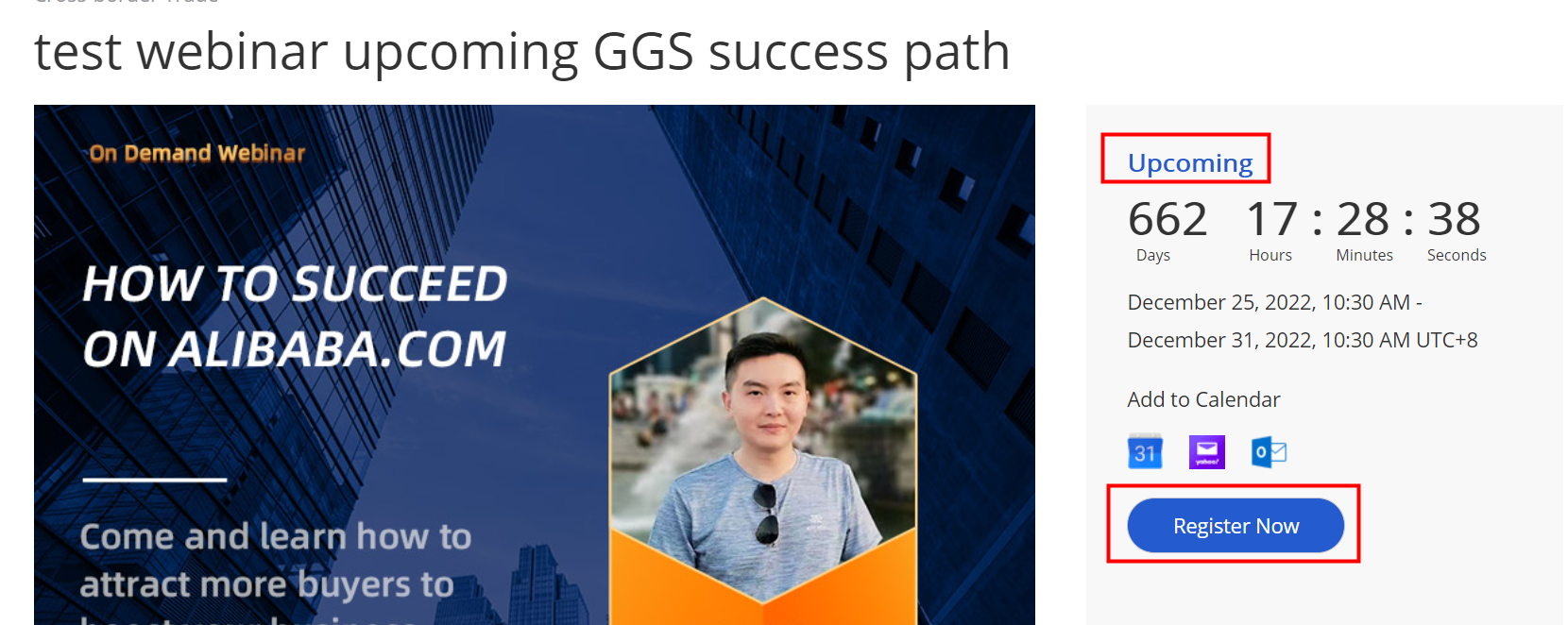
Step 2. Fill in compulsory information and then submit by clicking “Register Now”.
After this step, all leads inforamtion will update into sales CRM automatically.

Step 3 Reminder:
We have fully automatic EDM system. 30 minutes before the webinar starts, sellers will get a reminder email from Alibaba.com, sellers can click the link in the email and directly go to the webinar.
c. How to join the webinar
- In the last 30 minutes before the webinar starts, the “join now” button will show up and sellers can click to join the meeting in advance.
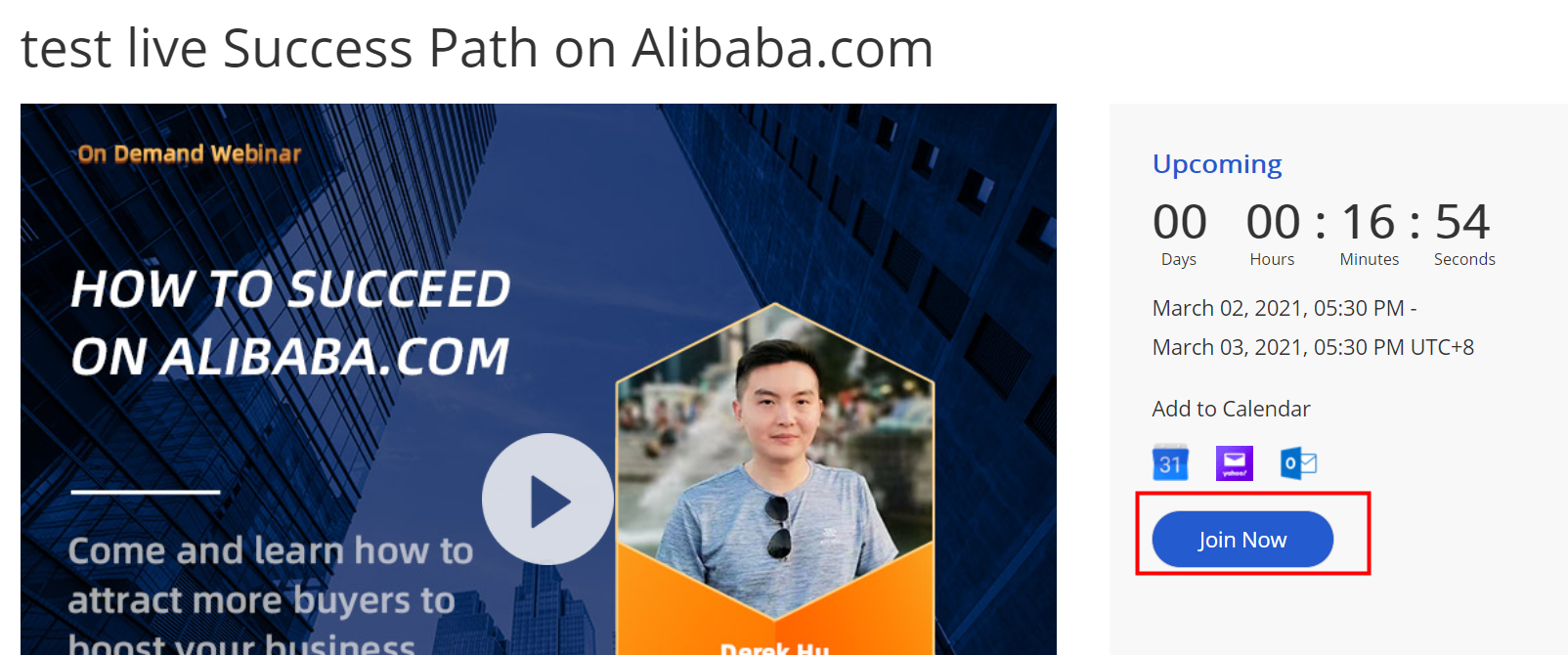
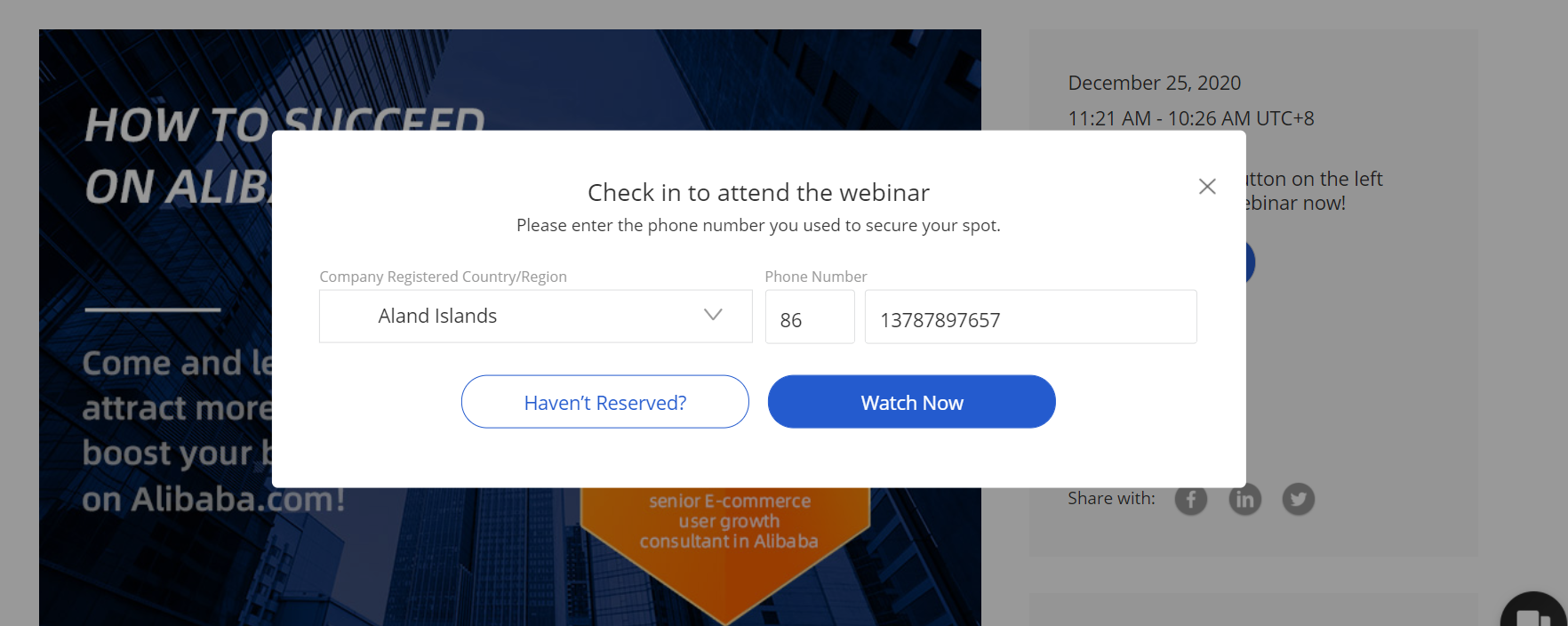
when the webinar starts, sellers can click “watch now” button and go to the meeting.
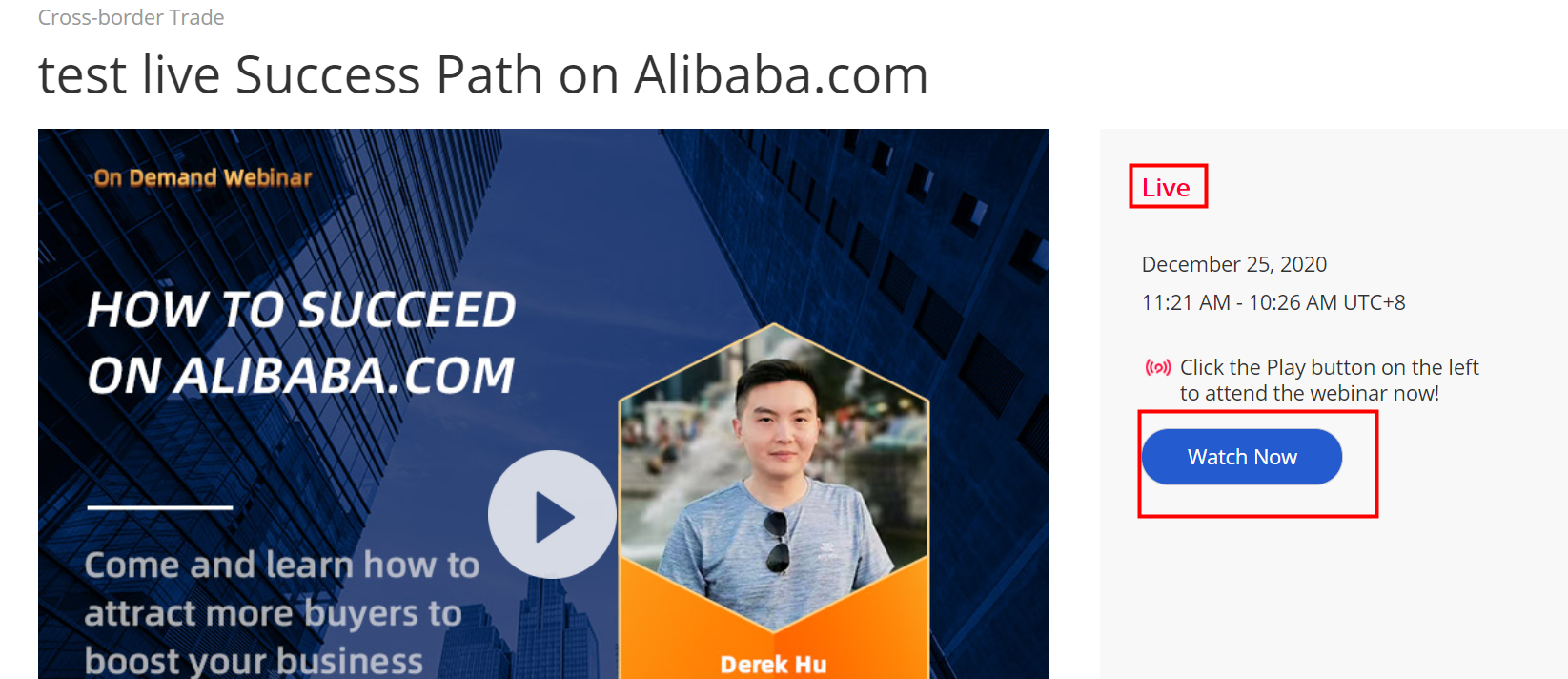
There is a form shown up to double check your country and phone number.
- **
d. How to watch the replay
After the live webinar, sellers can always go back to the webinar page and view the replay.
Webinar host must record the webinar on the cloud(online in the zoom system), and after the live, once the replay is ready, webinar host need to edit the recording video and send the replay URL to Rachel @吴瑞竹(筱竹), so the central opt team can upload the replay link on the webinar page.
Please note if the webinar host don’t provide the replay URL in time, the central opt team will offline the webinar after the live.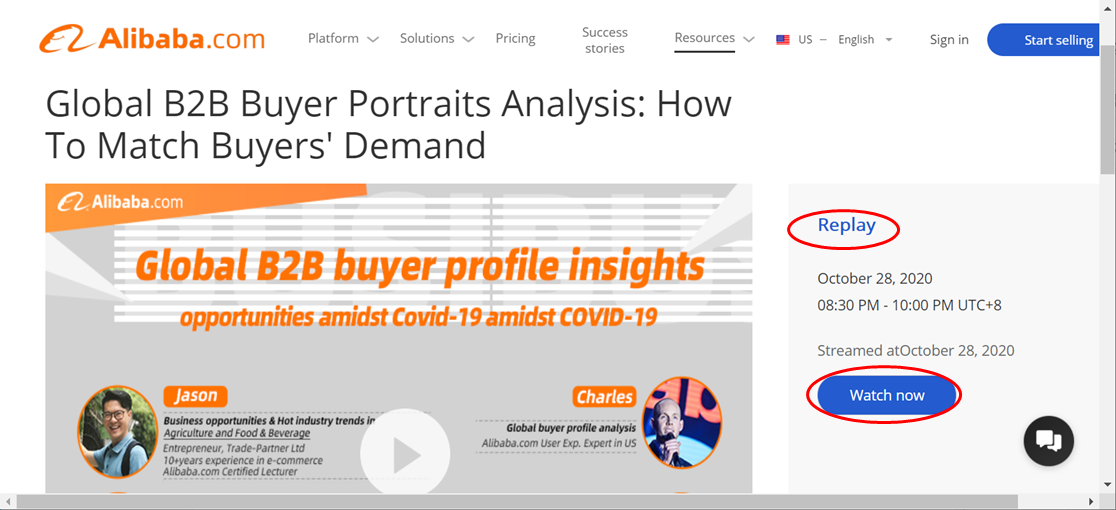
4. How to find webinar leads and check lead information on CRM?
1) Open the new CRM and use the webinar tag to find leads.
The labels will be updated on time (usually within 3 min, no time delay)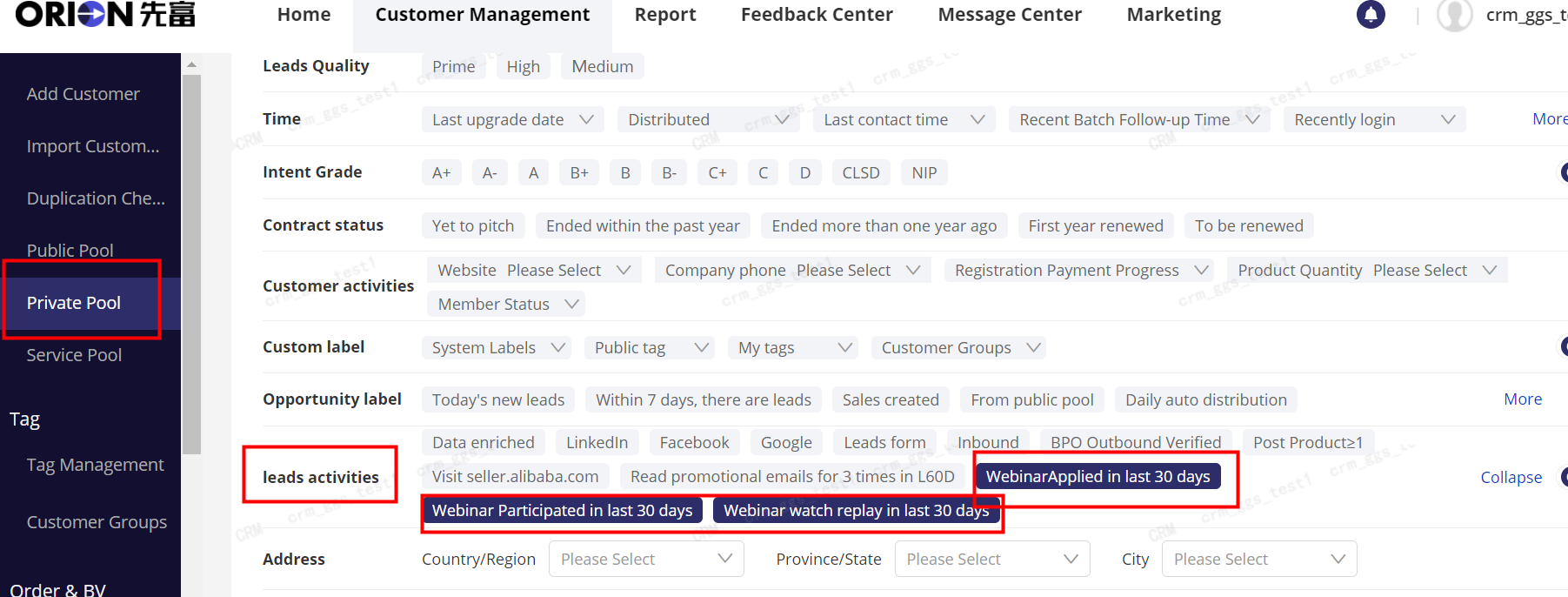
2) *You can also use “Prime” function. Click “Prime” in “Leads Quality”, and you can see all the leads who have most-interested actions within 3 days. These leads need to be followed with piority.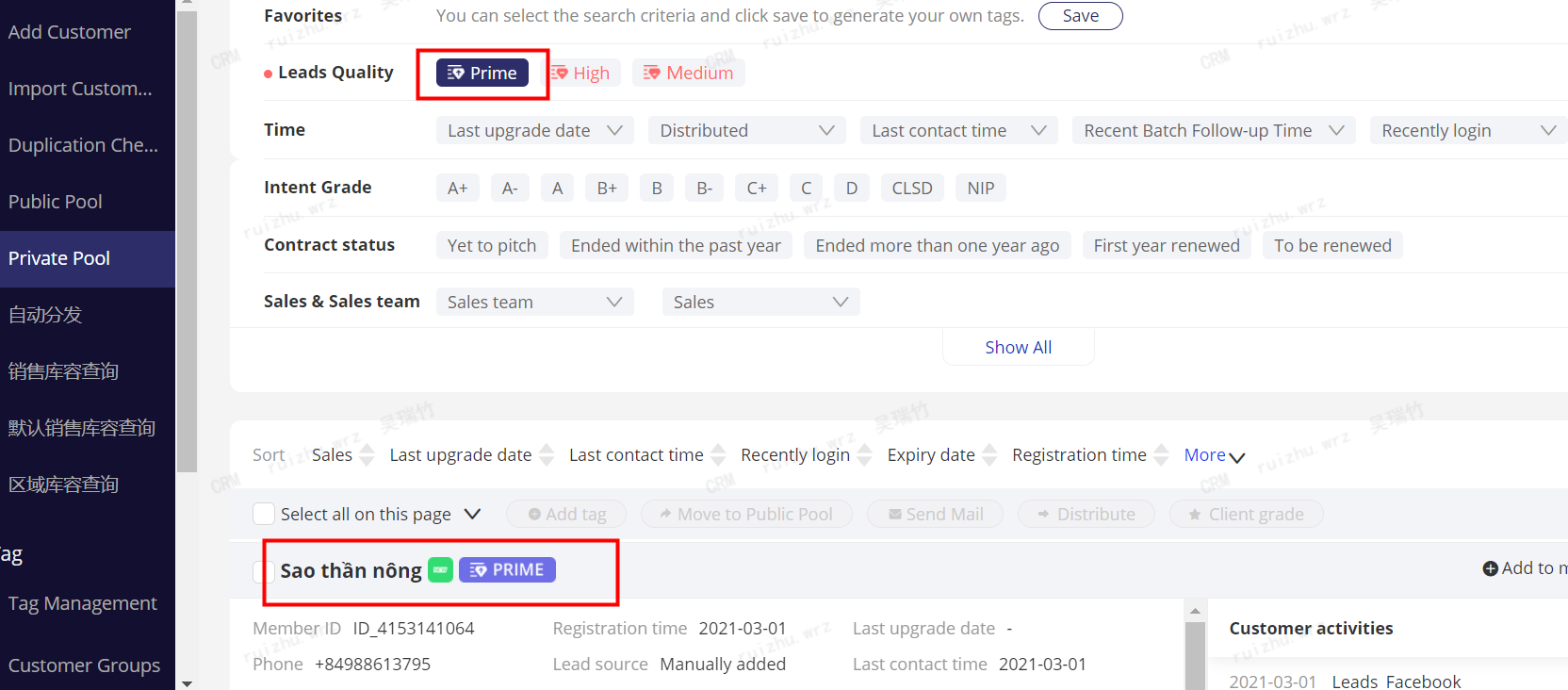
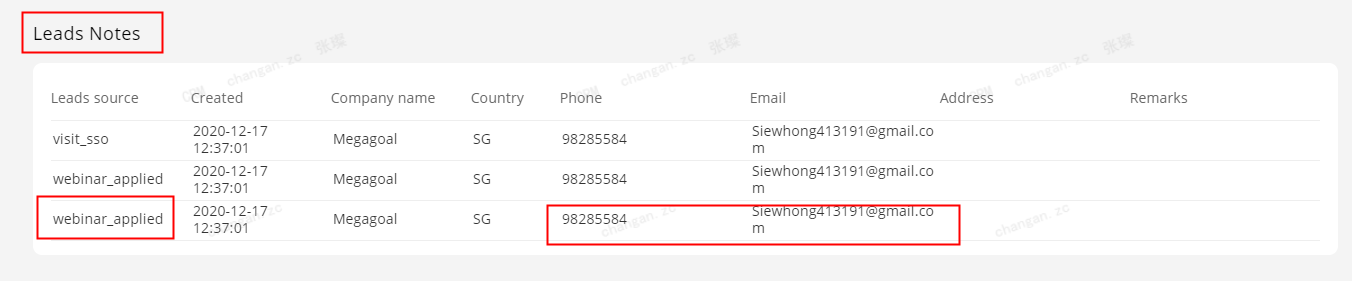
3) Check the new contacts of the lead:
Sometimes, the same lead may leave different E-mail addresses or phone numbers when filling different forms,
you can find the new number on leads notes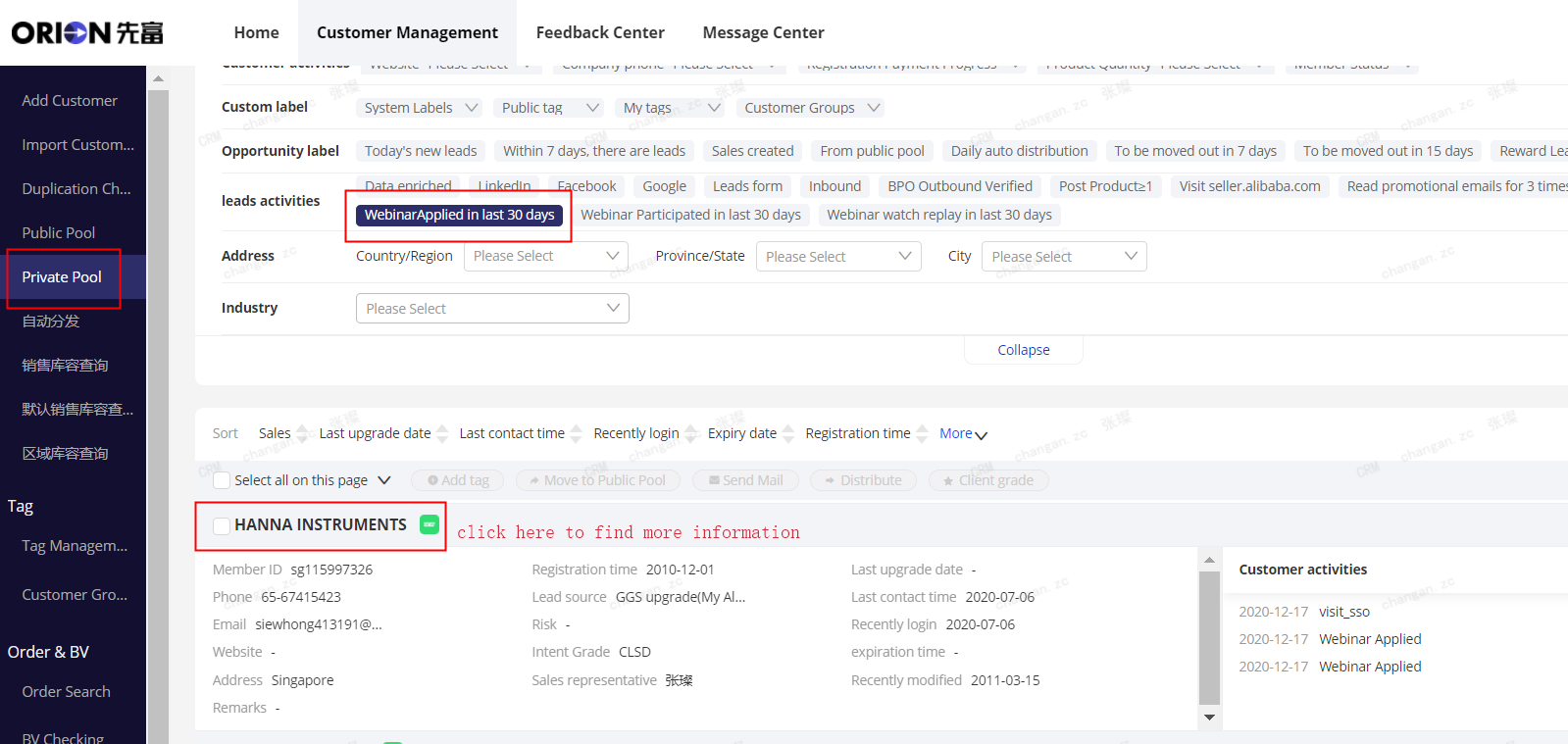
5. How to get the private link before every webinar?
The private link is a special and exclusive link for each sales using for webinar invitation. Leads who registered webinars through your private link will be automatically identified as yours and distributed to your private pool. You will get your private link before every webinar.
How to get the private link?
Rules:
- Private pool always comes first. This means if the leads are already in your private pool, they belongs to you anyway, even if others invite them through their own private link. The private link will not affact leads that have already been distributed to private pools.
- For the public pool or new leads, private link comes first. This means for public pool leads or new leads that never registered, they will be identified and distributed according to the private link. These leads who registered webinars through your private link will be automatically identified as yours and distrubuted to your private pool later.
Step 1 open CRM and Click the message button on the right top cover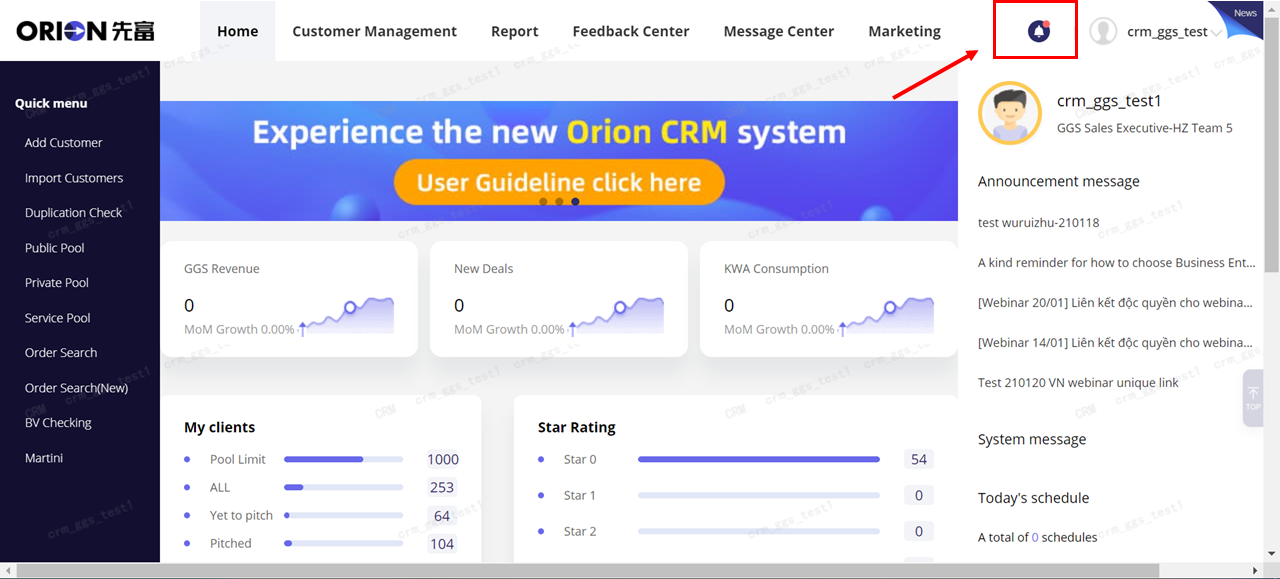
Step 2 Find the private link message (usually it will be listed as top message), open it, click the link in the message content to get your private link.
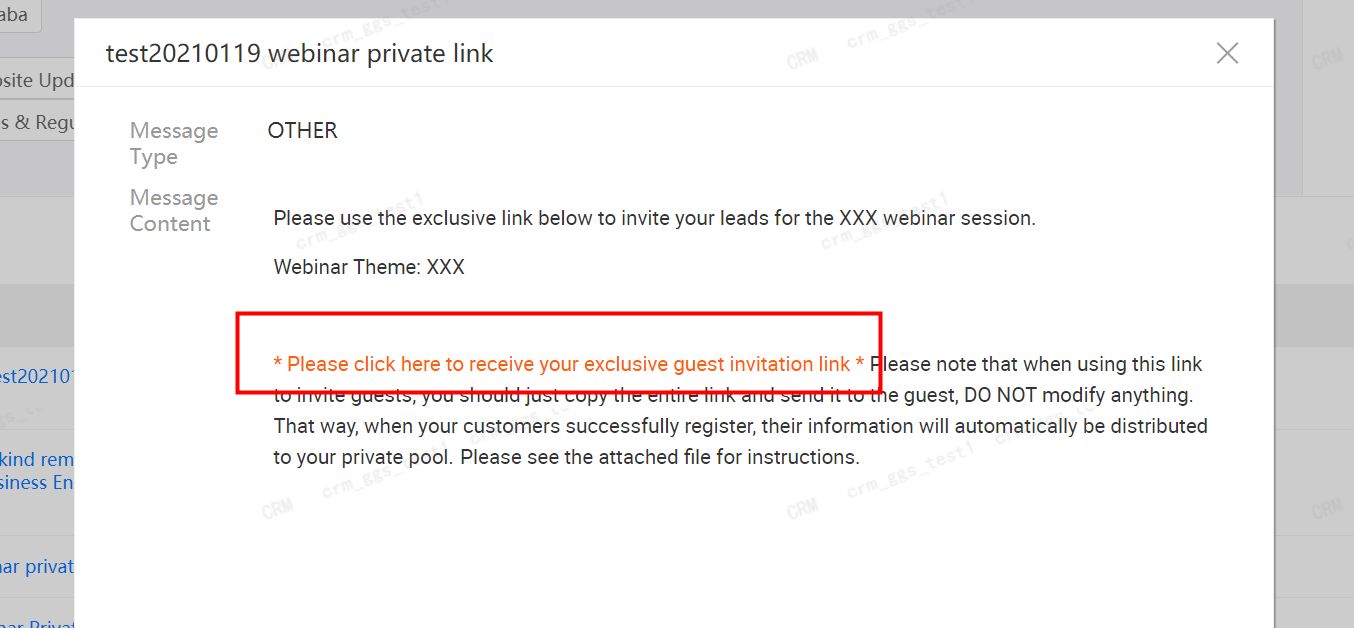
Step 3 Open the link and check if the link ends with “inviter=”. Copy it and make sure you use it to lock new leads you invited! 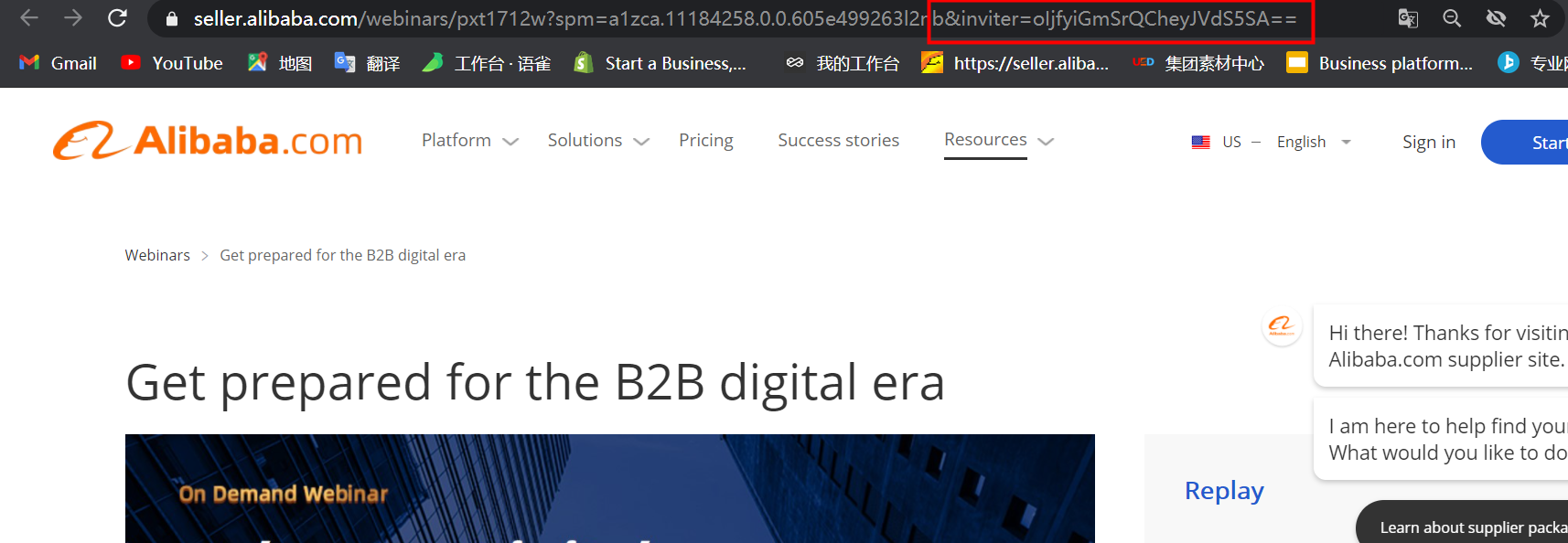
6. Webinar Requirements
1) invitation requirement
Pls use the seller central webinar link to invite suppliers, DO NOT use the zoom link any more.
2)Follow-up requirements
MUST follow up all webinar leads WITHIN 24 HOURS!!
- Should follow up by CALLING!!
- Leads who registered/attended webinar, usually can generate more than 20% of B+ conversion rate, which is a very promising rate. So webinar leads are high quality in general and need your constitent and in time follow up.
7. Content Material: pls provide below details:
You may contact Rachel @吴瑞竹(筱竹)for webinar content pool, including SOP, lecturers’ PPTs, webinar poster template and more.
1) Poster: (size: 800600)
2) Language: English/ur local language
3) Webinar Theme/Title
4) Webinar Introduction and subtitle
5) Lecturer’s name, job title, introduction, picture (size: 200200)
6) Time: ur local time: year/month/day/hour
For details on SOP(standard operation procedure) of a channel live webinar, pls check Channel Webinar SOP-210708 (1).xlsx

若有收获,就点个赞吧
0 人点赞


