The private link is a special and exclusive link for each sales using for webinar invitation. Leads who registered webinars through the private link of Sales A will be automatically distrubuted to private pool of Sales A later. The private link needs to be sent to sales before every webinar.
How to send the private link to sales?
Step 1 Get the permission of CRM:
send email to 刘姗姗 shanshan.liuss@alibaba-inc.com and apply for the GGS message manager (CRM消息管理员)
Step 2 Log in to the old CRM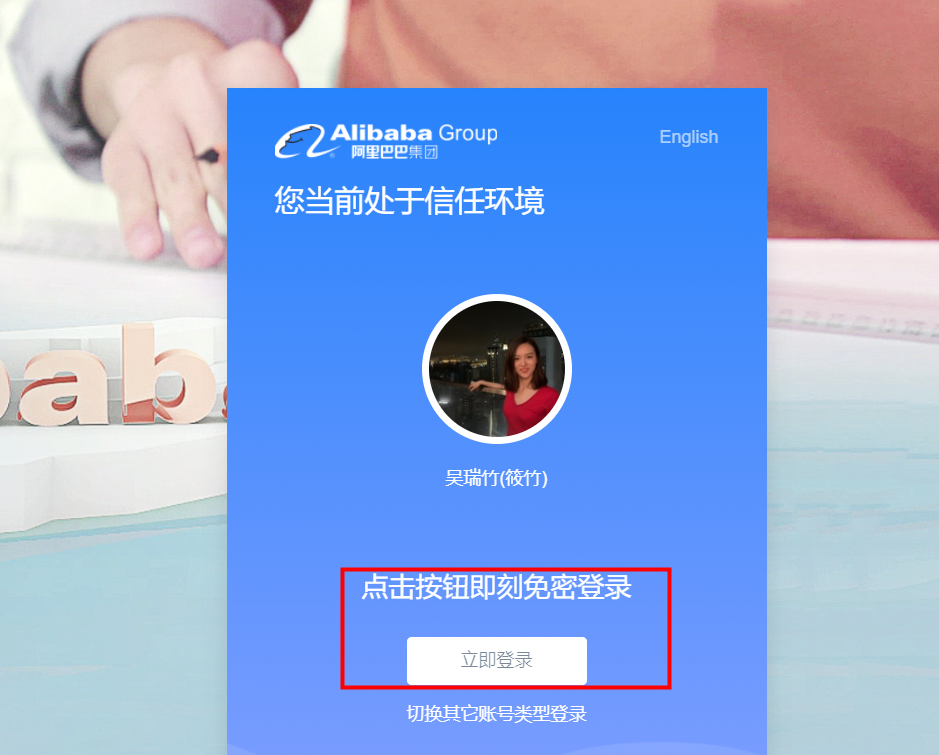
Step 3 Switch your role to the CRM message mananger (消息管理员)
Step 4 Click the message center (消息中心)
Step 5 Choose the Receiver Type(接收方类型),Reciever Role (接收方角色). Choose the region (区域) and sales partners according to the webinar region. (Alibaba HZ- HZ Team 5 can be used for testing)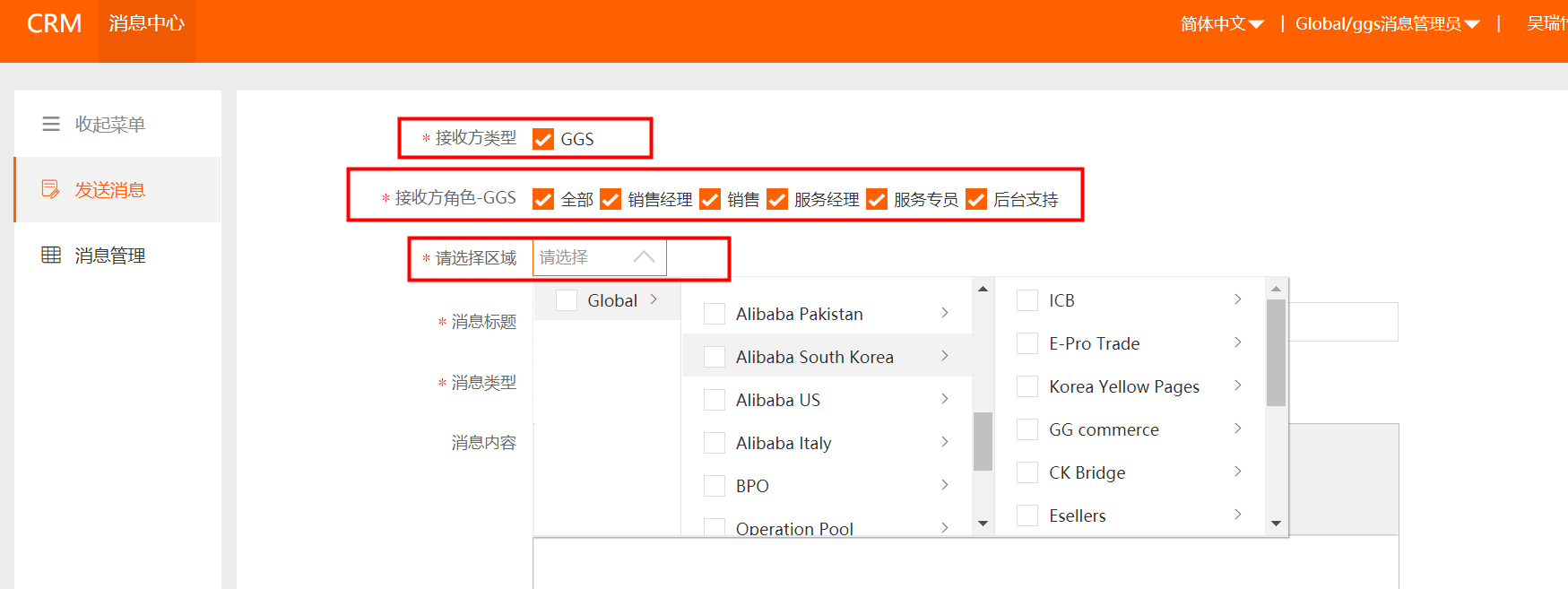
Step 6 Write the message title as needed, suggested “Come and get the webinar Private Link for DATE”. Choose message type (消息类型)as others (其他).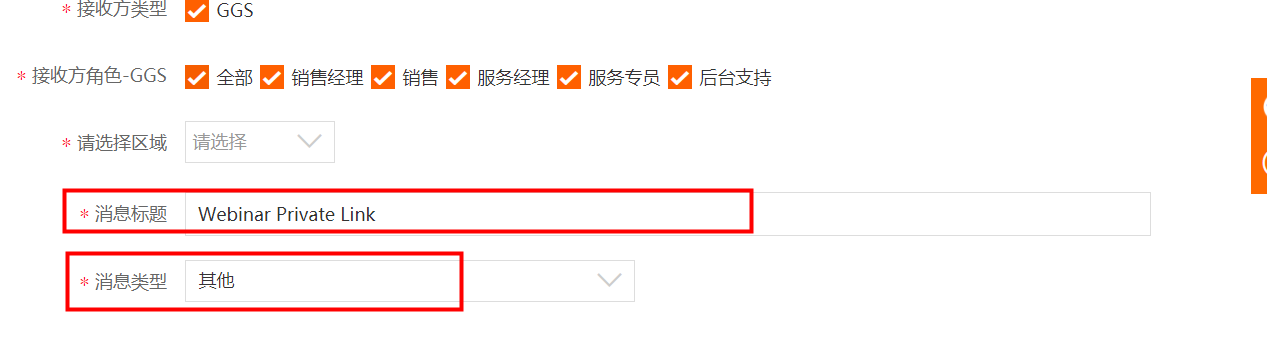
Step 7 For message content, click the button to insert the link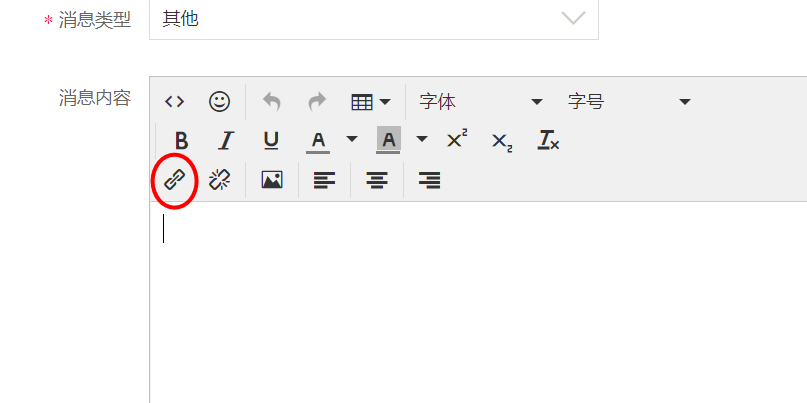
Step 8 Copy the webinar link and paste into the link box, delete extra letters after the webinar code to shorten the link. And paste the ?inviter={inviter} right after the link (without any blank).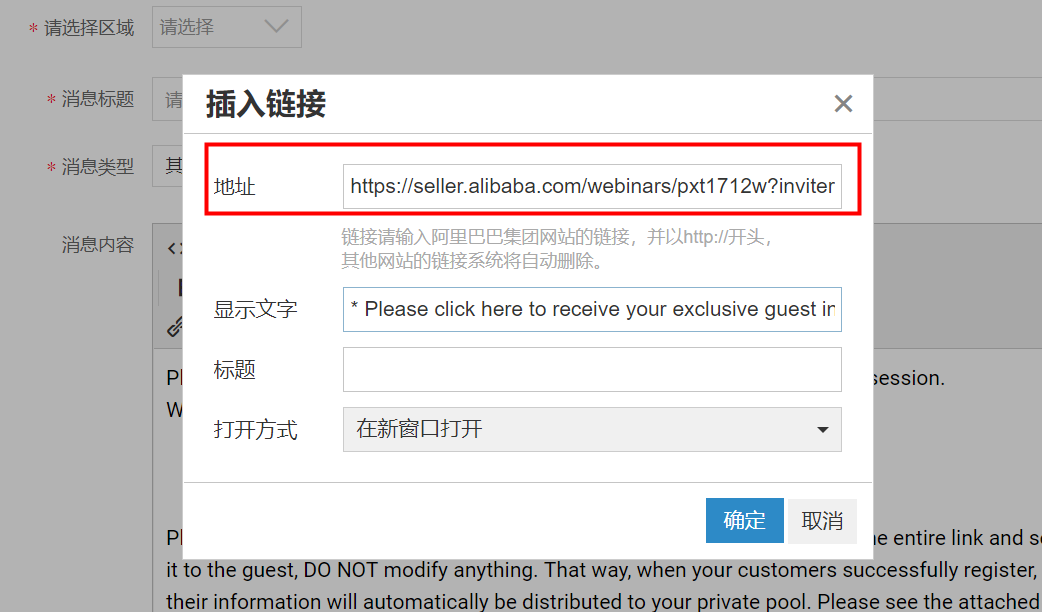
Step 9 Write the content for the link as “ Please click here to receive your exclusive guest invitation link “. Then click Okay(确定).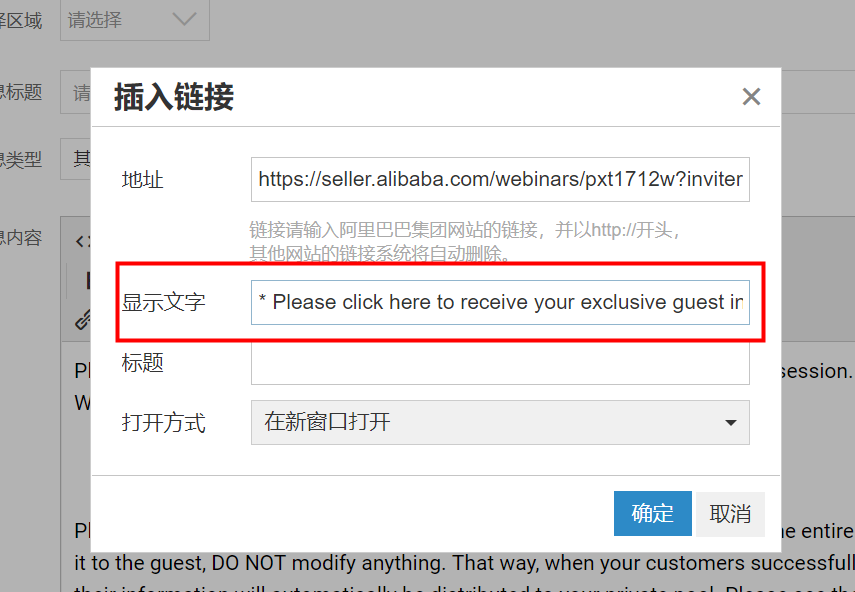 “
“
Step 10 Write the message content using the template provided:
Dear all,
Please use the exclusive link below to invite your leads for the XX webinar session.
Webinar Topic: XXX
Please click here to receive your exclusive guest invitation link
Please note that when using this link to invite guests, you should just copy the entire link and send it to the guest, DO NOT modify anything. That way, when your customers successfully register, their information will automatically be distributed to your private pool.
Please click here for instructions:
https://www.yuque.com/wuruizhu/vw8ozc/rp3ev7

Step 10 Click to set as top message and then click send.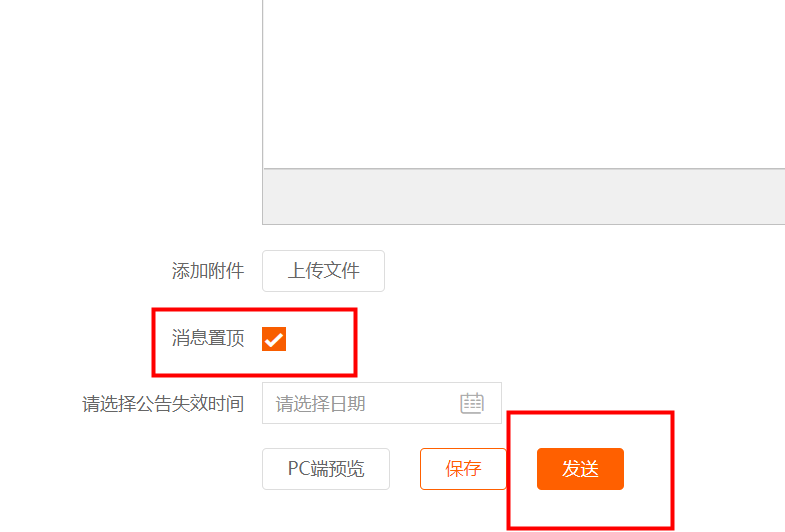
Step 11 when you sent the message, the page will automatically direct to message management and you can check the message you just sent.

若有收获,就点个赞吧
0 人点赞


