1.sentinel-dashboard
Sentinel的使用分为两部分:
- sentinel-dashboard:与hystrix-dashboard类似,但是它更为强大一些。除了与hystrix-dashboard一样提供实时监控之外,还提供了流控规则、熔断规则的在线维护等功能。
- 客户端整合:每个微服务客户端都需要整合sentinel的客户端封装与配置,才能将监控信息上报给dashboard展示以及实时的更改限流或熔断规则等。
下面我们就分两部分来看看,如何使用Sentienl来实现接口限流。
sentinel-dashboard-1.6.3.jar
通过命令启动
java -jar sentinel-dashboard-1.6.3.jar --server.port=8080
- -Dsentinel.dashboard.auth.username=sentinel: 用于指定控制台的登录用户名为 sentinel;
- -Dsentinel.dashboard.auth.password=123456: 用于指定控制台的登录密码为 123456;如果省略这两个参数,默认用户和密码均为 sentinel
- -Dserver.servlet.session.timeout=7200: 用于指定 Spring Boot 服务端 session 的过期时间,如 7200 表示 7200 秒;60m 表示 60 分钟,默认为 30 分钟;
2.整合sentinel
- 整合sentinel
<parent><artifactId>SpringCloud-BySnow</artifactId><groupId>org.example</groupId><version>1.0-SNAPSHOT</version><relativePath/></parent><modelVersion>4.0.0</modelVersion><artifactId>sentinel-dashboard</artifactId><properties><maven.compiler.source>8</maven.compiler.source><maven.compiler.target>8</maven.compiler.target></properties><dependencies><dependency><groupId>org.springframework.boot</groupId><artifactId>spring-boot-starter-web</artifactId></dependency><dependency><groupId>org.springframework.cloud</groupId><artifactId>spring-cloud-starter-alibaba-sentinel</artifactId></dependency></dependencies>
编写测试文件
@SpringBootApplicationpublic class SentinelLimitApplication {public static void main(String[] args) {SpringApplication.run(SentinelLimitApplication.class, args);}@Value("${server.port}")private Integer serverPort;@RestControllerclass TestController {@GetMapping("/server")public String hello() {InetAddress localHost = InetAddress.getLoopbackAddress();return localHost.getHostAddress() + ":" + serverPort;}}}
添加配置参数 ``` spring.application.name = alibaba-sentinel-rate-limiting server.port = 8001
spring.cloud.sentinel.transport.dashboard = localhost:8080 ```
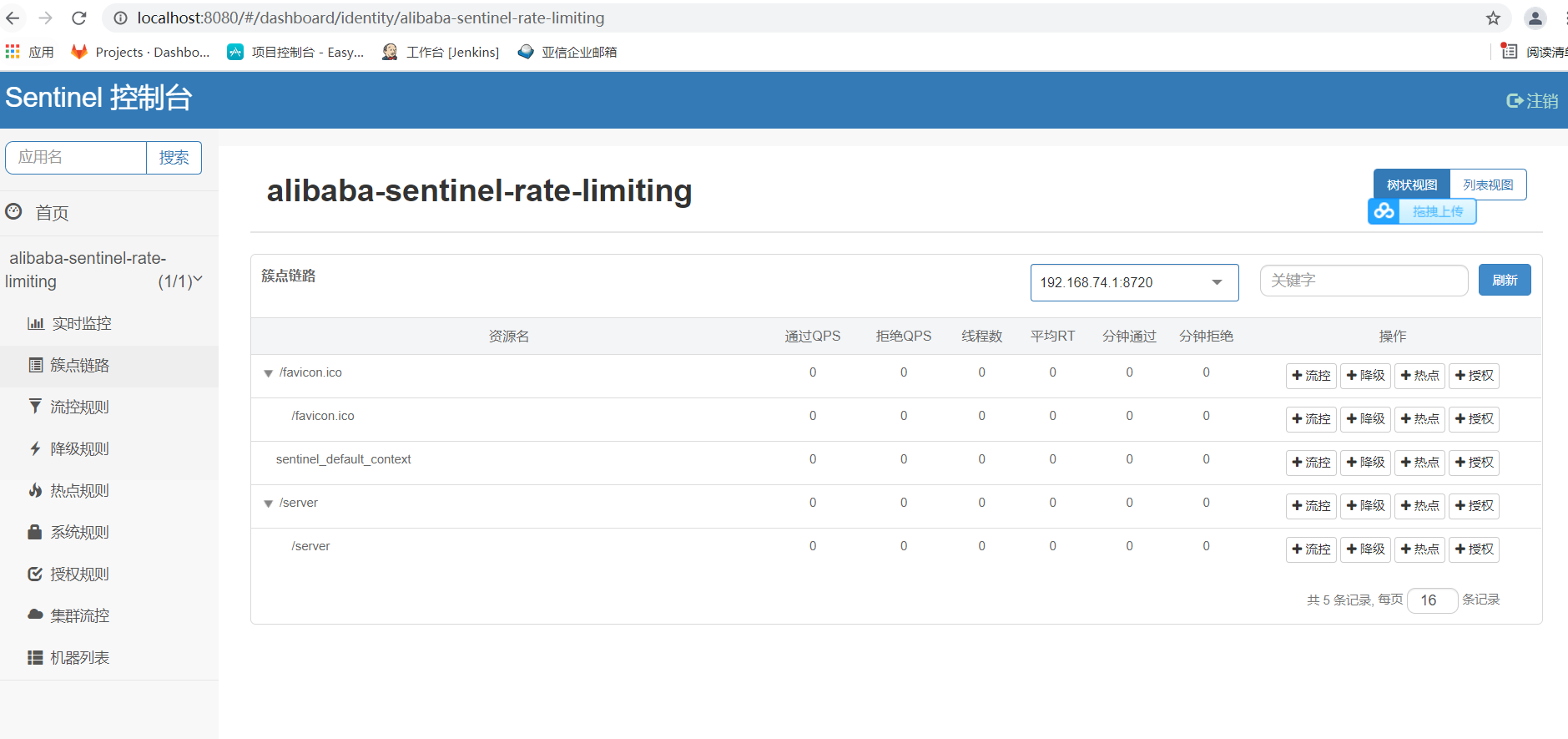
- 簇点链路 -> 流控 配置熔断策略
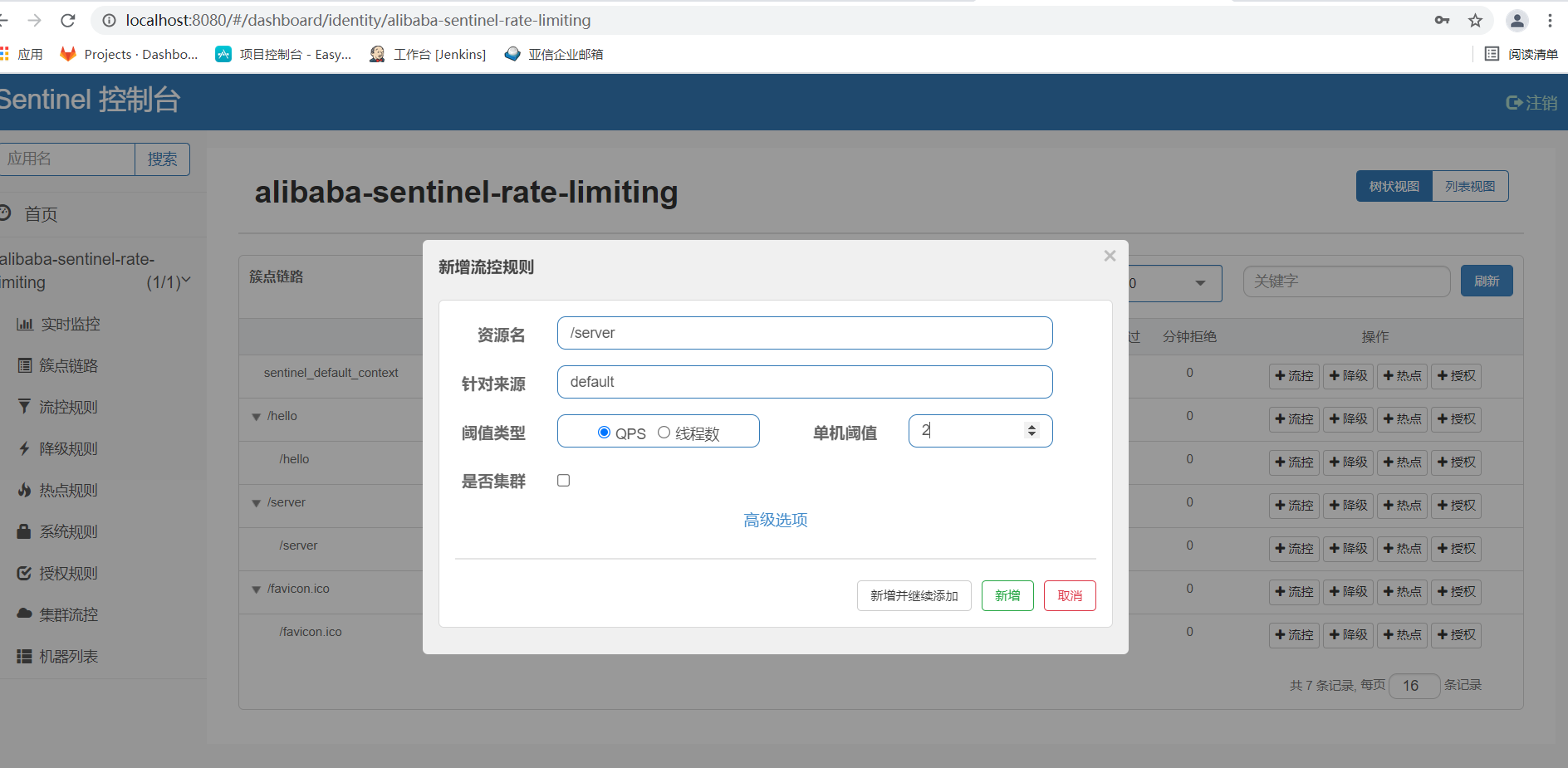
- 新增策略,QPS,单机阈值 2
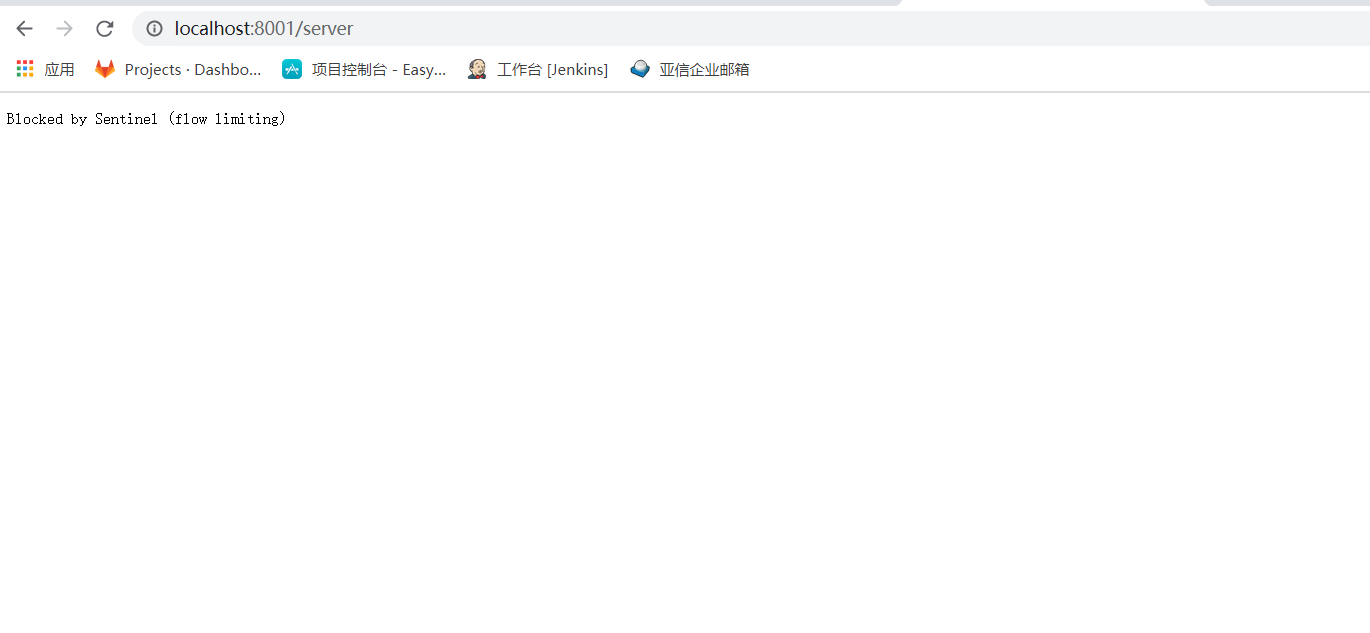
- 快速调用接口,触发失败熔断策略

若有收获,就点个赞吧
0 人点赞


