下载:
elasticsearch-7.9.1-x86_64.rpm 上传到home目录下,安装好jdk;
安装:
rpm -ivh elasticsearch-7.9.1-x86_64.rpm

[root@node02 home]# whereis elasticsearchelasticsearch: /etc/elasticsearch /usr/share/elasticsearch[root@node02 home]##/usr/share/elasticsearch
配置目录
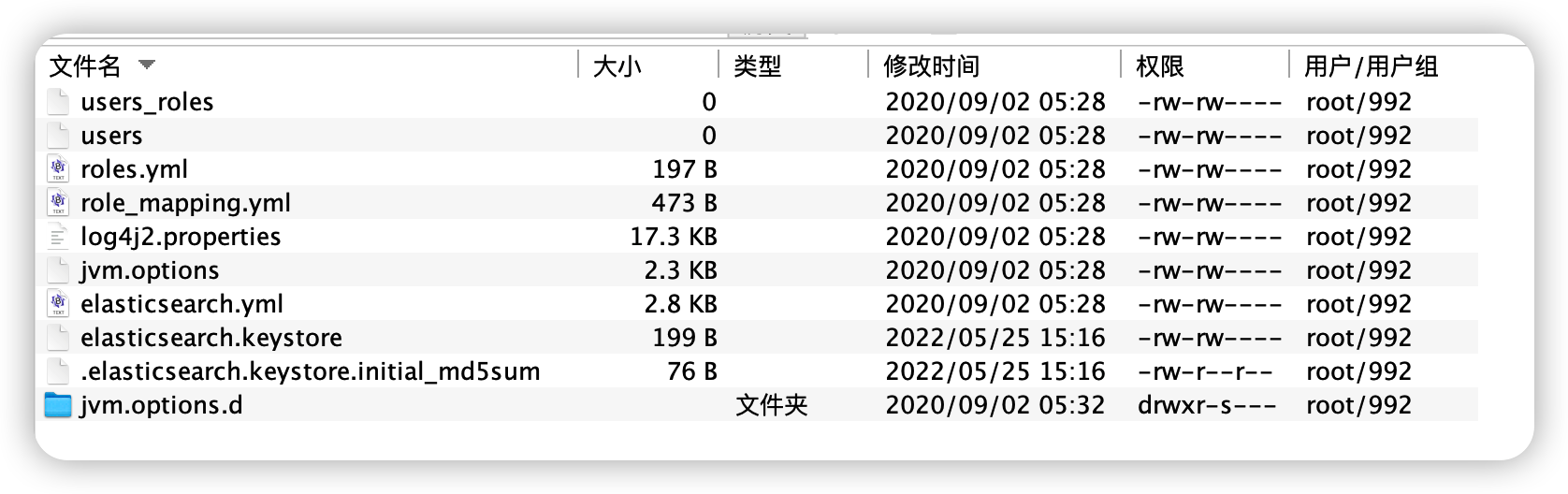
软件安装目录:
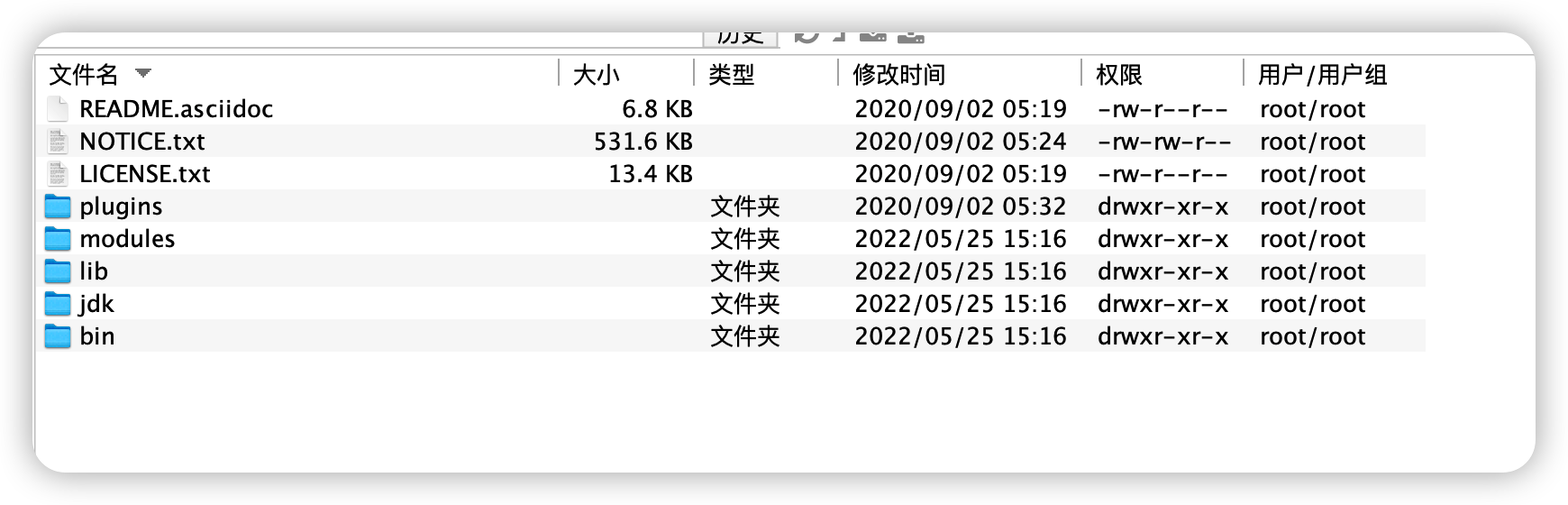
修改配置文件:
jvm.options
设置堆内存大小
-Xms8g
-Xmx8g
jvm heap分配:es7.6版本默认1GB,这个值太小,很容易导致OOM。Jvm heap大小不要超过物理内存的50%,最大也不要超过32GB(compressed oop),它可用于其内部缓存的内存就越多,但可供操作系统用于文件系统缓存的内存就越少,heap过大会导致GC时间过长。
elasticsearch.yml
单机配置:
cluster.name: es-clusternode.name: node-1path.data: /var/lib/elasticsearchpath.logs: /var/log/elasticsearchnetwork.host: 0.0.0.0http.port: 9200http.cors.enabled: truehttp.cors.allow-origin: "*"http.cors.allow-headers: Authorization,X-Requested-With,Content-Length,Content-Typediscovery.seed_hosts: ["172.16.4.200"]cluster.initial_master_nodes: ["node-1"]node.master: truenode.data: truenode.ingest: true
集群配置:
172.16.4.200:
cluster.name: es-clusternode.name: node-1path.data: /var/lib/elasticsearchpath.logs: /var/log/elasticsearchnetwork.host: 0.0.0.0network.publish_host: 172.16.4.200http.port: 9200transport.tcp.port: 9300http.cors.enabled: truehttp.cors.allow-origin: "*"http.cors.allow-headers: Authorization,X-Requested-With,Content-Length,Content-Typediscovery.seed_hosts: ["172.16.4.200:9300","172.16.4.212:9300","172.16.4.211:9300"]cluster.initial_master_nodes: ["node-1","node-2","node-3"]node.master: truenode.data: truenode.ingest: true#只要此许多数据或主节点已加入集群,即可恢复。gateway.recover_after_nodes: 3#预期在集群中的(数据或主)节点数。只要预期的节点数已加入集群,就会启动本地分片的恢复。默认为0gateway.expected_nodes: 3#如果未达到预期的节点数,则恢复过程将等待配置的时间量,然后再尝试恢复。如果只要配置了expected_nodes,则默认这个参数值为5mgateway.recover_after_time: 60m
172.16.4.212:
cluster.name: es-clusternode.name: node-2path.data: /var/lib/elasticsearchpath.logs: /var/log/elasticsearchnetwork.host: 0.0.0.0network.publish_host: 172.16.4.212http.port: 9200transport.tcp.port: 9300http.cors.enabled: truehttp.cors.allow-origin: "*"http.cors.allow-headers: Authorization,X-Requested-With,Content-Length,Content-Typediscovery.seed_hosts: ["172.16.4.200:9300","172.16.4.212:9300","172.16.4.211:9300"]cluster.initial_master_nodes: ["node-1","node-2","node-3"]node.master: truenode.data: truenode.ingest: true#只要此许多数据或主节点已加入集群,即可恢复。gateway.recover_after_nodes: 3#预期在集群中的(数据或主)节点数。只要预期的节点数已加入集群,就会启动本地分片的恢复。默认为0gateway.expected_nodes: 3#如果未达到预期的节点数,则恢复过程将等待配置的时间量,然后再尝试恢复。如果只要配置了expected_nodes,则默认这个参数值为5mgateway.recover_after_time: 60m
172.16.4.211:
cluster.name: es-clusternode.name: node-3path.data: /var/lib/elasticsearchpath.logs: /var/log/elasticsearchnetwork.host: 0.0.0.0network.publish_host: 172.16.4.211http.port: 9200transport.tcp.port: 9300http.cors.enabled: truehttp.cors.allow-origin: "*"http.cors.allow-headers: Authorization,X-Requested-With,Content-Length,Content-Typediscovery.seed_hosts: ["172.16.4.200:9300","172.16.4.212:9300","172.16.4.211:9300"]cluster.initial_master_nodes: ["node-1","node-2","node-3"]node.master: truenode.data: truenode.ingest: true#只要此许多数据或主节点已加入集群,即可恢复。gateway.recover_after_nodes: 3#预期在集群中的(数据或主)节点数。只要预期的节点数已加入集群,就会启动本地分片的恢复。默认为0gateway.expected_nodes: 3#如果未达到预期的节点数,则恢复过程将等待配置的时间量,然后再尝试恢复。如果只要配置了expected_nodes,则默认这个参数值为5mgateway.recover_after_time: 60m
查询集群状态:
curl -XGET http://172.16.4.200:9200/_cat/health?v
[root@node01 elasticsearch]# curl -XGET http://172.16.4.200:9200/_cat/health?vepoch timestamp cluster status node.total node.data shards pri relo init unassign pending_tasks max_task_wait_time active_shards_percent1653531856 02:24:16 es-cluster green 3 3 0 0 0 0 0 0 - 100.0%
报错可以查询/var/log/elasticsearch日志:
[root@node01 elasticsearch]# curl -XGET http://172.16.4.200:9200/_cat/health?v
{“error”:{“root_cause”:[{“type”:”master_not_discovered_exception”,”reason”:null}],”type”:”master_not_discovered_exception”,”reason”:null},”status”:503}[root@node01 elasticsearch]#
当报集群错误,检查防火墙是否关闭,检查9300端口是否开放;
若是删除过/var/log/elasticsearch下面的日志,请同时删除/var/lib/elasticsearch下面数据,否则集群会报2个两个独立的集群 没法加入一个集群 应该删除对应的data数据:
[2022-05-25T18:13:51,901][WARN ][o.e.c.c.Coordinator ] [node-1] failed to validate incoming join request from node [{node-3}{ed3fBg7oQHmv0LbCpyfyog}{O5fqWOrESuapHnoGG9lpuA}{172.16.4.211}{172.16.4.211:9300}{dilmrt}{ml.machine_memory=1041264640, ml.max_open_jobs=20, xpack.installed=true, transform.node=true}]
org.elasticsearch.transport.RemoteTransportException: [node-3][172.16.4.211:9300][internal:cluster/coordination/join/validate]
Caused by: org.elasticsearch.cluster.coordination.CoordinationStateRejectedException: join validation on cluster state with a different cluster uuid HH03-Wx0R5mF40D1rqa9gA than local cluster uuid D91REAJbT4K5dQwdCFXqpw, rejecting

若有收获,就点个赞吧
0 人点赞


