Menu
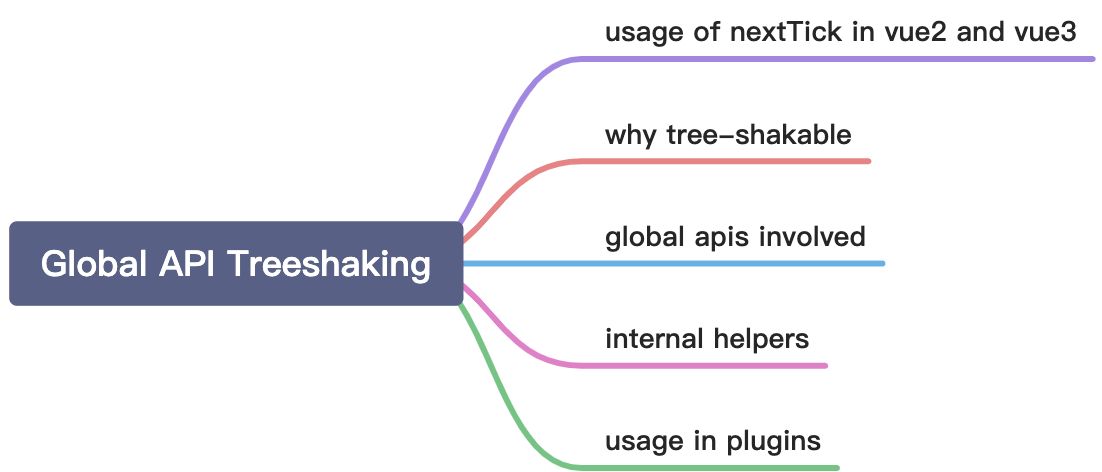
Usage Of nextTick In Vue2 And Vue3
In vue2, we use nextTick like this:
import Vue from 'vue'Vue.nextTick(() => {// something DOM-related})
If we call setTimeout instead, the code of nextTick will also be built into the bundles. So it’s dead code.
Different from vue3, we use nextTick like this:
import { nextTick } from 'vue'nextTick(() => {// something DOM-related})
If we don’t use nextTick, it won’t be built into final package.
Why tree-shakable
With this change, provided the module bundler supports tree-shaking, global APIs that are not used in a Vue application will be eliminated from the final bundle, resulting in an optimal file size.
Global APIs Involved
- Vue.nextTick
- Vue.observable (replaced by
Vue.reactive) - Vue.version
- Vue.compile (only in full builds)
- Vue.set (only in compat builds)
- Vue.delete (only in compat builds)
Internal Helpers
In addition to public APIs, many of the internal components/helpers are now exported as named exports as well. This allows the compiler to output code that only imports features when they are used. For example the following template:
<transition><div v-show="ok">hello</div></transition>
is compiled into something similar to following:
import { h, Transition, withDirectives, vShow } from 'vue'export function render() {return h(Transition, [withDirectives(h('div', 'hello'), [[vShow, this.ok]])])}
So, if we don’t use <transition> component, the code supporting this feature will not be present in the final bundle.
Now we know that the final bundle only contains code on demand and so that we don’t need to worry about additional core features in the feature.
important ** The above only applies to the ES Modules builds for use with tree-shaking capable bundlers - the UMD build still includes all features and exposes everything on the Vue global variable (and the compiler will produce appropriate output to use APIs off the global instead of importing).
Usage In Plugins
For vue2, we assign a plugin like this:
const plugin = {install: Vue => {Vue.nextTick(() => {// ...})}}
In vue3, you’ll have to import apis explicitly:
import { nextTick } from 'vue'const plugin = {install: app => {nextTick(() => {// ...})}}
For the scenes like above, if we use webpack to build bundles, vue’s source code will be bundled into the final bundle of the plugin. To avoid this from happening, we can use externals configuration option:
// webpack.config.jsmodule.exports = {/* ... */externals: {vue: 'Vue'}}
This will tell webpack to treat the Vue module as an external library and not bundle it.
If your module bundler of choice happens to be Rollup (opens new window), you basically get the same effect for free, as by default Rollup will treat absolute module IDs ('vue' in our case) as external dependencies and not include them in the final bundle. During bundling though, it might emit a “Treating vue as external dependency” (opens new window) warning, which can be suppressed with the external option:
// rollup.config.jsexport default {/*...*/external: ['vue']}

若有收获,就点个赞吧
0 人点赞


