Menus
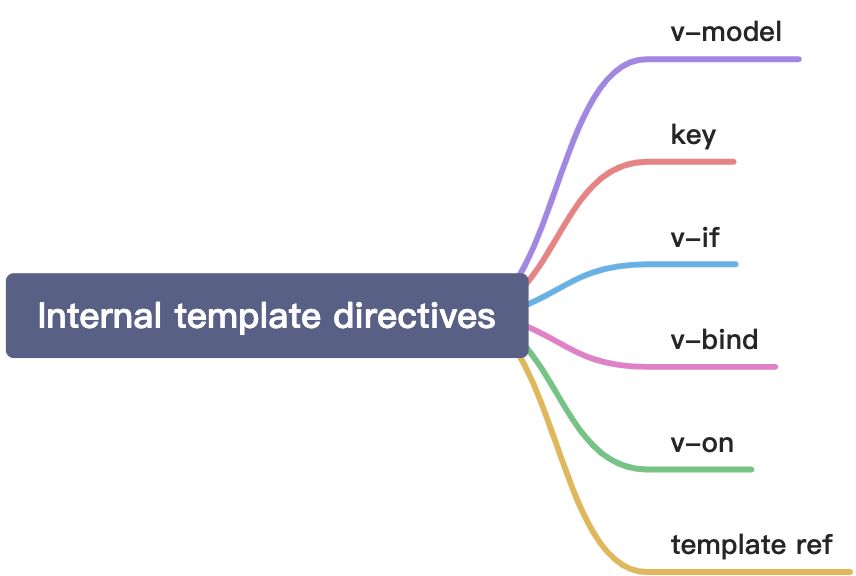
v-model
What has changed in vue3:
- When using
v-modeldirectly with no arguments on custom components, its prop and event’s default names are changed like below:- prop:
value->modelValue - event:
input->update:modelValue
- prop:
v-bind‘s.syncmodifier and component’smodeloption are removed and replaced with an argument onv-model. Like below:<custom-comp v-model:compProp="compProp"></custom-comp>
custom-com.vue:
{...props: {compProp: {type: Boolean,default: false,}},emits: ['update:compProp'],setup(props, { emit }) {...function notifyParent() {emit('update:compProp', true)}...},...}
Multiple
v-modelbindings on the same component are possible now base on the last change.- Added the ability to create custom
v-modelmodifiers. (You can see the last demo in “QuickStart 03 - Fragments And Emits Component Option (2021.02.12)“)
key
Changes:
keys are no longer necessary onv-if/v-else/v-else-ifbranches, since Vue now automatically generates uniquekeys. (If you manually providekeys, then each brach must use a uniquekey. You can no longer intentionlly use the samekeyto force branch reuse.)<template v-for>keyshould be placed on the<template>tag (rather than on its children).
v-if
Changes:
- If used on the same element,
v-ifwill have higher precedence thanv-for.
v-bind
Changes:
- Order of bindings for
v-bindwill affect the rendering result.
In vue2, if an element has both v-bind="object" and an identical individual property defined, the individual property would always overwrite bindings in the object.
<!-- template --><div id="red" v-bind="{ id: 'blue' }"></div><!-- result --><div id="red"></div><!-- template --><div v-bind="{ id: 'blue' }" id="red"></div><!-- result --><div id="red"></div>
In vue3, the final result depends on the order of v-bind.
<!-- template --><div id="red" v-bind="{ id: 'blue' }"></div><!-- result --><div id="blue"></div><!-- template --><div v-bind="{ id: 'blue' }" id="red"></div><!-- result --><div id="red"></div>
v-on
Changes:
- The
.nativemodifier forv-onhas been removed.
The new emits option allows the child to define which events it does indeed emit. For example:
<custom-comp @click="handleClick"></custom-comp>
custom-com.vue:
{...emits: ['click'],setup() {function notifyParent() {emit('click')}}...}
Consequently, Vue will now add all event listeners that are not defined as component-emitted events in the child as native event listeners to the child’s root element (unless inheritAttrs: false has been set in the child’s options).
<custom-compv-on:close="handleClose"v-on:click="handleClick"/>
{emits: ['close']}
template ref
Changes:
- Different from vue2, we no longer use
$refsto get the target element or component. We can get them by using reactive refs instead. - If we use template ref while using
v-for, it no longer automatically create an array which contains every elements or components. What we get finally is the last target element or component inv-for. (You can just test it inonMountedhook.) - If we still want to get an array, we can bind a function to do custom actions.
Now, let’s try it.
Below, we will get template’s root element in root variable by using ref api.
<template><div ref="root">This is a root element</div></template><script>import { ref, onMounted } from 'vue'export default {setup() {const root = ref(null)onMounted(() => {// the DOM element will be assigned to the ref after initial renderconsole.log(root.value) // <div>This is a root element</div>})return {root}}}</script>
If we use render function or JSX syntax to do it, we can try like this:
<template><div ref="root">This is a root element</div></template><script>import { ref, onMounted, h } from 'vue'export default {setup() {const root = ref(null)// render functionreturn () => {h('div', {ref: root})}// with JSXreturn () => <div ref={root}></div>}}</script>
In v-for scene, we will get an array base on a function. For example:
<div v-for="item in list" :ref="setItemRef"></div>
import { onBeforeUpdate, onUpdated } from 'vue'export default {setup() {let itemRefs = []const setItemRef = el => {if (el) {itemRefs.push(el)}}onBeforeUpdate(() => {itemRefs = []})onUpdated(() => {console.log(itemRefs)})return {setItemRef}}}
If you want to use a watcher to watch changes, you can’t use watch or watchEffect directly because they run before the DOM is mounted or updated. You can do it by using watchEffect with the flush: 'post' option. For example:
<template><div ref="root">This is a root element</div></template><script>import { ref, watchEffect } from 'vue'export default {setup() {const root = ref(null)watchEffect(() => {console.log(root.value) // => <div></div>},{flush: 'post'})return {root}}}</script>

若有收获,就点个赞吧
0 人点赞


