前言
需求:用户通过扫描小程序码,直接跳转到小程序的登陆页,并自动填充推荐码
一、自测版本
用于前端自己测试如何生成小程序码
页面示例
<!-- 以图片的形式展示 --><image :src="maskData"></image>
onLoad(options) {console.log('需要推荐码',options)//打印出来是 {scene: "code%3D2QQ"}const scene = options.scene ? decodeURIComponent(options.scene) : ''console.log('编译出来的scene',scene) //打印出来是 code=3D2QQthis.code = scene.split('=')[1]//打印出来是 3D2QQconsole.log('编译出来的推荐码',this.code)},
方法示例
getData(e) {//获取accessTokenlet that = this;const APP_ID = 'xxx'; // 小程序appidconst APP_SECRET = 'xxxxx'; // 小程序app_secretlet access_token = '';uni.request({url: "https://api.weixin.qq.com/cgi-bin/token", //固定链接,不用改data: {grant_type: 'client_credential',appid: APP_ID,secret: APP_SECRET},success: function(res) {console.log('获取accessToken', res)access_token = res.data.access_token;// 接口B:适用于需要的码数量极多的业务场景 生成的是小程序码that.getQrCode(access_token);}})},//获取二维码getQrCode(access_token) {var that = this;uni.request({url: "https://api.weixin.qq.com/wxa/getwxacode?access_token=" + access_token,//固定链接,不用改method: 'POST',responseType: 'arraybuffer', //设置响应类型data: {path: 'pages/public/login?code=' + that.code, // 必须是已经发布的小程序存在的页面(否则报错)width: 298,auto_color: false, // 自动配置线条颜色,如果颜色依然是黑色,则说明不建议配置主色调line_color: {"r": "0","g": "0","b": "0"} // auto_color 为 false 时生效,使用 rgb 设置颜色},success: function(res) {console.log('获取二维码', res)that.maskData = "data:image/PNG;BASE64," + uni.arrayBufferToBase64(res.data);//以图片的形式展示}})}
二、线上版本
原来以为很难的,压力都在前端,等做完了,测试体验版的时候,发现api.weixin.qq.com域名没加进去,结果官方跟我说,不能加这个域名,原因是前端不能直接用上面的方法自己去生成小程序码,必须要通过后台服务器转一下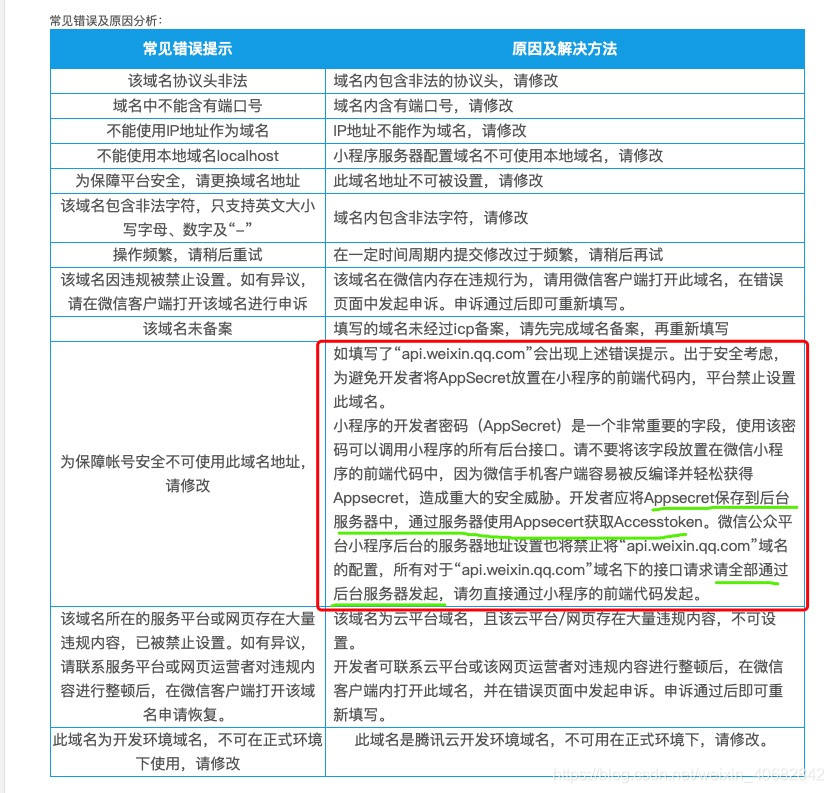
// 给了个token,后端自己去实现自测版本中的操作-生成小程序码,返回图片地址,前端直接展示图片就好了,666getData(e) {this.$api.qrcode({token: this.token}).then(res => {console.log('我的推荐码', res)this.maskData = res}).catch(err => {this.$api.msg(err)});
三、测试
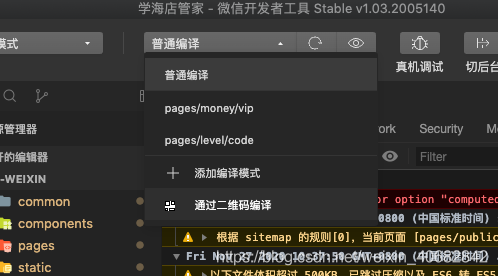
截取生成小程序码的图片,用微信开发者工具的“通过二维码编译”扫码测试能不能拿到参数,并填充
总结
事情其实很简单,没必要想的太复杂

若有收获,就点个赞吧
0 人点赞


