因为要挂载exfat型u盘,但系统不能识别,因此配置源文件是否成功以能否下载yum install fuse-exfat及yum install exfat-utils为参照。
更源文件改前
1,前提能连接网络,ping进行检查,若不行,

2,配置阿里源
wget -O /etc/yum.repos.d/CentOS-Base.repo http://mirrors.aliyun.com/repo/Centos-7.repo
我的是centos7.若是其他版本把红字的地方改为相应的版本号
3,配置第三方软件源(epel,rpmforge,rpmfusion)
1,配置EPEL源
rpm -Uvh https://dl.fedoraproject.org/pub/epel/epel-release-latest-7.noarch.rpm
2,配置RPM Fusion源
yum localinstall --nogpgcheck https://download1.rpmfusion.org/free/el/rpmfusion-free-release-7.noarch.rpm https://download1.rpmfusion.org/nonfree/el/rpmfusion-nonfree-release-7.noarch.rpm
目前配置到这里基本就够平常使用的
试试开始所说的yum命令
可以执行。
查看软件个数以及源yum repolist
3.配置RPM Forge
1)安装
http://repoforge.org/use/ 这是rpmforge源的下载地址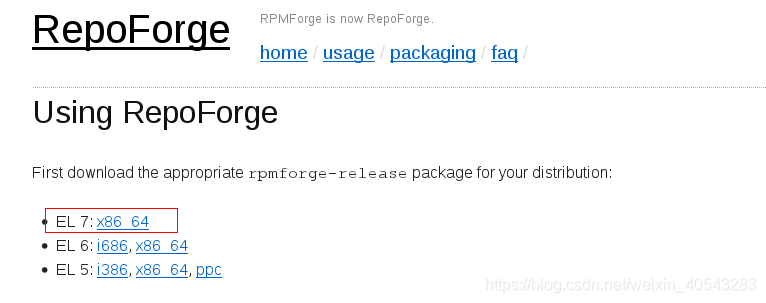
点击x86_64以后,就可以下载一个rpm包,使用rpm命令安装上即可

4.建立缓存
yum clean all
yum makecache
参考:

若有收获,就点个赞吧
0 人点赞


