APACHE安装和防火墙放行
yum -y install httpd wget unzipsystemctl start httpdsystemctl enable httpdfirewall-cmd --add-port=80/tcp --permanentfirewall-cmd --reload

安装PHP
yum -y install php-* --skip-broken php-mysqlndcd /var/www/htmlwget http://mirrors.eagleslab.com:8889/tz.phpsystemctl restart httpd

安装mariadb
yum -y install mariadb mariadb-serversystemctl start mariadbsystemctl enable mariadbmysql_secure_installation
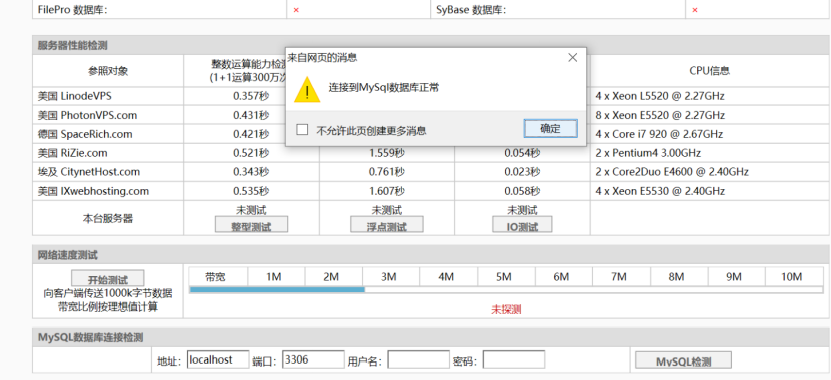
检测一下数据库是否连接正常
![3K50G2AJS$T0LD95Z7P57M.png
创建用于博客的数据库
mysql -uroot -p123456 -e "create database blog;show databases;"
下载博客源码进⾏安装(这⼀步需要去官⽹下载)
cd /var/www/html# wget http://mirrors.eagleslab.com:8889/typecho.zipunzip typecho.zip
![256[{GU6WZDE6%B{PBH4P]J.png](/uploads/projects/u21007123@kih3qx/a15b9300b179eba0785151753b96a121.png) 最后可以直接访问博客
最后可以直接访问博客 ![71]B7YNY0O1BXRAQ~PXTVL0.png](/uploads/projects/u21007123@kih3qx/0f3f6c7d484d6bb2b986fff68a5c057f.png)
这样接搭建好了⼀个博客。
内网穿透:https://www.natfrp.com/peer_vendors.php

若有收获,就点个赞吧
0 人点赞