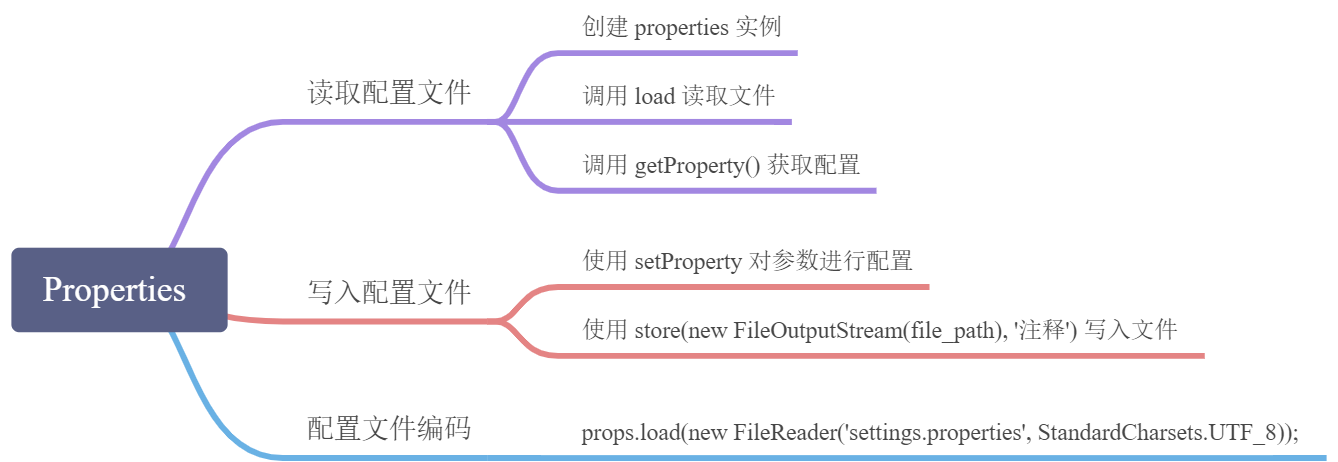
读取配置文件
import java.io.FileInputStream;import java.io.IOException;import java.util.Properties;public class PropertiesTest {public static void main(String[] args) throws IOException {String f = "setting.properties";Properties p = new Properties();p.load(new FileInputStream(f));String url = p.getProperty("url");String password = p.getProperty("password");System.out.println(url + " : " + password);}}
如果有多个配置文件,可以使用 load 多次读取,如果 key 相同,那么后面的会覆盖前面的
Properties props = new Properties();props.load(getClass().getResourceAsStream("/common/setting.properties"));props.load(new FileInputStream("C:\\conf\\setting.properties"));
写入配置文件
Properties props = new Properties();props.setProperty("url", "http://www.liaoxuefeng.com");props.setProperty("language", "Java");props.store(new FileWriter("setting2.properties"), "这是写入的properties注释");

若有收获,就点个赞吧
0 人点赞


