prometheus 基本概念
在prometheus graph页面上查询数据node_cpu_seconds_total{mode="user"}sample 数据点
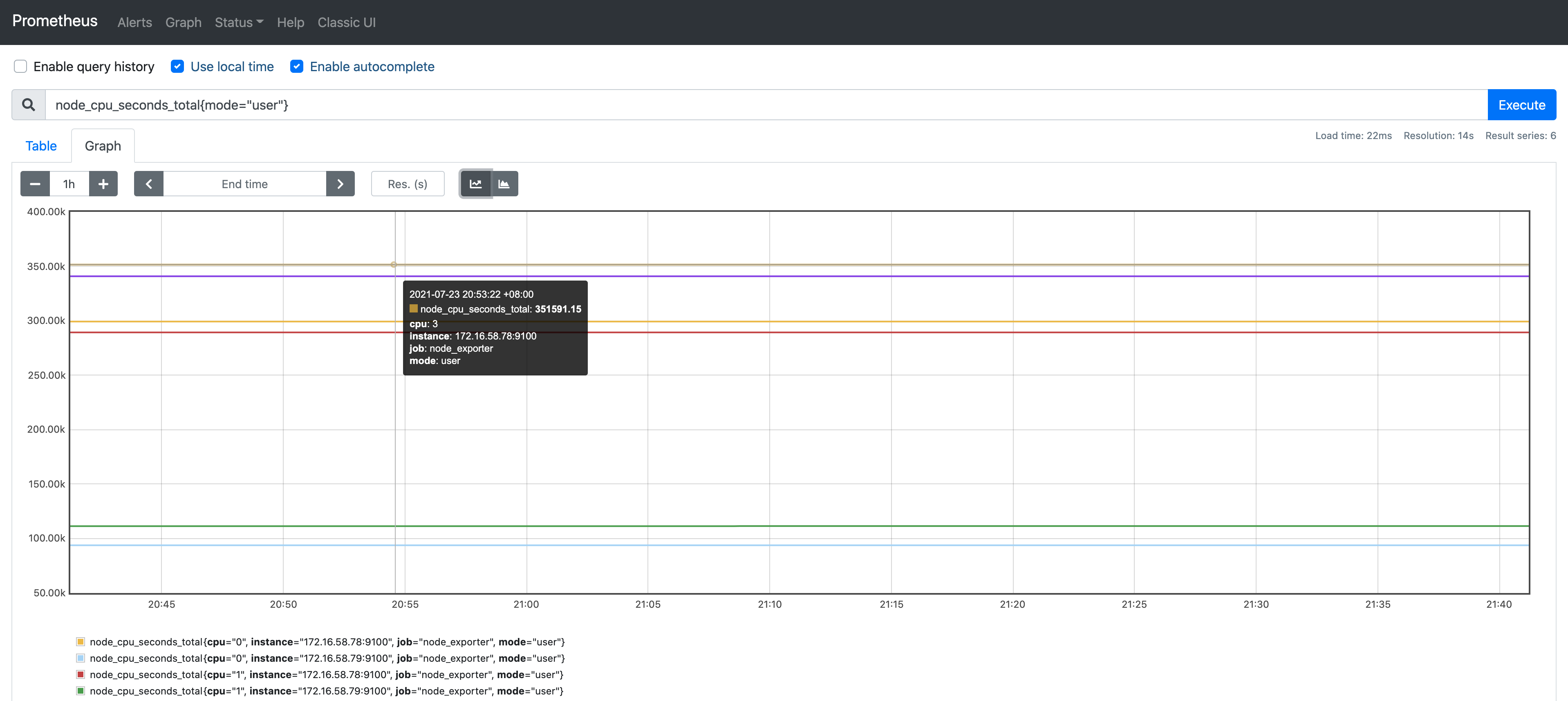
sample 数据点
type sample struct {t int64v float64}sample代表一个数据点size:16byte: 包含 1个8byte int64时间戳和1个8byte float64 value
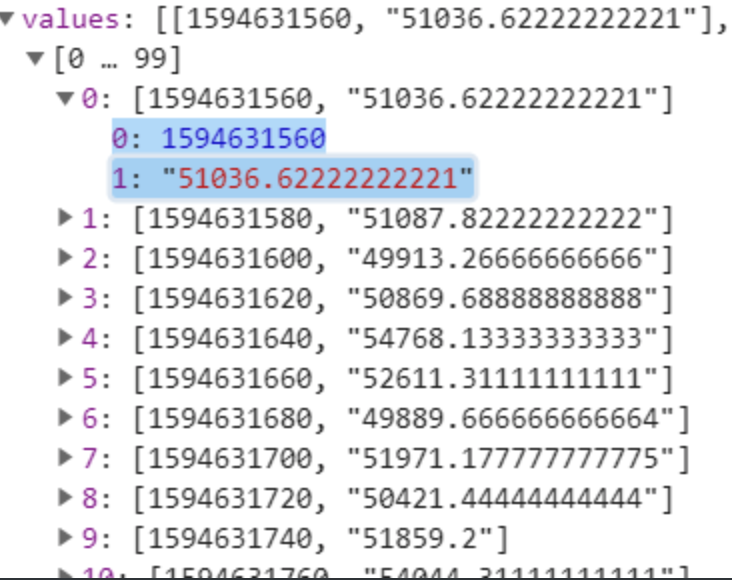
Label 标签
type Label struct {Name, Value string}一对label 比如 `cpu="0"` `mode: "user"`
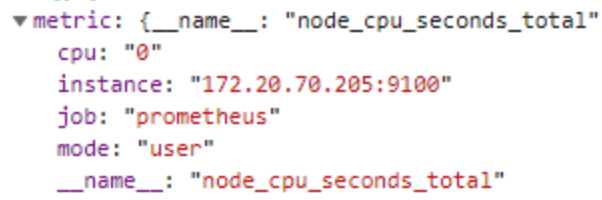
Labels 标签组
type Labels []Label- 就是metric 一个指标的所有tag values
prometheus四种查询类型
即时向量 Instant vector : 一组时间序列,每个时间序列包含一个样本,所有样本共享相同的时间戳
# 在prometheus页面上就是table查询 ,对应查询接口 /api/v1/query 
vector 向量type Vector []Sample1. - ector 向量,是samples的别名,但是所有sample具有相同timestamp ,常用作instance_query的结果
2.范围向量 Range vector : 一组时间序列,每个时间序列包含一个样本,所有样本共享相同的时间戳
> 在prometheus页面上就是graph查询 ,对应查询接口 /api/v1/query> Matrix 矩阵type Matrix []SeriesMatrix是series的切片,一般的range_query返回的结果

1. 标量 `Scalar` 一个简单的数字浮点值2. String 一个简单的字符串值;目前未使用
四种标签匹配模式
1. `=` 等于- 查询: cpu第一个核并且是用户态的数据 node_cpu_seconds_total{mode="user",cpu="0"}2. `!=` 不等于- 查询: 非lo网卡的接收字节数 node_network_receive_bytes_total{device!="lo"}3. `=~` 正则匹配- 查询: 挂载点以/run开头的文件系统剩余字节数 node_filesystem_avail_bytes{mountpoint=~"^/run.*"}4. `!~` 正则非匹配- 查询: 块设备名字不包含vda的读字节数 node_disk_read_bytes_total{device!~".*vda.*"}
四种数据类型
- gauge 当前值
node_memory_MemFree_bytes
counter 计数器是代表一个累积指标单调递增计数器,其价值只能在重新启动增加或归零。例如,您可以使用计数器来表示已服务请求,已完成任务或错误的数量。
http_request_total
histogram 直方图样本观测(通常之类的东西请求持续时间或响应大小)和计数它们配置的桶中。它还提供所有观察值的总和 ```go
http所有接口 总的95分位值
sum/count 可以算平均值
prometheus_http_request_duration_seconds_sum/ prometheus_http_request_duration_seconds_count
histogram_quantile(0.95, sum(rate(prometheus_http_request_duration_seconds_bucket[5m])) by (le,handler))
histogram_quantile(0.95, sum(rate(prometheus_http_request_duration_seconds_bucket[1m])) by (le))
range_query接口的95分位值
histogram_quantile(0.95, sum(rate(prometheus_http_request_duration_seconds_bucket{handler=”/api/v1/query_range”}[5m])) by (le))
<br />summary 摘要会采样观察值(通常是请求持续时间和响应大小之类的东西)。尽管它还提供了观测值的总数和所有观测值的总和,但它可以计算滑动时间窗口内的可配置分位数。```bash# gc耗时# HELP go_gc_duration_seconds A summary of the pause duration of garbage collection cycles.# TYPE go_gc_duration_seconds summarygo_gc_duration_seconds{quantile="0"} 0.000135743go_gc_duration_seconds{quantile="0.25"} 0.000872805go_gc_duration_seconds{quantile="0.5"} 0.000965516go_gc_duration_seconds{quantile="0.75"} 0.001055636go_gc_duration_seconds{quantile="1"} 0.006464756# summary 平均值go_gc_duration_seconds_sum /go_gc_duration_seconds_count-
范围向量选择器 Range Vector Selectors
- 范围矢量的工作方式与即时矢量一样,不同之处在于它们从当前即时中选择了一定范围的样本。语法上,将持续时间附加在[]向量选择器末尾的方括号()中,以指定应为每个结果范围向量元素提取多远的时间值。
只能作用在counter上
时间范围
ms -毫秒
s -秒
m - 分钟
h - 小时
d -天-假设一天总是24小时
w -周-假设一周始终为7天
y -年-假设一年始终为365天

直接查询报错   node_network_receive_bytes_total{device!="lo"}[1m]
Error executing query: invalid expression type "range vector" for range query, must be Scalar or instant Vector

> 需要叠加一个非聚合函数 如 rate irate delta idelta sum 等

-  计算网卡入流量
  rate(node_network_receive_bytes_total{device!="lo"}[1m])

> > 时间范围 ,不能低于采集间隔

- - 采集30秒 ,查询10秒则无数据
- - rate(node_network_receive_bytes_total{device!="lo"}[10s])

若有收获,就点个赞吧
0 人点赞


