1. 介绍
1.1 官网
1.2 是什么
随着微服务的流行,服务和服务之间的稳定性变得越来越重要。Sentinel 以流量为切入点,从流量控制、熔断降级、系统负载保护等多个维度保护服务的稳定性。
Sentinel 具有以下特征:
- 丰富的应用场景:Sentinel 承接了阿里巴巴近 10 年的双十一大促流量的核心场景,例如秒杀(即突发流量控制在系统容量可以承受的范围)、消息削峰填谷、集群流量控制、实时熔断下游不可用应用等。
- 完备的实时监控:Sentinel 同时提供实时的监控功能。您可以在控制台中看到接入应用的单台机器秒级数据,甚至 500 台以下规模的集群的汇总运行情况。
- 广泛的开源生态:Sentinel 提供开箱即用的与其它开源框架/库的整合模块,例如与 Spring Cloud、Dubbo、gRPC 的整合。您只需要引入相应的依赖并进行简单的配置即可快速地接入 Sentinel。
- 完善的 SPI 扩展点:Sentinel 提供简单易用、完善的 SPI 扩展接口。您可以通过实现扩展接口来快速地定制逻辑。例如定制规则管理、适配动态数据源等。
1.3 下载地址
https://github.com/alibaba/Sentinel/releases
1.4 功能

1.5 比较
Hystrix与Sentinel比较:
- Hystrix
- 需要我们程序员自己手工搭建监控平台
- 没有一套web界面可以给我们进行更加细粒度化得配置流控、速率控制、服务熔断、服务降级
- Sentinel
- 单独一个组件,可以独立出来。
- 直接界面化的细粒度统一配置。
1.6 怎么玩:解决那些问题
java -jar 下载jar包
- 服务血崩
- 服务降级
- 服务熔断
-
2. 安装运行控制台
2.1 sentinel组件有两部分构成
前台:核心库(Java 客户端)不依赖任何框架/库,能够运行于所有 Java 运行时环境,同时对 Dubbo / Spring Cloud 等框架也有较好的支持。
- 后台8080:控制台(Dashboard)基于 Spring Boot 开发,打包后可以直接运行,不需要额外的 Tomcat 等应用容器。
2.2 安装步骤
(1)下载
https://github.com/alibaba/Sentinel/releases
(2)运行命令
- 前提
- Java 8 环境
- 8080端口不能被占用
- 命令
java -jar sentinel-dashboard-1.7.0.jar
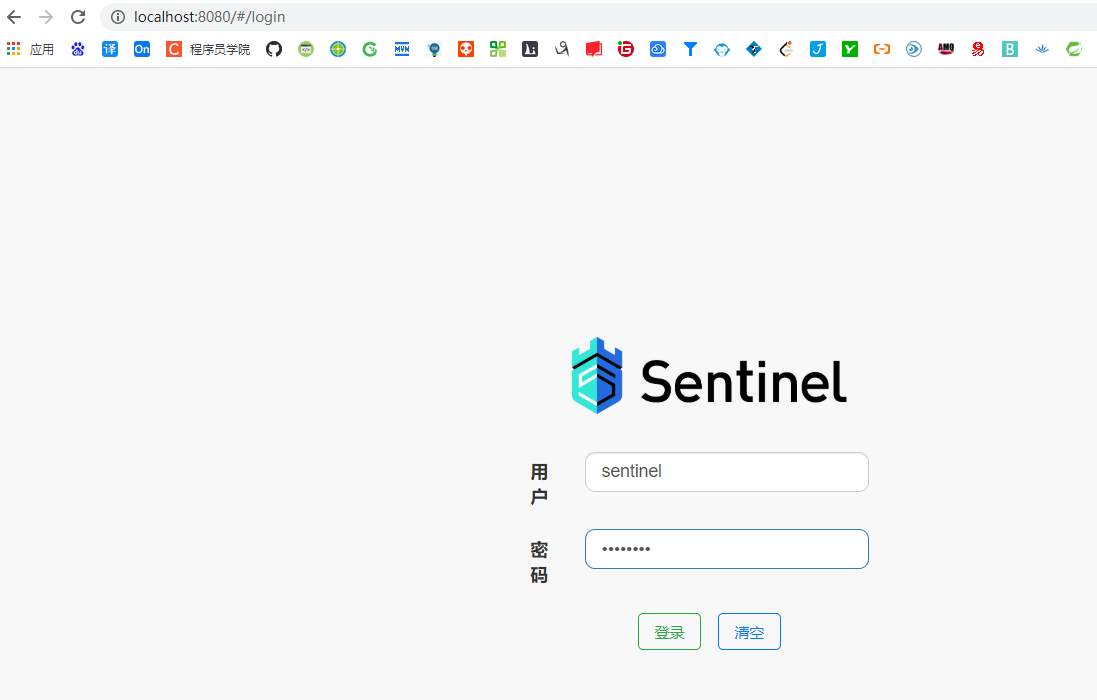
(3)访问界面
- localhost:8080
- 登录账号密码均为sentinel
3. 初始化演示工程
3.1 module
cloudalibaba-sentinel-service8401
**
3.2 pom
<!--SpringCloud ailibaba sentinel --><dependency><groupId>com.alibaba.cloud</groupId><artifactId>spring-cloud-starter-alibaba-sentinel</artifactId></dependency>
<?xml version="1.0" encoding="UTF-8"?><project xmlns="http://maven.apache.org/POM/4.0.0"xmlns:xsi="http://www.w3.org/2001/XMLSchema-instance"xsi:schemaLocation="http://maven.apache.org/POM/4.0.0 http://maven.apache.org/xsd/maven-4.0.0.xsd"><parent><artifactId>cloud2021</artifactId><groupId>com.atguigu.springcloud</groupId><version>1.0-SNAPSHOT</version></parent><modelVersion>4.0.0</modelVersion><artifactId>cloudalibaba-sentinel-service8401</artifactId><dependencies><dependency><!-- 引入自己定义的api通用包,可以使用Payment支付Entity --><groupId>com.atguigu.springcloud</groupId><artifactId>cloud-api-commons</artifactId><version>${project.version}</version></dependency><!--SpringCloud ailibaba nacos --><dependency><groupId>com.alibaba.cloud</groupId><artifactId>spring-cloud-starter-alibaba-nacos-discovery</artifactId></dependency><!--SpringCloud ailibaba sentinel-datasource-nacos 后续做持久化用到--><dependency><groupId>com.alibaba.csp</groupId><artifactId>sentinel-datasource-nacos</artifactId></dependency><!--SpringCloud ailibaba sentinel --><dependency><groupId>com.alibaba.cloud</groupId><artifactId>spring-cloud-starter-alibaba-sentinel</artifactId></dependency><!--openfeign--><dependency><groupId>org.springframework.cloud</groupId><artifactId>spring-cloud-starter-openfeign</artifactId></dependency><!-- SpringBoot整合Web组件+actuator --><dependency><groupId>org.springframework.boot</groupId><artifactId>spring-boot-starter-web</artifactId></dependency><dependency><groupId>org.springframework.boot</groupId><artifactId>spring-boot-starter-actuator</artifactId></dependency><!--日常通用jar包配置--><dependency><groupId>org.springframework.boot</groupId><artifactId>spring-boot-devtools</artifactId><scope>runtime</scope><optional>true</optional></dependency><dependency><groupId>cn.hutool</groupId><artifactId>hutool-all</artifactId><version>4.6.3</version></dependency><dependency><groupId>org.projectlombok</groupId><artifactId>lombok</artifactId><optional>true</optional></dependency><dependency><groupId>org.springframework.boot</groupId><artifactId>spring-boot-starter-test</artifactId><scope>test</scope></dependency></dependencies></project>
3.3 yaml
server:
  port: 8401

spring:
  application:
    name: cloudalibaba-sentinel-service
  cloud:
    nacos:
      discovery:
        server-addr: localhost:8848 #Nacos服务注册中心地址
    sentinel:
      transport:
        dashboard: localhost:8080 #配置Sentinel dashboard地址
        port: 8719 #默认为8719,加入被占用会依次+1扫描,直至找到未被占用的的端口

management:
  endpoints:
    web:
      exposure:
        include: '*'

#feign:
#  sentinel:
#    enabled: true # 激活Sentinel对Feign的支持
3.4 主启动类
package com.atguigu.speingcloud;

import org.springframework.boot.SpringApplication;
import org.springframework.boot.autoconfigure.SpringBootApplication;
import org.springframework.cloud.client.discovery.EnableDiscoveryClient;

@EnableDiscoveryClient
@SpringBootApplication
public class MainApp8401 {
    public static void main(String[] args) {
        SpringApplication.run(MainApp8401.class, args);
    }
}
3.5 业务类
import lombok.extern.slf4j.Slf4j;
import org.springframework.web.bind.annotation.GetMapping;
import org.springframework.web.bind.annotation.RestController;

@RestController
@Slf4j
public class FlowLimitController {
    @GetMapping("/testA")
    public String testA()
    {
        return "------testA";
    }

    @GetMapping("/testB")
    public String testB()
    {
        log.info(Thread.currentThread().getName()+"\t"+"...testB");
        return "------testB";
    }
}
3.6 测试
- 启动nacos8848
- 启动sentinel8080
- 启动module
查看sentienl控制台
**
- 刚启动,空空如也,啥都没有
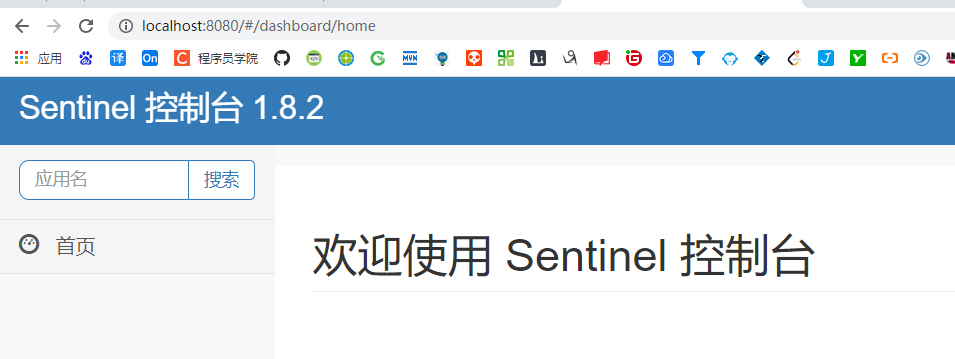
- Sentinel采用的懒加载说明
- 执行一次访问即可
- 效果 - sentinel8080正在监控微服务8401


若有收获,就点个赞吧
0 人点赞


