- Angular中创建对象的两种方式:
- 通过
new手动创建一个对象实例出来,let car = new Car(); - 通过依赖注入的方式,注入对象的实例,通过声明依赖注入,不需要
new关键字创建实例
- 通过
Angular认为组件是与用户操作有关的东西,与用户操作无关的内容都应该剥离出去放在服务对象当中;服务对象从外部为组件提供服务(例如:日志、记时、后台服务的访问)
1、日志服务依赖案例
1.1、创建日志服务
在目录下创建服务类
LogService@Injectable({providedIn: 'root'})表示当前服务是可被注入的,指定提供者是root```typescript //Injectable装饰器修饰说明当前服务可被注入 @Injectable({ //指定当前服务对象由根模块中提供 providedIn: “root” }) export class LogService{
doLog(action: any){ //模拟获取当前用户 let user = {name: ‘jack’, role: ‘admin’}; let time = new Date().toLocaleString(); console.log(
角色:${user.role} 用户名:${user.name} 操作:${action} 时间:${time}) } } ```1.2、在组件中注入服务
在组件的
constructor(log:LogService)构造函数中声明所需的依赖,Angular在类创建的时候就会提供所需的服务,服务是单例的 ```typescript @Component({ selector: ‘app-test-component’, templateUrl: ‘./test-component.component.html’, styleUrls: [‘./test-component.component.css’] }) export class TestComponentComponent { //LogService类型的变量log log: LogService;//在构造函数中指定变量的类型,声明依赖 constructor(log: LogService) { this.log = log; }
addThing(){ //直接使用依赖的LogService this.log.doLog(“adding”); }
removeThing(){ this.log.doLog(“removing”); }
}
<a name="tf2AD"></a>## 1.3、界面效果```html<h1>货物管理</h1><button (click)="addThing()">添加</button><button (click)="removeThing()">删除</button>
- 点击按钮后查看控制台日志结果,观察
LogService被成功注入提供
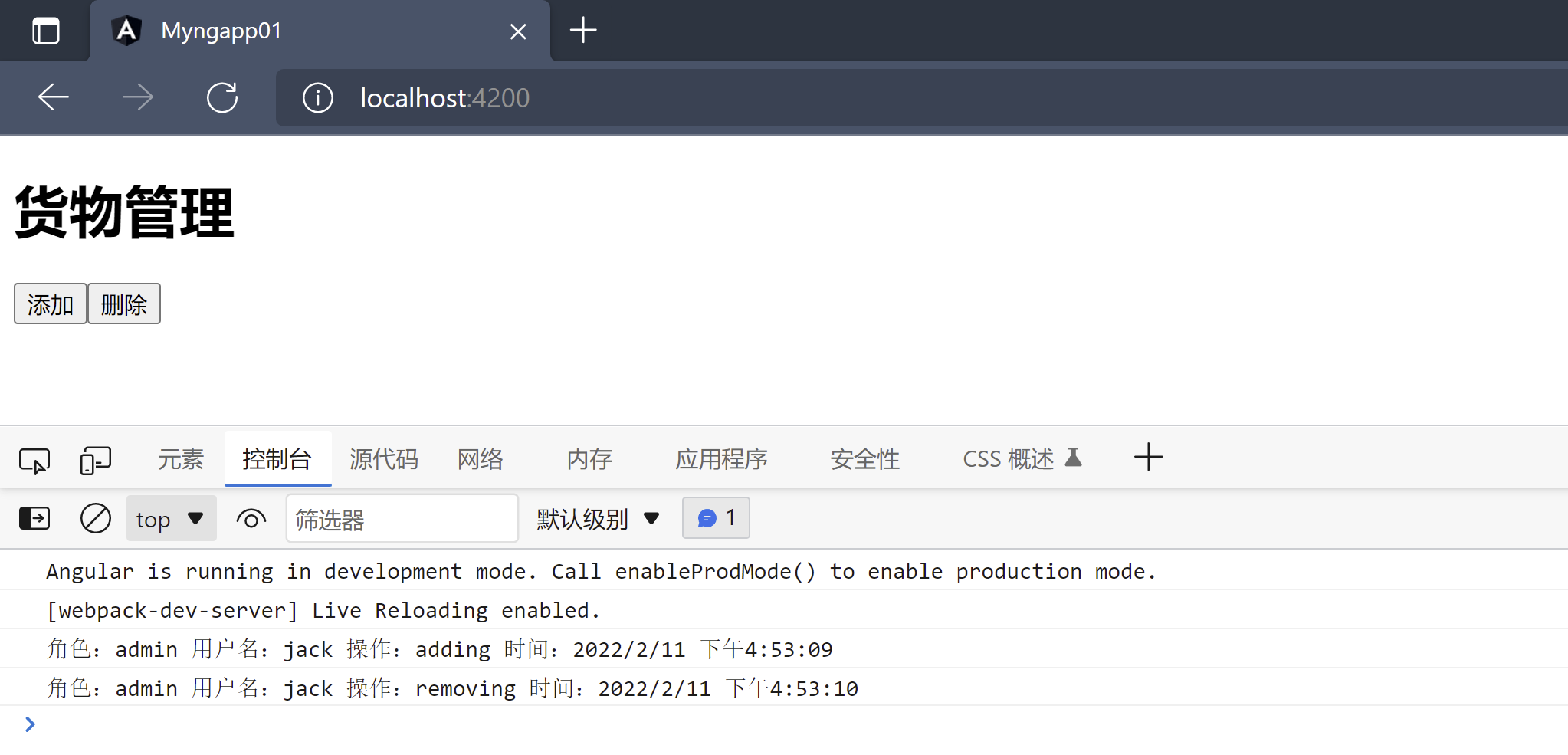
2、非单例服务声明
- 要声明非单例的服务提供者,组件级别的服务提供者,对于一些有属性的服务,多个组件同时使用一个服务,会导致属性值冲突,此时就需要使用非单例的服务,每一个组件维护自己的属性
组件级别的服务提供这只能在当前组件中作用
//Injectable装饰器修饰说明当前服务可被注入//同时不指定服务提供者为root@Injectable()export class LogService{doLog(action: any){//模拟获取当前用户let user = {name: 'jack', role: 'admin'};let time = new Date().toLocaleString();console.log(`角色:${user.role} 用户名:${user.name} 操作:${action} 时间:${time}`)}}
在组件中使用
providers中声明当前服务的服务提供者@Component({selector: 'app-ng-for-component',templateUrl: './ng-for-component.component.html',styleUrls: ['./ng-for-component.component.css'],providers: [LogService] //声明组件级别的服务提供这,此服务只在当前组件中生效,避免数据冲突})export class NgForComponentComponent {count: number = 5;log: LogService;constructor(log: LogService) {this.log = log;}doAdd(){this.log.doLog("adding!");}}

若有收获,就点个赞吧
0 人点赞


