一、背景
- URL地址:http://dgepb.dg.gov.cn/sjzxh.html
- 目标:批量下载图中的附件
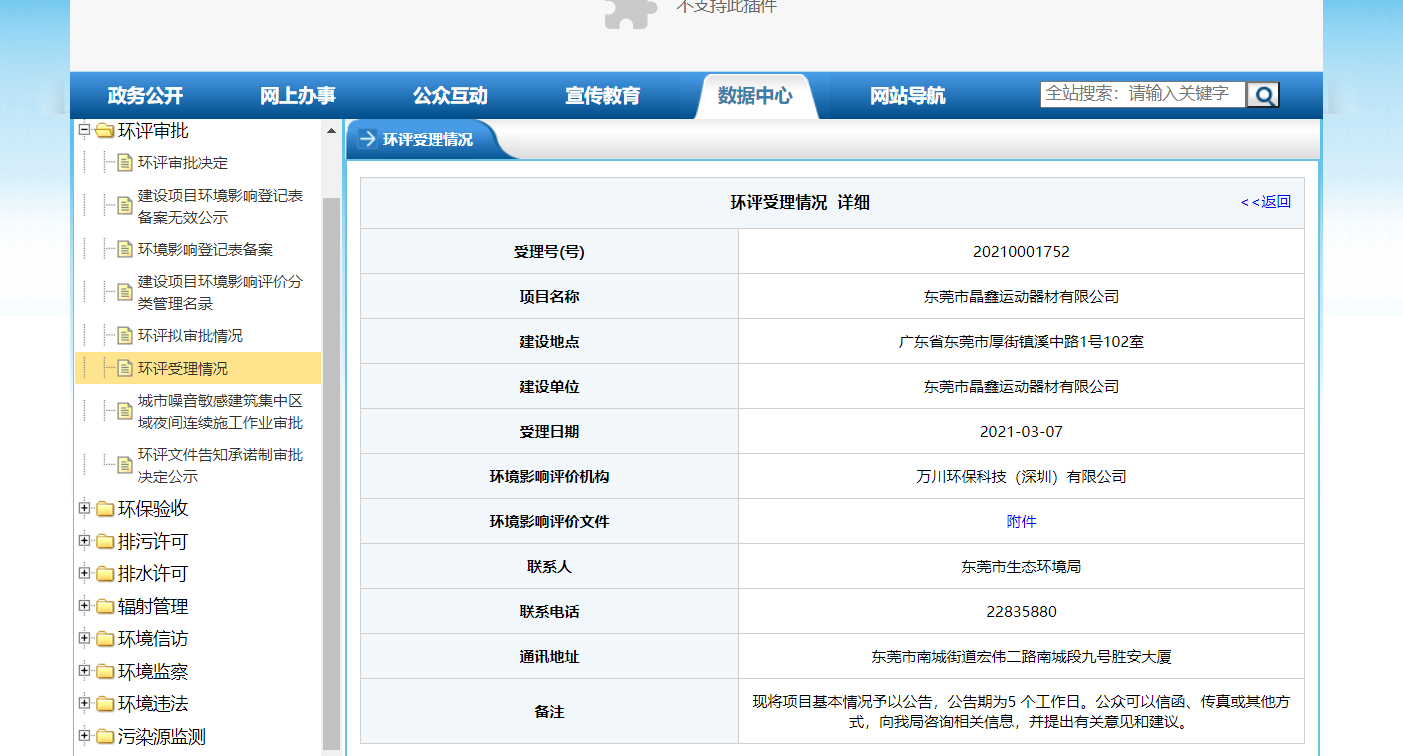
二、实现过程
1.思路
- 获取文件链接:通过网络抓包,可以很容易发现json数据格式
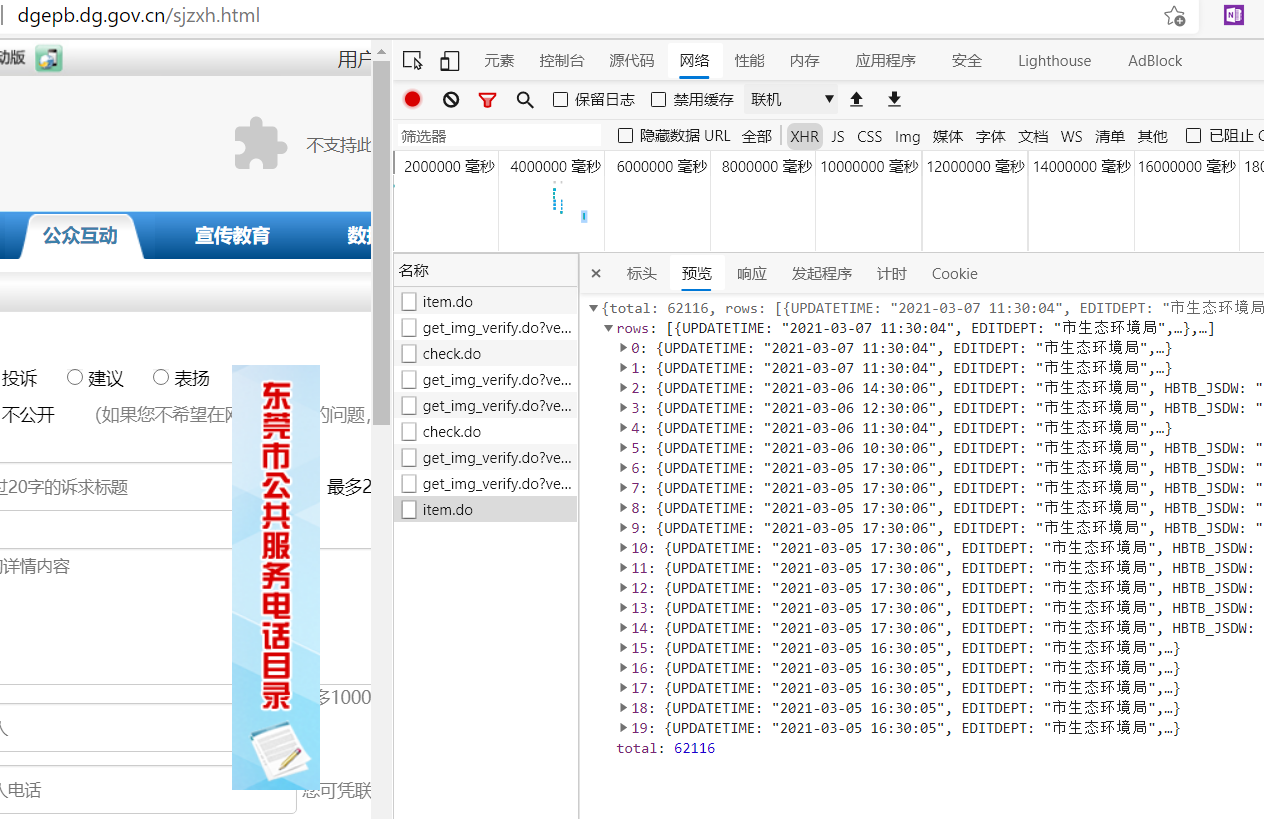
构造出post参数即可
post_params={'page':'1', #页码,默认为1'rows':'20', #每页多少条,最大20'HBTB_XH':'','HBTB_XH_END':'','HBTB_XMMC':'','HBTB_JSDD':'','HBTB_JSDW':'','HBTB_SLRQ':'','HBTB_SLRQ_END':'','dirId':'402881204e959150014e959f42f30014', #文件夹编号'subjectId':'93e889f2501d3fe8015024305bdf0efc','backPage':'','vcode':''}
三、小结
三页过后会有滑块验证码,目前显示不了,尚未解决
四、代码
from os import errorimport requestsimport reimport jsonfrom time import sleepfrom bs4 import BeautifulSoupfrom tqdm import tqdm#获取文件链接file_urls=[]file_names=[]count = int(input('请输入爬取页码数(1,2,3.....):'))headers = {'User-Agent': 'Mozilla/5.0 (Windows NT 10.0; Win64; x64) AppleWebKit/537.36 (KHTML, like Gecko) Chrome/88.0.4324.182 Safari/537.36 Edg/88.0.705.81','Referer':'http://120.86.191.138/hbgs/zwgk/dirData.do?dirId=402881204e959150014e959f42f30014&subjectId=93e889f2501d3fe8015024305bdf0efc'}post_params={'page':'1', #页码,默认为1'rows':'20', #每页多少条,最大20'HBTB_XH':'','HBTB_XH_END':'','HBTB_XMMC':'','HBTB_JSDD':'','HBTB_JSDW':'','HBTB_SLRQ':'','HBTB_SLRQ_END':'','dirId':'402881204e959150014e959f42f30014', #文件夹编号'subjectId':'93e889f2501d3fe8015024305bdf0efc','backPage':'','vcode':''}path = 'http://120.86.191.138/hbgs/zwgk/item.do'print('开始爬取新闻链接...')for i in tqdm(range(1,count+1)):post_params['page']=i #第4页开始出现验证码验证,反爬虫req=requests.post(url=path,params=post_params,headers=headers)try:req.encoding='utf-8'file_json=req.json().get('rows')for item in file_json:file_url=item.get('HBTB_HPWJ')file_urls.append(file_url)file_name=file_url.split('/')[-1] #取文件名file_names.append(file_name)except :print('第{0}页出现error'.format(i))continue#print(file_urls,'\n')#print(file_names,'\n')#下载文件len=2 #下载文件数for i in range(1,len+1):req=requests.get(file_urls[i])with open (file_names[i],'wb') as f:f.write(req.content)print('---结束---')

若有收获,就点个赞吧
0 人点赞


