A
二叉搜索树最深的共有父节点,很尴尬提交了4次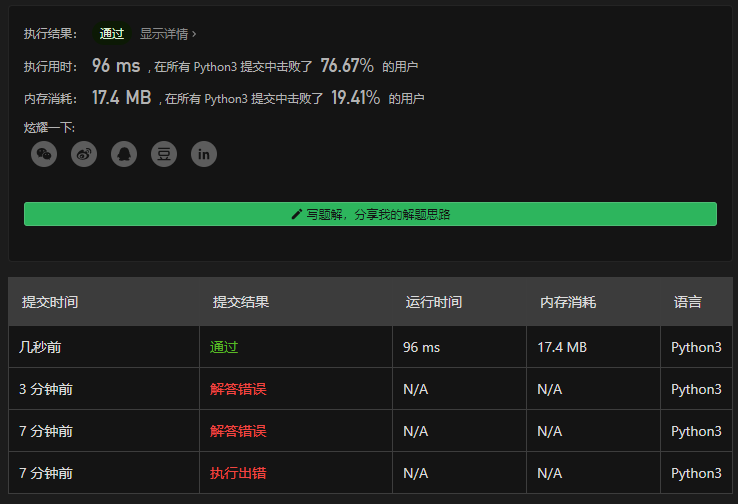
R
Explicit wait
Explicit waits are available to Selenium clients for imperative, procedural languages. They allow your code to halt program execution, or freeze the thread, until the condition you pass it resolves. The condition is called with a certain frequency until the timeout of the wait is elapsed. This means that for as long as the condition returns a falsy value, it will keep trying and waiting.
显示得等待可以在命令式预研的Selenium客户端中使用。这允许你的代码可以挂起程序的执行或者冻结线程直到你传入的条件达成。这个条件被周期性的检查直到wait花费掉了超时设置的时间。这意味着假设条件判断返回false,它将会持续的尝试和等待
Since explicit waits allow you to wait for a condition to occur, they make a good fit for synchronising the state between the browser and its DOM, and your WebDriver script.
因为显式地等待允许你等待一个条件达成,他适合在浏览和他的DOM模型以及你的WebDriver脚本之间同步状态
To remedy our buggy instruction set from earlier, we could employ a wait to have the findElement call wait until the dynamically added element from the script has been added to the DOM:
对于前面那个有问题的指令集的补救,我们可以使用一个wait来确保指导通过脚本动态添加的元素已经被添加到DOM之后再执行findElement的调用:
from selenium.webdriver.support.ui import WebDriverWaitdef document_initialised(driver):return driver.execute_script("return initialised")driver.navigate("file:///race_condition.html")WebDriverWait(driver).until(document_initialised)el = driver.find_element(By.TAG_NAME, "p")assert el.text == "Hello from JavaScript!"
We pass in the condition as a function reference that the wait will run repeatedly until its return value is truthy. A “truthful” return value is anything that evaluates to boolean true in the language at hand, such as a string, number, a boolean, an object (including a WebElement), or a populated (non-empty) sequence or list. That means an empty list evaluates to false. When the condition is truthful and the blocking wait is aborted, the return value from the condition becomes the return value of the wait.
我们通过一个会周期运行的等待的函数引用传入这个状态,直到它返回true。一个“真值”可以是这个语言中任何可以表示为布尔真的东西,例如一个字符串,以额数字,一个boolean,一个对象(也包括一个WebElement),或者一个非空的序列或者list。这也意味着空的列表是false。当条件为真值并且阻塞等待中断,状态的返回值便成为wait的返回值
With this knowledge, and because the wait utility ignores no such element errors by default, we can refactor our instructions to be more concise:
从这个角度来说,因为wait这个工具缺省会忽略掉没有这个元素的错误,我们可以重构我们的指令让它变地更简洁:
from selenium.webdriver.support.ui import WebDriverWaitdriver.navigate("file:///race_condition.html")el = WebDriverWait(driver).until(lambda d: d.find_element_by_tag_name("p"))assert el.text == "Hello from JavaScript!"
最后这个优化得说一说,它不是太适合那些需要元素呈现出复杂的形态时候这种场景,例如被遮盖不能点击那个问题
In that example, we pass in an anonymous function (but we could also define it explicitly as we did earlier so it may be reused). The first and only argument that is passed to our condition is always a reference to our driver object, WebDriver (called d in the example). In a multi-threaded environment, you should be careful to operate on the driver reference passed in to the condition rather than the reference to the driver in the outer scope.
在这个例子当中,我们传入了一个匿名的函数(但是我们也可以预先显式的定义它,使得它可以被复用)。第一个也是唯一的传给我们条件的参数永远是一个指向我们driver对象的引用,WebDriver类型(在例子里面叫做d)。在多线程的环境中,相比较driver在(竞态条件)范围之外的,更应该关心如何处理传入竞态条件中的如如何操作
Because the wait will swallow no such element errors that are raised when the element is not found, the condition will retry until the element is found. Then it will take the return value, a WebElement, and pass it back through to our script.
因为wait不会吞掉no such element错误而是在元素没找到时候抛出来,所以条件(检查)将被重复的执行,直到元素出现。接着它返回一个值,一个WebElement,并将其传递回我们的脚本里
If the condition fails, e.g. a truthful return value from the condition is never reached, the wait will throw/raise an error/exception called a timeout error.
如果条件检查失败的,例如从条件判断哪理永远拿不到一个真值,那么wait回抛出一个超时错误的异常
Options
The wait condition can be customised to match your needs. Sometimes it is unnecessary to wait the full extent of the default timeout, as the penalty for not hitting a successful condition can be expensive. The wait lets you pass in an argument to override the timeout:
wait条件可以定制化匹配你的需要。有时候是不必完整等待默认超时时间的,因为没有达到成功条件的惩罚可能是昂贵的
wait让你传入一个参数可以复写超时时间
WebDriverWait(driver, timeout=3).until(some_condition)
这个特么的也没说缺省超时是多长时间
Expected conditions
Because it is quite a common occurrence to have to synchronise the DOM and your instructions, most clients also come with a set of predefined expected conditions. As might be obvious by the name, they are conditions that are predefined for frequent wait operations.
因为不得不同步DOM和你的代码是个很寻常的事情,绝大多数客户端也预定义了一套预期条件。从名字就能看的出来,他们这些预定义的条件(判断)是频繁的等待操作
The conditions available in the different language bindings vary, but this is a non-exhaustive list of a few:
这些条件在不同的语言绑定中会有所不同,同时下面这个也不是一个详尽的列表:
- alert is present
- element exists
- element is visible
- title contains
- title is
- element staleness
- visible text
You can refer to the API documentation for each client binding to find an exhaustive list of expected conditions:
- Java’s org.openqa.selenium.support.ui.ExpectedConditions class
- Python’s selenium.webdriver.support.expected_conditions class
- .NET’s OpenQA.Selenium.Support.UI.ExpectedConditions type
最后那段就不用瞎翻了,详尽的参考到那几个链接即可,Java排第一位哦,所以真不知道为啥python调用这玩意儿这么火,估计就图一个不用编译
T
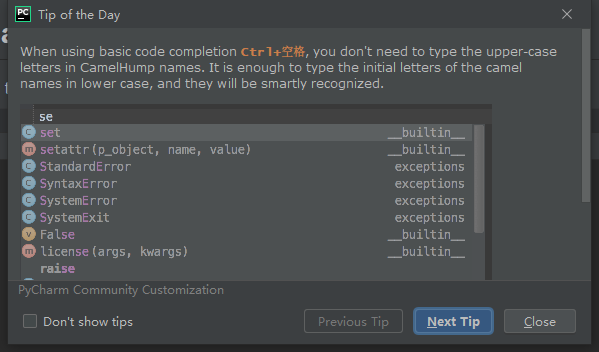
有意思的不是这个tip是什么或者有没有用,而是:
- CamelHump,驼 峰
- ctrl + space 这个中文输入法(中、英)切换键,冲突由来已久,真的没有本地化
- 实际上很多时候也不用主动的呼出这个自动补全的菜单,敲击键盘过程中停顿就出来了
- 当自动补全列表出来的时候,最下面竟然还有tip

- 这个tip还不是固定的


- 得承认这些小细节很有意思,但(这似乎也应该放在share里面,那里是表达viewpoint的?)这么细节有多大程度上能形成生产力?
- 也许吧,毕竟这个世界还有一个叫vi/vim的东西就这么个思路
比如ctrl + . 和tab或enter都是选定候选菜单中的某个,但是光标位置细节是不一样的,文字直接看上面截图就可以了,为了省心(也许更费心),这里截图标示说明:
- 这是ctrl + .
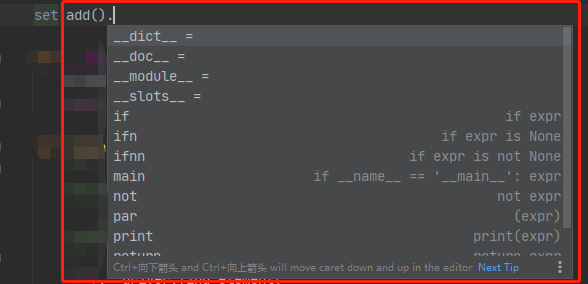
- 如果敲得tab或enter则是

- 这是ctrl + .
最后是ctrl+space和自动补全这个的冲突问题,这里有这么几个快捷键
- ctrl + space是中文输入法时候中英文切换(官方的说法叫开启关闭输入法),还有一个简单地按法是直接敲shift键
- shift + ctrl,是在某个语言中的多个输入法之间的切换,例如我目前的现状,是在这两个之间切换

- shift + alt,是在多个语言之间的切换,如上面那个截图的列表,则是在标示部分切换,其中切换到简体中的哪一个,估计是切换成其他语言前是哪个,切换回来也是哪个吧,
这个还没试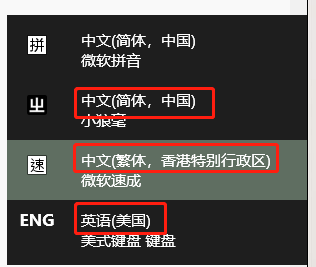
- 所以综上所述,如果在处于中文输入法时候想主动地呼出自动补全菜单,那么在不改变系统缺省的热键配置的情况下,可以alt+shift 切换到英文语言,然后再按ctrl+space就可以了响应了
- 所以不同的用户使用电脑还是有自己的账户比较好,设定自己用的输入法就可以了(其实我也没试,但我觉的应该是每用户一个设置吧),省的多了别扭
补,alt+shift,左右shift切换顺序是不一样的,左shift是顺着列表向下,右shift是顺着列表向上,如果有超过两个语言时候(比如我为了想——也只是想,一直没做——学习非中国大陆的中文输入法所以还有个香港特别行政区…)有用
T 总结
是idea这一家族的IDE的快捷键和tip的细节
- ctrl + . 和中文输入法的冲突及不做改变缺省输入法快捷键设置的基础上怎么直接用ctrl + .呼出自动补全
- 用alt + shift切换至英文(win10的前提是得加入英语这种语言)
S
这周其实刚开始,但是因为临近十一,很可能现在不弄上点就忘了,看这个吧,截图截一部分,避免哪天没了不知道怎么回事: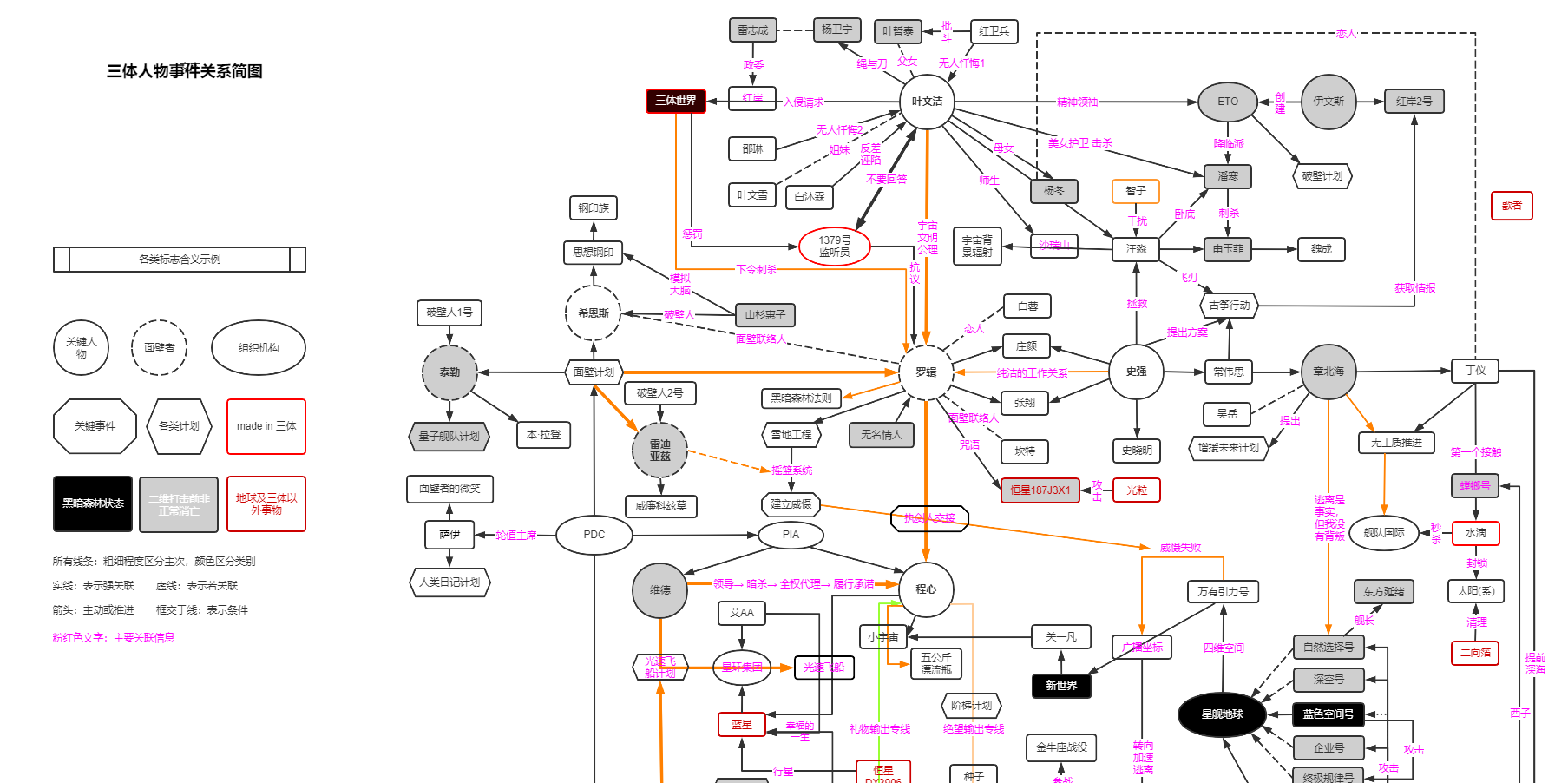
- 用alt + shift切换至英文(win10的前提是得加入英语这种语言)
领导本来发过来是当一个乐子的,因为
但是我职业病犯了,我严肃得回复了一句:
挺牛B的,不过确实说明所有的数据流通过一张图表达出来最终的效果就是乱,有些只能简化了,比如三体下令刺杀罗辑,这个实际上应该基本上也只能是通过地球三体组织,这里却直接连上了
后来想想可能我恰恰还一不留神又犯了一个语言还经常不精确的毛病,毕竟是三体世界通过质子向地球三体组织下达刺杀罗辑的指令,这才是事实的全部
所以,架构这东西,真的玄啊

若有收获,就点个赞吧
0 人点赞


