概述
本章节基于 内存存储令牌 的模式用于演示最基本的操作,快速理解 oAuth2 认证服务器中 “认证”、”授权”、”访问令牌” 的基本概念
操作流程
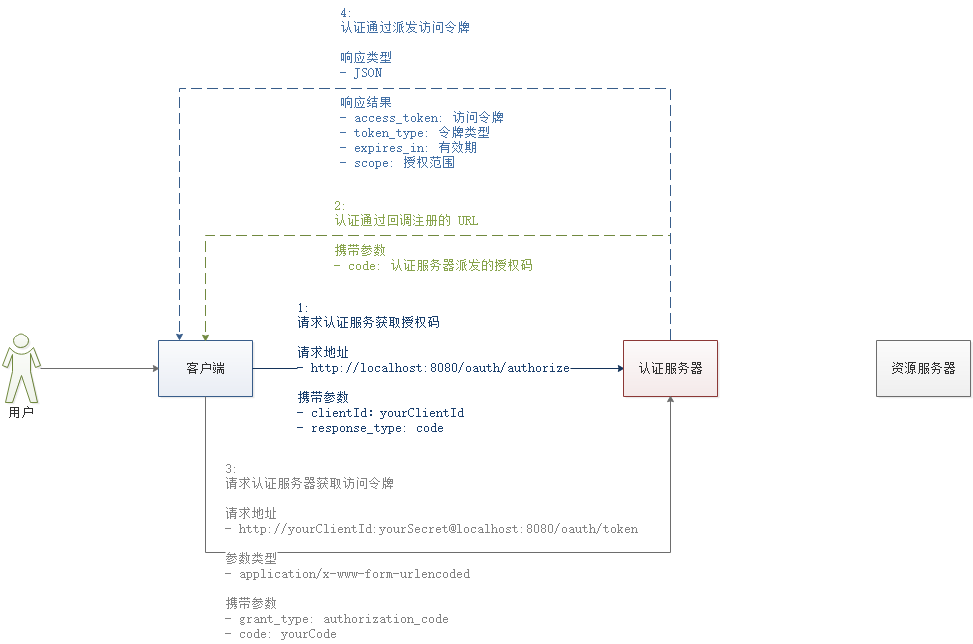
- 配置认证服务器
- 配置客户端信息:
ClientDetailsServiceConfigurerinMemory:内存配置withClient:客户端标识secret:客户端安全码authorizedGrantTypes:客户端授权类型scopes:客户端授权范围redirectUris:注册回调地址
- 配置客户端信息:
- 配置 Web 安全
- 通过 GET 请求访问认证服务器获取授权码
- 端点:
/oauth/authorize
- 端点:
- 通过 POST 请求利用授权码访问认证服务器获取令牌
- 端点:
/oauth/token
- 端点:
附:默认的端点 URL
/oauth/authorize:授权端点/oauth/token:令牌端点/oauth/confirm_access:用户确认授权提交端点/oauth/error:授权服务错误信息端点/oauth/check_token:用于资源服务访问的令牌解析端点/oauth/token_key:提供公有密匙的端点,如果你使用 JWT 令牌的话服务器安全配置
继承WebSecurityConfigurerAdapter,实现configure(AuthenticationManagerBuilder auth)方法,设置用户的登录账号,密码,以及访问的权限。 ```java package com.jyusun.origin.oauth2.config;
import org.springframework.context.annotation.Bean; import org.springframework.context.annotation.Configuration; import org.springframework.security.config.annotation.authentication.builders.AuthenticationManagerBuilder; import org.springframework.security.config.annotation.method.configuration.EnableGlobalMethodSecurity; import org.springframework.security.config.annotation.web.configuration.EnableWebSecurity; import org.springframework.security.config.annotation.web.configuration.WebSecurityConfigurerAdapter; import org.springframework.security.crypto.factory.PasswordEncoderFactories; import org.springframework.security.crypto.password.PasswordEncoder;
/**
- 作用描述:
- 认证 拦截所有的Web请求 *
- @author jyusun
- @date 2020/9/21 15:55
@since 1.0.0 */ @Configuration @EnableWebSecurity @EnableGlobalMethodSecurity(prePostEnabled = true, securedEnabled = true, jsr250Enabled = true) public class WebSecurityConfig extends WebSecurityConfigurerAdapter {
@Bean public PasswordEncoder passwordEncoder() {
return PasswordEncoderFactories.createDelegatingPasswordEncoder();
}
/**
- 基于内存创建用户
*/
@Override
protected void configure(AuthenticationManagerBuilder auth) throws Exception {
auth.inMemoryAuthentication()
} }.withUser("admin").password(passwordEncoder().encode("123456")).roles("ADMIN");
<a name="L2BpF"></a>## 配置认证服务器需要继承AuthorizationServerConfigurerAdapter,实现configure(ClientDetailsServiceConfigurer clients)方法,在这个方法里面设置相关的参数,客户端id,密钥,认证方式,范围,重定向到哪里;```java/*** <p>* 作用描述:认证服务* </p>** @author jyusun* @date 2020/9/21 16:10* @since 1.0.0*/@Configuration@EnableAuthorizationServerpublic class AuthorizationServerConfig extends AuthorizationServerConfigurerAdapter {@Autowiredpublic PasswordEncoder passwordEncoder;@Overridepublic void configure(ClientDetailsServiceConfigurer clients) throws Exception {clients.inMemory().withClient("client").secret(passwordEncoder.encode("secret")).authorizedGrantTypes("authorization_code").scopes("app").redirectUris("https://www.baidu.com");}}
application.yml
server:port: 9999spring:application:name: origin-oauth2-serverprofiles:active: dev # 默认激活开发环境配置
启动服务获取授权码
http://localhost:9999/oauth/authorize?client_id=client&response_type=code
访问获取授权码
打开浏览器,输入地址:
http://localhost:9999/oauth/authorize?client_id=client&response_type=code
1
第一次访问会跳转到登录页面
验证成功后会询问用户是否授权客户端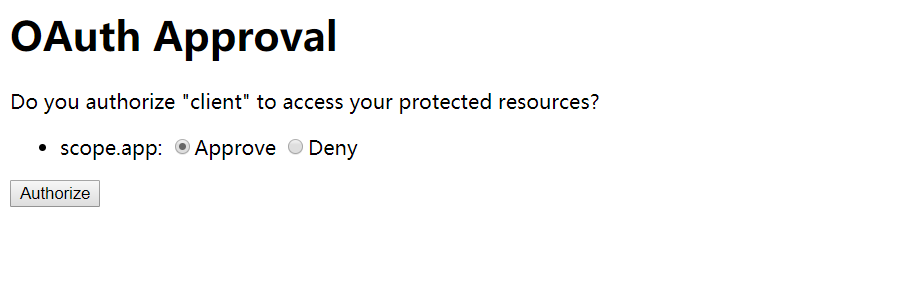
选择授权后会跳转到百度,浏览器地址上还会包含一个授权码(code=ie4cd7),浏览器地址栏会显示如下地址: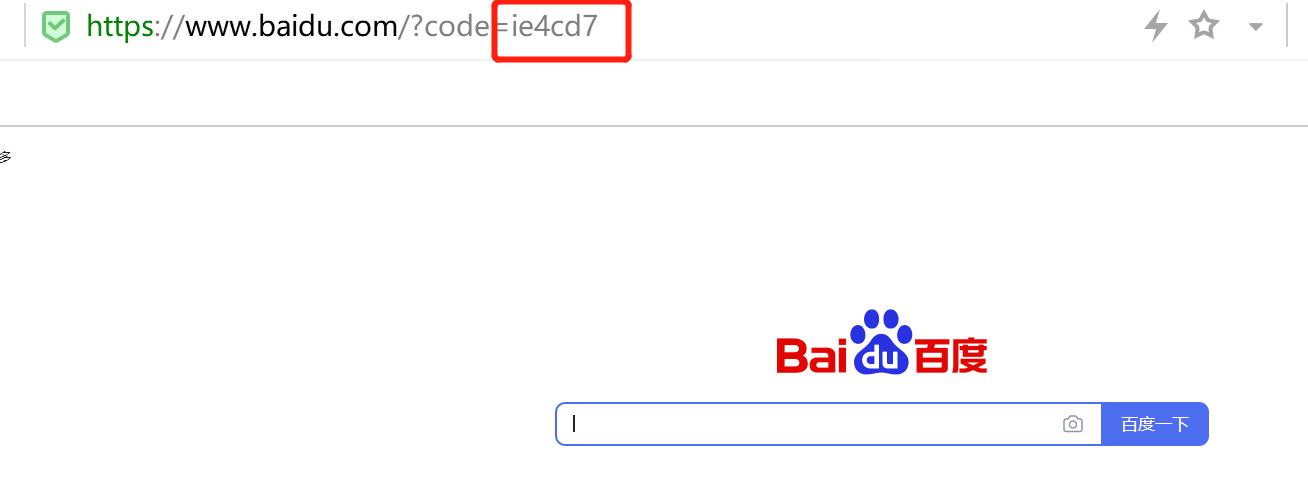
通过授权码向服务器申请令牌
通过 CURL
curl -X POST -H "Content-Type: application/x-www-form-urlencoded" -d 'grant_type=authorization_code&code=ie4cd7' "http://client:secret@localhost:9999/oauth/token"
Postman 请求
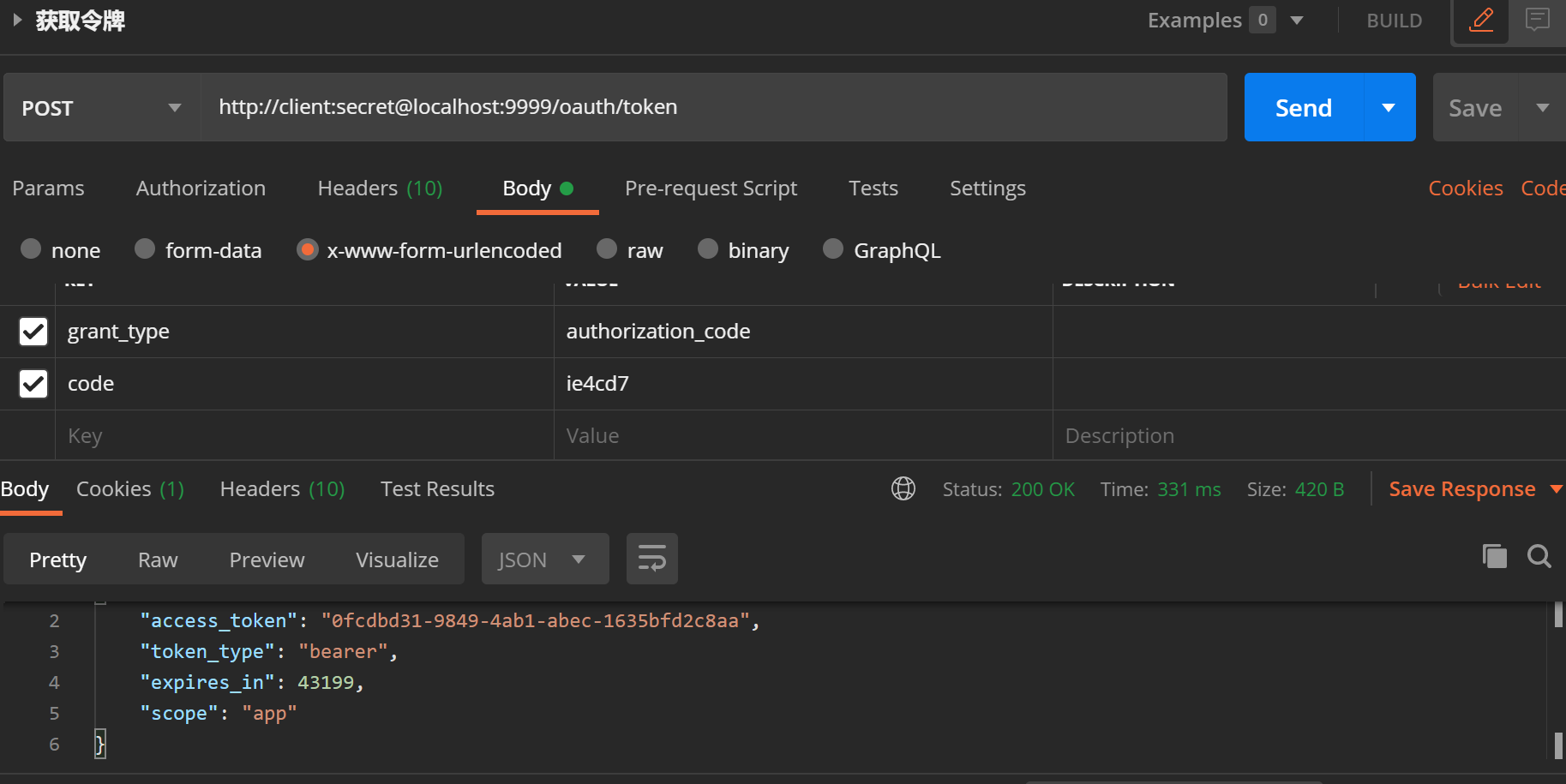
**

若有收获,就点个赞吧
0 人点赞


