概述
IDEA 默认会在用户文件夹创建配置目录,由于使用过程中此配置目录会越来越大,因此将配置目录指定到想要存放的位置。
编辑默认配置路径
- 编辑默认配置路径
编辑文件:{IDEA安装路径}/bin/idea.properties(本人将默认路径配置在IntelliJIdea的安装路径settings下,故做如下配置)
idea.config.path=../settings/.IntelliJIdea/configidea.system.path=../settings/.IntelliJIdea/systemidea.plugins.path=${idea.config.path}/pluginsidea.log.path=${idea.system.path}/log
如图所示红色部分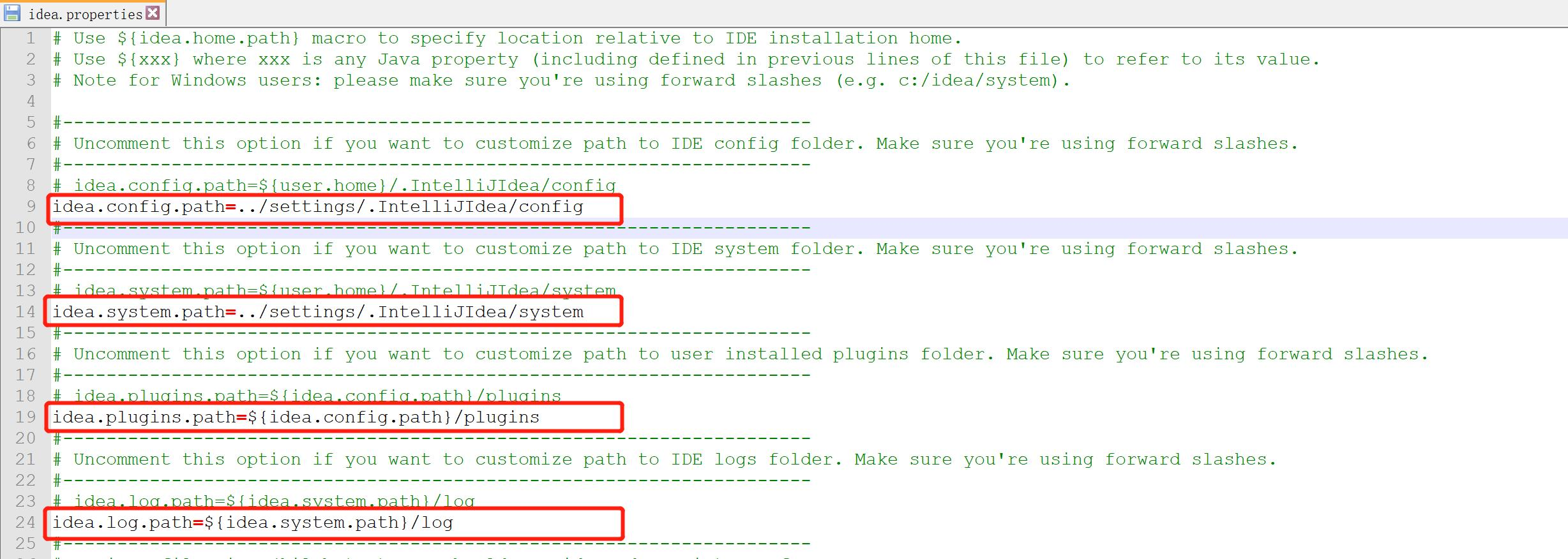
- 配置完成后重新启动,配置即可生效!

若有收获,就点个赞吧
0 人点赞


