配置文件位置
找到自己Maven的本地安装位置,并找到配置文件
- D:\devbasic\maven\apache-maven-3.6.0\conf

中央仓库
当建立一个Maven工程的时候,Maven会检查pom.xml中的依赖信息,并在本地仓库获得依赖资源,如果没有找到,然后会从默认中央仓库查找下载。
依赖搜索:https://mvnrepository.com/ 一般需要的Jar包依赖关系我们都可以在此网站中搜索到。
中央仓库分为两类:
- 公共仓库:一些厂商提供的中央仓库地址(任何人都可以使用)
- 私有仓库:企业或个人搭建的仓库地址(仅供内部使用)
全局配置-公共仓库
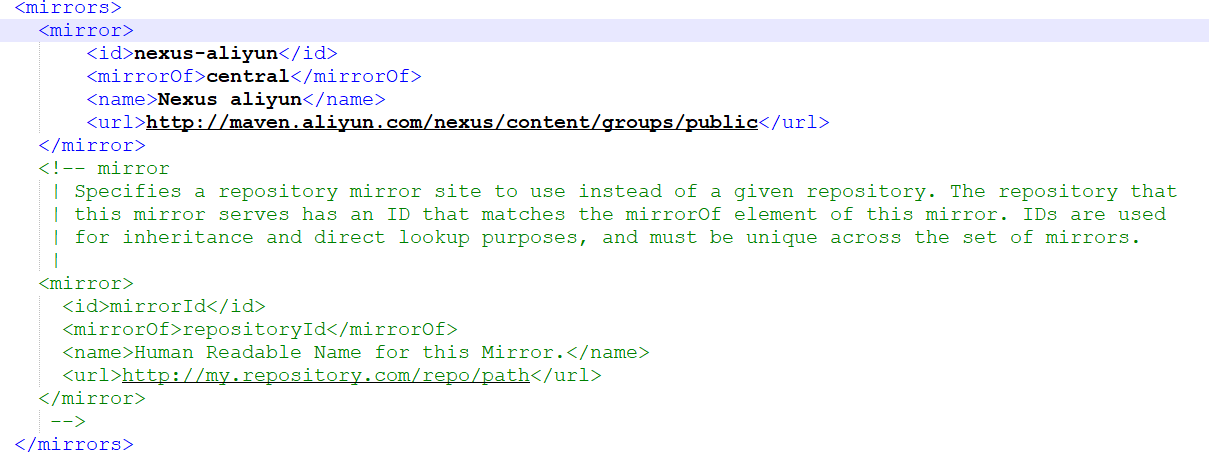
配置阿里云公共仓库,搜索 mirrors 在最上面添加以下内容
<mirror><id>nexus-aliyun</id><mirrorOf>central</mirrorOf><name>Nexus aliyun</name><url>http://maven.aliyun.com/nexus/content/groups/public</url></mirror>
全局配置-私有仓库
一般在企业开发中会有统一的私服地址,以企业、部门、项目组为单位的私服镜像仓库,用于内部制品的依赖获取与发布。
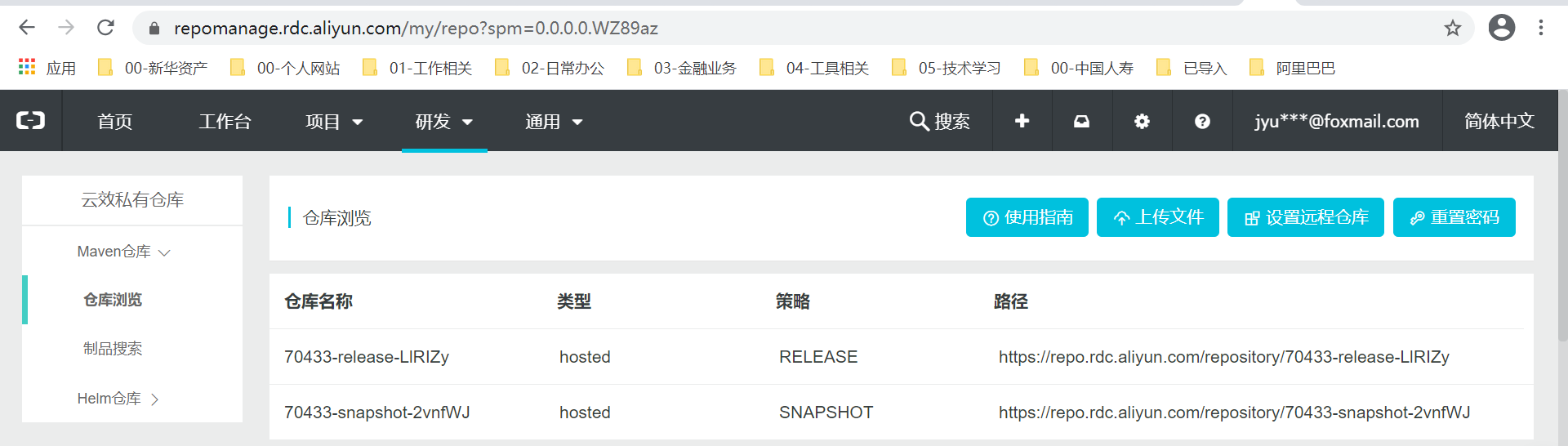
阿里云效Maven私服为例:点击进入
- 登录后需要新增一个企业
- 找到自己的私服仓库配置
- 按照流程进行配置
在servers节点添加如下配置
<servers><server><id>rdc-releases</id><username>hfYti6</username><password>******</password></server><server><id>rdc-snapshots</id><username>hfYti6</username><password>******</password></server></servers>
在profiles节点添加如下配置
<profile><id>rdc-private-repo</id><repositories><repository><id>rdc-releases</id><url>https://repo.rdc.aliyun.com/repository/70433-release-LlRIZy/</url></repository><repository><id>rdc-snapshots</id><url>https://repo.rdc.aliyun.com/repository/70433-snapshot-2vnfWJ/</url></repository></repositories></profile>
配置好了settings.xml后,在代码库根目录下的pom.xml加入以下配置:
<distributionManagement><repository><id>rdc-releases</id><url>https://repo.rdc.aliyun.com/repository/70433-release-LlRIZy/</url></repository><snapshotRepository><id>rdc-snapshots</id><url>https://repo.rdc.aliyun.com/repository/70433-snapshot-2vnfWJ/</url></snapshotRepository></distributionManagement>

若有收获,就点个赞吧
0 人点赞


